
Easy-to-use Windows Media Player plugin that extends its functionality by adding support to read and write tags for extra file types. #Windows Media Player Addon #Tag Editor #Modify Tag #WMP #Add-on #Tag

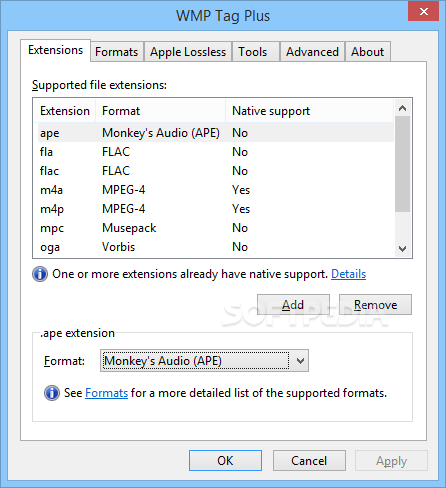
WMP Tag Plus is an easy-to-use software application which enables you to enhance the functionality of Windows Media Player. It comes packed with a few useful settings that can be easily fiddled with.
The setup procedure is a fast and easy task which does not require special attention. Once it finishes, the app offers to immediately launch Windows Media Player to configure WMP Tag Plus settings.
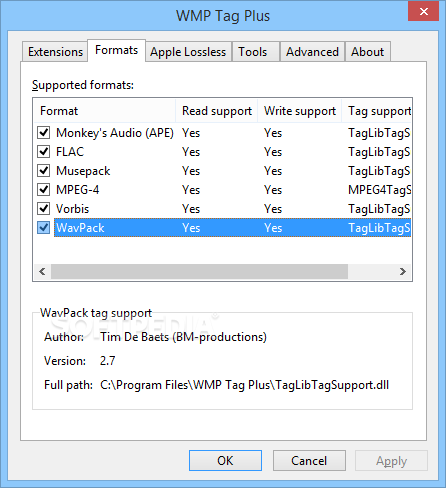
New extensions can be added for opening media files, as well as removed from the list. It is possible to examine information concerning these supported formats, such as read and write support, author, version and full path.
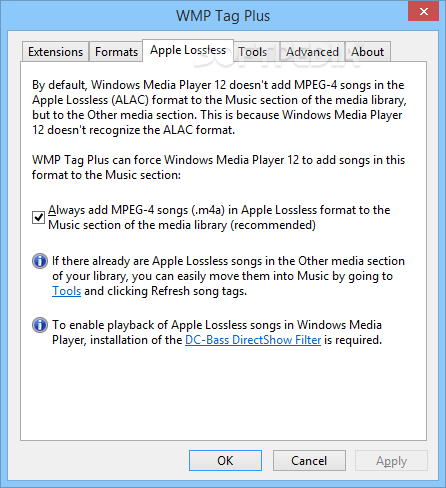
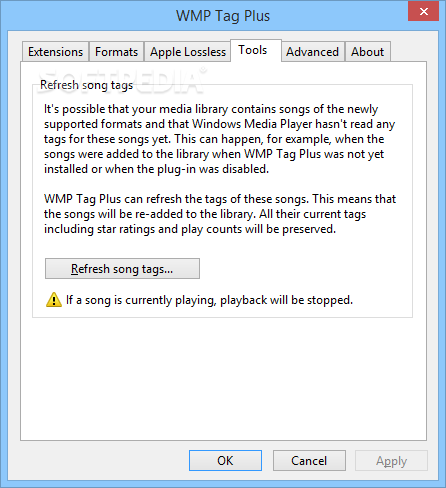
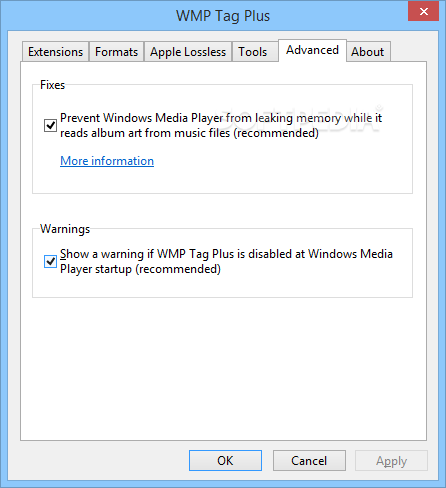
The tool can force Windows Media Player to add MPEG-4 songs with the Apple Lossless (ALAC) format into the Music section of the media library. The software application is also capable to refresh song tags existing in the media library as well as to show or hide warnings when WMP Tag Plus is disabled at Windows Media Player's startup. There are no other noteworthy options available here.
We have not come across any kind of issues in our tests, since the plugin did not hang, crash or pop up error messages. It has a good response time and works well, running on low CPU and RAM.
WMP Tag Plus comes in handy to all Windows Media Player users who want to enhance its functionality by adding support for reading and writing tags for extra file types, such as FLAC or OGG. Thanks to its intuitive structure and options, it can be easily used.
Download Hubs
WMP Tag Plus is part of these download collections: Add Audio Metadata
What's new in WMP Tag Plus 2.12:
- Fixed: "One of the core components of WMP Tag Plus is missing or failed to load properly" error message at Windows Media Player startup on Windows 11, as well as on newer versions of Windows 10
WMP Tag Plus 2.12
add to watchlist add to download basket send us an update REPORT- runs on:
-
Windows 11
Windows 10 32/64 bit
Windows 8
Windows 7
Windows Vista
Windows XP - file size:
- 2.1 MB
- filename:
- WMPTagPlus-2.12.exe
- main category:
- Multimedia
- developer:
- visit homepage
ShareX

calibre

Windows Sandbox Launcher

Zoom Client

paint.net

Microsoft Teams

IrfanView

4k Video Downloader

7-Zip

Bitdefender Antivirus Free

- 4k Video Downloader
- 7-Zip
- Bitdefender Antivirus Free
- ShareX
- calibre
- Windows Sandbox Launcher
- Zoom Client
- paint.net
- Microsoft Teams
- IrfanView