
A Device Driver for MIDI streams control. #MIDI Stream #Stream Control #MIDI Port #MIDI #Stream #Control
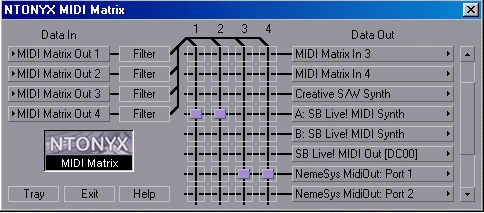
MIDI Matrix was developed to be a Device Driver for MIDI streams control. It offers 4 MIDI ports for MIDI input and a commutation matrix, capable of directing the data from the input ports to one of the output MIDI ports (or MIDI devices) installed in the computer.
After MIDI Matrix has been installed, MIDI applications start to offer four additional MIDI input ports and four ports for reception of the data from MIDI Matrix (Outputs: Midi Matrix 1, 2, 3, 4, Inputs: Midi Matrix 1, 2, 3, 4).
This means that MIDI events can be routed from several applications to a single MIDI port and played back simultaneously. Besides, it becomes possible to record MIDI data played back by several devices into a single program.
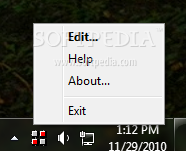
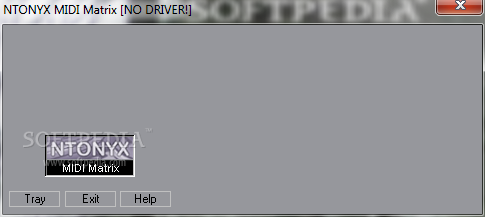
MIDI Matrix can also filter out MIDI events of specified types and channels. After installation, the MIDI Matrix icon is placed on the System Tray. Click the icon in the System Tray for launching MIDI Matrix Control.
With the help of Commutation Matrix select input ports (Data In) and corresponding output port (i.e. MIDI device installed in your computer). Simply click the appropriate connection.
MIDI Filter filters out MIDI events of specified types and MIDI Channels. The following MIDI events can be switched off: - Notes, Key Aftertouch (Key Aft.), Controllers (Ctrl), Program Change (Program), Channel Aftertouch (Chan Aft.), Pitch Wheel (Wheel), Not Channel Message (NChMsg), System Exclusive (SysEx).
MIDI Matrix 1.0
add to watchlist add to download basket send us an update REPORT- runs on:
- Windows All
- file size:
- 1.4 MB
- filename:
- midi_matrix.exe
- main category:
- Multimedia
- developer:
- visit homepage
paint.net

4k Video Downloader

Windows Sandbox Launcher

calibre

ShareX

IrfanView

Bitdefender Antivirus Free

7-Zip

Microsoft Teams

Zoom Client

- 7-Zip
- Microsoft Teams
- Zoom Client
- paint.net
- 4k Video Downloader
- Windows Sandbox Launcher
- calibre
- ShareX
- IrfanView
- Bitdefender Antivirus Free