Softpedia
 

WINDOWS CATEGORIES:


GLOBAL PAGES >>
SOFTPEDIA REVIEWS >>
MEET THE EDITORS >>
WEEK'S BEST
  • Bitdefender Total ...
  • Ocster Backup Pro ...
  • Hard Disk Sentinel...
  • FlashFXP [DISCOUNT...
  • DVDFab DVD Copy [D...
  • Kaspersky Internet...
  • Avast! Internet Se...
  • Avira Internet Sec...
  • Webroot SecureAnyw...
  • McAfee Total Prote...
  • Home > Windows > Multimedia > Audio > Other AUDIO Tools
     Report malware

    neuview media player professional 6.08.0253

    Softpedia Pick Award
    download button buy button

    Downloads: 24,607  View global page  Tell us about an update
    User Rating:
    Rated by:
    Very Good (4.0/5)
    111 user(s)
    Developer:

    License / Price:

    Size / OS:

    Last Updated:

    Category:

    Demo / $12.99 USD buy button
    3.3 MB / Windows All
    [view history]
    C: \ Multimedia \ Audio \ Other AUDIO Tools

     Read user reviews (3)  Send to friend   Follow (1 user)

    Softpedia Editor's Review for neuview media player professional

    EDITOR'S RATING:   3.5/5

    Streaming and incomplete file playback system including subtitle support

    Written by Elena Opris on February 7th, 2012

    Neuview Media Player in a program that you can use to play movies.

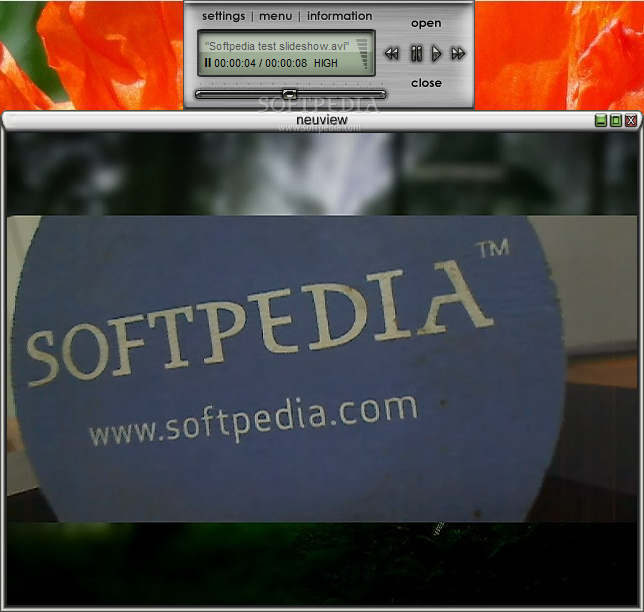
    The interface of the program is simplistic, yet slightly unusual. We especially like how the menu is displayed.

    You can get started by importing media into the player, by using the file browser or the "drag and drop" method.

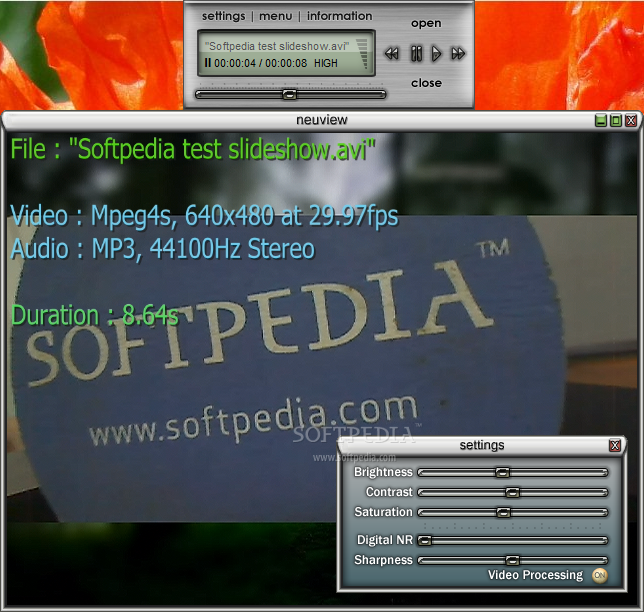
    So, you can use basic commands, such as play and resume, adjust the volume, navigate back and forth within the video, switch to full screen mode, as well as increase or decrease the speed of the track.

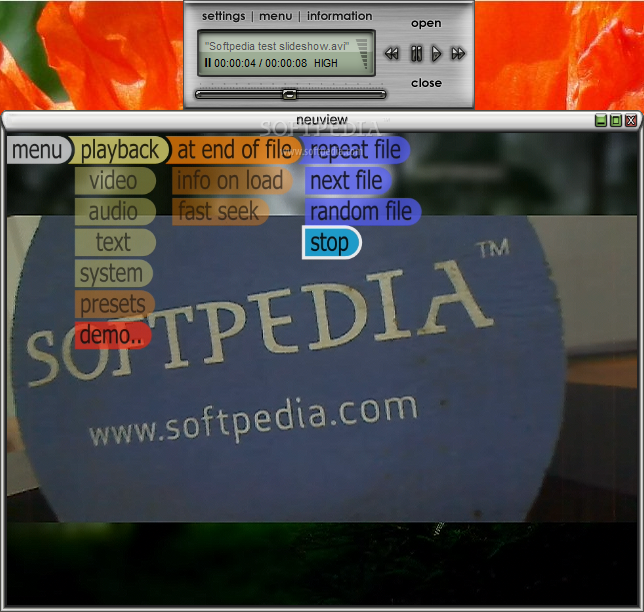
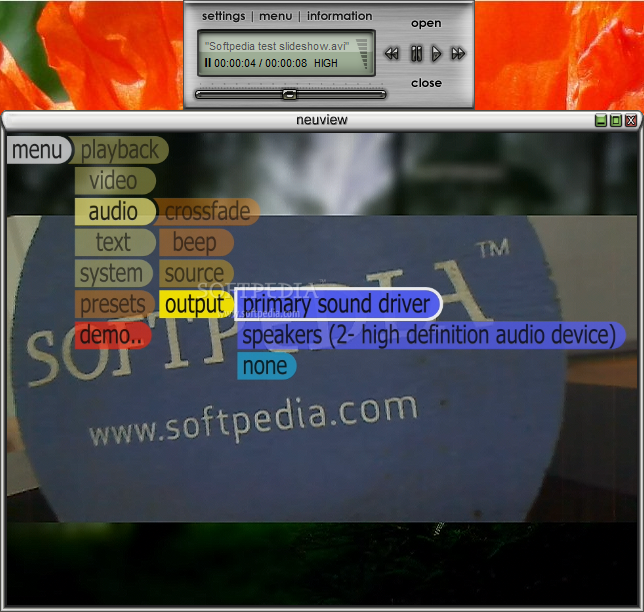
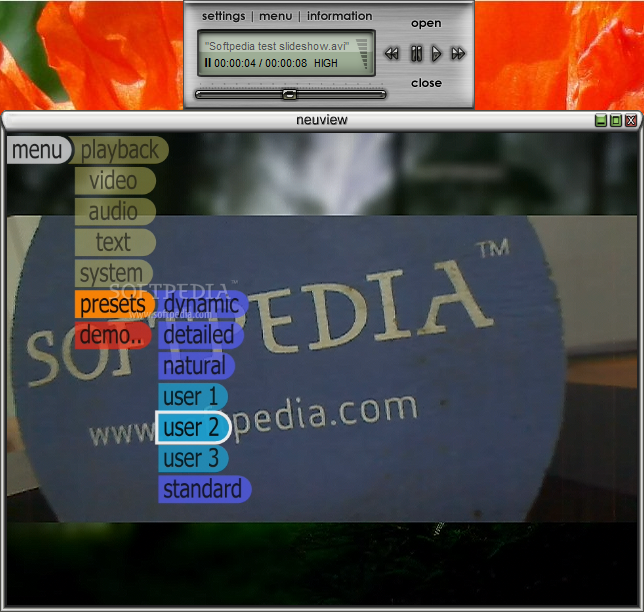
    But you can also access the menu by hovering your mouse over the top left corner of the screen and enable playback at the end of the file (repeat, next or random file, stop).

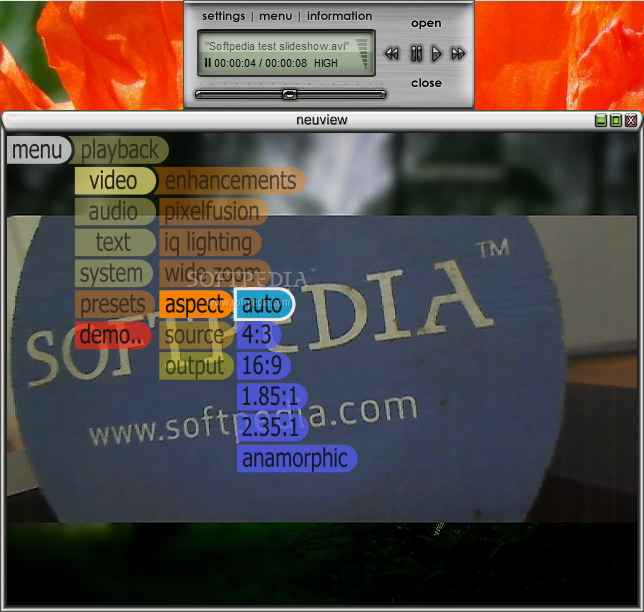
    In addition, you can get information on loading (low, medium, maximum, none), enable fast seek and wide zoom, change aspect ratio (e.g. anamorphic), select the stream source and the output.

    Furthermore, you can set audio options regarding crossfade, beeping, the audio source and output (e.g. primary sound driver, speaker), as well as select the source and output of the text (Neuview Media Player also supports subtitles) and change system settings (“blit” method, video buffer, info).

    The program uses a moderate amount of system resources and didn't pop up any errors during our tests. However, there is no help file available and you don't have access to some essential tools for media players, such as creating a playlist. We recommend you test Neuview Media Player for yourself.

    neuview media player professional description

    Here are some key features of "neuview media player professional":

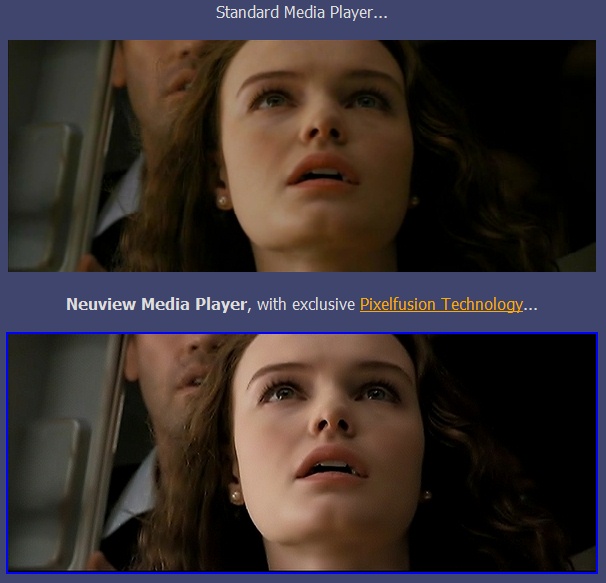
    · Unique Pixelfusion image resolution enhancement technology, if you join the neuview members club, or upgrade to neuview professional.
    · Audio crossfade option, to prevent sharp breaks in audio when seeking or closing a file.
    · High quality metallic skin.
    · Anti-aliased OSD, with easy to use menu system and text display to give continuous feedback.
    · User interface is always responsive, even while a file is opening.
    · Drag and drop file support.
    · Codec crash recovery - continue playback if an installed codec causes an error.
    · Bufferered playback, reduces the chance of video skipping.
    · Advanced vsync logic, completely eliminates video tearing.
    · Works correctly when dragging player across multiple monitors.
    · OnNow compliant - prevents standby/power saving while playing video, and works consistently when switching users in Windows XP.
    · Video renderer fallback mechanism, if one renderer fails it can try another renderer.
    · Pulldown stabilizer, ensures strict pulldown similar to hardware framerate converters / telecine machines. This can significantly reduce video judder.

    Requirements:

    · 1.2 GHz CPU
    · 256MB RAM

    Limitations:

    · 5 free playback minutes (can be extended to 100 min over the Internet)
    · Nag screen

    What's New in This Release: [ read full changelog ]

    · Pure black enhancer (IQ Lighting) - Fixes problems with popular graphic card drivers, that make blacks washed out.
    · Effectively 16% better contrast ratio, giving a better sense of depth and realism to your media.
    · Windows Vista compatibility issues have been fixed.
    · Various bug fixes and optimisations.

     Softpedia guarantees that neuview media player professional 6.08.0253 is 100% CLEAN, which means it does not contain any form of malware, including spyware, viruses, trojans and backdoors. [read more >]


    TAGS:

    media player | video player | audio player | player | Pixelfusion | video

    Go to top

    WindowsGamesDriversMacLinuxScriptsMobileHandheldNews

    SUBMIT PROGRAM   |   ADVERTISE   |   GET HELP   |   SEND US FEEDBACK   |   RSS FEEDS   |   UPDATE YOUR SOFTWARE   |   ROMANIAN FORUM