WINDOWS CATEGORIES:
NEWS ARCHIVE >>
SOFTPEDIA REVIEWS >>
|
|
|
WEEKLY HIGHLIGHTS
|
7-DAY TOP DOWNLOAD
# |
Program |
 | Avira AntiVir Personal - Free Antivirus 8.1.0.331 140,030 |  | Windows Live Messenger 2009 14.0.5027.908 79,749 |  | Windows Live Messenger 8.5.1302.1018 66,305 |  | Internet Download Manager 5.14 Build 5 45,485 |  | DVD Shrink 3.2.0.15 43,912 |  | Y! Multi Messenger 8.x and 9.x 41,970 |  | Microsoft Office 2007 39,134 |  | Vista Transformation Pack 8.0.1 38,152 |  | Nero 7 Premium 7.11.10.0 32,982 |  | Adobe PhotoShop CS3 32,238 |
|
WEEK'S BEST
DAEMON Tools Pro (...Opera 9.60 Build 1...Maxthon Standard 1...DAEMON Tools Pro B...Advanced X Video C...WinRAR 3.80 StableNero 9 9.0.9.4Net Transport 2.64...Advanced SystemCar...Windows Live Messe...Acronis True Image...ImTOO DVD Ripper S...Combined Community...Fastream IQ Web/FT...VirtualDub 1.8.6 B...Super DVD Creator ...Deluge 1.0.0.32Adobe Flash Player...WinPatrol 15.9.200...Trend Micro Intern...COMODO Internet Se...WinZip 12.0 Build ...Real Alternative 1...Camfrog Video Chat...iTunes 8.0.1.11QuickTime 7.55.90.70SiSoftware Sandra ...EVEREST Ultimate E...Google Chrome 0.3....BS.Player 2.31 Bui... |
|
|
|
Mp3/Tag Studio 3.5 Beta 20
|
|
|
|
|
|
User Rating: Rated by: |
Good (3.3/5) 44 user(s) |
|
|
|
Mp3/Tag Studio description |
|
|
All in one mp3 tool of very high quality. Auto rename, auto retag, repair, list
All-in-one mp3 toolbox. Fast, extremely powerful and very easy to use. Acclaimed by thousands of users for its speed, ease of use, stream-lined interface, and complete functionality.
All string manipulating tools are based on the same advanced template/parser engine that is well known for its ease of use and stability. Highly configurable auto letter case fix and auto substring replacement can be used for all operations.
All mass processing operations can be fully controlled using the extremely configurable and powerful processing filter.
All batch processing operations can be performed in preview mode, where no actual changes are made, and they are also fully undoable once they are executed for real.
It is so tragically easy to drown in the overwhelming plethora of mp3-tagging tools, but just take a quick look at Mp3/Tag Studio and you'll know what we mean when we say that you will never have to look for another such tool again.
Here are some key features of "Mp3Tag Studio":
General program functionality:
Framework to perform complex operations on mp3s. ■ As simple to work with single files as on with whole directories, directory trees and custom selected sets of files. ■Full support for ID3v1.0, ID3v1.1 and ID3v2 tags (with optional "Super fast v2 tagging mode", which writes v2 tags to files faster than practically any other tagging program!) ■ Advanced customizable filtering capabilities to only perform any operations on files that meet certain custom set criteria. ■ Intuitive and clean interface to maximize speed and ease of use. ■ Advanced mode operation for experienced and advanced users, while in normal mode keeping the program easy to operate for newbie users and non-complex operation performing. ■ Preview operation mode for all tagging and renaming functions. ■ Undo-functionality for all tagging and renaming functions. ■ Includes powerful generic utility for case fixing and string replacement in any tag field or filename, plugged into all the applicable tools mentioned below. ■ Highly customizable shell extension (Windows explorer right click menu) with powerful operations on files and directories. ■ Detailed context sensitive help and optional in-program tooltips for all controls.
The name and tag tools:
The auto rename and organize mp3 tool: ■ Rename any mp3:s based on tag contents and encoding data, to ANY format you like. ■ Automatically detects mp3 files and renames them (no matter e.g. if their file extension differs from ".mp3" for the moment) ■ Organize and sort mp3:s into complex directory structures (created by the program) based on tag and encoding data. ■ Optional automatic character case fix with advanced settings (including generic string replacement). Default settings fully comply with english grammatical rules. ■ Easy save and restore of your created templates.
The auto tag based on filenames tool: ■ Set tags on mp3:s based on parsed out filename and directory path name. Advanced parser that handles ANY possible splitting of strings into tag fields. ■ Optional automatic character case fix with advanced settings (including generic string replacement). Default settings fully comply with english grammatical rules. ■ Easy save and restore of your created templates.
The direct file rename tool: ■ Rename files based on their current names. Full directory output support as in the auto rename tool. ■ Same advanced template based string parser as in the write tag tool. ■ Custom field support ensures support for ANY possible filename transformations. ■ Optional automatic character case fix with advanced settings (including generic string replacement). Default settings fully comply with english grammatical rules. ■ Easy save and restore of your created templates.
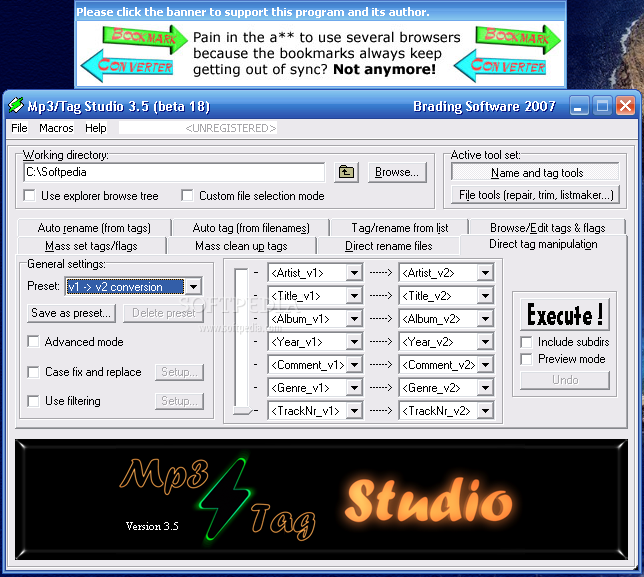
The direct tag manipulation tool: ■ Copy data between any tag fields, disregarding field tag versions and other limitations ■ Convert ID3v1 tags to ID3v2 tags ■ Convert ID3v2 tags to ID3v1 tags ■ Save any settings to easily accessable presets
The mass clean up tags tool: ■ Fast and easy clean-up of custom chosen tag fields, or even complete removal of tag.
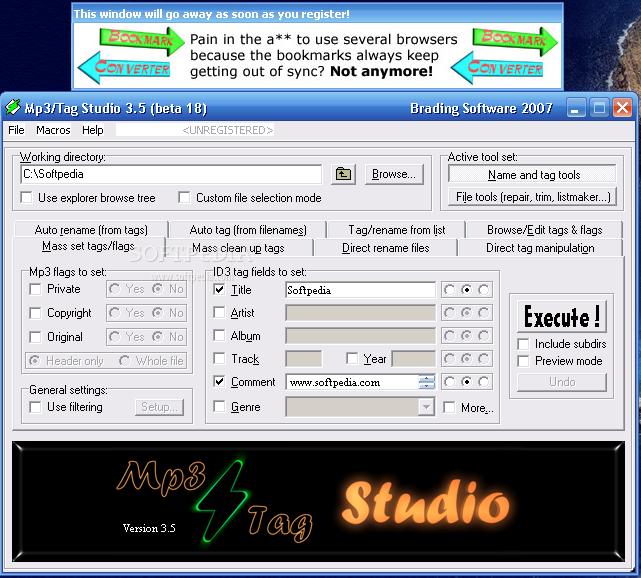
The mass set tags/flags tool: ■ Set custom chosen tags fields to specific values (all other tag fields are left as they are!). ■ Choose between prepending, appending or overwriting current tag field data. ■ Set encoding flags of mp3:s (like e.g. the copyright flag). Choose between setting them in only the mp3 header or in every frame of the whole mp3 file.
The tag/rename from list tool: ■ Import data directly from lists, and tag files automatically based on this data. ■ Import data directly from lists, and rename files automatically based on this data. ■ Handles very complex input lists, like for example custom HTML files and irregular multi-line entries.
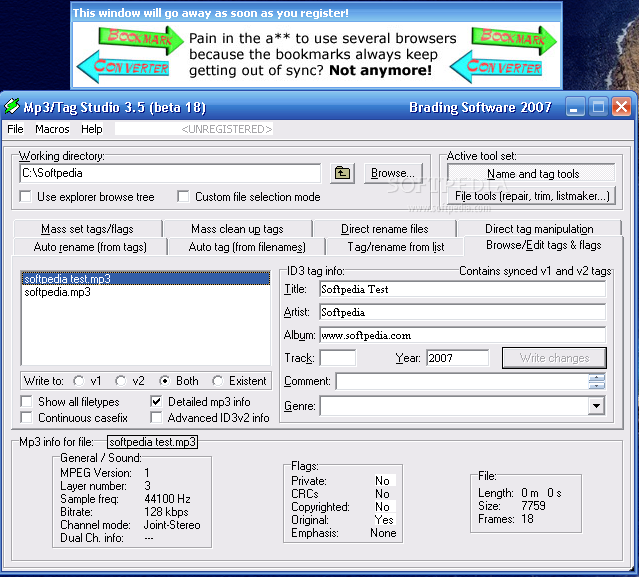
The browse/edit tags/flags tool: ■ Fast and clean browser to view and edit all tag contents and encoding info of single mp3:s. ■ Play any mp3 by double-clicking it. ■ Perform any of the other name and tag tools' operations on single files. ■ Detect format of unknown files (mp3 or other).
The file tools:
The repair mp3 tool: ■ CR/LF repair files (often called Uncook) ■ Repair/add VBR header to mp3:s. Never again have Winamp or any other program show the wrong info (playlength, bitrate and such) for your VBR mp3:s. Also fix all problems with inaccurate seeks in VBR files for players like e.g. Winamp. ■ Remove junk data before first mp3 frame. This can solve many common problems with mp3 files. ■ All repairs are FAST.
The trim mp3 tool: ■ Trim away beginning and trailing silence in mp3:s, or cut away half the file if you like. ■ Maximum precision cuts (enter any number of decimals for the cut time). ■ Cuts "frame clean". ■ Completely accurate cuts also in VBR files (with or without VBR header) ■ Automatically preserves all tag data (both ID3v1 and ID3v2) in all cuts.
The search mp3 tool: ■ Search your entire collection for mp3 files matching any criteria. ■ Powerful settings for search criteria, e.g. related to tag contents and sound encoding info.
The create custom lists tool: ■ Create custom designed mp3 lists for import to any other database program (including Access and Excel). ■ Large possible selection of export info for each file in the list (all tag fields, encoding info and filenames). ■ Creation of Winamp playlists (both with relative and fixed paths). ■ Optional warnings for files that contain no tag and such. Limitations:
· Nag screen at the first launch of the application
· Unregistered version displays ads What's New in This Release: [ read full changelog ]
· Experimental Windows Vista support.
|
|
|
|
|
|
|
|
|
|
|
|
| ColdFusionPad 1.1 |
| Text editor with built in code examples for most ColdFusion tags and functions. |
|
|
|
| The GodFather 0.70 |
| Batch rename of files using Tag/Filename/Folder name/Audio file information |
|
|
|
|
|
|
|
|
|
|
|
| Lens Correction 1.0 |
| This PhotoShop plugin corrects barrel and pincushion distortion artefacts that many camera lenses produce. |
|
| Gradient Blur 1.0 |
| This PhotoShop plugin applies a simple yet user configurable gradient blur, that can help us draw the viewer's attention to the photograph's main subject. |
|
|
|
|
|
|
|
|