Search Perform an advanced search query SOFTPEDIA
 
SOFTPEDIA
Updated one minute ago
HomeSubmit a program for being reviewedAdvertise on our websiteGet help on surfing our websitesSend us your feedbackGet information about our XML/RSS backend and how to use itBrowse the news archiveVisit our discussion forumVizitati forumul in limba romana


Program Finder NormalFreeware onlyShareware only

Capture One Pro 4.0.14162.14152 Report spyware 

Click to download Capture One ProCapture One Pro - Softpedia Pick Award (If you developed this product, click here to download your award)
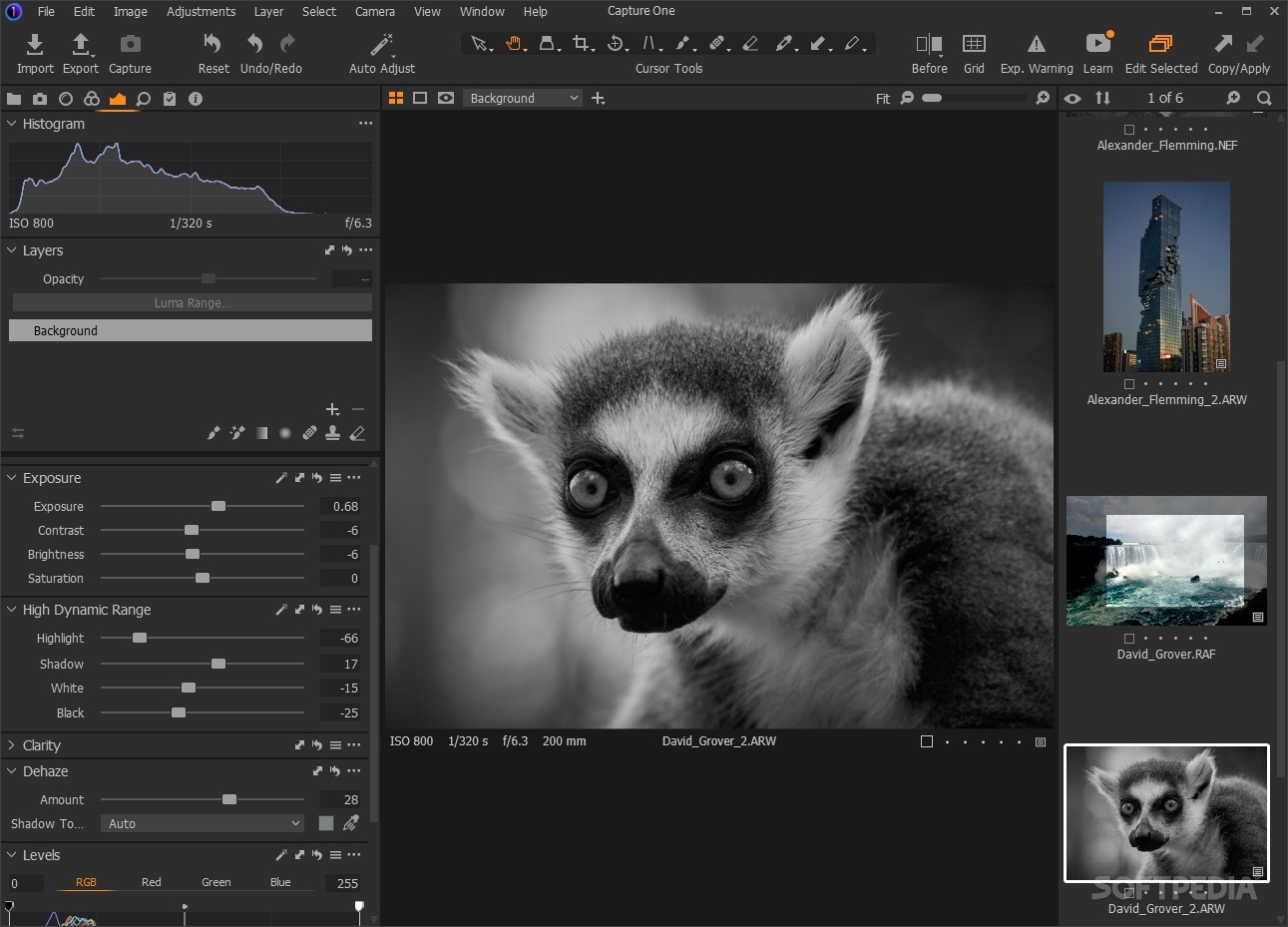
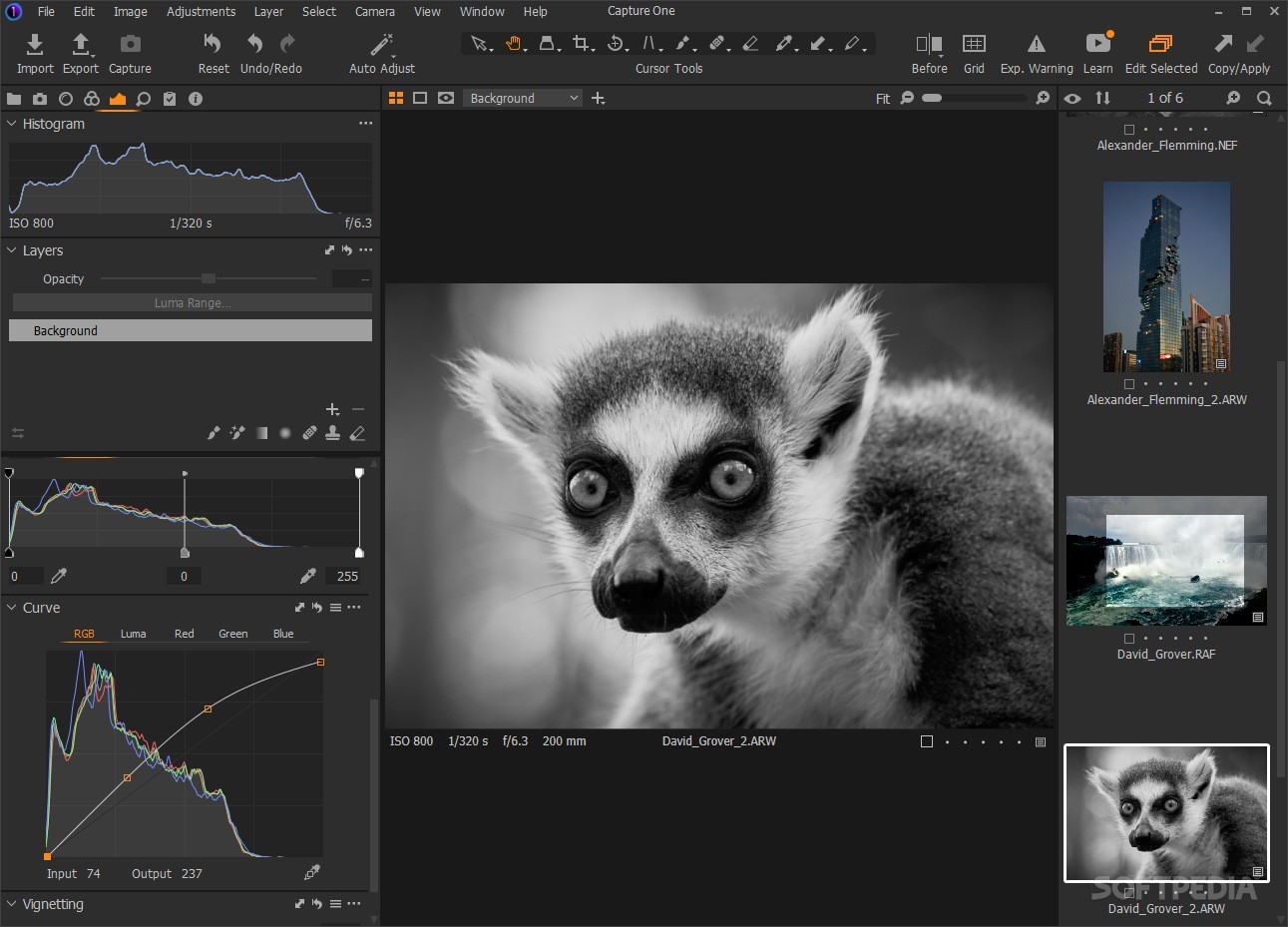
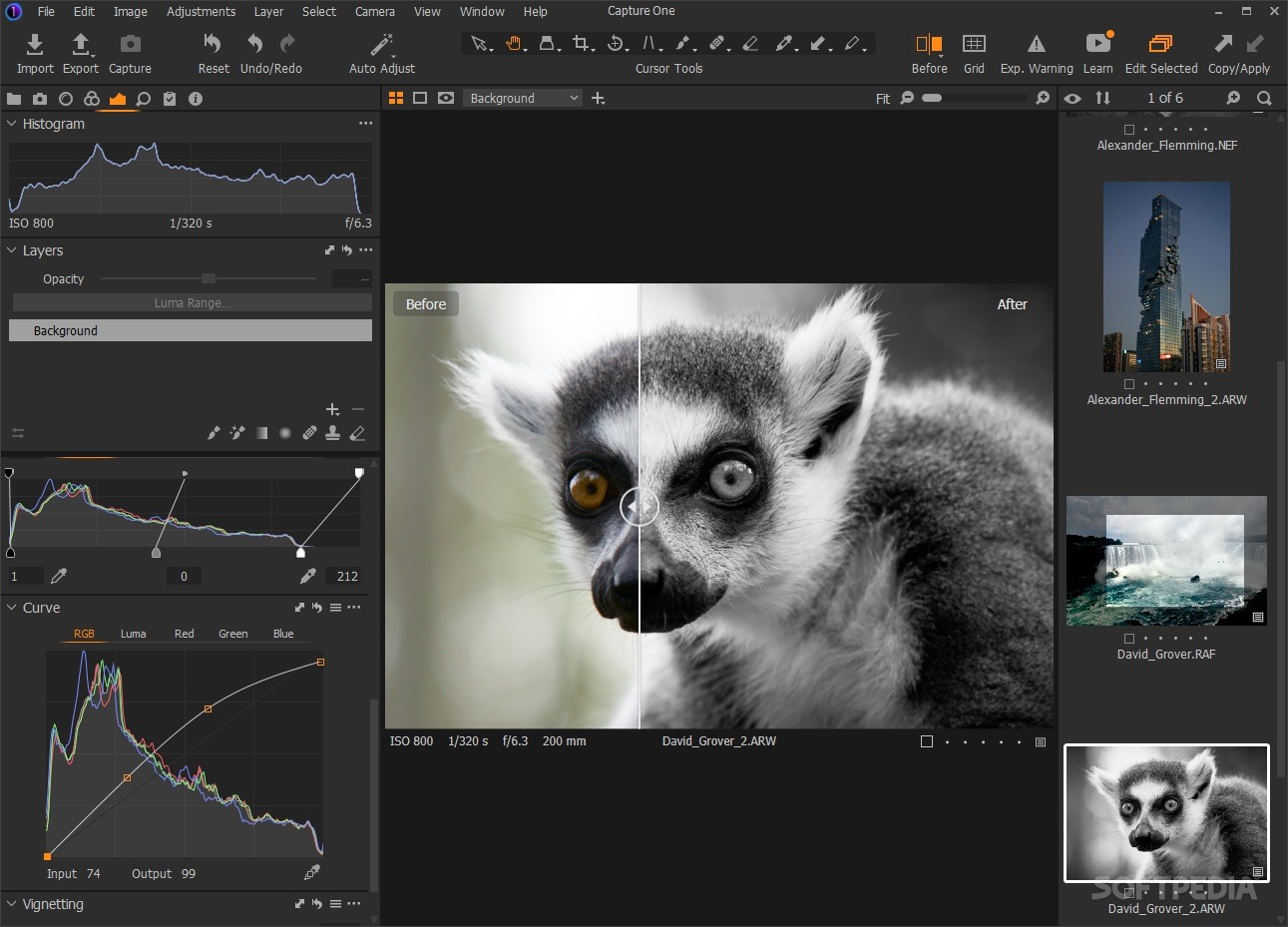
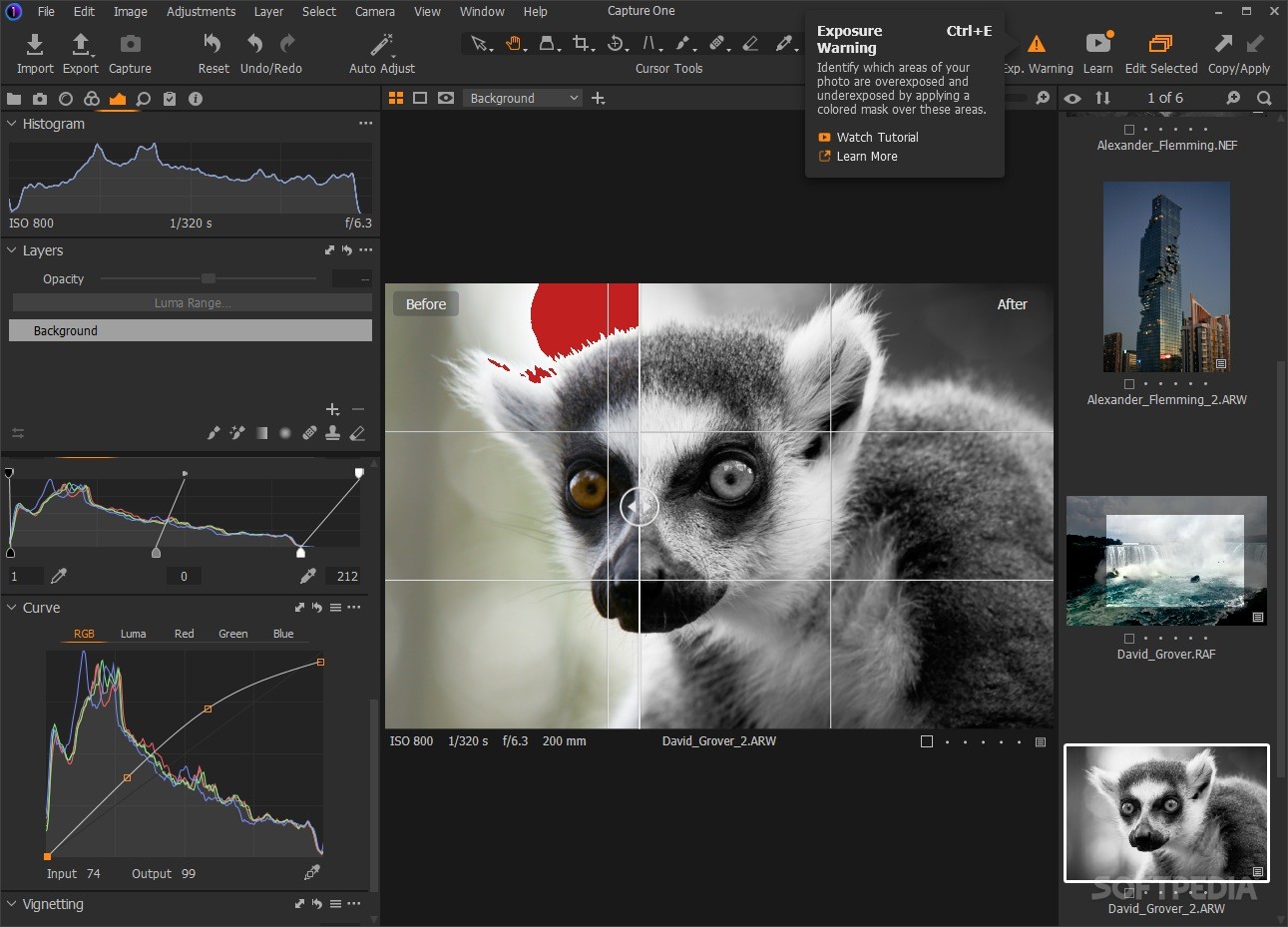
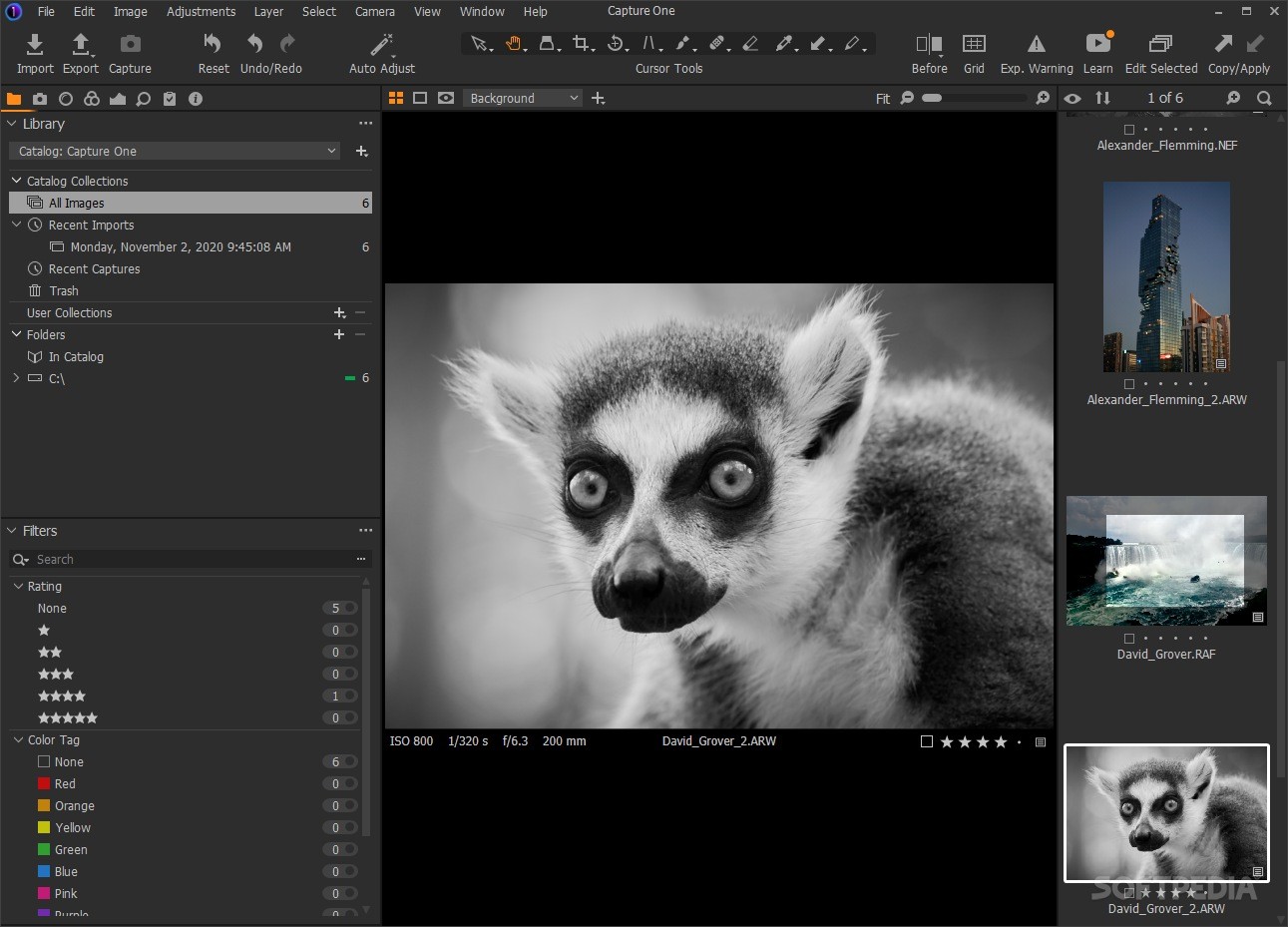
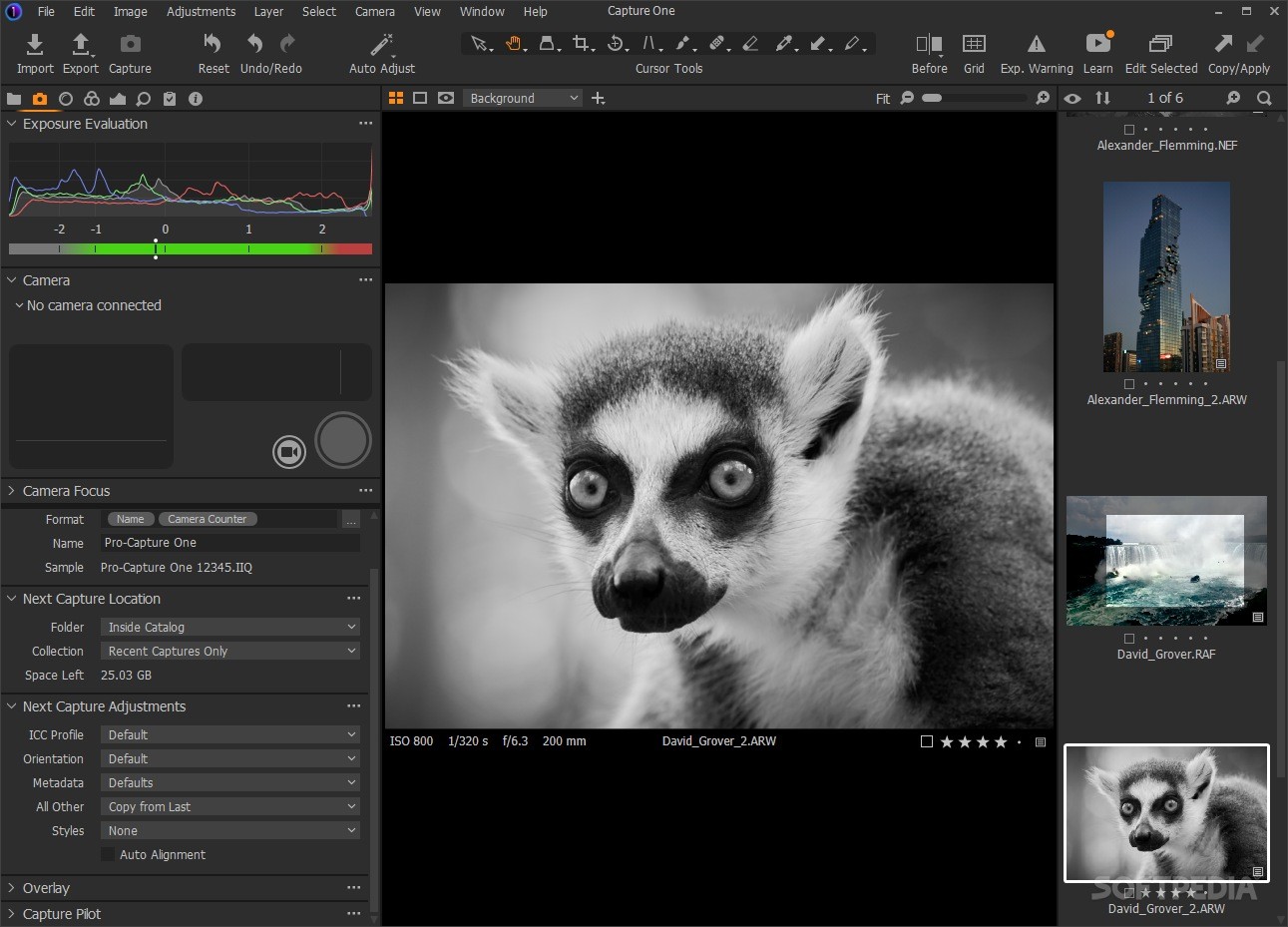
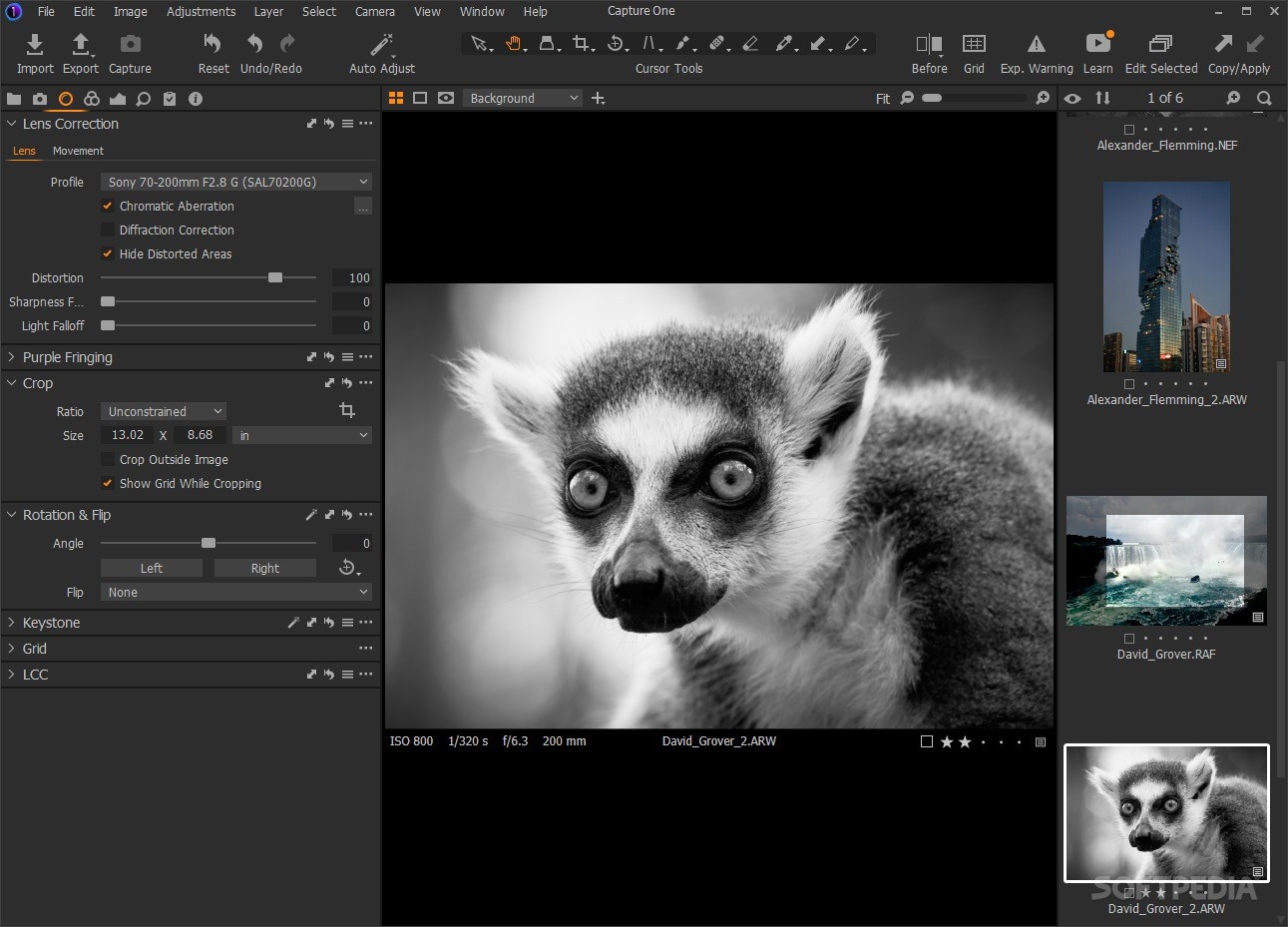
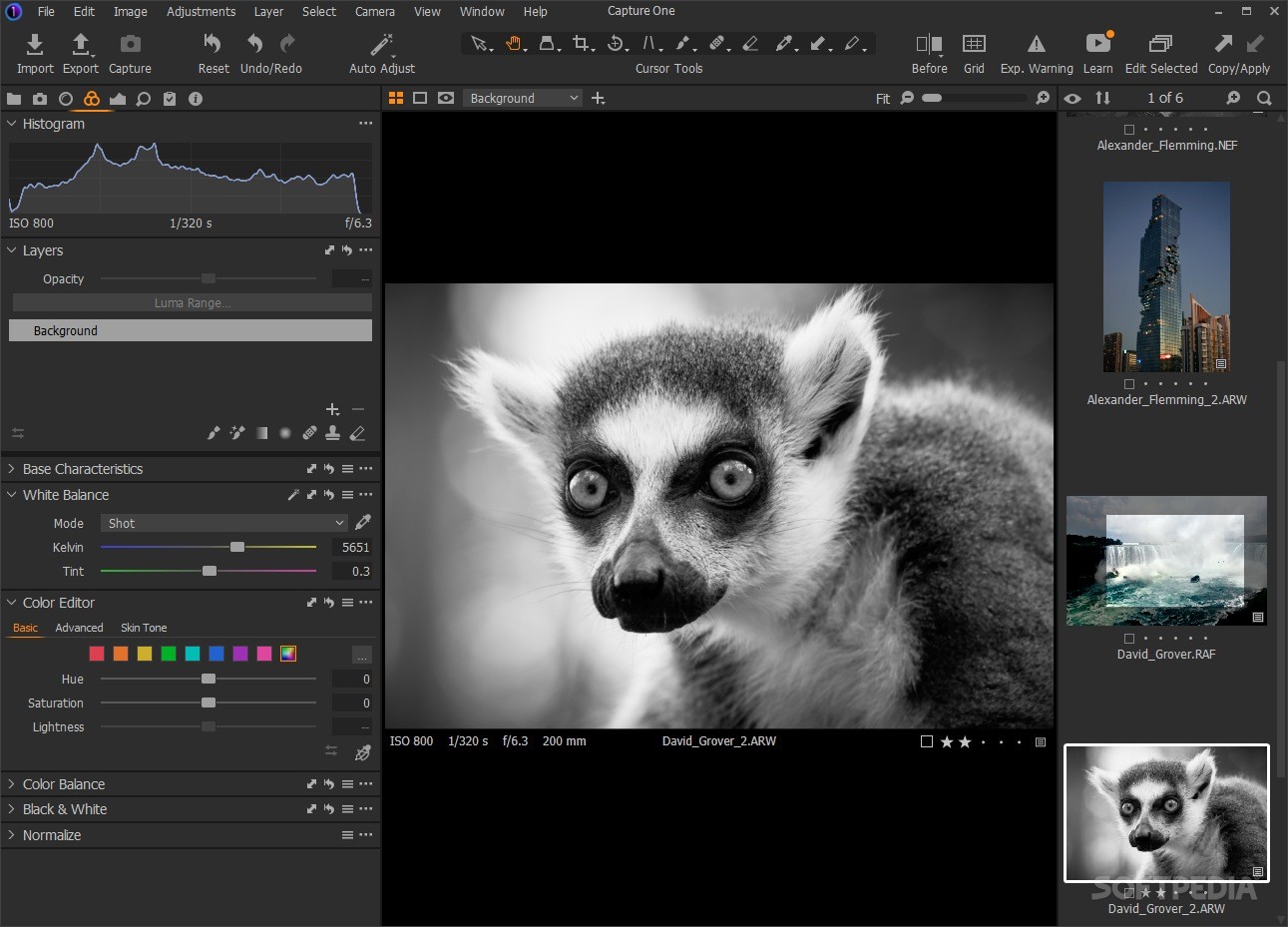
View more Capture One Pro screenshots (7)
 Downloads: 18,512
Rating: Good (3.4/5) | Rated by: 35 user(s)
Add to download basket     Send us update information
 Developer: Phase One | More programs by this producer
 License: Trial , 499 $ to buy 
 Size / OS: 42.3 MB, Windows 2K/XP
 Last Updated: December 23rd, 2007, 04:05 GMT
 Category: C: \ Multimedia \ Graphic \ Digital Photo Tools
 Read user reviews (0) Add a review Refer to friend Subscribe
    Download Capture One Pro

Capture One Pro description
A software application that enables you to adjust the images and improve their quality

You can work with RAW files from DSLR cameras.

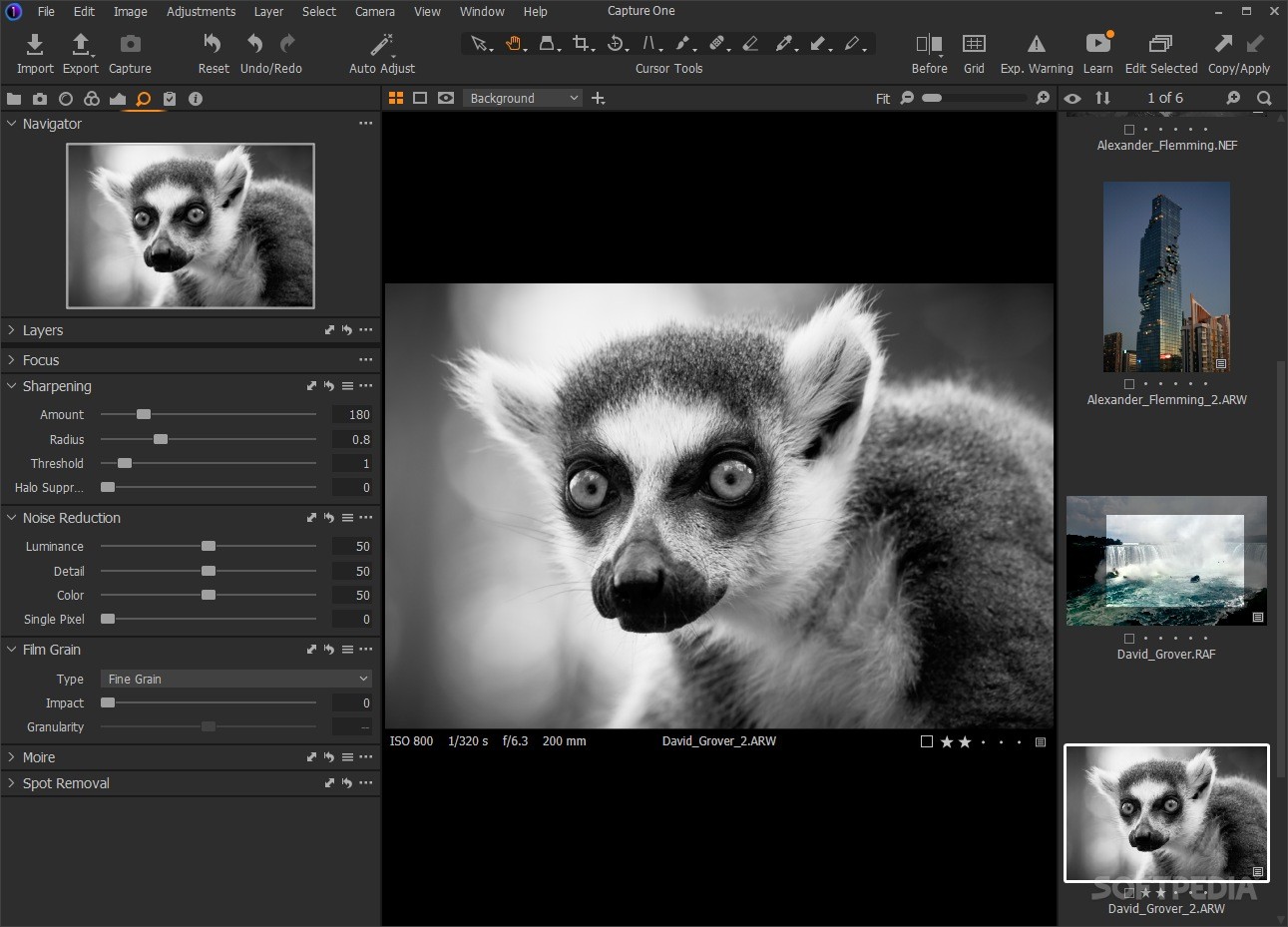
Capture One PRO is RAW workflow software designed for the professional photographer.

Capture One allows you to load in RAW files from the most commonly used DSLR cameras or shoot tethered to the computer. The intuitive Capture One RAW workflow guides you through image capture, editing and enhancement in a few simple steps and converts your RAW files into TIFF-RGB, TIFF-CMYK or JPEG images on-the-fly

Capture One is renowned for producing exceptional image quality with fine details, accurate colors and virtually no noise. This is also why Capture One is used and recommended by professional photographers around the world.

The following cameras are supported in Capture One:
Phase One:
· P 25, P 20, H 25, H 20, H 10, H 101, H 5, LightPhase

Canon:
· 1Ds Mark II, 1D Mark II, 1Ds, 1D
· 20D, 10D, 350D, 300D, D60, D30
· Pro 1, G6, G5, G3, G2

Nikon:
· D2X, D1X, D2Hs, D2H, D1H, D100, D70s, D70, D50
· Fuji:
· S3 Pro, S2 Pro

Pentax:
· *istD, *istDS

Olympus:
· E-1, E-10, E-20
, E-300
· C-7070, C-8080

Konica Minolta:
· Alpha 7 D / Maxxum 7 D / Dynax 7 D
· A1, A2

Epson
· R-D1
· Tethered camera support
· Capture One has tethered support for the following cameras:

Canon:
· 1Ds Mark II, 1D Mark II, 1Ds, 1D
· 20D, 10D, 350D, 300D, D60, D30

Here are some key features of "Capture One Pro":

Capture
· Multiple simultaneous working sessions
· Lens cast calibration to avoid unwanted color casts
· Shoot tethered directly into predefined folders
· Composition mode for fast, storage free image composition
· Apply image settings and color profiles during capture
· Overlay feature for easy image alignment
· Instant high resolution preview

Select
· Fast image import
· Easy image tagging and sorting
· Customizable user interface
· Multiple preview modes, including full screen mode
· Tile multiple previews side by side for easy comparison
· Contact sheet option for easy viewing and distribution of images
· Before/after preview for fast comparisons of image adjustments

Improve
· White and color balance adjustment
· Visual exposure warning
· Exposure and contrast correction
· Level/Curves adjustment
· Detailed histogram
· Sharpening and noise suppression tools
· Banding tool to efficiently suppress digital banding
· Flexible cropping
· Transfer settings with ease from image to image
· Save and reuse image settings
· Custom color profiles
· Arbitrary rotation
· Alignment guides for easy image composition
· Effective color Moire suppression tools
· Define and apply creative styles to your images

General
· Black and white conversion
· Ability to embed 3rd party ICC color profiles
· RGB and CMYK soft proofing and output
· Two computer activations
· Two free major updates
· Cros platform access within same license


Requirements:

· Intel Pentium 4 or equivalent
· 768MB RAM
· 1GB free hard disk space
· Calibrated color monitor in 1280x800, 24-bit resolution


Limitations:

· 30 days trial


What's New in This Release:

· High Dynamic Range - easy recovery of details in highlights and shadows in images with a high dynamic range
· Variants - experiment with different looks from one RAW image with virtually no disk And performance overhead
· Web contact sheet - set up theme-based web contact sheets to share work with clients
· Multiple up viewing - view up to 12 images, full resolution simultaneously in the new Viewer
· Many more features are included in Capture One 4.0... [ read full changelog ]


Softpedia guarantees that Capture One Pro 4.0.14162.14152 is 100% CLEAN, which means it does not contain any form of malware, including but not limited to: spyware, viruses, trojans and backdoors.

This software product was tested thoroughly and was found absolutely clean, therefore it can be installed with no concern by any computer user.

However, it should be noted that this product will be retested periodically and the award may be withdrawn, so you should check back on this page from time to time. (click here for more information)


Related downloads IT News Popular downloads New additions   Latest reviews  
Bibble Professional 4.9.9
Bibble Pro Photo-Processing Software is designed to quickly and easily let you maximize the results from your Digital SLR
Photo Builder Platinum 6.51 Beta / 6.5
An excellent application for digital photo processing
PhotoMeister 2.6
Lets you edit and publish photos from your digital camera
Babya PhotoPro 1.0
Babya PhotoPro - Image editor for professional photographers
ImgResizer Pro 1.5
ImgResizer Pro resize/edit photo in batch mode
ShotKeeper 2.5
ShotKeeper - easy to categorize, browse, find, edit and manage photos from your ever-increasing portfolio of digital images
PhotoDub 1.0.0.37
PhotoDub integrates image editing, voice dubbing, and automatic e-mail transfer of your digital images in one application.
honestech Rapid Video Blogger 1.0
This software helps you to easily create User-Generated Content from any media type

go to top Use the following code to link to this page:


Welcome!
Hello, Guest

Login if you have a Softpedia.com account.

Otherwise, register for one.

Main categories:
  • Antivirus
  • Compression tools
  • CD/DVD Tools
  • Office tools
  • Programming
  • Authoring tools
  • File managers
  • Desktop Enhancements
  • Internet
  • Network Tools
  • IPOD TOOLS
  • Mobile Phone Tools
  • Multimedia
  • Tweak
  • System
  • Security
  • Others
  • Science / CAD
  • UNIX
  • Windows Widgets
  • PORTABLE SOFTWARE

  • Week's best:
  • DAEMON Tools Lite 4....
  • UBCD4WIN 3.2.0
  • Adobe Reader 9.0.0 /...
  • Total Commander Ulti...
  • System Mechanic 8.0....
  • Adobe Acrobat Profes...
  • iPhone PC Suite 1.0....
  • Firefox 3.0 Final / ...
  • Portable Firefox 3.0...
  • MPlayer for Windows ...
  • Vista Codec Package ...
  • Windows Live Messeng...
  • WinBubble 1.73
  • Kaspersky Anti-Virus...
  • Malware Removal Tool...
  • WinRAR 3.80 Beta 2 /...
  • Royale Noir Theme fo...
  • IBM Lotus Symphony 1...
  • Adobe Dreamweaver 10...
  • Adobe Fireworks 10.0...
  • BitDefender Total Se...
  • McAfee Total Protect...
  • Ad-Aware 2008 7.1.0....
  • Adobe Flash Player 1...
  • Intel Chipset Softwa...
  • Uxtheme Multi-patche...
  • SRS Audio Sandbox 1....
  • SP3 UxTheme Patcher ...
  • PECompact 2.87 Beta ...
  • Sony Vegas Movie Stu...
  • Daniusoft Media Conv...
  • © 2001 - 2008 Softpedia. All rights reserved.
    Softpedia™ and Softpedia™ logo are registered trademarks of SoftNews NET SRL.
    Copyright Information | Privacy Policy | Terms of Use | Contact Softpedia | Update your software | Archive