
Organize your photos and videos, edit them or apply special effects by turning to this comprehensive application that comes with an intuitive layout. #Photo Gallery #Photo Organizer #Video Organizer #Album #Panorama #Gallery

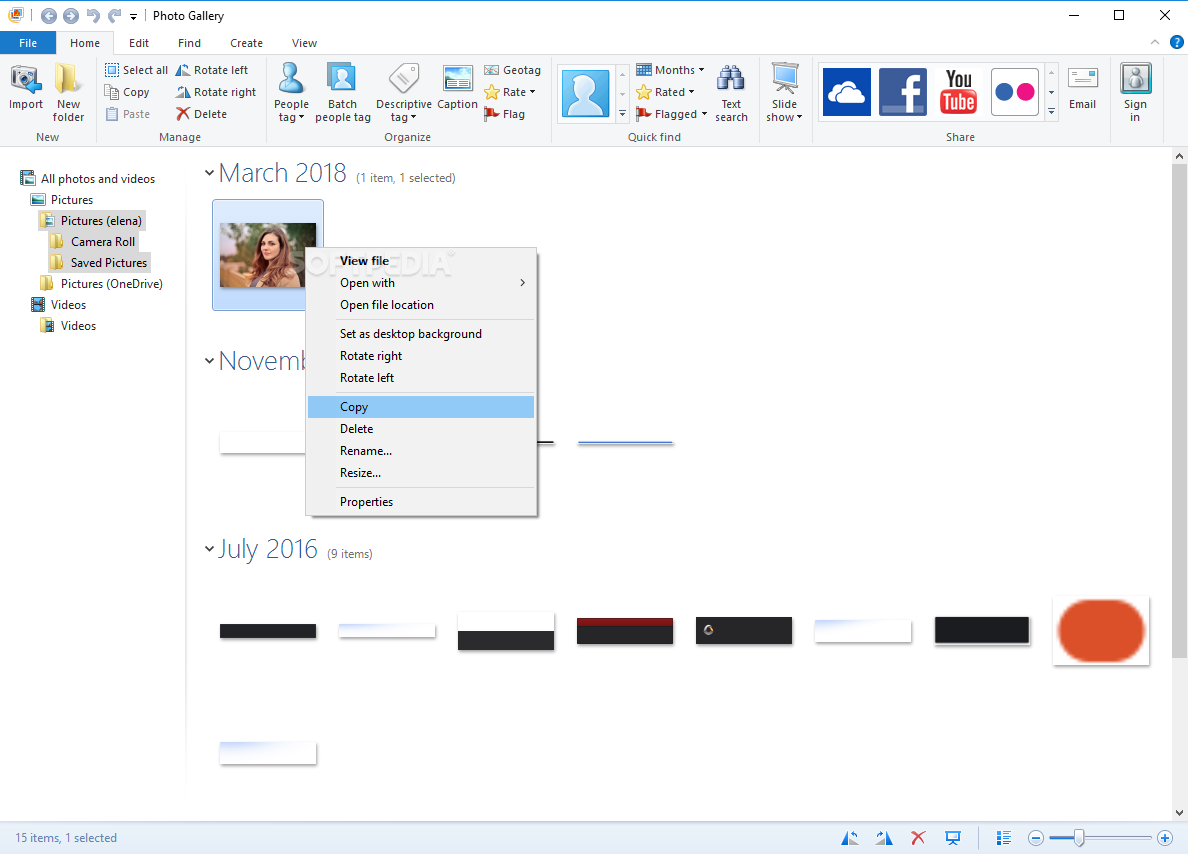
Now discontinued, Windows Photo Gallery used to be a feature-rich and intuitive application designed to organize, edit and share images with other PC users. Developed by Microsoft, the tool was part of Windows Essentials 2012 which, sadly, reached end of support on January 10, 2017.
Windows Essentials 2012 is no longer available for download from Microsoft but you can still get it from Softpedia. In addition to Photo Gallery, the package contains Messenger, Movie Maker, Mail, Writer, OneDrive, and Outlook Connector Pack. Unless you want to set up everything, you can choose which apps to install. Also, although Microsoft says that Photo Gallery is not compatible, it turns out that it works just fine on Windows 10 (in our case, at least).
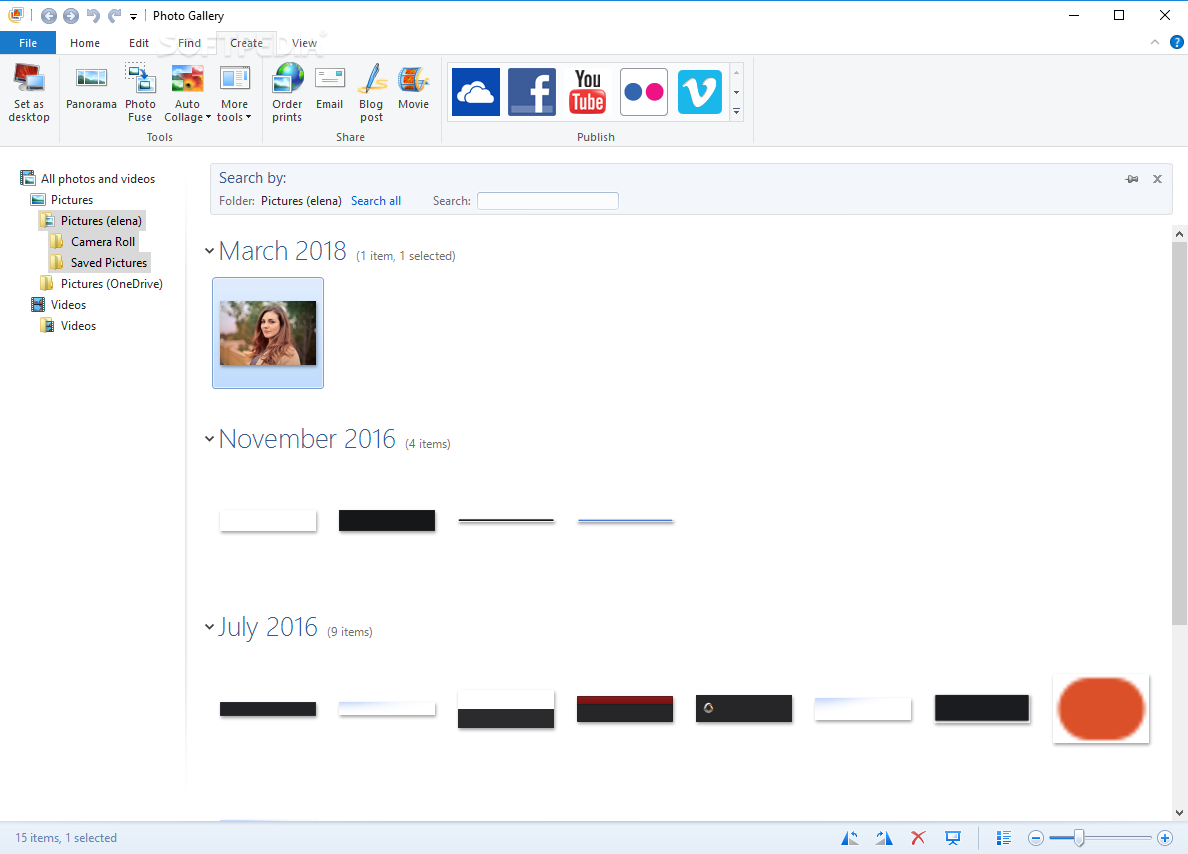
The gallery of the program takes cue from Windows Explorer in terms of look and functionality, making it easy to explore media from the Pictures and Videos folder. Additional media can be imported from various devices like CDs, DVDs and USB flash drives.
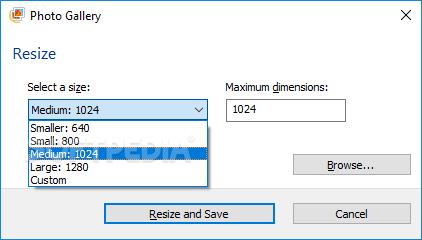
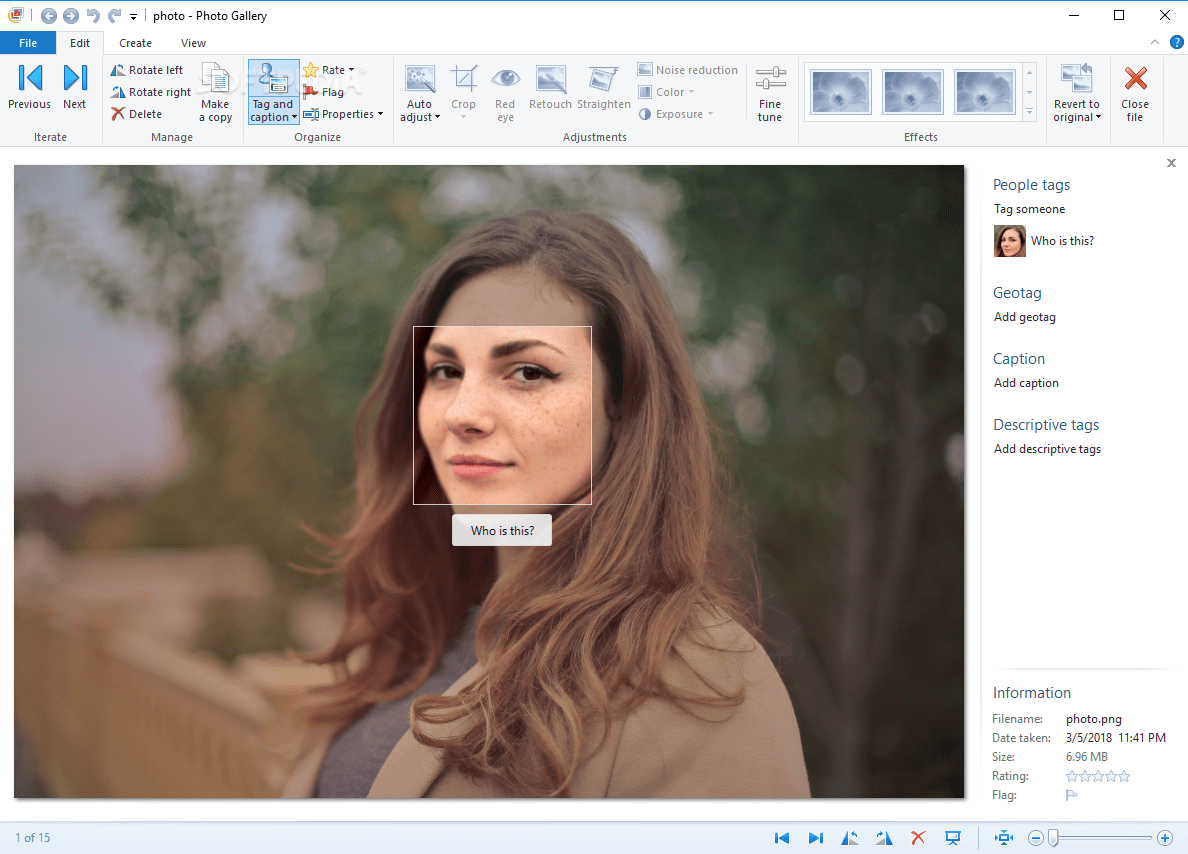
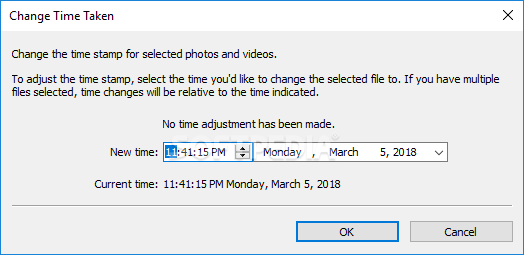
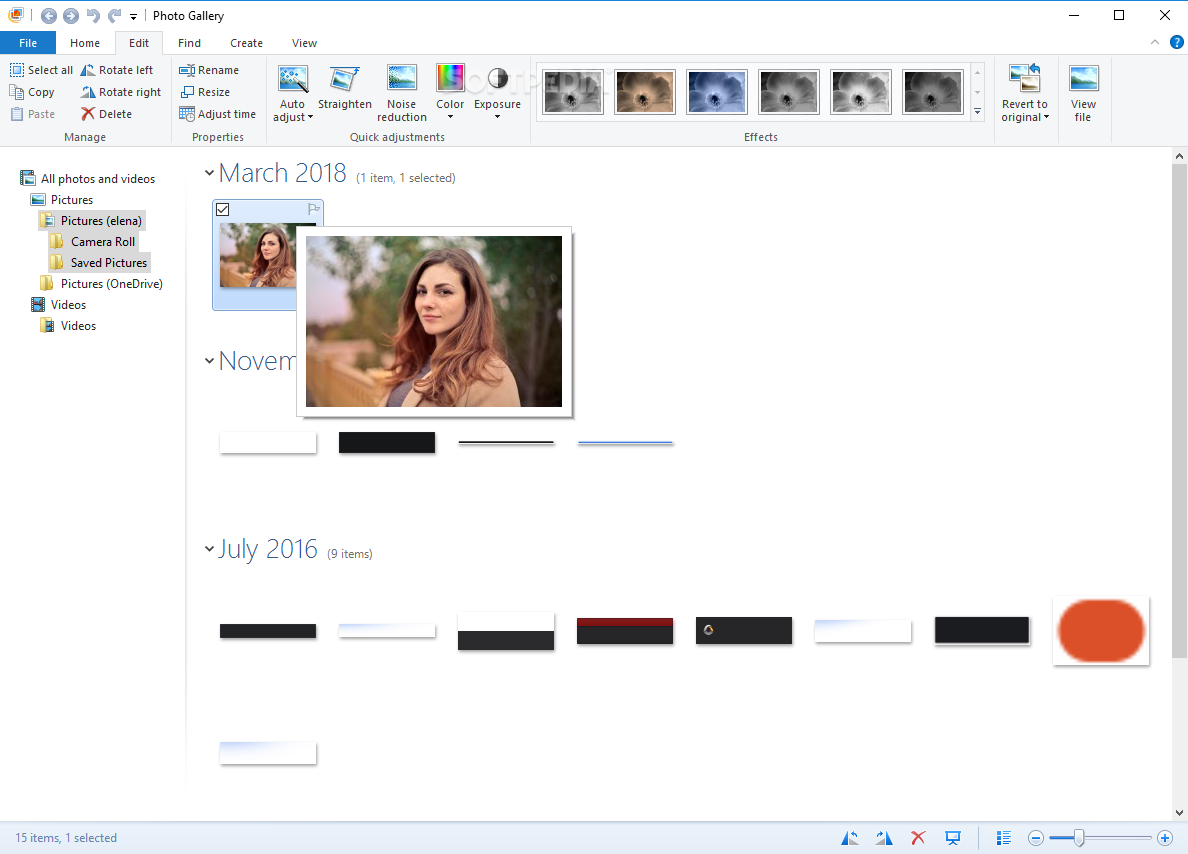
Before getting a closer look at images, you can rotate, resize and rename them if necessary, especially if you plan on putting together a thoughtful media collection of family and friends. Windows Photo Gallery intelligently detects people faces and offers to tag them. You can also set captions, descriptive tags and geotags, rate or flag pictures, change the time when the photo was taken.
File searches by text can be conducted using a built-in function of Microsoft's tool, which particularly comes in handy when dealing with numerous pics. You can filter files by tags, months, rating or flags, as well as play slideshow.
You'll be happy to know that a handful of auto editing functions are available if you wish to quickly correct lighting and use other means of enhancing pics without having to resort to another application. However, you have to make JPG copies to be able to enter editing mode.
For instance, you can ask the tool to straighten the image, reduce noise, fix color and exposure, or a apply a filter (e.g. sepia, orange, black and white). The JPEG quality can be manually adjusted. As far as sharing options are concerned, it's possible to send media to OneDrive, Facebook, YouTube, Flickr or Vimeo, or via email.
Photo Gallery saves copies of the original files automatically, which means that you can easily go back and try again if you're not pleased with the new adjustments. You can create panoramas, fuse two or more pics together, generate collages out of 7 or more photos, as well as create clips with Movie Maker.
Although this is a pretty old product, Windows Photo Gallery surprisingly continues to surpass other similar software, thanks to the plethora of features dedicated to photo management and manipulation, together with a general sense of "easy". Plus, as mentioned at the beginning of this text, it worked smoothly on Windows 10 in our tests.
Download Hubs
Windows Photo Gallery is part of these download collections: BMP Viewers, View JXR
Windows Photo Gallery 2012 (16.4.3528.331)
add to watchlist add to download basket send us an update REPORT- runs on:
-
Windows 10 32/64 bit
Windows 2008 R2
Windows 8 32/64 bit
Windows 7 32/64 bit - file size:
- 1.2 MB
- filename:
- wlsetup-all.exe
- main category:
- Multimedia
- developer:
- visit homepage
paint.net

7-Zip

Microsoft Teams

Bitdefender Antivirus Free

Zoom Client

calibre

4k Video Downloader

IrfanView

Windows Sandbox Launcher

ShareX

- IrfanView
- Windows Sandbox Launcher
- ShareX
- paint.net
- 7-Zip
- Microsoft Teams
- Bitdefender Antivirus Free
- Zoom Client
- calibre
- 4k Video Downloader