WINDOWS CATEGORIES:


NEWS ARCHIVE >>
SOFTPEDIA REVIEWS >>

WEEKLY HIGHLIGHTS

DVD Cloner45
Spyware Doctor40
1Click DVD Copy40
Apollo DVD Copy40
ABC Amber BlackBer...45
Protected Music Co...40

7-DAY TOP DOWNLOAD

#
Program
Avira AntiVir
Personal - Free
Antivirus 9.0.0.415

170,556
Windows Live
Messenger 2009
14.0.8089.726

140,493
Avira Antivir Virus
Definition File
Update December 1,
2009

128,729
Nexus Radio 4.2.2
125,219
FreeZ Online TV 1.30
88,201
Y! Multi Messenger
8.x and 9.x

77,176
Microsoft Office
2010 14.0.4536.1000
Beta / 2007

74,779
DVD Shrink 3.2.0.15
50,362
Windows Live
Messenger
8.5.1302.1018

50,211
AVG Free Edition 9.0
Build 707a1765

47,231

WEEK'S BEST

  • Kaspersky Password...
  • Daniusoft Video to...
  • VirtualBox 3.1.0 r...
  • SiSoftware Sandra ...
  • Kaspersky Virus Re...
  • Faststone Image Vi...
  • Vuze (formerly Azu...
  • Softpedia Wallpape...
  • Softpedia Wallpape...
  • Softpedia Wallpape...
  • RSSOwl 2.0.1
  • Internet Explorer ...
  • Online Armor ++ 4....
  • cFosSpeed 5.01 Bui...
  • SONY Vegas Pro 9.0...
  • Firefox 3.6 Beta 4...
  • Nokia Photos 1.6.434
  • Windows Server 200...
  • Skype Portable 4.1...
  • Google Chrome Port...
  • PCMark Vantage Bas...
  • Kaspersky Anti-Vir...
  • Microsoft Virtual ...
  • Messenger Plus! Li...
  • WinX DVD Author [F...
  • SoftPerfect Networ...
  • System Mechanic Pr...
  • Ad Muncher 4.81 Bu...
  • Windows 7 Upgrade ...
  • Pidgin 2.6.4
  • Home > Windows > Multimedia > Graphic > Graphic Capture
     Report spyware

    IcyScreen (formerly AutoScreen) 4.04

    Download button

    Downloads: 2,455  Add to download basket  Tell us about an update
    User Rating:
    Rated by:
    Good (3.7/5)
    54 user(s)
    Developer:

    License / Price:

    Size / OS:

    Last Updated:

    Category:
    16Software | More programs
    Trial / USD 29.95 | BUY the full version
    4.2 MB / Windows All
    November 2nd, 2009, 11:48 GMT [view history]
    C: \ Multimedia \ Graphic \ Graphic Capture

     Read user reviews (1)  Add a review  Refer to a friend  Subscribe


    IcyScreen (formerly AutoScreen) description


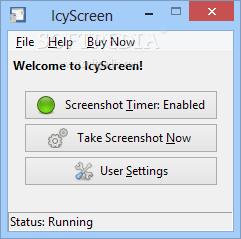
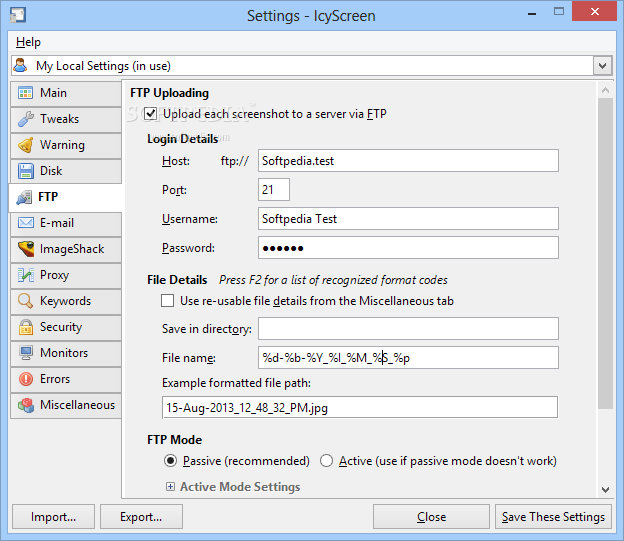
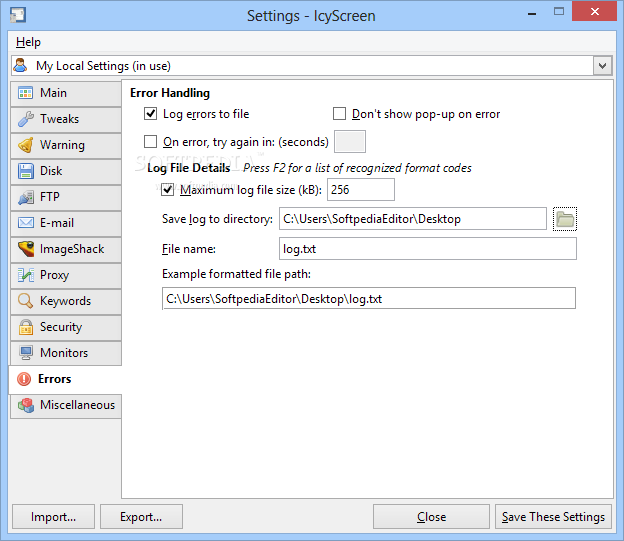
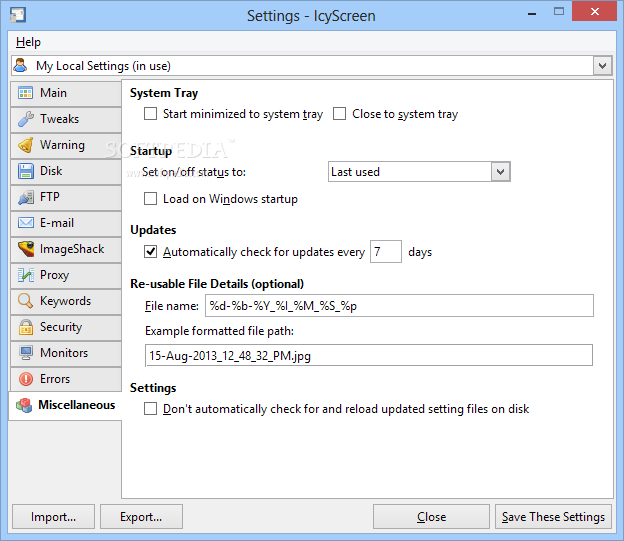
    Automatically captures the screen and uploads the snapshot to a FTP server.

    IcyScreen is an automatic screenshot taker. But it's much more than just that.

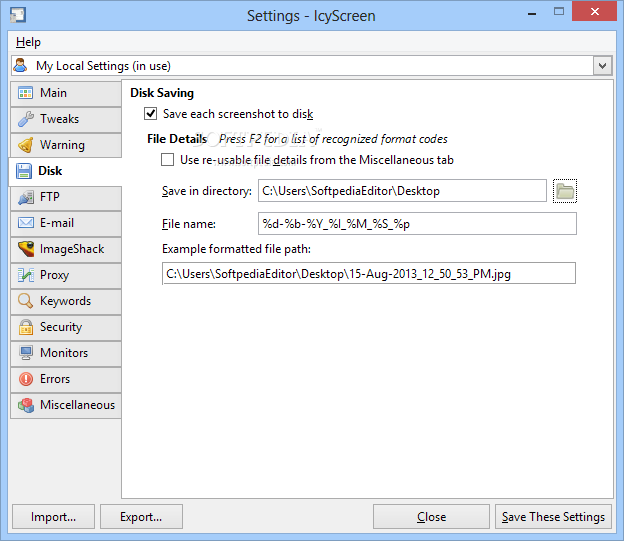
    It can take screenshots -- "snapshots" of your computer screen, also known as screen captures -- as often as you'd like, and not only save them to disk, but also...
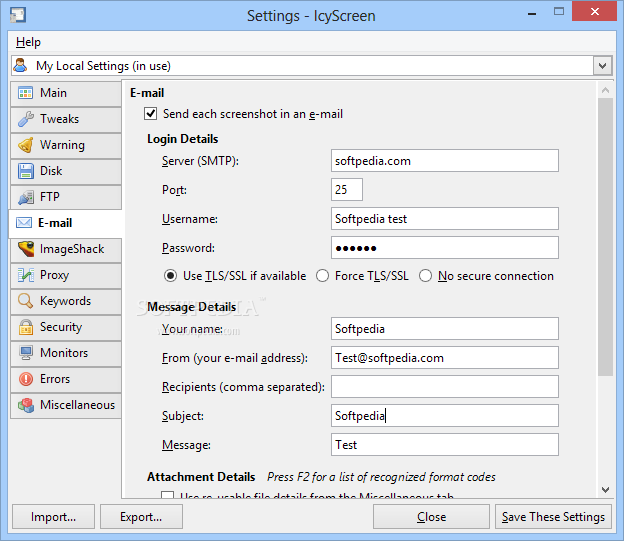
    · E-mail each screenshot to an unlimited number of recipients, including yourself
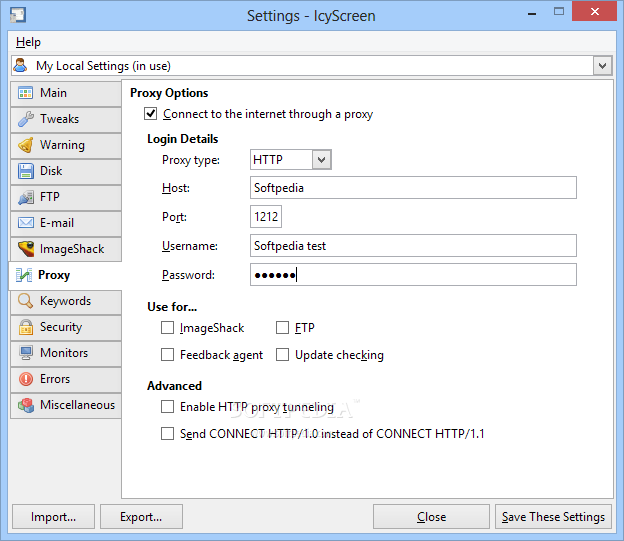
    · Upload each screenshot to your web server, via FTP
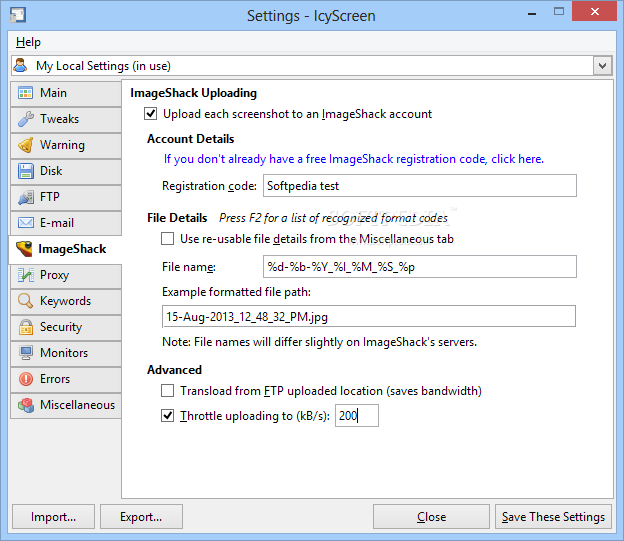
    · Upload each screenshot to the free ImageShack hosting service

    · Keep track of how time is being spent on the computer
    · Monitor the computing habits of your employees, students, or children

    Take action against cyber-bullying -- see what they're doing on:
    · MySpace
    · Facebook
    · Instant-messenger (AIM, MSN, Yahoo!, etc)
    · Share information with your customers, co-workers, and friends
    · Document intensive tasks and your daily activities

    Here are some key features of "IcyScreen (formerly AutoScreen)":

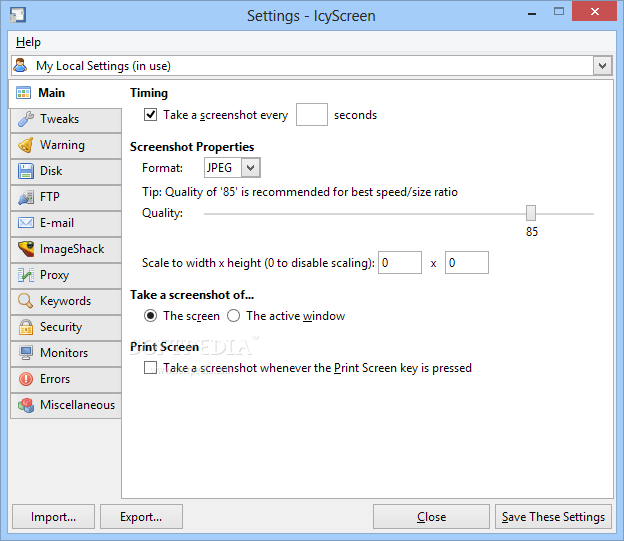
    · Configure exactly how often a screenshot is taken
    Customize nearly every single aspect of the screenshot, including:
    · The file name (use format codes to make organization a breeze)
    · The dimensions
    · The image format/quality
    Choose exactly what to take a screenshot of:
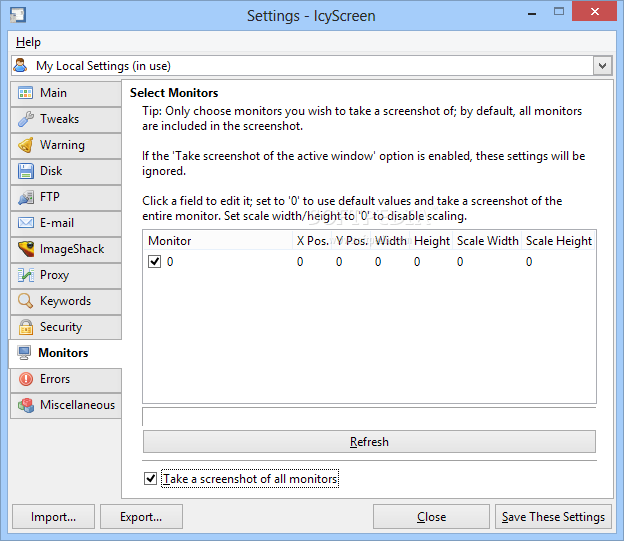
    · The entire screen -- you can even select which monitors to include in the screenshot, as well as the areas that are extracted from each monitor
    · The active window
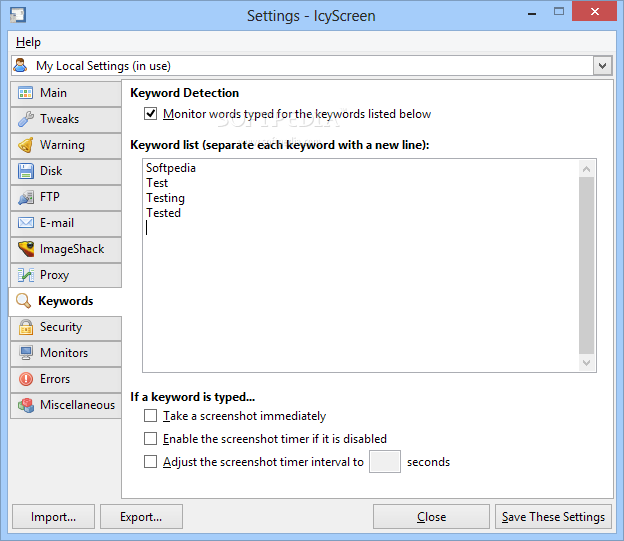
    Enable keyword detection, define a list of keywords you'd like to track, and have IcyScreen take action whenever any of the keywords are typed:
    · Take a screenshot immediately
    · Enable the screenshot timer if it is disabled
    · Adjust the screenshot timer interval dynamically
    · Easily manage settings for multiple user accounts with the built-in central management capabilities
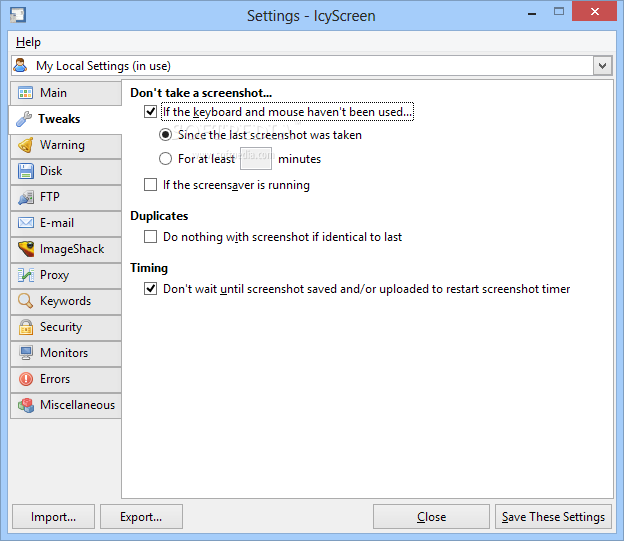
    · Configure it to not take a screenshot if the computer is inactive or the screensaver is running
    · Prevent screenshots from being saved if the screen has not changed
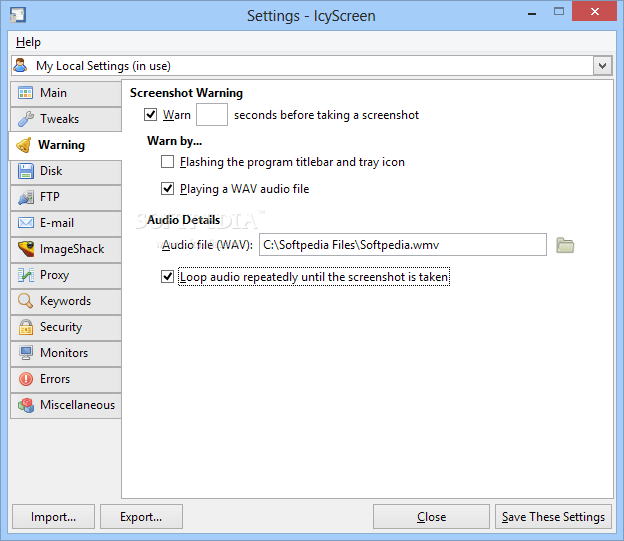
    · Enable audible/visual warnings, so you know exactly when a screenshot is about to be taken
    · Have IcyScreen detect and take action whenever the Print Screen key is pressed
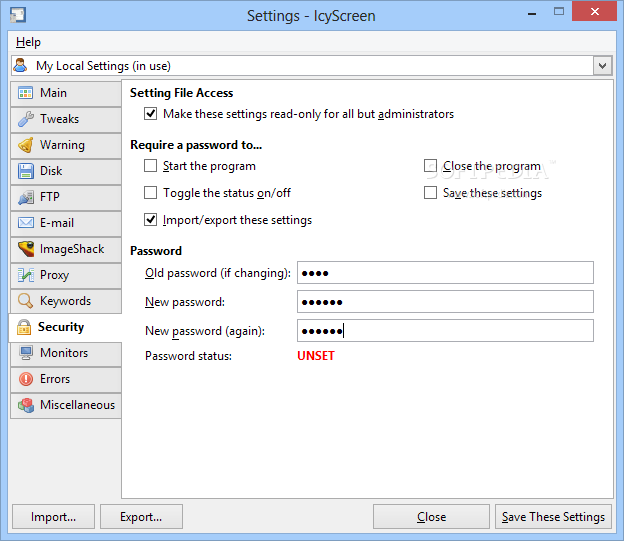
    · Have IcyScreen hide itself, as well as protect functionality with a password

    Limitations:

    · 30 days trial

    What's New in This Release: [ read full changelog ]

    · Removed the "Hide system tray icon" option to prevent potential abuse.
    · Fixed minor UI sensitivity issue.
    · Moved Start Menu entries to Start -> Programs -> IcyScreen.
    · Spiced up the installer a bit.

     Softpedia guarantees that IcyScreen (formerly AutoScreen) 4.04 is 100% CLEAN, which means it does not contain any form of malware, including spyware, viruses, trojans and backdoors. [read more >]


    TAGS:

    screen capture | make screenshot | take snapshot | screenshot | snapshoot | capture


    HTML code for linking to this page:


    Go to top

    Windows tabGames tabDrivers tabMac tabLinux tabScripts tabMobile tabHandheld tabGadgets tabNews tab

    SUBMIT PROGRAM   |   ADVERTISE   |   GET HELP   |   SEND US FEEDBACK   |   RSS FEEDS   |   ENTER NEWS SITE   |   ENGLISH BOARD   |   ROMANIAN FORUM