
A simple and efficient application that helps you convert Word documents to various images formats, such as JPG, JPEG, PNG, BMP and TIFF. #DOC to BMP #DOC Converter #DOC to JPG #DOC2JPG #DOC2BMP #DOC2PNG

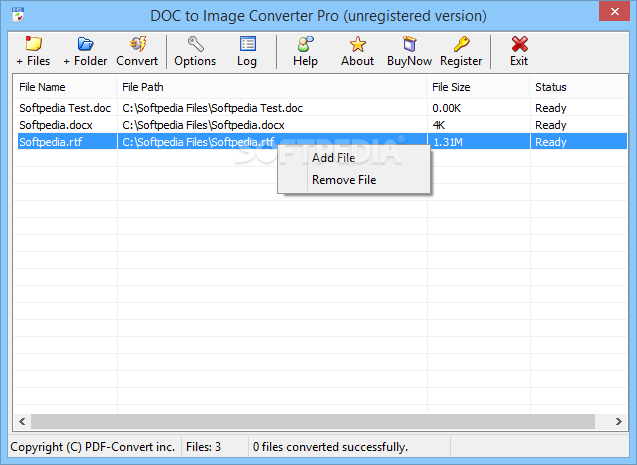
DOC to Image Converter Pro is an application with a pretty self-explanatory title - it allows you to transform your DOC files into images of various formats, including JPEG, BMP, PNG and EPS.
The interface of the program is plain and simple to work with. Documents can be imported into the list by using the file browser only, since the "drag and drop" method is not supported. Batch processing is allowed.
In the queue you can check out the name, source path, size and status of each file. Once you specify the output destination and format, you can proceed with the encoding task.
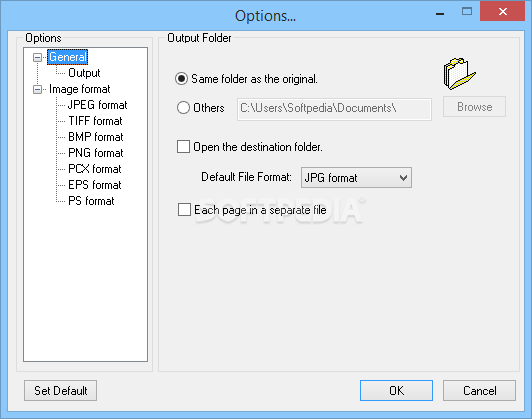
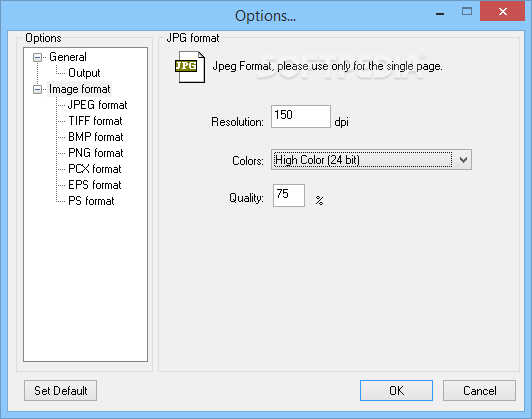
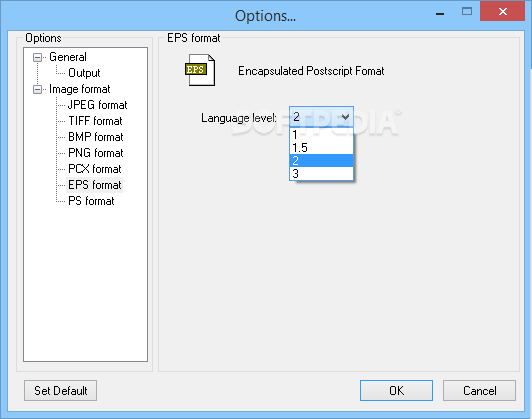
You can go to the "Options" area and configure image parameters for each format, such as resolution, colors, quality and language level, as well as view a log file. Settings can be restored to their default values at any time.
The simple-to-use application takes up a very low amount of system resources, has a good response time, quickly finishes a task and manages to keep the original quality regarding images, shapes and text layout. We haven't come across any issues during our tests. There's also a well-written help file that you can check out.
On the other hand, DOC to Image Converter Pro doesn't provide users with any extraordinary features. Also, its interface needs to be updated. But, even so, we recommend DOC to Image Converter Pro to all users who prefer a straightforward tool.
DOC to Image Converter Pro 3.5
add to watchlist add to download basket send us an update REPORT- runs on:
- Windows All
- file size:
- 2.9 MB
- filename:
- doc2imgpro_setup.exe
- main category:
- Multimedia
- developer:
- visit homepage
7-Zip

ShareX

Windows Sandbox Launcher

Context Menu Manager

IrfanView

Zoom Client

4k Video Downloader

calibre

Microsoft Teams

Bitdefender Antivirus Free

- calibre
- Microsoft Teams
- Bitdefender Antivirus Free
- 7-Zip
- ShareX
- Windows Sandbox Launcher
- Context Menu Manager
- IrfanView
- Zoom Client
- 4k Video Downloader