WINDOWS CATEGORIES:


NEWS ARCHIVE >>
SOFTPEDIA REVIEWS >>

WEEKLY HIGHLIGHTS

DVD Cloner45
Spyware Doctor40
1Click DVD Copy40
Apollo DVD Copy40
ABC Amber BlackBer...45
Protected Music Co...40

7-DAY TOP DOWNLOAD

#
Program
Windows Live
Messenger 2009
14.0.8089.726

205,783
Avira AntiVir
Personal - Free
Antivirus 9.0.0.407

195,395
Avira Antivir Virus
Definition File
Update November 6,
2009

180,844
Nexus Radio 4.1.1
131,987
Windows Live
Messenger
8.5.1302.1018

124,237
FreeZ Online TV 1.30
97,621
Y! Multi Messenger
8.x and 9.x

82,764
Microsoft Office
2007

82,452
DVD Shrink 3.2.0.15
59,713
RemoveWGA 1.2
55,654

WEEK'S BEST

  • RSSOwl 2.0 Final
  • Internet Explorer ...
  • Online Armor ++ 4....
  • cFosSpeed 5.01 Bui...
  • SONY Vegas Pro 9.0...
  • Firefox 3.6 Beta 1...
  • Nokia Photos 1.6.434
  • Windows Server 200...
  • Skype Portable 4.1...
  • Google Chrome Port...
  • PCMark Vantage Bas...
  • Kaspersky Anti-Vir...
  • Microsoft Virtual ...
  • Messenger Plus! Li...
  • WinX DVD Author [F...
  • SoftPerfect Networ...
  • System Mechanic Pr...
  • Ad Muncher 4.8 Bui...
  • Windows 7 Upgrade ...
  • Pidgin 2.6.3
  • OpenOffice.org 3.2...
  • VirtualDub 1.9.7 B...
  • Maxthon [Softpedia...
  • Spyware Doctor 7.0...
  • SUPERAntiSpyware 4...
  • Adobe Acrobat Prof...
  • Camfrog Video Chat...
  • Adobe Reader 9.2.0...
  • Foxit PDF Reader 3...
  • Microsoft Maliciou...
  • Home / Windows / Multimedia / Graphic / Graphic Editors
     Report spyware

    Adobe Photoshop CS3 Extended 10.0

    Download button

    Downloads: 470,228  Add to download basket  Tell us about an update
    User Rating:
    Rated by:
    Very Good (4.3/5)
    359 user(s)
    Developer:

    License / Price:

    Size / OS:

    Last Updated:

    Category:
    Adobe | More programs
    Trial / USD 999.00 | BUY the full version
    463 MB / Windows All
    September 11th, 2007, 04:01 GMT
    C: \ Multimedia \ Graphic \ Graphic Editors

     Read user reviews (0)  Add a review  Refer to a friend  Subscribe


    Adobe Photoshop CS3 Extended description


    This software allows you to render and incorporate 3D images into your 2D composites

    Render and incorporate 3D images into your 2D composites using Adobe Photoshop cs3 Extended

    Ideal for:
    · Film, video, and multimedia professionals
    · Graphic and web designers using 3D and motion
    · Manufacturing professionals
    · Medical professionals
    · Architects and engineers (AEC)
    · Scientific researchers

    Here are some key features of "Adobe Photoshop cs3 Extended":

    Edit 3D and motion-based images
    Unique to Adobe Photoshop CS3 Extended: Perform 3D-model visualization and texture editing, and paint and clone over multiple video frames.

    · 3D image editing
    3D compositing and texture editing
    Easily render and incorporate rich 3D content into your 2D composites - even edit existing textures on 3D models directly within Photoshop Extended and immediately see the results. Photoshop Extended supports common 3D interchange formats, including 3DS, OBJ, U3D, KMZ, and COLLADA, so you can import, view, and interact with most 3D models.

    Integration with Adobe Acrobat 8 software
    Create, modify, and collaborate on 3D content more easily through tight integration between Photoshop CS3 Extended and Acrobat® 3D software. Convert myriad 3D CAD formats to the robust U3D interchange format, enhance models and create composites with Photoshop Extended, and easily embed 3D models created in Photoshop Extended into PDF files to distribute for review.

    Enhanced Vanishing Point with 3D support
    Edit in perspective on multiple surfaces - even those connected at angles other than 90 degrees - with the enhanced Vanishing Point, which also lets you measure in perspective; wrap graphics, images, and text around multiple planes; and output 2D planes as 3D models.

    · Video and animation design
    Movie Paint
    Enhance video directly within Photoshop Extended. Now you can paint, add text, and clone over multiple frames of an imported video sequence.

    Smooth animation workflow
    Easily create animations from a series of still images or video frames with a new Animation palette that enables onion skinning.

    Broad video format support, including QuickTime
    Import QuickTime movies and most AVI and MPEG files, and output video and animations to MOV, AVI, MPEG-4, FLV, 3G, FLC, H.264 (iPod), and DV Stream.

    Video layers
    Create and edit images for video with maximum quality and a broader range of color models. Edit and enhance grayscale, RGB, CMYK, and LAB models at 8-, 16-, and 32-bit depths with color management.


    Analyze images with precision
    Unique to Photoshop CS3 Extended: Take advantage of new measurement and counting tools and support for DICOM images and MATLAB processing routines.

    · Measurement, counting, and edit-tracking tools
    2D and 3D measurement tools
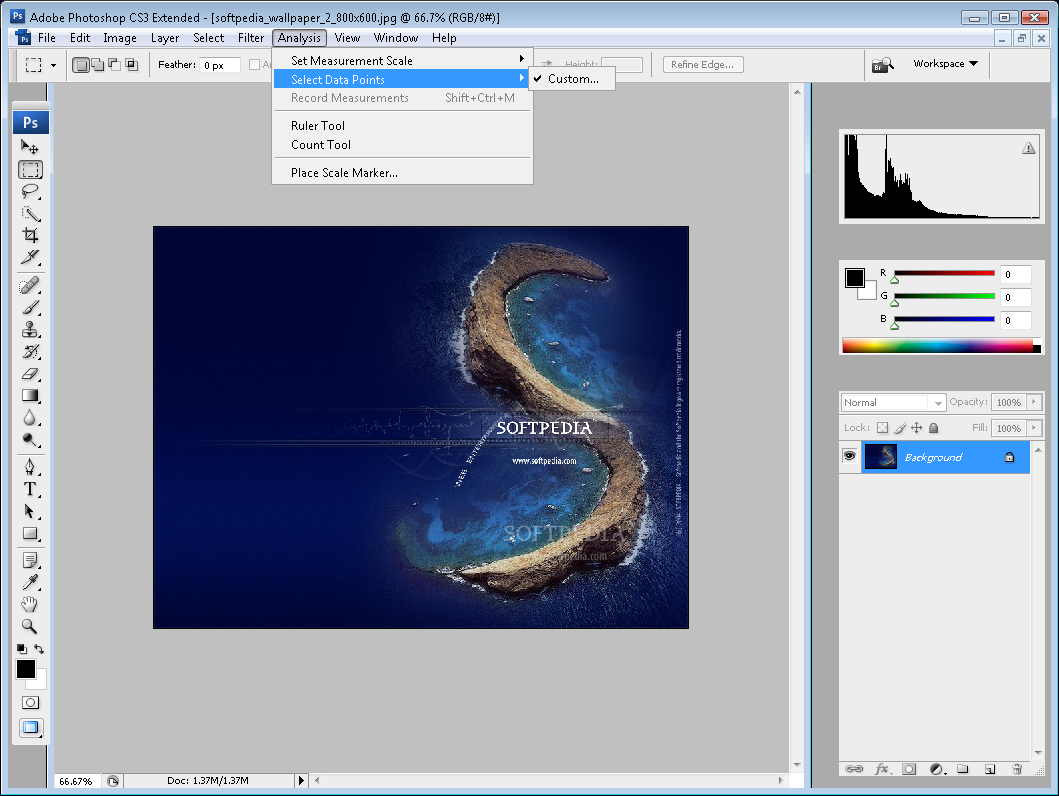
    Extract quantitative information from images with new measurement tools. Easily calibrate or set the scale of an image, and then use any of the Photoshop Extended selection tools to define and calculate distance, perimeter, area, and other measurements. Record data points in a measurement log and export data, including histogram data, to a spreadsheet for further analysis.

    Scale Marker
    Show scale in images destined for presentation or publication using the Scale Marker, which lets you easily add a scale graphic to any image.

    Count tool
    Easily and accurately count objects or features in scientific images with the Count tool, which eliminates the need to perform manual calculations or rely on visual assessments of changes from image to image.

    History palette and Edit History log
    Undo and redo any set of editing steps in an open image with the History palette, and automatically track all editing steps within your files with the Edit History log. Export steps to a text file or save them as part of image metadata for easier documentation of your work, file audits, and more.

    · Support for manufacturing, medical, and scientific workflows
    Image Stacks
    Quickly combine a series of related images and render them into a single view using a wide variety of rendering options, such as median and maximum. Photoshop Extended automatically analyzes and combines the images while preserving the originals. Image Stacks are extensible, so third parties can write their own render modes.

    DICOM support
    Use the comprehensive Photoshop Extended toolset to import, correct, annotate, analyze, and create animations from DICOM images. Even automatically remove patient information from DICOM metadata and batch save JPEG files for presentation purposes.

    MATLAB support
    Pass image data directly between Photoshop Extended and MATLAB with the ability to call Photoshop Extended directly from the MATLAB command line. Visualize results of MATLAB algorithms in the software, and combine MATLAB processing with Photoshop Extended image editing to render, test, and refine algorithms for image processing, analysis, and more.


    Work more productively
    Get more done in less time with a streamlined interface and improvements to raw-image processing and asset management workflows.
    · Efficient and flexible work environment
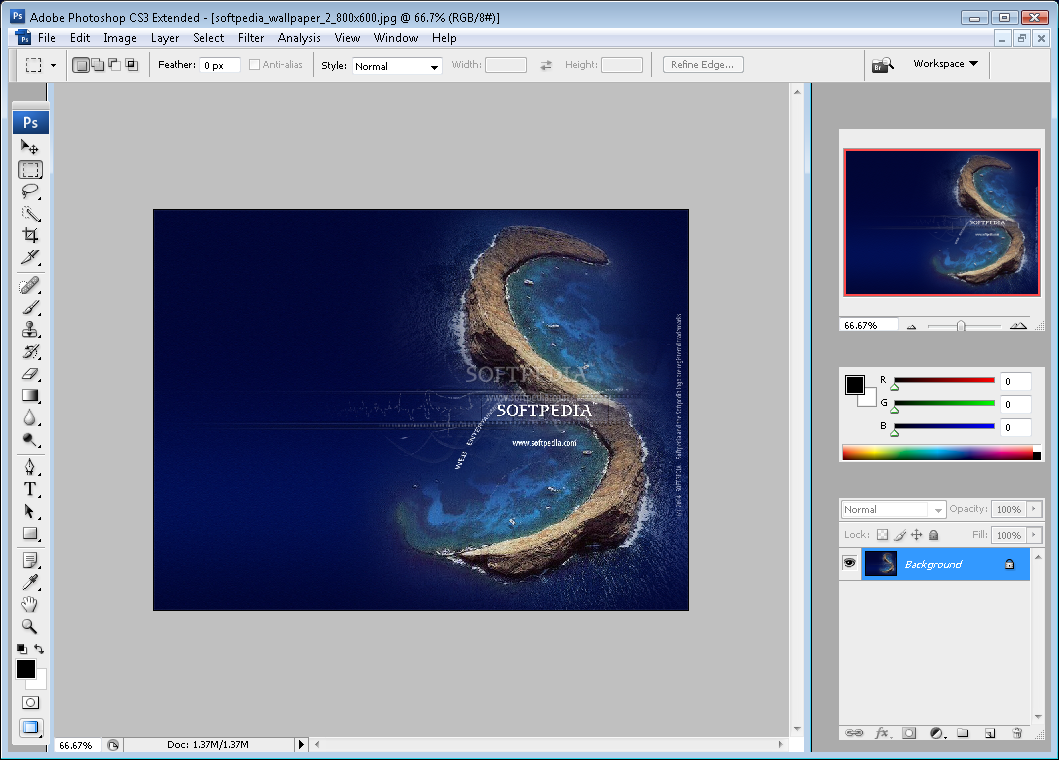
    Streamlined interface and palette management
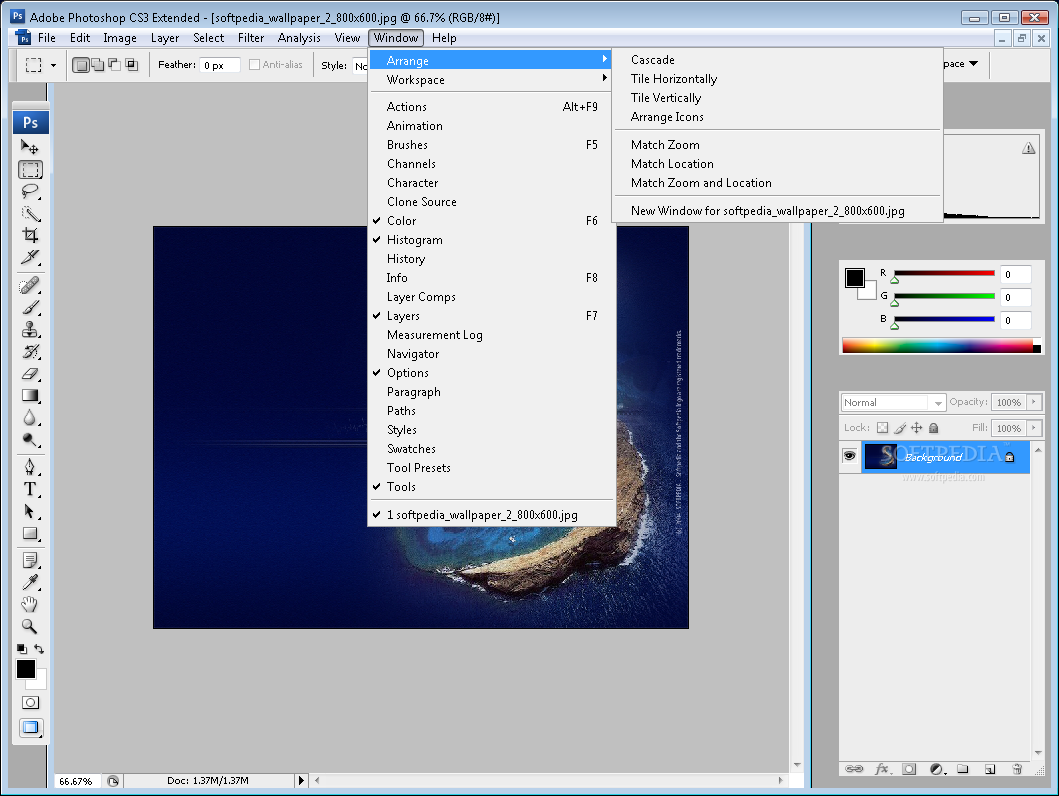
    Maximize screen space for editing while keeping essential tools accessible. Palettes are now arranged in convenient, self-adjusting docks that can be widened to full size or narrowed to icons or even a thin, self-revealing strip at the edge of your monitor.

    Faster, more flexible asset management with Adobe Bridge CS3
    Organize and manage images more efficiently with next-generation Adobe Bridge CS3, which now delivers improved performance, a Filter panel for easier searching, the ability to group multiple images under a single thumbnail, the Loupe tool, offline image browsing, and more.

    Custom menus, shortcuts, and workspaces
    Set up and save custom menus, keyboard shortcuts, and workspaces for quick access to what you need.

    · Streamlined workflow
    Better raw-image processing
    Process raw images with increased speed and superior conversion quality using the Photoshop Camera Raw plug-in, which now adds support for JPEG and TIFF formats; new tools including Fill Light and Dust Busting; compatibility with Adobe Photoshop Lightroom™ software; and support for over 150 camera models.

    Enhanced PDF support
    Work more easily with Adobe PDF-based content. Precisely control the size of PDF pages opened in Photoshop Extended; add security controls and metadata, such as copyright and exposure details, to images within PDF presentations; and create a richer image display in PDF presentations and documents.

    Adobe Photoshop Lightroom
    Jump from Adobe Photoshop Lightroom software to Photoshop CS3 Extended in one click for advanced editing of your digital images. Lightroom (sold separately) offers an efficient, powerful way to import, manage, and present large volumes of digital images.

    Improved printing experience
    Experience better control over print quality with color management, a larger print preview window, and more controls in one place so you can print in fewer steps. Improved printing controls, co-developed by Adobe and HP, make printing easier and more predictable and streamline setup options via integration with select printers from HP, Epson, and Canon.

    Presets
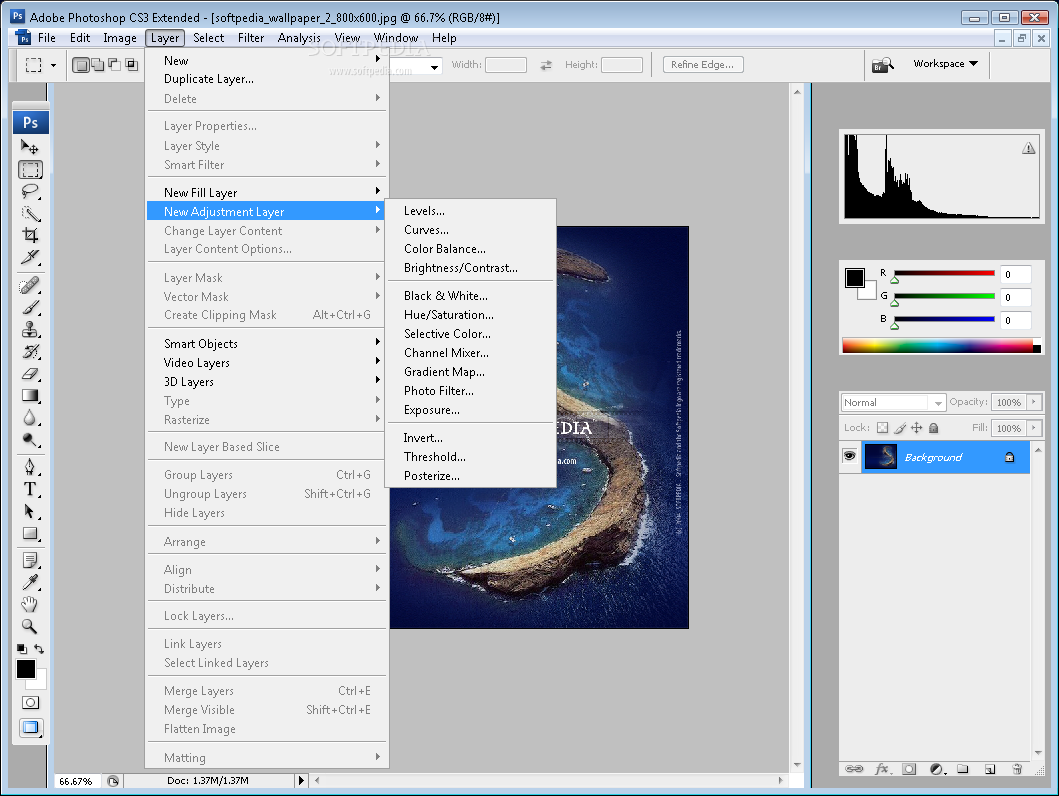
    Make sophisticated color adjustments automatically with one-click presets in Curves, the Channel Mixer, and the new Black and White conversion dialog box.

    Peak performance
    Experience native performance on Intel and PowerPC based Macs and Microsoft Windows XP and Windows Vista systems.

    Automated production
    Automate common production tasks in a variety of ways. Set up event-based scripts, record a series of steps as an Action for efficient batch processing, and design repetitive graphics faster with Variables.

    Wide range of supported formats
    Import and export an even greater range of file formats, including PSD, BMP, DICOM, Cineon, JPEG, JPEG2000, OpenEXR, PNG, Targa, and TIFF.

    Adobe Device Central CS3
    Create compelling mobile content, such as wallpapers and screensavers, and then visually preview how it will render on mobile devices using the built-in Adobe Device Central CS3. Tune your designs for mobile screen sizes and lighting conditions.

    Zoomify export for high-resolution web display
    Take advantage of Adobe Flash and Zoomify technology to export high-resolution images to the web for viewing through Adobe Flash Player software. Flash Player displays your images quickly and efficiently, letting viewers zoom in on details with minimal delay.

    Improved integration with other Adobe tools
    Enjoy better support for Photoshop files in your other Adobe software applications (sold separately). Copy and paste Photoshop files directly into Adobe Dreamweaver CS3 software projects, import them into Flash CS3 Professional software with high fidelity, and preserve layer effects and video layers when you import them into Adobe After Effects CS3 Professional software.

    Third-party solutions and resources
    Take advantage of a wealth of additional resources - including software plug-ins, books, and training - from the longstanding community of expert Photoshop developers, authors, and trainers.


    Composite and edit with unrivaled power
    Experience unmatched creative freedom with nondestructive filters, more precise color correction, and breakthrough compositing capabilities.

    · Nondestructive editing
    Smart Filters
    Add, adjust, and remove filters from an image without having to resave the image or start over to preserve quality. Nondestructive Smart Filters allow you to visualize changes without altering original pixel data.

    Smart Objects
    Perform nondestructive scaling, rotating, and warping of raster and vector graphics with Smart Objects. Even preserve the editability of vector data from Adobe Illustrator software.

    · Professional color and tone control
    Color-correction enhancements
    Take advantage of precision color correction made faster and easier. Brightness/Contrast now provides better results from the same intuitive interface, and enhanced Curves controls let you make automatic adjustments with included presets or those you create; convert to black-and-white with point sliders; and use a histogram, color channel lines, and a clipping preview.

    Black-and-white conversion
    Easily convert color images to rich black-and-white and adjust tonal values and tints with a new tool. Experiment with the included black-and-white presets, or create and save your own custom presets to achieve the best results.

    Improved Channel Mixer
    Take advantage of new functionality and a host of presets that make the Channel Mixer easier to use for black-and-white conversion.

    Enhanced 32-bit high dynamic range (HDR) support
    Create and edit 32-bit images and combine multiple exposures into a single 32-bit image that preserves the full range of a scene - from the deepest shadows to the brightest highlights. New image-processing and alignment algorithms deliver superior results. And with Photoshop CS3 Extended, you can even edit 32-bit images using brushes, filters, blending modes, transformations, selections, tools, aspect ratios, and more.

    · Intelligent image editing and enhancement
    More powerful cloning and healing tools
    Experience greater control when retouching images with cloning tools and the Healing Brush. Clone images over time; see source pixels under your tool or brush for more precise positioning; preview changes to source content live; and set multiple source points, scale, and rotate in the new Clone Source palette.

    Rich painting and drawing toolset
    Create or modify images with a wide assortment of professional, fully customizable paint settings, artistic brushes, and drawing tools.

    · Easy compositing and selecting
    Advanced compositing
    Create more accurate composites by automatically aligning multiple Photoshop layers or images based on similar content. The Auto-align Layers command quickly analyzes details and moves, rotates, or warps layers to align them perfectly, and the Auto-blend Layers command blends the color and shading to create a smooth, editable result.

    Improved Photomerge technology
    Take advantage of refined Photomerge technology, which uses new layer-alignment and layer-blending capabilities to let you automatically stitch horizontal or vertical photos into seamless panoramas.

    Quick Selection and Refine Edge tools
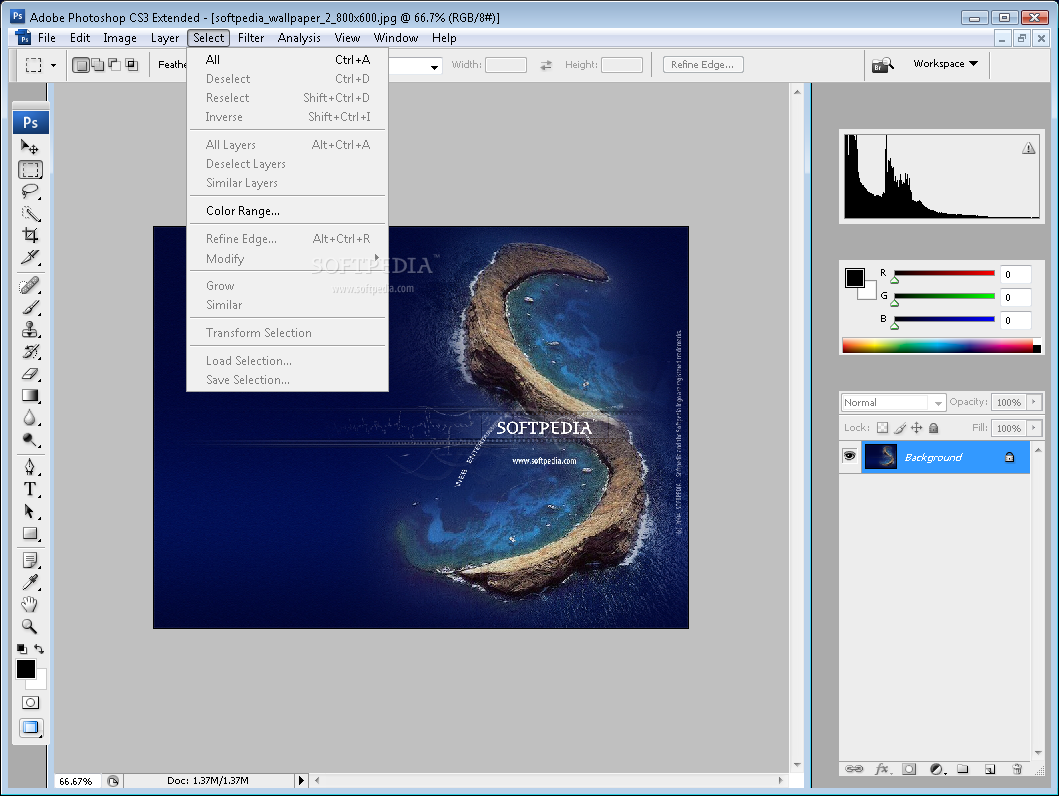
    Make selections in a snap. Loosely draw on an image area, and the Quick Selection tool automatically completes the selection for you. Then preview and fine-tune your selections with the Refine Edge tool.

    Flexible layers
    Composite images, text, and effects on hundreds of layers for extraordinarily sophisticated results. Organize layers with up to five levels of nesting, and save them in different combinations as layer comps.


    Requirements:

    · Intel Pentium 4, Intel Centrino, Intel Xeon, or Intel Core Duo (or compatible) processor
    · 512MB of RAM
    · 64MB of video RAM
    · 1GB of available hard-disk space (additional free space required during installation)
    · 1,024x768 monitor resolution with 16-bit video card
    · DVD-ROM drive
    · QuickTime 7 software required for multimedia features
    · Internet or phone connection required for product activation
    · Broadband Internet connection required for Adobe Stock Photos* and other services


    Limitations:

    · 30 days trial
    · Nag screen

     Softpedia guarantees that Adobe Photoshop CS3 Extended 10.0 is 100% CLEAN, which means it does not contain any form of malware, including spyware, viruses, trojans and backdoors. [read more >]


    TAGS:

    graphic editor | process photo | image filter | edit | editor | image


    HTML code for linking to this page:


    Go to top

    Windows tabGames tabDrivers tabMac tabLinux tabScripts tabMobile tabHandheld tabGadgets tabNews tab

    SUBMIT PROGRAM   |   ADVERTISE   |   GET HELP   |   SEND US FEEDBACK   |   RSS FEEDS   |   ENTER NEWS SITE   |   ENGLISH BOARD   |   ROMANIAN FORUM