WINDOWS CATEGORIES:


NEWS ARCHIVE >>
SOFTPEDIA REVIEWS >>

WEEKLY HIGHLIGHTS

DVD Cloner45
Spyware Doctor40
1Click DVD Copy40
Apollo DVD Copy40
ABC Amber BlackBer...45
Protected Music Co...40

7-DAY TOP DOWNLOAD

#
Program
Avira AntiVir
Personal - Free
Antivirus 9.0.0.415

172,574
Windows Live
Messenger 2009
14.0.8089.726

144,415
Avira Antivir Virus
Definition File
Update November 30,
2009

130,339
Nexus Radio 4.2.2
125,058
FreeZ Online TV 1.30
94,763
Y! Multi Messenger
8.x and 9.x

75,235
Microsoft Office
2010 14.0.4536.1000
Beta / 2007

72,824
Windows Live
Messenger
8.5.1302.1018

51,138
DVD Shrink 3.2.0.15
50,317
AVG Free Edition 9.0
Build 707a1765

46,760

WEEK'S BEST

  • VirtualBox 3.1.0 r...
  • SiSoftware Sandra ...
  • Kaspersky Virus Re...
  • Faststone Image Vi...
  • Vuze (formerly Azu...
  • Softpedia Wallpape...
  • Softpedia Wallpape...
  • Softpedia Wallpape...
  • RSSOwl 2.0.1
  • Internet Explorer ...
  • Online Armor ++ 4....
  • cFosSpeed 5.01 Bui...
  • SONY Vegas Pro 9.0...
  • Firefox 3.6 Beta 4...
  • Nokia Photos 1.6.434
  • Windows Server 200...
  • Skype Portable 4.1...
  • Google Chrome Port...
  • PCMark Vantage Bas...
  • Kaspersky Anti-Vir...
  • Microsoft Virtual ...
  • Messenger Plus! Li...
  • WinX DVD Author [F...
  • SoftPerfect Networ...
  • System Mechanic Pr...
  • Ad Muncher 4.81 Bu...
  • Windows 7 Upgrade ...
  • Pidgin 2.6.4
  • OpenOffice.org Dev...
  • VirtualDub 1.9.7 B...
  • Home > Windows > Multimedia > Graphic > Graphic Editors
     Report spyware

    Advanced JPEG Compressor 2009r3

    Download button

    Downloads: 5,167  Add to download basket  Tell us about an update
    User Rating:
    Rated by:
    Good (3.0/5)
    30 user(s)
    Developer:

    License / Price:

    Size / OS:

    Last Updated:

    Category:
    WinSoftMagic Inc | More programs
    Demo / USD 29.95 | BUY the full version
    1.6 MB / Windows All
    September 24th, 2009, 11:17 GMT [view history]
    C: \ Multimedia \ Graphic \ Graphic Editors

     Read user reviews (1)  Add a review  Refer to a friend  Subscribe


    Advanced JPEG Compressor description


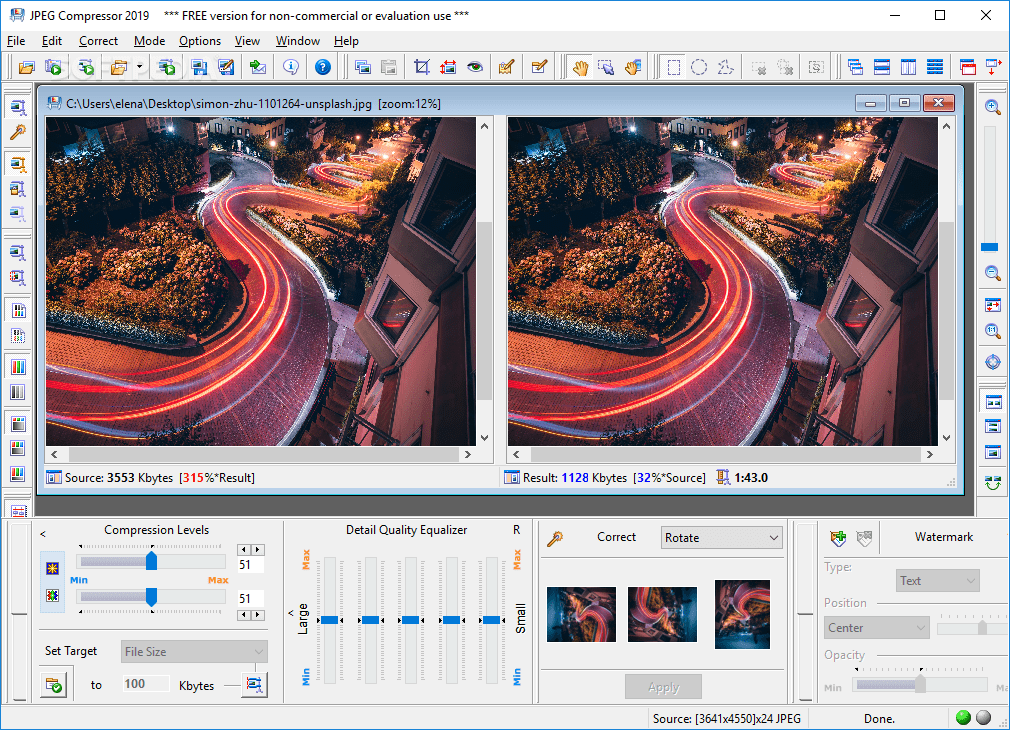
    Works as a dedicated JPEG converter, allowing you to open existing images and a JPEG optimizer, compressing existing JPG images.

    Advanced JPEG Compressor is an invaluable and useful tool for everyone who knows what is a digital image.

    This is surely a must-have tool if you own a scanner or a digital camera, use digital images whether at work, or at home.

    This program allows you to convert images to JPEG format using the most powerful JPEG compression engine, shrink the large file size of your graphic files, optimize pictures for quickly loading from the Web, e-mail smaller image files faster and not exceeding email size limitations, resize images and make thumbnails.

    Advanced JPEG Compressor can acquire pictures from your scanner or digital camera, and save them in the JPG format with the highest quality / file size ratio. You can easily scan, compress and e-mail photos from Advanced JPEG Compressor.

    This program works as dedicated JPEG converter, allowing you to open existing images in many formats (BMP, TIFF, GIF, PNG, ...), and a JPEG optimizer, compressing existing JPG images.

    The possibility to create, edit and apply named compression profiles considerably helps in processing various types of graphic files. The Batch Processing function makes it easy to process multiple images applying the selected compression profile.

    Graphic Detail Quality Equalizer is a unique feature of the program that gives you significant flexibility in adjusting the compressed image quality.

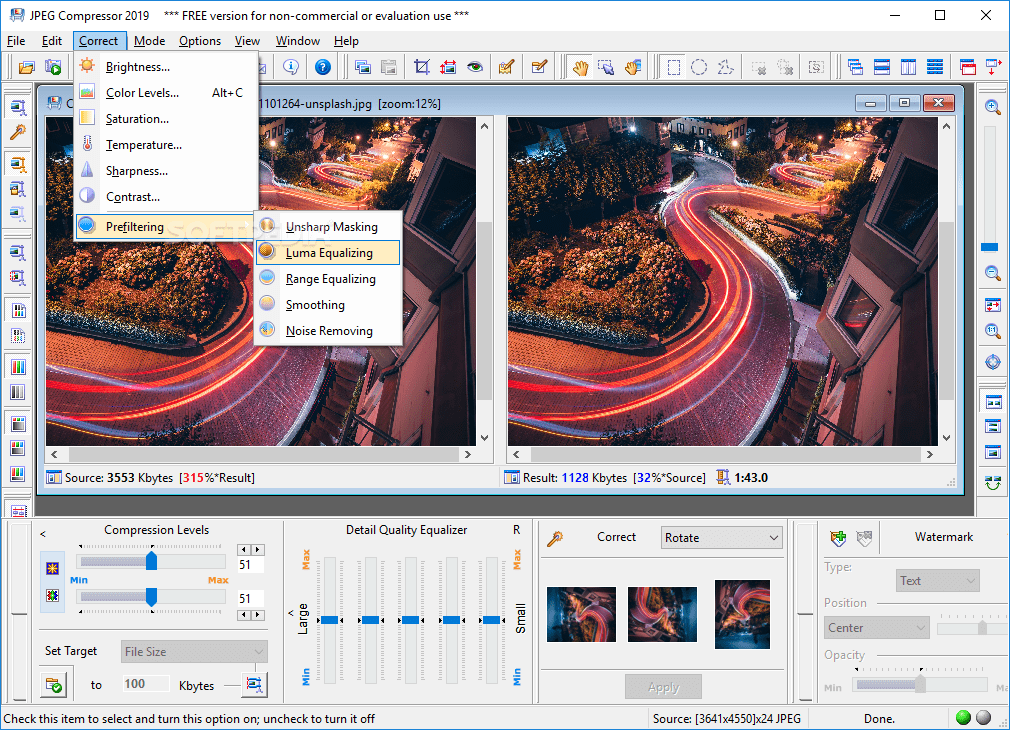
    Compression-oriented image prefiltering helps to achieve better compression/optimization results and improve the visual appearance of an image. Separate compression sliders for Luma(intensity) and Chroma(color) channels allow you to gain better compression results, eliminate color artefacts, and significantly improve the compressed image quality.

    Hold the defined compression ratio is a unique feature for graphic software that allows you to create images whose file size is limited by the defined compression ratio (like the "bit rate" parameter for audio files), and does not depend on their content.

    Here are some key features of "Advanced JPEG Compressor":

    · Original picture QUALITY is preserved by the advanced, hi-end algorithms and technology
    · JPEG Compression Engine with its wide choice options and abilities easily allows you to get any JPEG file size you desire. Specially optimized for higher picture quality. Minimizes possible quality loss and / or avoids extra re-compression
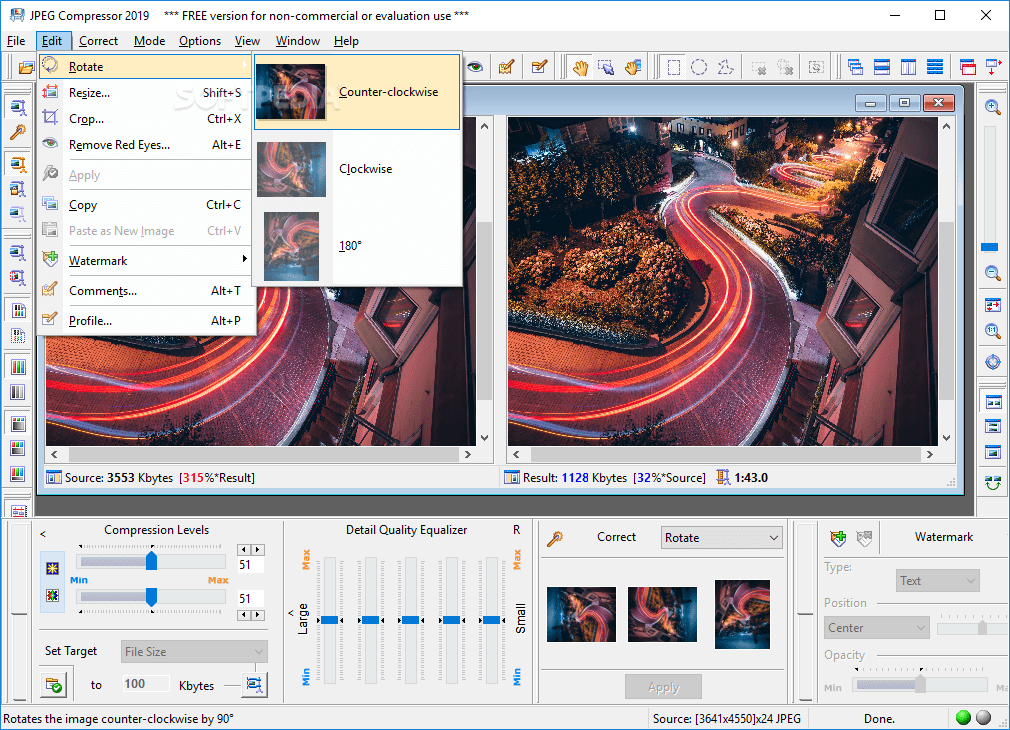
    · Photo editing options include rotate, crop, add text or graphic watermarks, change color levels, saturation, contrast, sharpness and more. The ability to make all of these photo processing options keeping the original image quality
    · Profiles considerably improve the processing of multiple images the same way. A profile contains the most important compression parameters, along with resizing and photo correction options. You can create, save, edit and apply named profiles
    · Batch processing mode lets you easily process multiple images. You can choose the profile, renaming and other options to process a selected group of photos. The optional Individual Batch Processing mode lets you make particular changes to each image from the batch
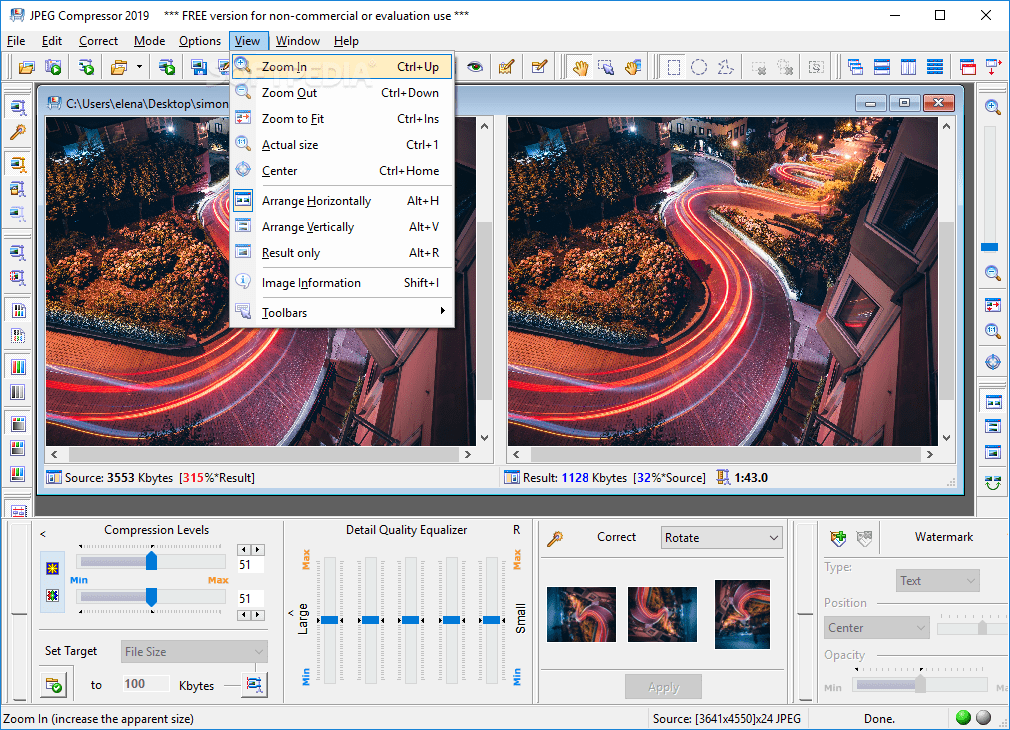
    · Multi-document interface allows you to work with many images at the same time, enabling you to view and compare different compression parameters applied to either the same or different images
    · Interactivity - the process of compression becomes visual, effectively trading image quality with file size by adjusting the compressor's settings. It also offers a preview of the resulting image immediately in the result image preview window
    · Easy to use and highly customizable user interface
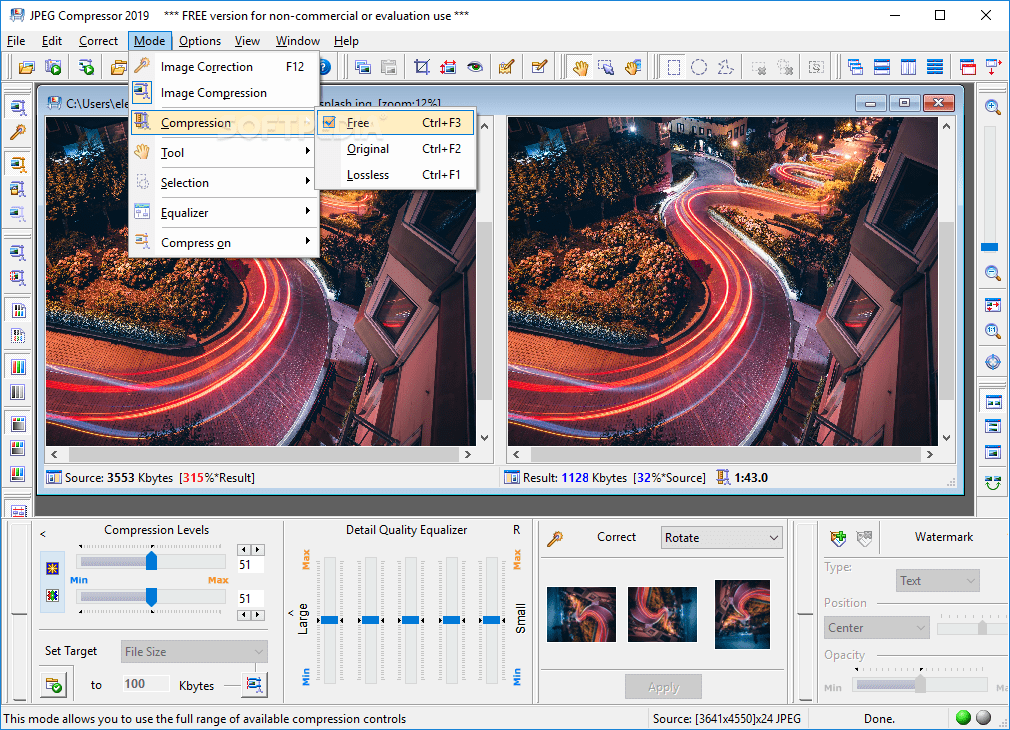
    · Free, Original and Lossless compression modes provide the full range of program options from high image file size compression to editing without compression - for basic photo processing
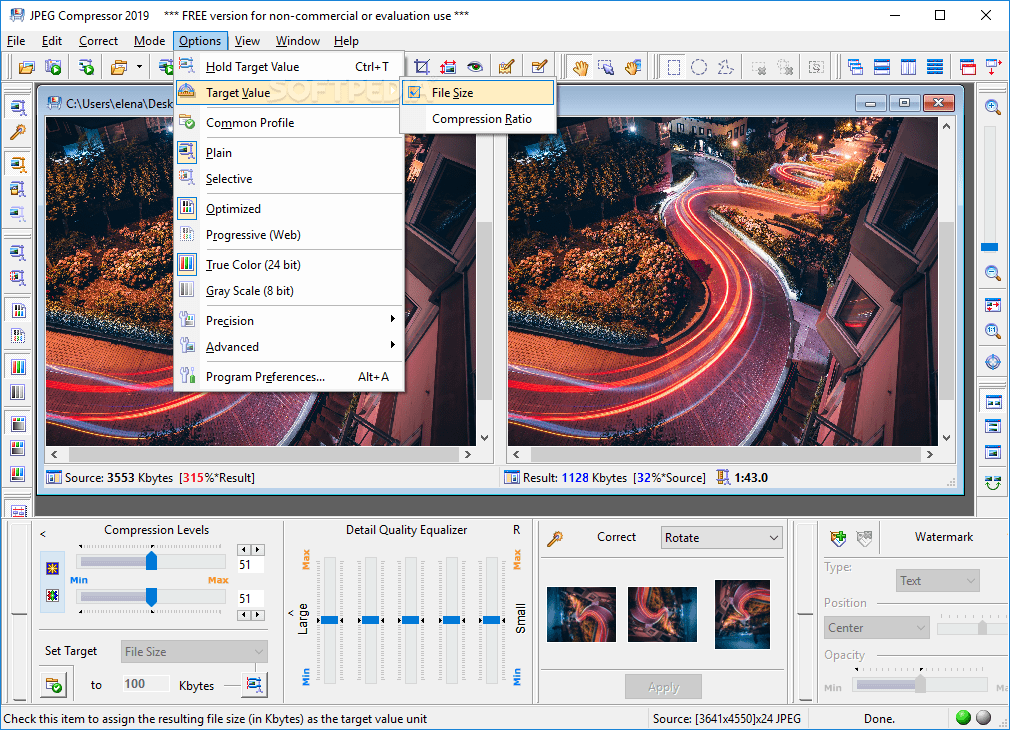
    · Target Value: File Size or Compression Ratio is a unique feature for graphic software. It allows you to create images whose file size is limited by the specified target value (in Kbytes) or compression ratio (like the "bit rate" parameter for audio files). You can easily acquire any file sizes for your JPEGs. Save your time on setting other compression related controls
    · Graphic Detail Quality Equalizer is a unique feature that gives you significant flexibility in adjusting the quality of each compressed image. Its 5 bands are intended to tune compression levels applied to image details with different sizes (ranging from large to small)
    · Compression-oriented image prefiltering helps achieve better compression/optimization results and improve the visual appearance of an image. You can choose one of five effects, change the level and radius (depth) of applying the active effect
    · Separate compression sliders for Luma(intensity) and Chroma(color) channels allow you to gain better compression results and eliminate color artifacts, significantly improving the compressed image quality
    · Selective image compression allows you to compress some areas of the image more or less than others. This useful feature allows you to save the highest quality for the most important parts of the image (such as faces) giving you excellent compression results
    · Progressive JPEG images support allows images from the Web to be displayed at gradually improving quality as they download from the Internet or other source
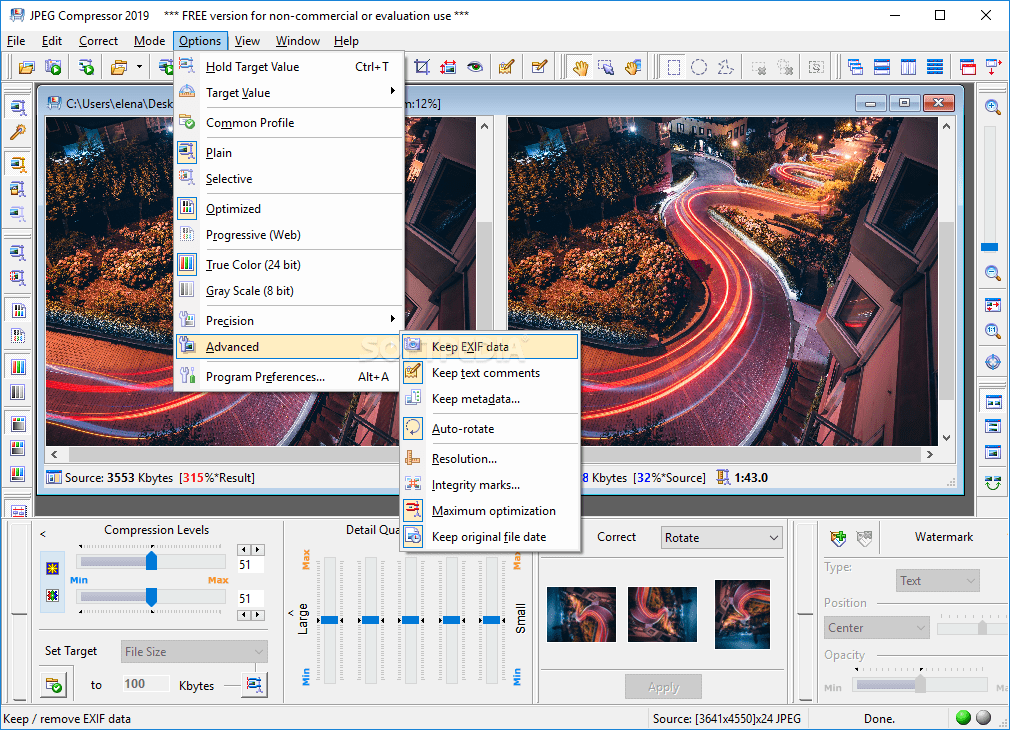
    · Integrity marks being inserted in the created JPEG image allow the decompression to be resumed if an image will be damaged during transmitting. This feature is extremely useful for creating images for transmission across unreliable networks
    · Additional options exists for adjusting the precision of compression. This allows you to achieve the best results depending on priority: small file size or high image quality (with larger file size)
    · Viewing/Editing invisible text - signature, copyright notice or comments can be embedded in your JPEG files
    · EXIF data support allows you to keep or remove EXIF data from JPEG files. The Image Information dialog displays the EXIF data
    · Highest quality resizing/resampling images can be achieved through our implemented Bicubic HQ VF method. It is the best of its kind for changing image resolution or dimensions or creating thumbnail images. Its variable Fidelity Level allows you to tune the resulting picture, softening or sharpening it
    · Watermarks allow you to overlay a selected graphic file (such as a company logo) or some text (like a copyright notice or warning). Multiple watermarks can be used with independent parameters for each of them. You can save watermarks in profiles and apply them in Batch Processing
    · An ability to acquire images from TWAIN compliant devices - such as scanners or digital cameras
    · An ability to crop unnecessary portions of the image

    Limitations:

    · 'Save' function is disabled
    · Adds a special watermark

    What's New in This Release: [ read full changelog ]

    · Photo Hosting
    · Save to Web your photos
    · Now you can save the image to our photo hosting. The File menu and toolbar contain the Save to Web command displaying the corresponding dialog. This command immediately starts uploading and shows the uploading progress. You will get a link (URL) to your uploaded photo. This link can be copied and pasted for its use as described above.
    · Upload a batch of photos to our photo sharing service
    · Just select the Web in batch processing options and get your photos processed and uploaded to our online photo sharing service. Want to upload without modifying? No problems, just create a profile with a Lossless or Original compression mode set.
    · Image Editing
    · Auto-rotate option
    · This new option is added to get your digital photos rotated to normal orientation automatically. Works for batch processing too. Turn on/off by the "Options > Advanced > Auto-Rotate" menu item.
    · Compression
    · Original compression mode for non-JPEG files
    · Now you can set this mode ev...

     Softpedia guarantees that Advanced JPEG Compressor 2009r3 is 100% CLEAN, which means it does not contain any form of malware, including spyware, viruses, trojans and backdoors. [read more >]


    TAGS:

    JPEG Optimizer | Image Compression | Compress JPEG | rotate | compress | crop


    HTML code for linking to this page:


    Go to top

    Windows tabGames tabDrivers tabMac tabLinux tabScripts tabMobile tabHandheld tabGadgets tabNews tab

    SUBMIT PROGRAM   |   ADVERTISE   |   GET HELP   |   SEND US FEEDBACK   |   RSS FEEDS   |   ENTER NEWS SITE   |   ENGLISH BOARD   |   ROMANIAN FORUM