
A Photoshop-compatible plug-in that enables you to extract various objects from a complex image and remove the remaining background. #Background Remover #Photoshop plugin #Object extractor #Background #Remove #Remover
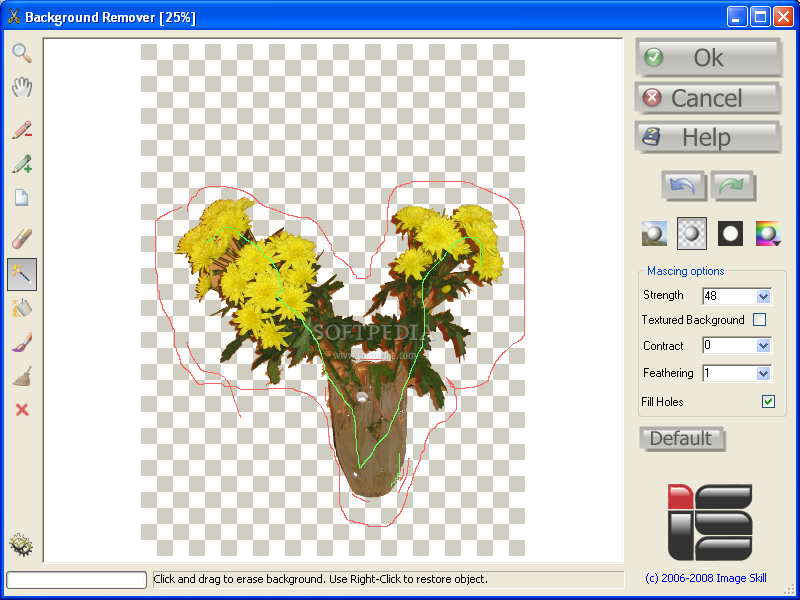
Background Remover is a graphic plugin that aims to help you easily extract objects, shapes or persons from photos, which can be then saved separately and used for creating scrapbooks and collages.
The plugin is compatible with Photoshop and other graphic editing applications, such as Corel Paint Shop Pro. Installing it is very easy, as there is no need for you to manually copy files to the 'Plugins' folder of the host program.
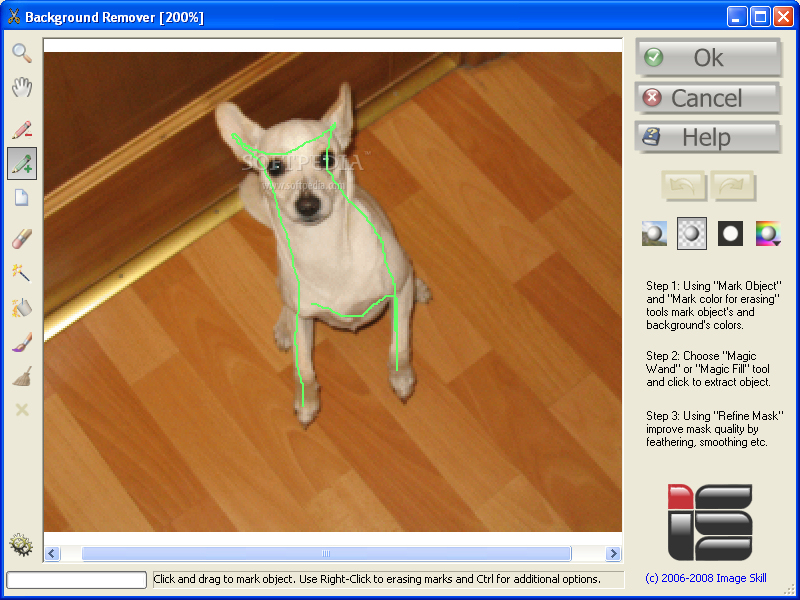
Working with Background Remover shouldn't pose any problem for those who are a bit familiar with the host application. Prior to marking the object you want to extract, creating a layer from the background is necessary (this is a commonly used function in Photoshop and other similar programs).
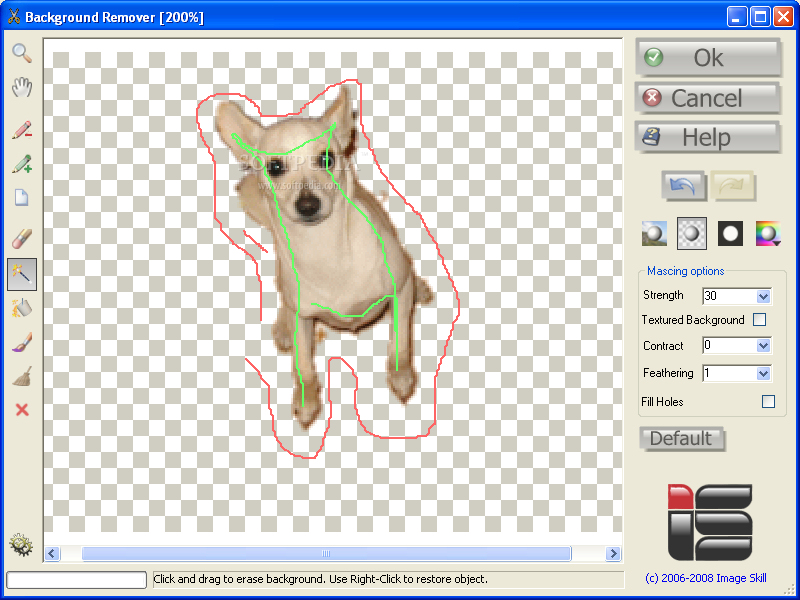
You can use the selection tools that Background Remover comes with in order to carefully create the outline of the object you want to mark, while the so-called 'magic wand' marks the background, which will be removed from the photo. The plugin features adjustable erasing strength options, which enables you to increase its accuracy.
Background Remover supports textured backgrounds and comes with tools that can help you mark semi-transparent and lace-like objects, such as hair, making the output look natural.
Background Remover can accurately determine the areas to remove and preserve. It is capable of restoring object edges and working with semi-transparent regions, ensuring that the cut-out object can be used with a different background in a natural way. It is a great tool for those who want to create collages and greeting-cards.
System requirements
- Require Photoshop-compatible graphic host program
Limitations in the unregistered version
- Will put word "DEMO" on result image
What's new in Background Remover 3.2:
- Add native 64 bit code
- The multi-language interface was implemented (English, German, French, Italian, Spanish, Dutch, Russian, Japanese, Chinese Simplified, and Chinese Traditional)
Background Remover 3.2
add to watchlist add to download basket send us an update REPORT- runs on:
- Windows All
- file size:
- 14.8 MB
- filename:
- BackgroundRemover_Demo_Setup.exe
- main category:
- Multimedia
- developer:
- visit homepage
Microsoft Teams

ShareX

calibre

4k Video Downloader

IrfanView

Bitdefender Antivirus Free

7-Zip

Windows Sandbox Launcher

Context Menu Manager

Zoom Client

- Windows Sandbox Launcher
- Context Menu Manager
- Zoom Client
- Microsoft Teams
- ShareX
- calibre
- 4k Video Downloader
- IrfanView
- Bitdefender Antivirus Free
- 7-Zip