
Brush Strokes Image Editor Free paint program, graphics editor, photo manipulator, bitmap editor etc.. #Image editor #Picture editor #Photo manipulator #Photo #Image #Editor

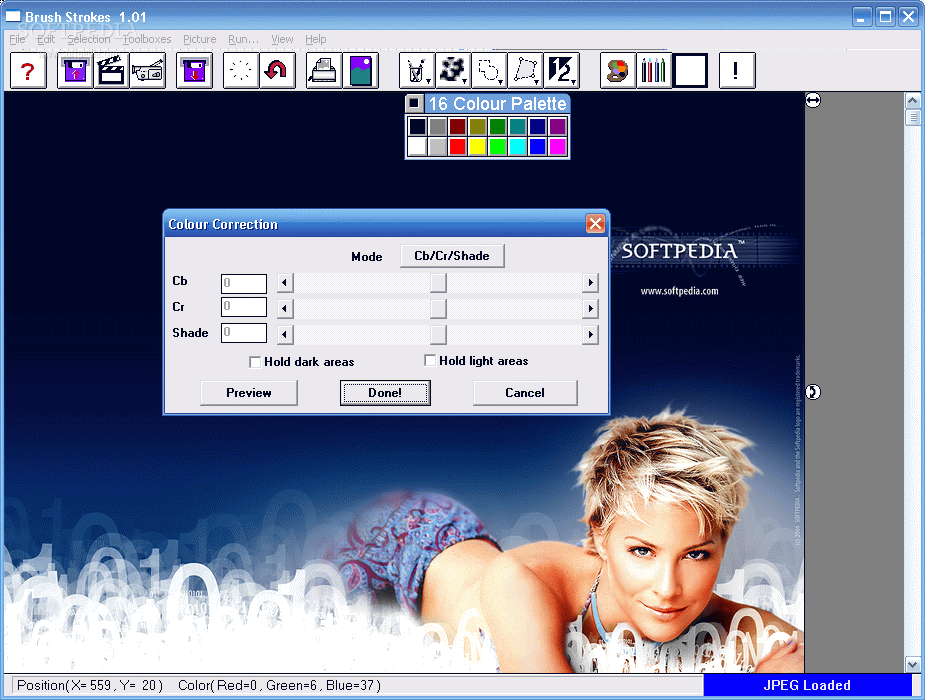
Brush Strokes Image Editor is a simple tool that will enable you to you edit pictures on the fly. The software doesn't needs to be installed and your Windows registry will not be affected. More so, you can place Brush Strokes Image Editor on a removable device to run on any computer.
Its user interface is minimalistic and not particularly impressive. You can open files in several formats (e.g. BMP, JPG, GIF, PNG, TIFF), including AVI. The "drag and drop" method is supported as well.
Thus, you can use basic tools, such as clear, undo, redo, copy, cut, paste and crop selection. You can also paint the background, set transparency, enable linear interpolation and adjust color tolerance.
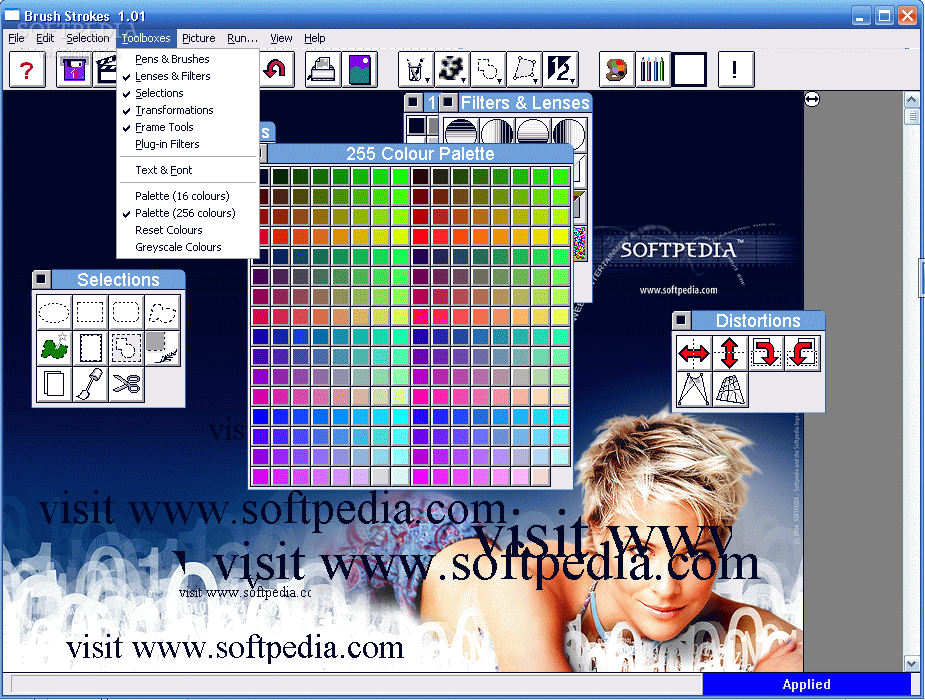
You will be able to use pens and brushes, lenses and filters, selections, transformations, frame tools, plugin filters, text and font, palette and the grayscale effect.
You can also change the size of the picture, swap frames, switch to full screen mode, adjust colors, capture an image from camera, get a frame from video, view image information, and more.
The application uses a low to moderate amount of system resources and didn't freeze or crash during our tests. It doesn't contain a help file and the "Undo" button can take you only one step back. Also, there are no keyboard shortcuts available.
Brush Strokes Image Editor is a simplistic tool for editing images and is mainly addressed to beginners.
Brush Strokes Image Editor 1.0
add to watchlist add to download basket send us an update REPORT- runs on:
- Windows All
- file size:
- 607 KB
- filename:
- brush.zip

- main category:
- Multimedia
- developer:
- visit homepage
4k Video Downloader

Bitdefender Antivirus Free

Zoom Client

7-Zip

IrfanView

ShareX

paint.net

calibre

Windows Sandbox Launcher

Microsoft Teams

- calibre
- Windows Sandbox Launcher
- Microsoft Teams
- 4k Video Downloader
- Bitdefender Antivirus Free
- Zoom Client
- 7-Zip
- IrfanView
- ShareX
- paint.net