
Display a slide show of your photos.. #Add photo frame #Create slideshow #Slideshow creator #Custom #Customize #Slideshow


Free Photo Frame is an application developed to create slideshows with your photos using eye-appealing frames.
The program is aimed at both rookies and more experienced users, offering a very simple yet effective GUI to bring them all the features.
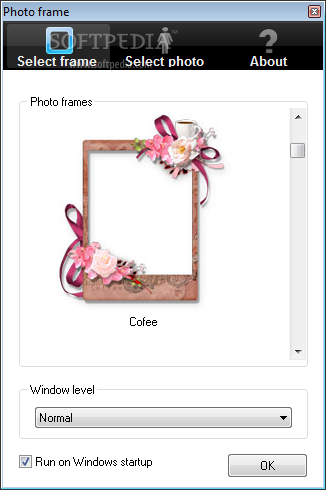
While the main window comes down to the slideshow and the selected frame, the configuration screen plays a much more important role, as it groups all settings concerning the look of the image.
You can pick from plenty of photo frames, with a dedicated option to keep it always on top and launch the app at Windows startup.
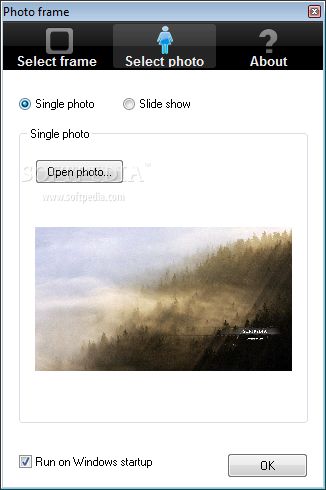
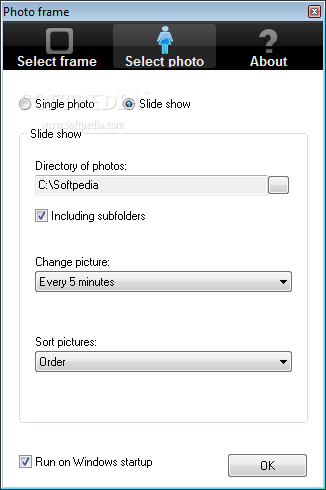
There are two different modes, so you can use either a single image or several ones, with the latter option requiring you to input a folder hosting all files and a picture changing interval.
The overall simplicity is clearly a good thing, but there still are some things to be revised in the next versions. Sadly, only the JPG format is supported for the time being, so all photos that shall appear in the slideshow must use this particular format.
On the good side however, Free Photo Frame remains very light on hardware resources all the time, which is pretty important given the fact that it’s designed to stay on your desktop permanently.
So to sum up, Free Photo Frame is a decent piece of software that can create good-looking slideshows right on your desktop. With a few improvements here and there it could easily become a top product.
Free Photo Frame 1.1
add to watchlist add to download basket send us an update REPORT- runs on:
-
Windows 2003
Windows 7
Windows Vista
Windows XP
Windows 2K - file size:
- 5.8 MB
- filename:
- photoframe.zip
- main category:
- Multimedia
- developer:
- visit homepage
Windows Sandbox Launcher

Zoom Client

ShareX

7-Zip

4k Video Downloader

IrfanView

calibre

paint.net

Microsoft Teams

Bitdefender Antivirus Free

- paint.net
- Microsoft Teams
- Bitdefender Antivirus Free
- Windows Sandbox Launcher
- Zoom Client
- ShareX
- 7-Zip
- 4k Video Downloader
- IrfanView
- calibre