
A straightforward appliation that lets you take your old images and colorize them as well as adding different neat effects to them. #Colorize phots #Improve photos #Create sketches #Photos #Tweak #Black&white
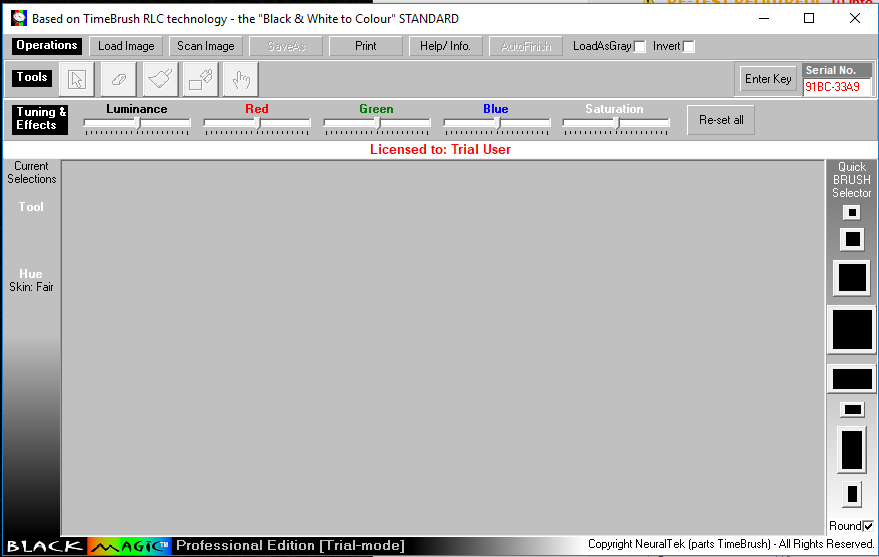
BlackMagic Business Edition is a neat application for colorizing Black & White, Sepia, or IR (infrared) photos, or for color-correcting/ re-coloring ones with dull, faded, or inappropriate hues.
It is extremely simple to use, its a software that transcends age and professional boundaries, providing an immense sense of achievement, and tremendous artistic pride for professionals and home users alike.
The resulting colorized photos have optimally saturated, and consistent, correct hues are giving the appearance as if the photo had originally been 'shot' in color!
Professional Artists and Photo-labs will appreciate the flexibility and enhanced productivity enabled through BlackMagic Business Edition, adding value to their photo restoration jobs.
Families can have lots of fun with BlackMagic Business Edition, creating exceptional pieces of art through colorizing old black & white photos from the family album. This is nothing short of reviving invaluable family heirlooms to new glory, that will be admired by generations to come.
To sum it up, BlackMagic Business Edition is a handy application that can help you recolor old black-and-white photos, add different effects to them or repair damaged images. Also, you can do sketches based on other images in order to add an original feel to it.
BlackMagic Business Edition 2.86
add to watchlist add to download basket send us an update REPORT- runs on:
-
Windows 10 32/64 bit
Windows 8 32/64 bit
Windows 7 32/64 bit - file size:
- 3.6 MB
- filename:
- blkmagic.exe
- main category:
- Multimedia
- developer:
- visit homepage
4k Video Downloader

7-Zip

IrfanView

ShareX

Zoom Client

Windows Sandbox Launcher

Microsoft Teams

calibre

Bitdefender Antivirus Free

Context Menu Manager

- calibre
- Bitdefender Antivirus Free
- Context Menu Manager
- 4k Video Downloader
- 7-Zip
- IrfanView
- ShareX
- Zoom Client
- Windows Sandbox Launcher
- Microsoft Teams