
An intuitive and user-friendly plugin that can enhance the functionality of Paint.NET so that it can open and edit Photoshop files. #Paint.NET plugin #Paint.NET addin #Open PSD #Paint.NET #Plugin #Addin

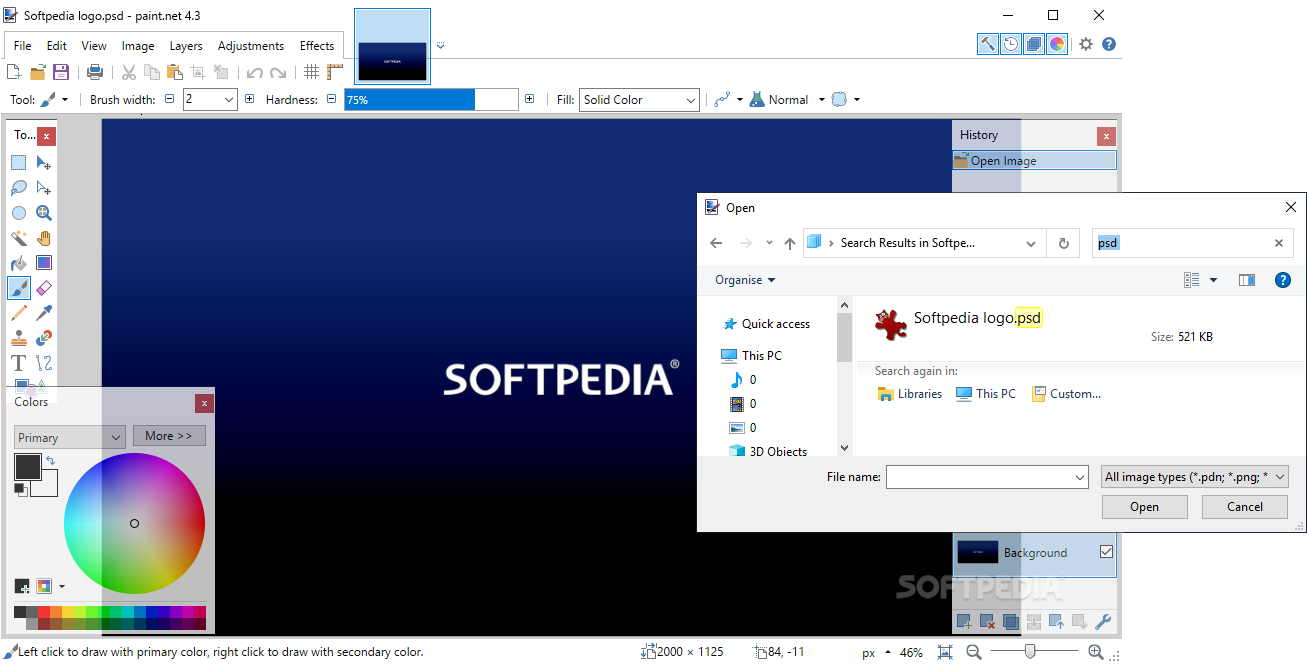
While it is true that Paint.NET is quite a versatile tool, one of its drawbacks is that it cannot process PSD files. Nevertheless, this issue can easily be solved with the help of a third-party tool, namely Paint.NET PSD Plugin.
It goes without saying that in order to take advantage of the plugin, first you need to have Paint.NET installed on your system. Afterwards, the installation is a breeze, as all you need to do is decompress the archive then move the DLL file to the FileTypes directory and you can start loading and managing Photoshop files.
To ensure everything works smoothly, first you need to close all instances of Paint.NET before moving the DLL file. Once you restart the application, simply load any PSD file you want to manage and you can enhance it in any way you want. More precisely, you can take advantage of the vector features, edit the RGB channels, adjust the color depth, play with the layers of the image, so on and so forth. Once you are done enhancing the image, you can also export it as PSD so that you can open it in Adobe Photoshop and perhaps, edit it further.
It is important to note that sometimes you may notice that the PSD file does not load or save properly. According to the developer, this is due to the fact that Paint.NET is a less complex tool compared to Photoshop and comes with some limitations. Simply put, while the app can preserve visual fidelity, some features simply do not exist in Paint.NET.
In the eventuality that you are regularly using Paint.NET, but were inconvenienced by the fact that you had to rely on other tools to manage Photoshop files, then perhaps you can consider giving Paint.NET PSD Plugin a try.
Paint.NET PSD Plugin 2.5.0
add to watchlist add to download basket send us an update REPORT- PRICE: Free
- runs on:
-
Windows 10 32/64 bit
Windows 8 32/64 bit
Windows 7 32/64 bit - file size:
- 35 KB
- filename:
- PSDPlugin-2.5.0.zip
- main category:
- Multimedia
- developer:
- visit homepage
Zoom Client

paint.net

Microsoft Teams

calibre

Windows Sandbox Launcher

7-Zip

Bitdefender Antivirus Free

IrfanView

4k Video Downloader

ShareX

- IrfanView
- 4k Video Downloader
- ShareX
- Zoom Client
- paint.net
- Microsoft Teams
- calibre
- Windows Sandbox Launcher
- 7-Zip
- Bitdefender Antivirus Free