
Add pixelate effects to any source images with this practical Adobe Photoshop plugin that allows users to adjust the parameters of the process. #Photoshop plugin #Pixelate image #Graphics editor filter #Photoshop #Pixelate #Plugin
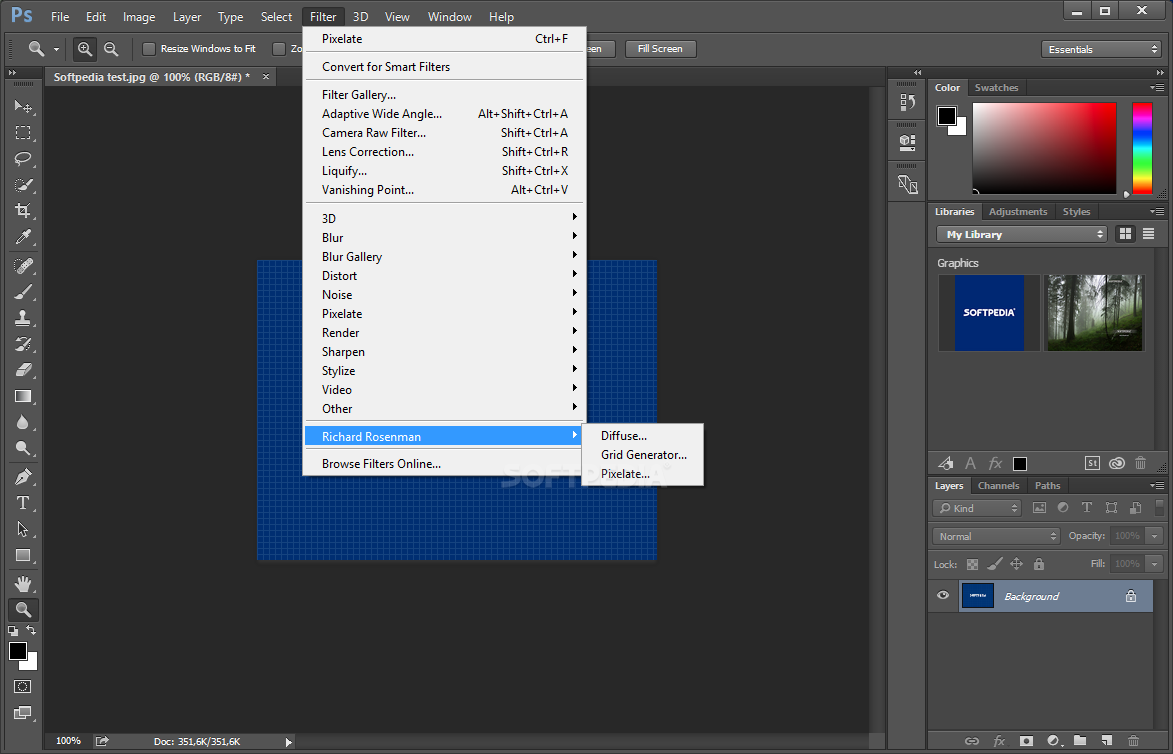
Graphics editors can vary significantly in power and complexity, from simple tools that add watermarks or blur effects to comprehensive and professional image editing suites. Aiding users who want to add pixelate effects to source images is Pixelate, a highly practical and easy to employ addin for most of the commonly employed picture manipulation utilities.
The program is fully compatible with such popular choices such as Adobe Photoshop, CorelDRAW, PhotoLine, paint.net or Serif PhotoPlus and integrates seamlessly with the host applications. Plugin users will find it a very accessible tool for adding pixelate effects to any source pictures.
Since the addin operates from within the host program, it can apply effects to any types of files compatible with the main image editors. Performing modifications on the photos is a very simple task, as one needs only to adjust the few parameters available to add pixelate effects.
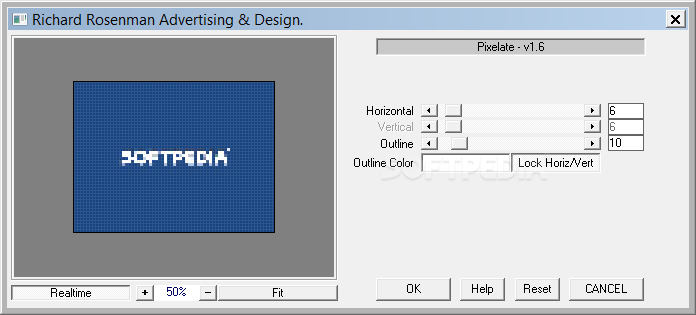
Specifically, the options available for customization include the sizes of the resulting pixels, as well as their border thickness. Users can also adjust the color of the new outline and one of the great features is the ample preview frame, as this allows users to avoid performing any hasty modifications on the source image.
A “Reset” button allows users to revert all the changes performed and the horizontal and vertical pixelation size sliders can be locked for perfect pixelation. The plugin is compatible with both 8 and 16 bits per channel color modes, thus catering to both amateur and professional needs.
In conclusion, Pixelate is a practical plugin that allows one to add image pixelation effects. The tool is compatible with most of the popular graphics editors available today and users have complete freedom over the process input parameters.
What's new in Pixelate 1.6:
- Cleaned up help information
Pixelate 1.6
add to watchlist add to download basket send us an update REPORT- runs on:
-
Windows 10 64 bit
Windows 8 64 bit
Windows 7 64 bit
Windows Vista 64 bit
Windows XP 64 bit - file size:
- 302 KB
- filename:
- pixelate.zip
- main category:
- Multimedia
- developer:
- visit homepage
calibre

4k Video Downloader

Windows Sandbox Launcher

Bitdefender Antivirus Free

paint.net

Microsoft Teams

ShareX

IrfanView

Zoom Client

7-Zip

- IrfanView
- Zoom Client
- 7-Zip
- calibre
- 4k Video Downloader
- Windows Sandbox Launcher
- Bitdefender Antivirus Free
- paint.net
- Microsoft Teams
- ShareX