WINDOWS CATEGORIES:


NEWS ARCHIVE >>
SOFTPEDIA REVIEWS >>

WEEKLY HIGHLIGHTS

DVD Cloner45
Spyware Doctor40
1Click DVD Copy40
Apollo DVD Copy40
ABC Amber BlackBer...45
Protected Music Co...40

7-DAY TOP DOWNLOAD

#
Program
Avira AntiVir
Personal - Free
Antivirus 8.1.0.331

141,511
Windows Live
Messenger 2009
14.0.5027.908

80,303
Windows Live
Messenger
8.5.1302.1018

64,424
Internet Download
Manager 5.14 Build 5

46,141
DVD Shrink 3.2.0.15
43,378
Y! Multi Messenger
8.x and 9.x

40,206
Vista Transformation
Pack 8.0.1

38,747
Microsoft Office
2007

37,600
Uxtheme
Multi-patcher 6.0

36,257
Nero 7 Premium
7.11.10.0

33,518

WEEK'S BEST

  • DAEMON Tools Pro B...
  • Advanced X Video C...
  • WinRAR 3.80 Stable
  • Nero 9 9.0.9.4
  • Net Transport 2.64...
  • Advanced SystemCar...
  • Windows Live Messe...
  • Acronis True Image...
  • ImTOO DVD Ripper S...
  • Combined Community...
  • Fastream IQ Web/FT...
  • VirtualDub 1.8.6 B...
  • Super DVD Creator ...
  • Deluge 1.0.0.32
  • Adobe Flash Player...
  • WinPatrol 15.9.200...
  • Trend Micro Intern...
  • COMODO Internet Se...
  • WinZip 12.0 Build ...
  • Real Alternative 1...
  • Camfrog Video Chat...
  • iTunes 8.0.1.11
  • QuickTime 7.55.90.70
  • SiSoftware Sandra ...
  • Opera 9.60 Build 1...
  • EVEREST Ultimate E...
  • Google Chrome 0.3....
  • BS.Player 2.31 Bui...
  • WinRAR 3.80 Stable
  • McAfee AVERT Sting...
  • Home / Windows / Multimedia / Graphic / Graphic Viewers
     Report spyware

    Brava! Reader 3.0.0.6


    Downloads: 6,006  Add to download basket  Tell us about an update
    User Rating:
    Rated by:
    Good (3.5/5)
    37 user(s)
    Developer:

    License / Price:

    Size / OS:

    Last Updated:

    Category:
    Informative Graphics Corp | More programs
    Freeware / FREE
    15.2 MB / Windows 2K / XP / 2003
    January 18th, 2008, 00:50 GMT [view history]
    C: \ Multimedia \ Graphic \ Graphic Viewers

     Read user reviews (0)  Add a review  Refer to a friend  Subscribe


    Brava! Reader description


    a free application that opens, views, and prints TIFF, PDF and secure CSF files

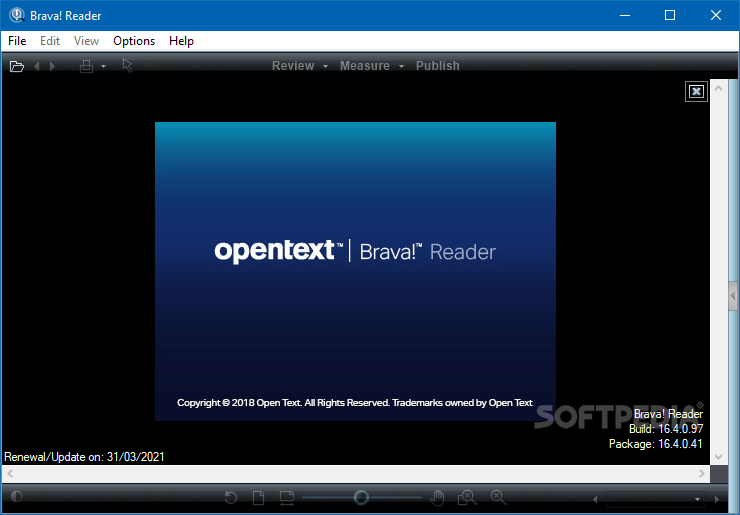
    Brava! Reader is a free PDF Viewer, TIFF Viewer and CSF (content sealed format) Viewer. View and print TIFF, PDF and CSF files. Brava! Reader opens files quickly without startup delay and runs either as a desktop application or as an ActiveX with IE.

    View TIFF, PDF and secure CSF files

    TIFF imaging supports, monochrome (fax) and color, multi-page and oversize high resolution images. CSF files are persistent rights protected published files created by the free Net-It(r) Now, Brava Desktop and Net-It CAD content publishing applications. Brava! Reader is a software that allows you to open, view, and print IGC .CSF file.

    CSF is a compressed format that encompasses our Visual Rights persistent security that includes password protection, onscreen banners, print and other feature restrictions, etc. Looking for a faster TIFF or PDF viewer - give Brava! Reader a try.

    Opens Many Formats
    Save training and software costs by eliminating the need to have native, potentially complicated software on every desktop.

    Unified Viewer
    Same easy interface for all file types with no training required.

    Performance
    Spend less time waiting for files to open and views to refresh than with comparable viewers. Brava has smoother view transitions, too.

    Excellent Navigation Tools
    Navigating documents or drawings is easy with our dynamic Zoom/Pan tool, Magnifier (three modes) and scrollable paging.

    Page Thumbnails
    Jump right to the page you need without navigating the entire document/drawing set.

    Term-Hit Highlighting
    All instances of a search string are highlighted for quick identification.

    Documents & CAD
    Brava offers specialized tools, like scrollable paging for documents and layer views for CAD, based on file type. It is also optimized behind the scenes for different formats, offering double precision geometry and attribute viewing for CAD and complex font handling for documents.

    Markup / Annotate Original Files Untouched
    Original files are never modified; annotations are saved as a separate, overlaid XML file.

    Secure & Trackable
    Each annotation entity is marked with the creator's username, date and time. Users cannot edit other user's annotations.

    Concurrent Annotations
    Each reviewer can create a separately managed annotation file, supporting permission roles and allowing multiple users to comment on the same file at the same time.

    Annotations Saved As XML
    Annotations are saved in a non-proprietary, open XML format, permitting import/ export of annotations and pre/post processing as an integral part of a workflow.

    Burn-In
    Annotations can be burned into a PDF or secure CSF "copy" of the original file, making it easier to email files with notes to suppliers or customers.

    Stamps
    Add stock stamps like Approval, Rejected or Cancelled, or create custom stamps. Like all annotation entities, stamps record the creator's username, date and time.

    Consolidate
    Select annotation/markup files from multiple reviewers to combine into a single file.

    Changemarks Annotation
    Review Changemarks step reviewers through every comment, ensuring none are missed. This is particularly useful on very large drawings or multi-page documents.

    Print Extensive
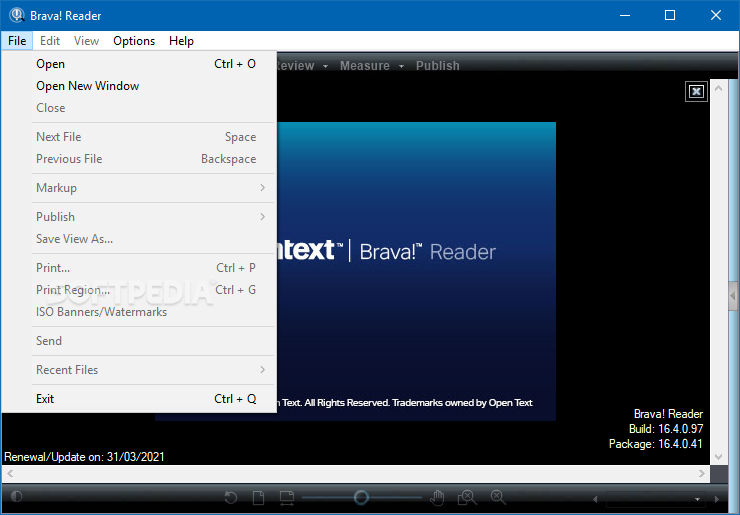
    Print Features Full range of print options and settings, including print current view, page range, print to scale and more.

    Print Region
    Select an area and print just that area blown up to fit the output page size or to scale.

    Watermarks & Print Banners
    Add a watermark or print banners to one or all print outs. Use pre-set wildcards for username, date and more (useful for ISO9000, JCAHO or other compliances). Or intelligently insert metadata from your enterprise content management system as part of your business process.

    Print Preview Thumbnail
    The print dialog shows a thumbnail view of exactly how the document will print, including scaling, rotation and margins.
    Measure Accurate Vector (CAD) files are not converted to pixels (rasterized) and coordinates are not converted from real numbers (floating point) to integers.

    Copy to Clipboard
    Measurement results can be easily copied to the Windows' clipboard to paste into other applications like PowerPoint, Word or Excel.

    Auto-Magnify For Easy Point Selection.
    When measuring, Brava offers a magnified view of the sensed point of interest, allowing the user to select measurement points with higher accuracy, even when working on large drawings and long distances.

    Snap To Geometry
    Accurately snap measurement points to end, mid and center coordinates in vector (CAD) files.

    Compare Compare Versions/Verify Changes
    Visually compare two files/pages/sheets. This is useful for comparing document revisions and faxed versus signed contracts. View with annotations for easy change verifications, ensuring no change was left unincorporated.

    Dynamic Compare Slider
    Use the Compare Slider to dynamically fade from one file to the next. This rapidly animates.

    Highlighted Differences Compare
    Visually highlight differences: additions in green, deletions in red and common in gray.

    Side-by-Side Compare
    Match views of file revisions side by side, including zoom level and orientation.

    Alignment
    Use this feature to align or scale files (perhaps of different formats) to match for a comparison, or perhaps to compare similar parts of one drawing (a section view) to another part on a different file.

    Redact Permanently
    Block Data, Distribute As PDF/Secure CSF Block text or an image area before distributing a PDF, TIFF or secure CSF. Blocked text cannot be retrieved in any way.

    Redact By Zones/Text Strings
    Define areas in the document to be redacted when published to PDF or secure CSF. Defined redaction "zones" can be re-used in Net-It Enterprise to bulk-redact similar documents.

    Find & Redact
    Redact all occurrences or a word or phrase. Or create a list of search strings to redact in one step.

    Add Exemption Codes/ Redaction Reasons
    Add a note to a redaction area indicating the reason and/or code such as Freedom Act or Privacy Act exemption coding.

    Save Redact To PDF Or Secure CSF
    Redacted documents (office documents, scanned TIFF documents, etc.) can be saved to PDF, TIFF or secure CSF. Unlike other redaction tools, redacted text and image data is actually removed from the document while leaving the rest of the document text searchable (non-rasterized).

    Publish Save To PDF, TIFF, DWF Or Secure CSF
    Save the file you are viewing as a rich content PDF, TIFF, DWF or secure CSF. Add annotations, redaction (block out ) areas, a watermark and print banners. Add security, like feature restrictions with CSF for more secure distribution and view with the free Brava Reader (opens PDF, TIFF and CSF).
    Brava Annotations Saved To PDF Annotations Annotations created in Brava become PDF annotation objects with time stamping, viewable notes, etc. in Adobe Reader.

    Save To Secure CSF
    Because PDF is an open format, there are many third party products that can translate, convert and edit PDF files.

    CSF is not an open format because it is intended for secure document sharing over a finite period of time (it is not a long-term archival format).

    CSF's are compressed, encrypted and text searchable, and support layers, attributes and more. CSF files contain Visual Rights settings (see Content Security), which provide granular control over what a user can do with the file.

    Save Views To JPEG, Capture Regions To Clipboard
    Capture the current view to JPEG or copy it to the Clipboard for insertion into office or other applications.

    Content Security Share Content: Keep Control With CSF Visual RightsTM Control how your documents can be used when sent to suppliers, customers or partners. Publish document, image and CAD files to an accurate, encrypted, secure CSF that embeds persistent controls like print, copy, measure, markup and analyze rights and the ability to expire the file on a certain date. Set watermarks and banners, like copyright information, to protect intellectual property interests.

    Customization Toolbars/Menus/Dialogs Customization
    Remove toolbars and menu options for a simpler interface or customize dialog boxes.

    Startup Customization
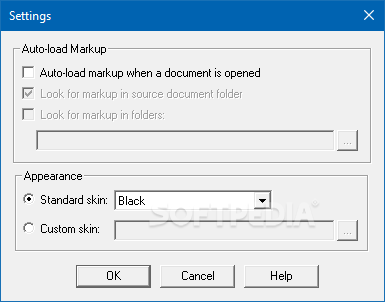
    Configure the initial view state, including the background color, date format, markup color and more.

    Events Customization
    Add custom processing on file open, file exit, markup save, markup open or other events.

    Publishing Customization
    Set default rights to apply to CSF files or specify where to safe PDF or CSF output files.

    Here are some key features of "Brava Reader":

    · Easy to use
    · Supports TIFF, PDF and CSF
    · Documents to oversized CAD drawings
    · Find Search/Find (CSF)
    · Hyperlinks (CSF)
    · CAD layering, attributes, measure, print to scale (CSF)

    What's New in This Release: [ read full changelog ]

    · New thumbnail viewing

     Softpedia guarantees that Brava! Reader 3.0.0.6 is 100% FREE, which means it does not contain any form of malware, including spyware, viruses, trojans and backdoors. [read more >]


    TAGS:

    text reader | application viewer | document opener | reader | viewer | opener

    Related downloads IT News Popular downloads New additions   Latest reviews  
    Lexcycle Stanza 1.0.0 Beta 12 Build 1:360
    A simple to use text reader for your personal computer.
    A Thaza Reader 0.4
    An application that can read content over 1 GB in size.
    TextPlayer 1.0.39567.36394
    A useful text to speech application you can use on your home computer
    Portable Tom's eTextReader 1.8.2
    The application displays plain text in a two-page book-like style
    Simple TTS Reader 1.0
    You can use this application when you want it to read aloud any text you choose.


    HTML code for linking to this page:


    Go to top


    SUBMIT PROGRAM   |   ADVERTISE   |   GET HELP   |   SEND US FEEDBACK   |   RSS FEEDS   |   ENTER NEWS SITE   |   ENGLISH BOARD   |   ROMANIAN FORUM