
Small-sized and portable utility that turns Himera Object Photo files (HPI format) into images with the JPEG or PNG format, using low system resources. #Hpi format #Jpeg image #HPI convert #HPI #Convert #Converter

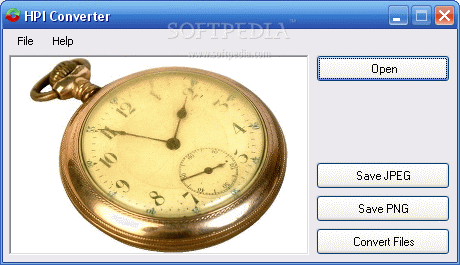
HPI Converter is a lightweight and portable application capable of converting Himera Object Photo files (HPI format) to JPG and PNG.
It does not include a configuration set, so the tool can be tinkered with even by users with limited or no experience in conversion software.
Since installation is not a prerequisite, you can drop the executable file somewhere on the hard drive and click it to run.
It is also possible to save HPI Converter to a USB flash disk or similar storage unit, in order to run in on any workstation with minimum effort.
What's important to keep in mind is that the Windows registry does not get new entries, and files are not kept on the hard disk after removing HPI Converter.
The interface is based on a small, regular layout with a simplified structure, where you can add HPI files to the list using either the file browser or folder view. Initializing the conversion procedure is done as soon as you specify the output format. There are no other options available through this tool.
HPI Converter is very light on the system resources, running on a very low quantity of CPU and RAM. It has a good response time and works well, without causing the OS to hang, crash or pop up error dialogs.
However, it includes limited features and is not supported by newer operating systems. We must also take into account that HPI Converter has not been updated for a very long time.
What's new in HPI Converter 1.0:
- This version features a few things behind the scenes: ZIP File Support: You can drag/open a zip file in HPI Converter and all included HPI files will be automagically found by HPI Converter.
- Partial Help: The download now includes a partial help file.
- Improved error handling during batch convert: Errors during the batch conversion process are now written to a log file. After the conversion the user can choose to view the logfile.
HPI Converter 1.0
add to watchlist add to download basket send us an update REPORT- runs on:
- Windows All
- file size:
- 60 KB
- filename:
- hpi-converter.zip
- main category:
- Multimedia
- developer:
- visit homepage
Bitdefender Antivirus Free

7-Zip

Zoom Client

ShareX

Context Menu Manager

4k Video Downloader

IrfanView

Microsoft Teams

calibre

Windows Sandbox Launcher

- Microsoft Teams
- calibre
- Windows Sandbox Launcher
- Bitdefender Antivirus Free
- 7-Zip
- Zoom Client
- ShareX
- Context Menu Manager
- 4k Video Downloader
- IrfanView