
An intuitive and easy-to-use image converter which grants its users the ability to convert batches of photos to several popular formats. #Image converter #Edit image #Batch converter #Convert #Converter #Batch

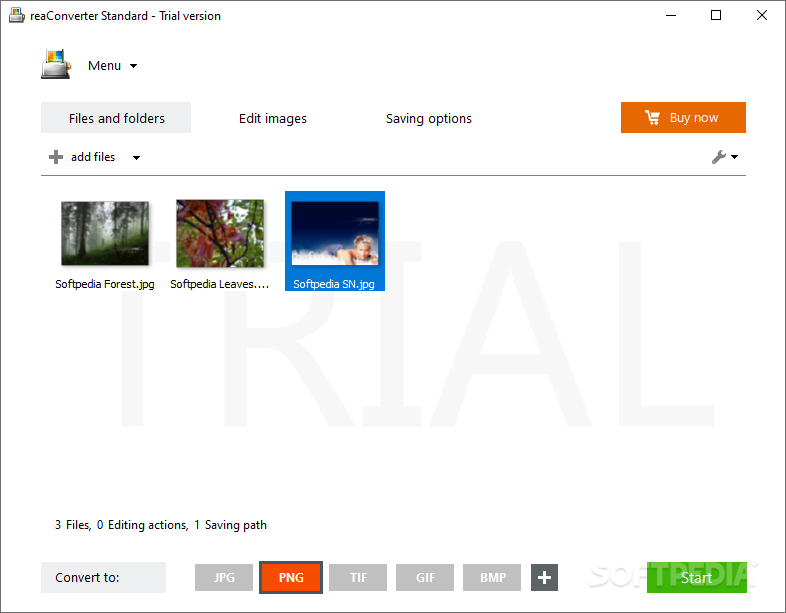
If converting images is what you’re in need of, reaConverter Standard is worth considering. Whether you’d want to convert something to a popular format — say, from JPEG to PNG — or are looking to tap into more specific, rather unchartered formats — such as CAL, DXF, and so forth — reaConverter is the app for the job.
No doubt, given the medley of formats available to you via reaConverter, there are a lot of users the app seemingly caters to. Upon booting up the app, you’re greeted by a quite simplistic yet intuitive interface that outlines this app’s duties right away: you can add your photos through the add files menu — or just drag & drop — choose the format you’d like it converted to, accessible at the bottom, and click start. And that’s that.
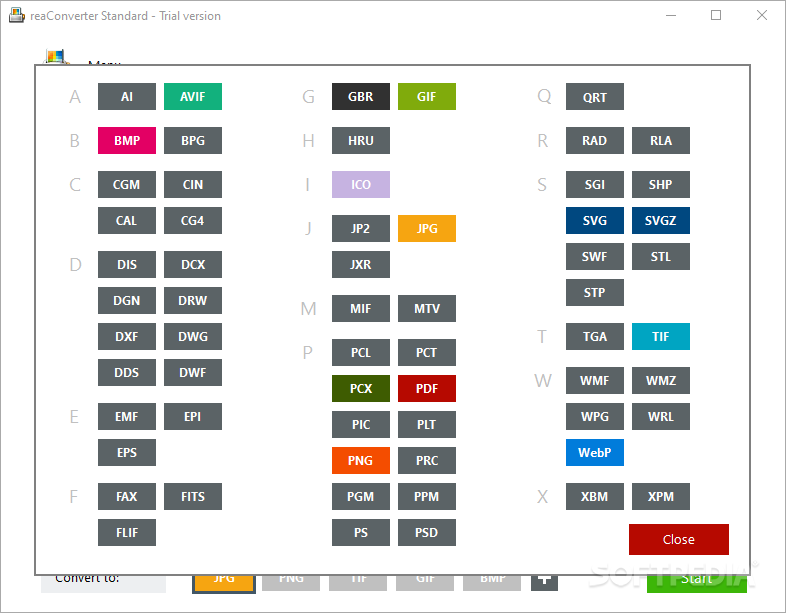
The app highlights the more popular formats through the aforementioned bottom menu, but you’re given the choice to add more, based on your needs. Thus, while a more typical JPG to PNG conversion isn’t much to talk about, the function to convert RAW files is particularly notable here.
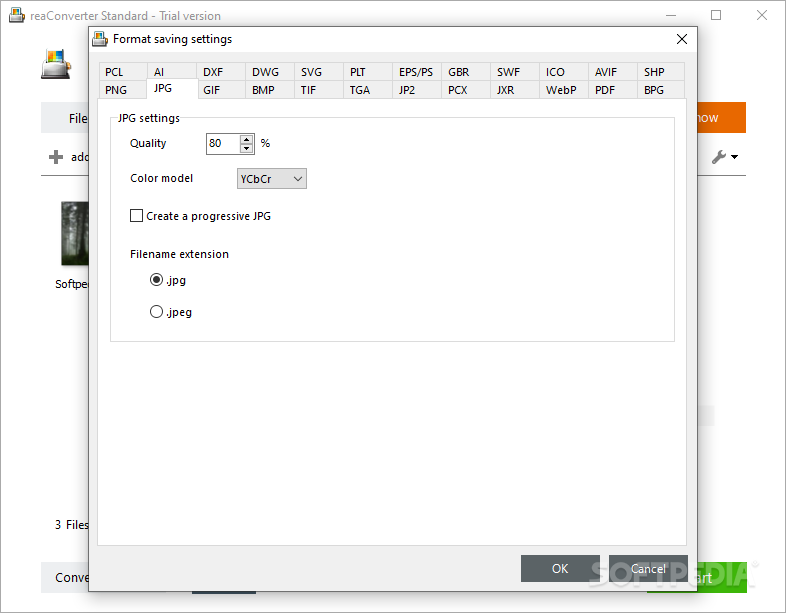
The format saving option is just as notable, in that it provides a lot of usability in the case the user wants to get more specific with their desired conversion results: for example, changing the JPG format settings allows you to change the quality of the file, and even lets you pick the color space, if you know what you’re looking for.
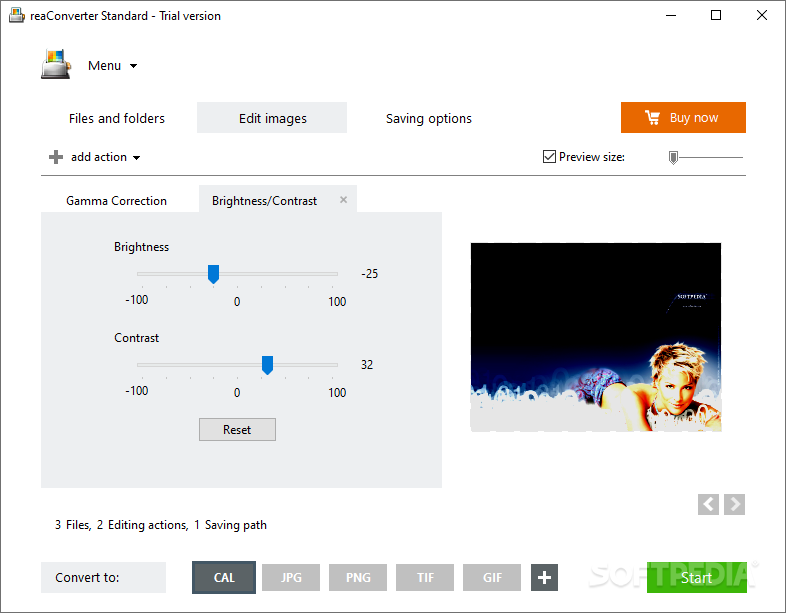
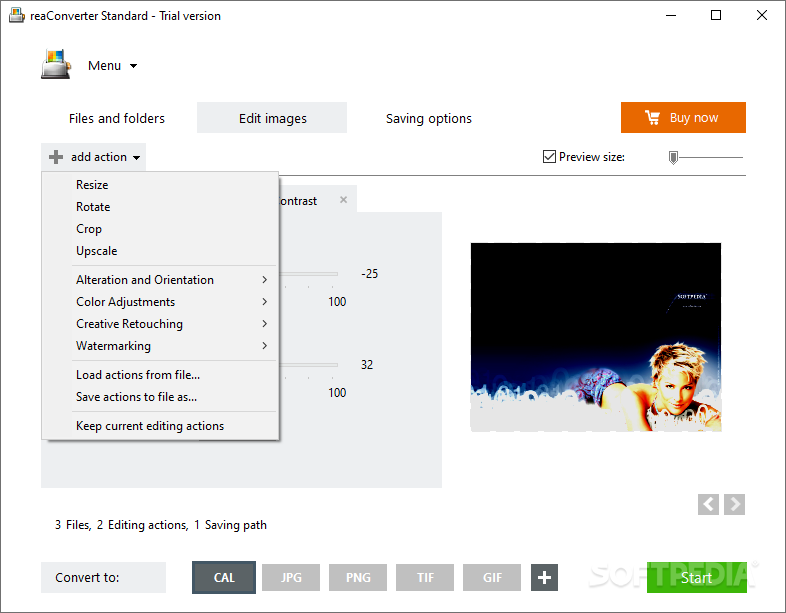
reaConverter also offers its users the option to edit the photos they’re looking to convert. For instance, from the ability to resize, rotate, crop, and even upscale your photos, all the way to being able to deploy color adjustments — such as brightness/contrast, gamma & color correction work — there’s a decent amount of usage one can get out of this app.
Even more, there’s also a Creative Retouching option nested in the same Edit images menu, which can perform lens correction, sharpening, artifact removal, and other such adjustments.
In conclusion, the functionalities that reaConverter puts at your disposal are promising. It’s just that there are a plethora of free apps with similar functionality, so this market is plenty filled already.
ReaConverter Standard 7.806
add to watchlist add to download basket send us an update REPORT- runs on:
-
Windows 11
Windows Server 2022
Windows Server 2019
Windows Server 2016
Windows 10 32/64 bit
Windows Server 2012 R2
Windows Server 2012
Windows 2008 R2
Windows 2008 32/64 bit
Windows 2003
Windows 8 32/64 bit
Windows 7 32/64 bit
Windows Vista 32/64 bit
Windows XP 32/64 bit - file size:
- 302 MB
- filename:
- reaConverterStandard-Setup.exe
- main category:
- Multimedia
- developer:
- visit homepage
ShareX

Bitdefender Antivirus Free

Windows Sandbox Launcher

7-Zip

4k Video Downloader

Zoom Client

Microsoft Teams

Context Menu Manager

calibre

IrfanView

- Context Menu Manager
- calibre
- IrfanView
- ShareX
- Bitdefender Antivirus Free
- Windows Sandbox Launcher
- 7-Zip
- 4k Video Downloader
- Zoom Client
- Microsoft Teams
