
A software solution for users who require a simple and reliable way of converting to and from popular video formats with multiple presets. #Video converter #Encode video #WMV converter #Converter #Convert #Encoder

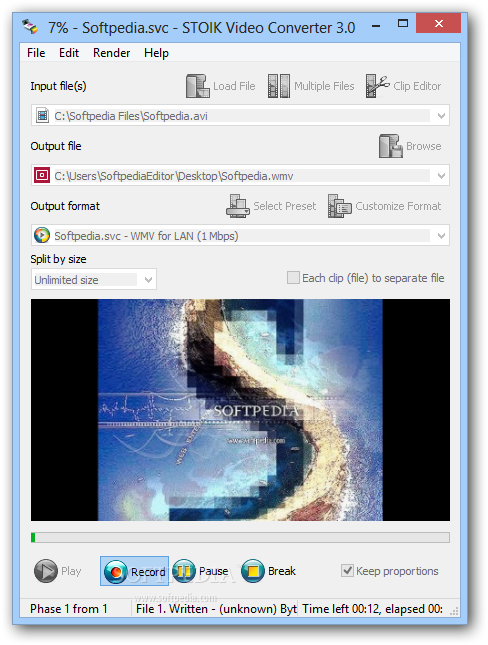
STOIK Video Converter is a very simple and efficient tool for converting video files.
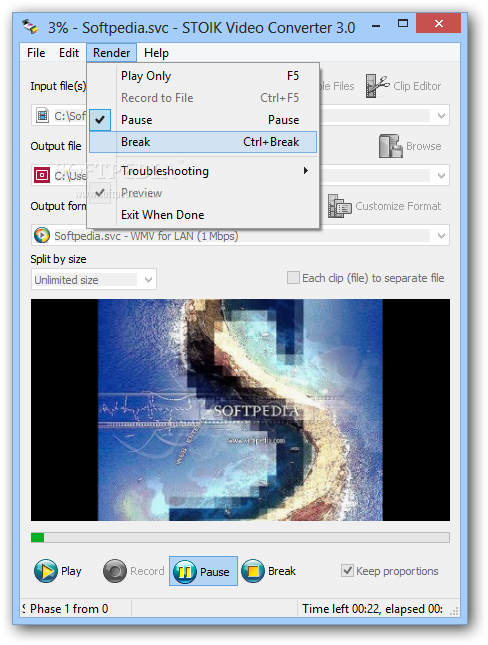
After a quick installation process, you can get acquainted with the user-friendly and intuitive interface. This program can be both used by beginners and experts.
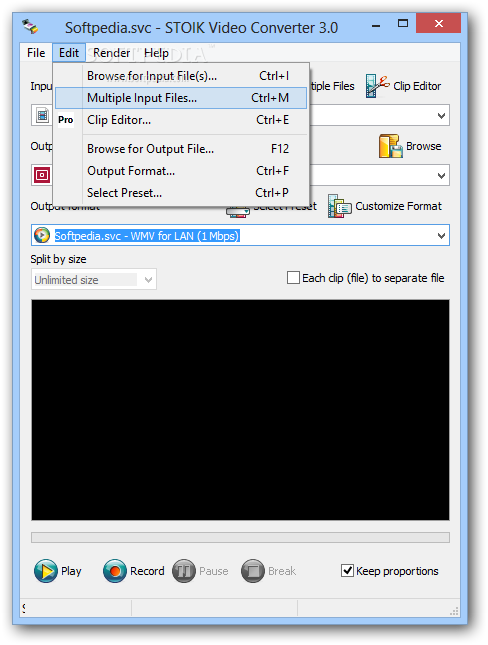
All you have to do is input the file you want to format (drag and drop does not work, at least in Windows 7, but batch conversion is supported), select the output destination, select the output format (3GPP, 3GPP2, AVI, HD Video, MPEG TS, MPEG1 and MPEG2, Mpeg2 for DVD, MPEG4, WMV), configure the format, and hit the Record button.
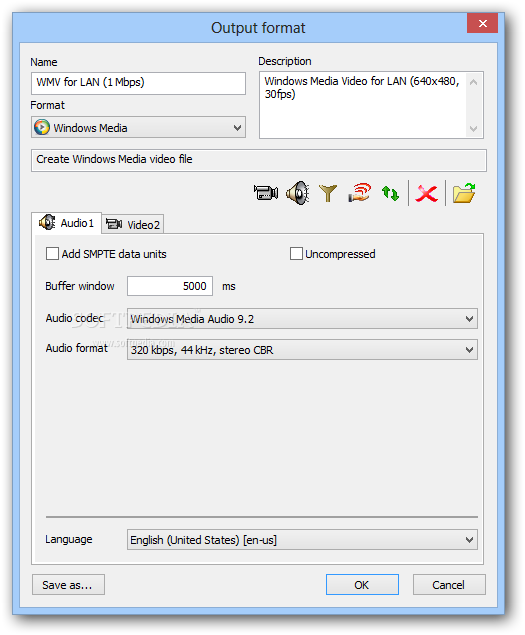
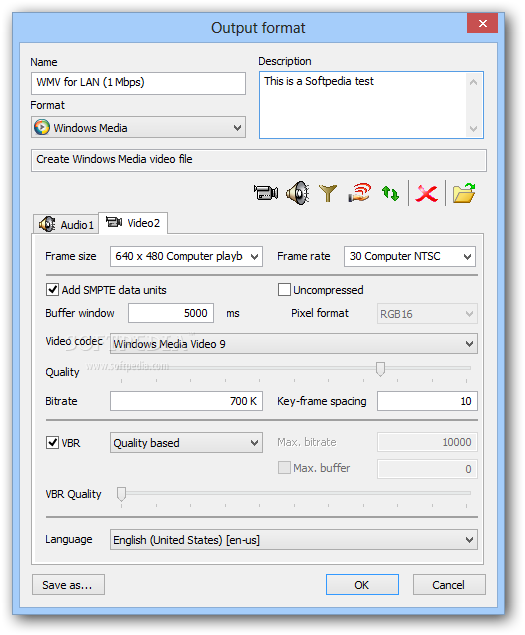
The output format can be customized according to the audio codec, format and compressor, video stream and compressor, quality, bitrate, key-frame spacing, language, frame size and rate, sample rate, channels etc. You can even play the video before hitting the Record button.
The encoding process takes a long while to complete (it seems that it needs half the total time length of the video), but you can pause it at any time. What sets STOIK Video Converter apart from other similar products is the fact that, if you cancel the conversion, you can perfectly play the partially downloaded file.
STOIK Video Converter manages to do its job while using a low amount of CPU and system memory. We have not encountered issues during our tests and the image and sound quality of the output file is very well preserved. All that this software needs is to extend its list of supported formats.
Download Hubs
STOIK Video Converter is part of these download collections: Compress Video, Play DV, Convert DV, Open DV
What's new in STOIK Video Converter 3.0.2.4945:
- We've just updated it for using it with Windows 10.
- More than 140 converting presets for the modern devices.
STOIK Video Converter 3.0.2.4945
add to watchlist add to download basket send us an update REPORT- runs on:
-
Windows 10 32/64 bit
Windows 8
Windows 7 32/64 bit
Windows Vista 32/64 bit
Windows XP - file size:
- 28.6 MB
- filename:
- SVC3.zip

- main category:
- Multimedia
- developer:
- visit homepage
Zoom Client

4k Video Downloader

calibre

IrfanView

Microsoft Teams

Windows Sandbox Launcher

Context Menu Manager

ShareX

Bitdefender Antivirus Free

7-Zip

- ShareX
- Bitdefender Antivirus Free
- 7-Zip
- Zoom Client
- 4k Video Downloader
- calibre
- IrfanView
- Microsoft Teams
- Windows Sandbox Launcher
- Context Menu Manager