
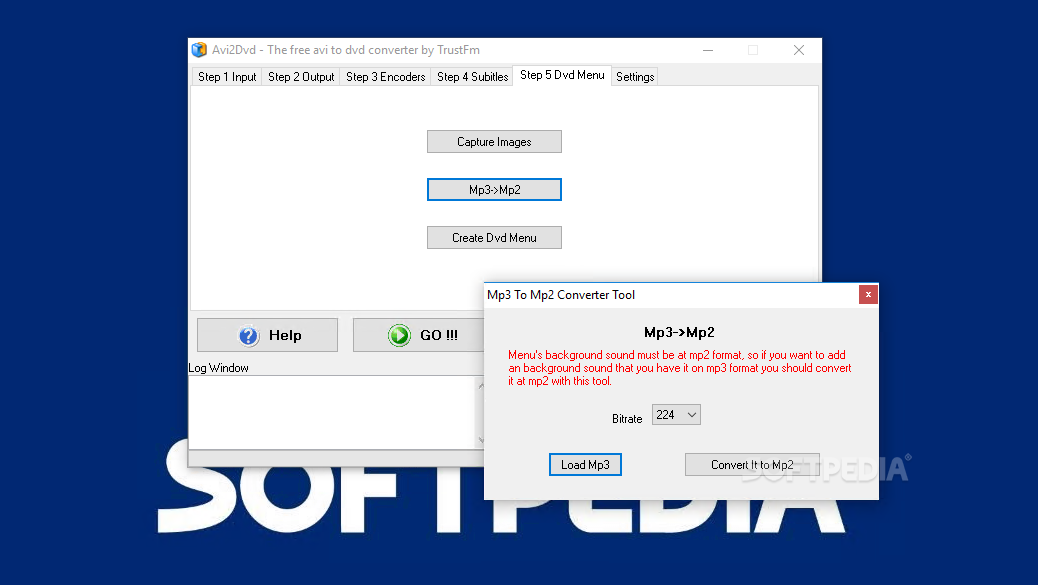
Powerful program that helps you output DVD, SVCD, or VCD files using videos (e.g. AVI, OGM, MKV), audio stream, subtitles and DVD menus. #Convert AVI #Make DVD #MP3 to MP2 #Convert #Subtitle #Converter

In spite of the Blu-Ray boom that recently hit the movie market, the DVD format is still the primary choice of most users. Placing media content on a DVD presents itself with several advantages, amongst which the most obvious one is portability. In other words, the best way to preserve, store and pass on your audio and video files is to write them on a DVD disc.
Making a DVD out of video content, for instance, is slightly more complicated than it may appear, if you wish to maintain the quality to a decent level. In situations like these, there’s no other way than to turn to a specialized piece of software that can perform a state-of-the-art encoding of the movies.
AVI2DVD is such an application. This video converter allows you to transform various formats into DVD, SVCD, or VCD. The list of supported input file types includes AVI, OGM, MKV, WMV and DVD.
The installation process of AVI2DVD is rather long, since aside from the application itself, some codecs (Avisynth, AC3 filter, CoreAAC, MatroskaSplitter, FFDshow and Xvid) will be deployed on the system as well (required for the encoding process).
User interface and built-in steps to follow
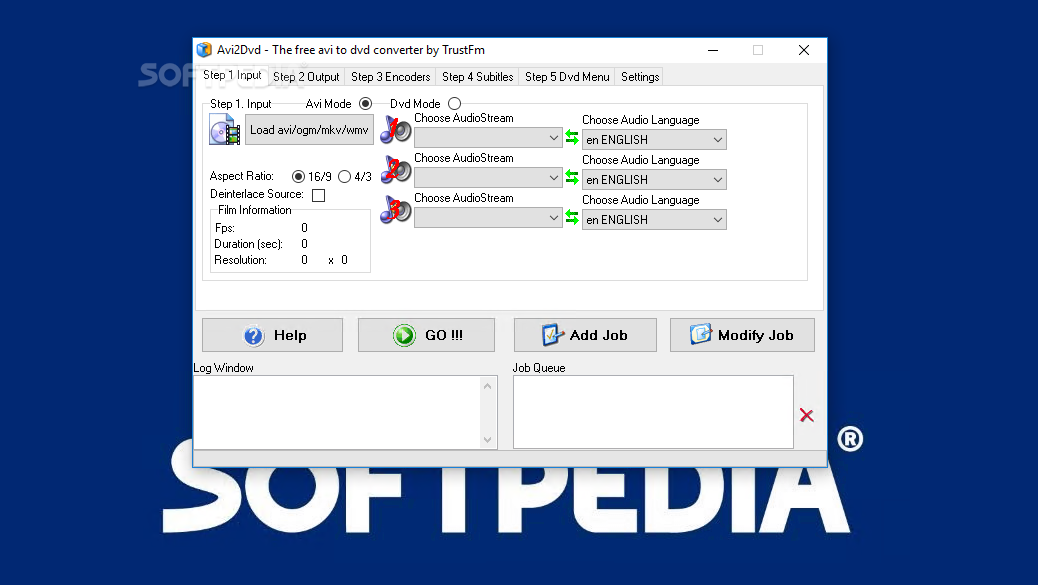
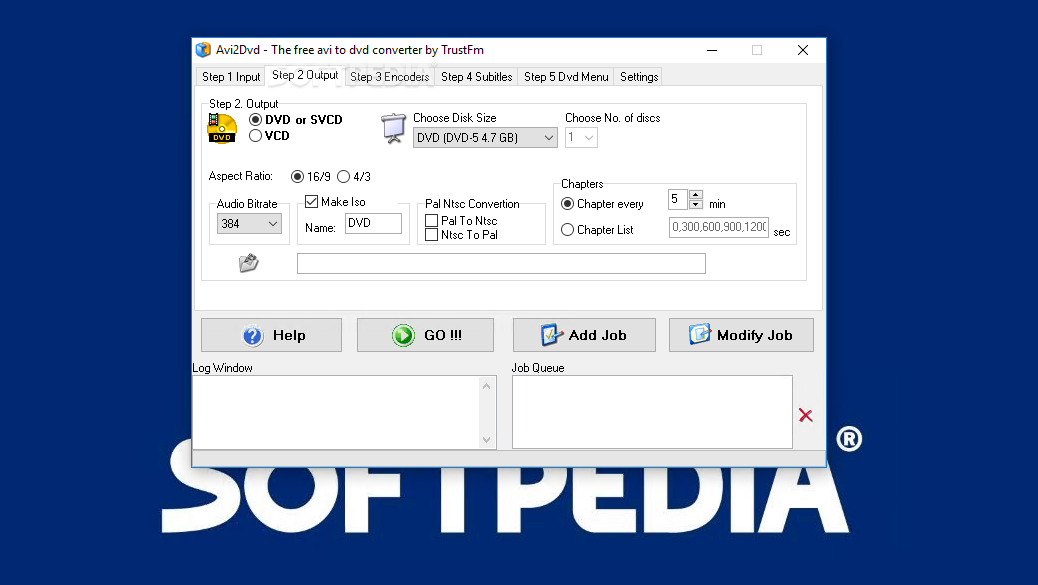
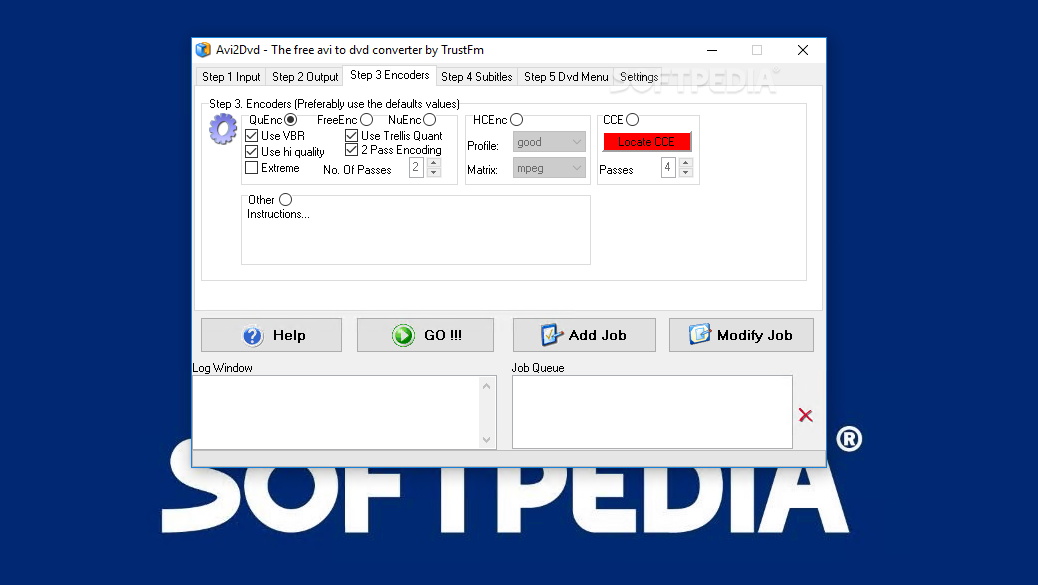
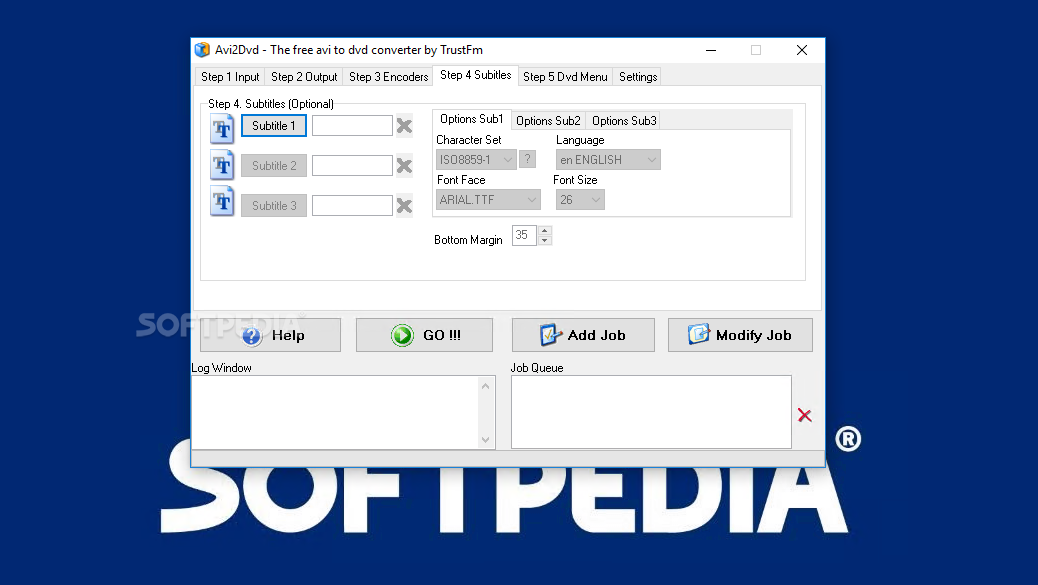
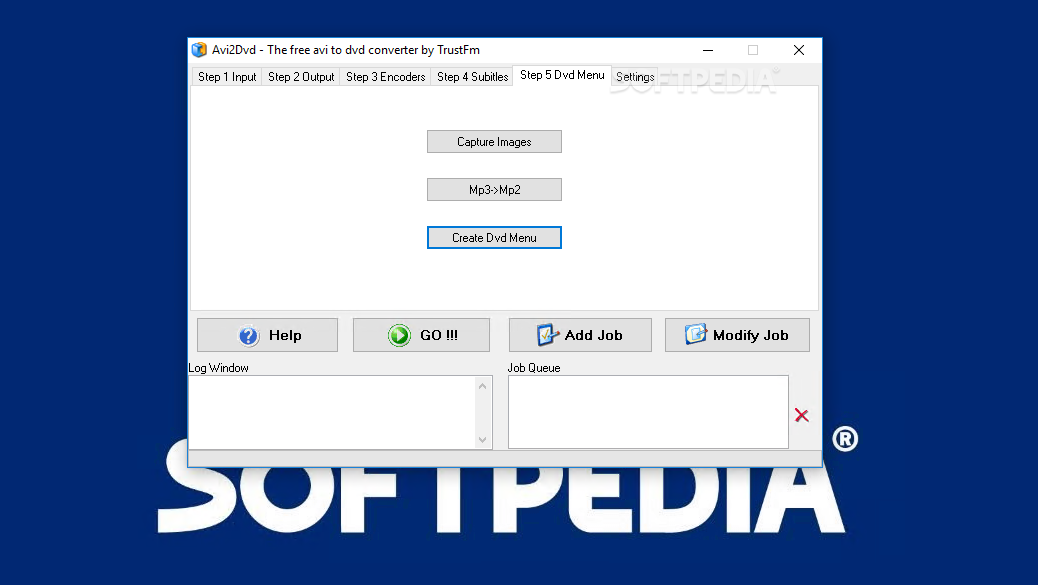
The GUI of AVI2DVD may seem a little cluttered in the beginning, but once you start exploring the functions, you’ll think differently. The five steps that guide you through the DVD creation process are separated into five independent tabs, each of them carrying out a specific function.
The first step allows you to select the source file, audio stream, and audio language, while the second one offers you access to configuring the output folder, disk size, number of discs, and chapters.
Step three enables you to select the encoders (image quality and conversion speed – choose one above the other), and then optionally adjust subtitles (language, character set, font face, and font size) in the fourth step.
The option of creating a DVD menu is available in the last step. This is the fun part of the process, since you get to play with images, text and audio / subtitle / chapter buttons in order to design an attractive and unique menu.
AVI2DVD works effectively, but at the cost of time and resources. The conversion of a DVD can take up to an hour (depending on the selected encoding options) and the CPU is seriously put to work (at times, CPU usage hits 65%).
All things considered, AVI2DVD is capable enough to output DVD files with almost insignificant losses in quality. Conversion times and resource usage could be drastically improved for a more enjoyable experience.
Download Hubs
Avi2Dvd is part of these download collections: Convert AVI
What's new in Avi2Dvd 0.6.4:
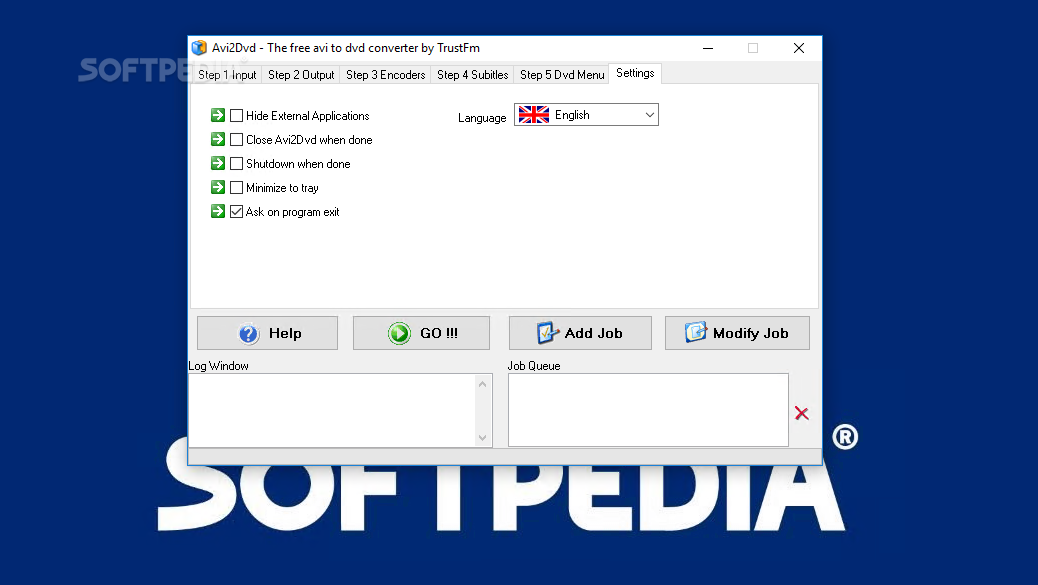
- Added : Minimize to tray option
- Added : Ask on exit
- Added : Settings session
- Added : New much cleaner interface
Avi2Dvd 0.6.4
add to watchlist add to download basket send us an update REPORT- runs on:
- Windows All
- file size:
- 35.4 MB
- filename:
- Avi2Dvd_Setup_064.exe
- main category:
- Multimedia
- developer:
- visit homepage
Zoom Client

7-Zip

IrfanView

Microsoft Teams

ShareX

Windows Sandbox Launcher

calibre

Bitdefender Antivirus Free

4k Video Downloader

Context Menu Manager

- Bitdefender Antivirus Free
- 4k Video Downloader
- Context Menu Manager
- Zoom Client
- 7-Zip
- IrfanView
- Microsoft Teams
- ShareX
- Windows Sandbox Launcher
- calibre