
Simple-to-configure and portable piece of software that allows you to repair a partially downloaded AVI file by rebuilding or stripping the index. #DivX fix #DivX repair #Movie repair #Index #Rebuild #Strip

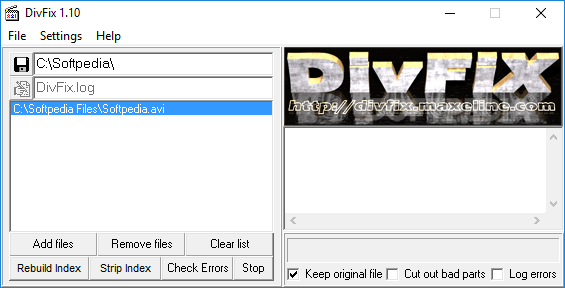
DiVFix is a video tool that enables you to repair a partially downloaded video file. The application detects errors in the media stream and attempts to fix them.
There is no installation kit, so DiVFix is portable, meaning you can also run it from an external device. It is important to mention that the utility does not leave any traces in the Windows registry.
This application has a very simple interface which is intuitive for both beginners and power users. All you have to do is add the file(s) you wish to repair, and then rebuild or strip the index. You can also select the output directory.
Rebuilding the index should work for partially downloaded files that have a lot of blank spaces. Stripping the index is recommended when you have an intact video file that doesn't let you move around it freely (when you do this, make sure the options to keep the original file and cut out bad parts are disabled).
DiVFix also has a feature that helps you check for any errors found in video files. We tested the product with two partially downloaded videos (it works very fast), but DiVFix did not manage to fix the entire files. In both cases, the last fragments of the videos could not be viewed, and the media players got stuck.
We also tried to rebuild the index for the video files, but that didn't work (it was a long shot, anyway). The index stripping function works perfectly, though, while CPU and memory resources are barely used.
Unfortunately, DiVFix doesn't have a help file, and many first-time users probably don't understand the concepts of stripping and rebuilding the index. On the other hand, DiVFix is an old product, and its descendant called DiVFix++ is probably more powerful.
If you want a solution for repairing partially downloaded files, DiVFix is the kind of tool that can help you. Besides, it's priceless (literally).
What's new in DiVFix 1.10:
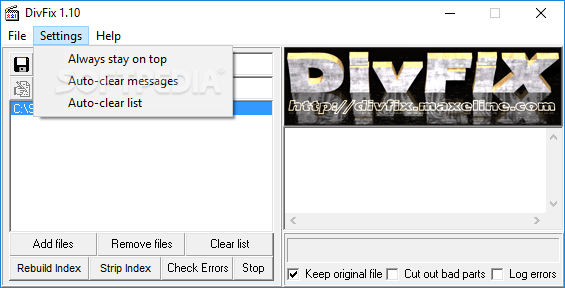
- Auto-clear option to clear the listbox after finishing
- Fixed I/O error 103 when stripping the index
- Fixed bugs in the "Cut out bad parts" option
- Displaying the time of the errors
DiVFix 1.10
 Softpedia Editor's Pick
add to watchlist
add to download basket
send us an update
REPORT
Softpedia Editor's Pick
add to watchlist
add to download basket
send us an update
REPORT
- runs on:
- Windows All
- file size:
- 266 KB
- filename:
- DivFix110.zip
- main category:
- Multimedia
- developer:
- visit homepage
Bitdefender Antivirus Free

4k Video Downloader

IrfanView

Windows Sandbox Launcher

Zoom Client

calibre

ShareX

7-Zip

Microsoft Teams

paint.net

- 7-Zip
- Microsoft Teams
- paint.net
- Bitdefender Antivirus Free
- 4k Video Downloader
- IrfanView
- Windows Sandbox Launcher
- Zoom Client
- calibre
- ShareX