
The most easy-to-use video converter. #Video converter #Convert video #Video converstion #Convert #Converter #Conversion

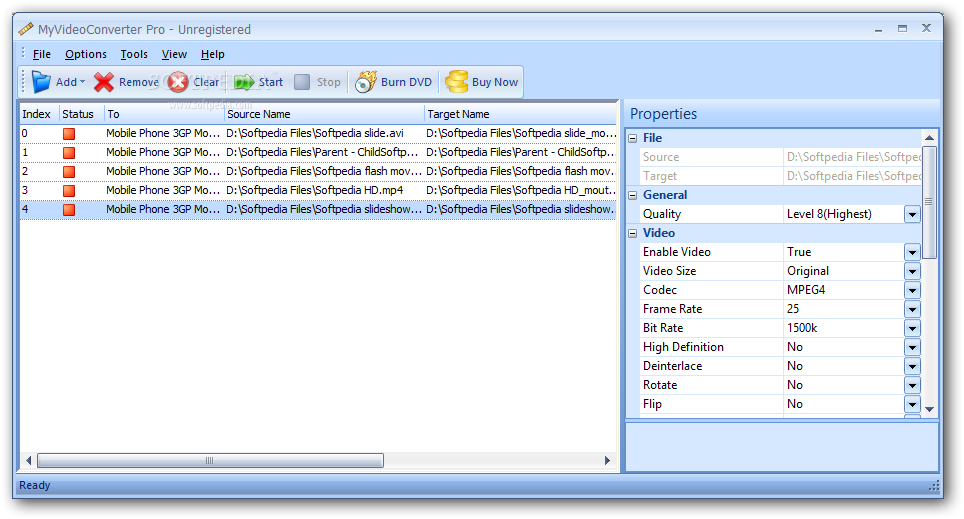
MyVideoConverter is an application that can encode files between various media formats, including 3GP, ASF, AVI, FLV, MPG, MOV, WAV and OGG.
The user interface of the program is plain and simple. You can add media to the queue by using the file browser.
The "drag and drop" method is not supported but batch processing is. You can set the output directory, name and format, as well as select the level of quality.
In the list you can view the index number, status, output format, source name, target name, completed percentage, elapsed and remaining time for each file.
You can configure options when it comes to video (size, codec, frame rate, bit rate), audio (codec, bit rate, sample frequency rate, channels) and the general decoder.
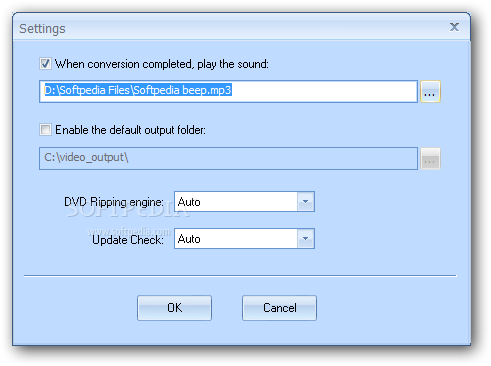
You can split and join files, edit task properties, enable MyVideoConverter to play a sound or turn off the computer when conversion is completed, disable the standard and status bar, and more.
The tool manages to complete a task in a short amount of time while using low-to-moderate system resources. It also keeps a good image and sound quality.
However, MyVideoConverter crashed when we attempted to batch-convert files of various formats and we couldn't access any option in the "Tools" menu. Plus, you have to install external codecs in order for MyVideoConverter to fully function. Even so, the program's behavior is good overall.
MyVideoConverter Pro 3.14
add to watchlist add to download basket send us an update REPORT- runs on:
- Windows All
- file size:
- 15.1 MB
- filename:
- 3_14_MyVideoConverter_Pro_Setup314.exe


- main category:
- Multimedia
- developer:
- visit homepage
IrfanView

Bitdefender Antivirus Free

calibre

4k Video Downloader

ShareX

Context Menu Manager

Zoom Client

Windows Sandbox Launcher

Microsoft Teams

7-Zip

- Windows Sandbox Launcher
- Microsoft Teams
- 7-Zip
- IrfanView
- Bitdefender Antivirus Free
- calibre
- 4k Video Downloader
- ShareX
- Context Menu Manager
- Zoom Client