Softpedia
 

WINDOWS CATEGORIES:


GLOBAL PAGES >>
SOFTPEDIA REVIEWS >>
MEET THE EDITORS >>
WEEK'S BEST
  • Bitdefender Total ...
  • Hard Disk Sentinel...
  • FlashFXP [DISCOUNT...
  • Ocster Backup Pro ...
  • Kaspersky Internet...
  • DVDFab DVD Copy [D...
  • Avast! Internet Se...
  • Avira Internet Sec...
  • Webroot SecureAnyw...
  • McAfee Total Prote...
  • Home > Windows > Multimedia > Video > Encoders/Converter/DIVX Related
     Report malware

    Xilisoft HD Video Converter 6.8.0 Build 1101

    download button buy button

    Downloads: 13,049  View global page  Tell us about an update
    User Rating:
    Rated by:
    Good (3.5/5)
    39 user(s)
    Developer:

    License / Price:

    Size / OS:

    Last Updated:

    Category:

    Ad-supported / $39.95 USD buy button
    33 MB / Windows All
    [view history]
    C: \ Multimedia \ Video \ Encoders/Converter/DIVX Related

     Read user reviews (1)  Send to friend   Follow (1 user)

    Softpedia Editor's Review for Xilisoft HD Video Converter

    EDITOR'S RATING:   4.5/5

    Powerful and comprehensive media converter designed to meet all of your conversion needs

    Written by Elena Opris on April 9th, 2012

    Xilisoft HD Video Converter is a program that you can use to encode media files between various formats, including AVI, ASF, MOV, 3GP and HD.

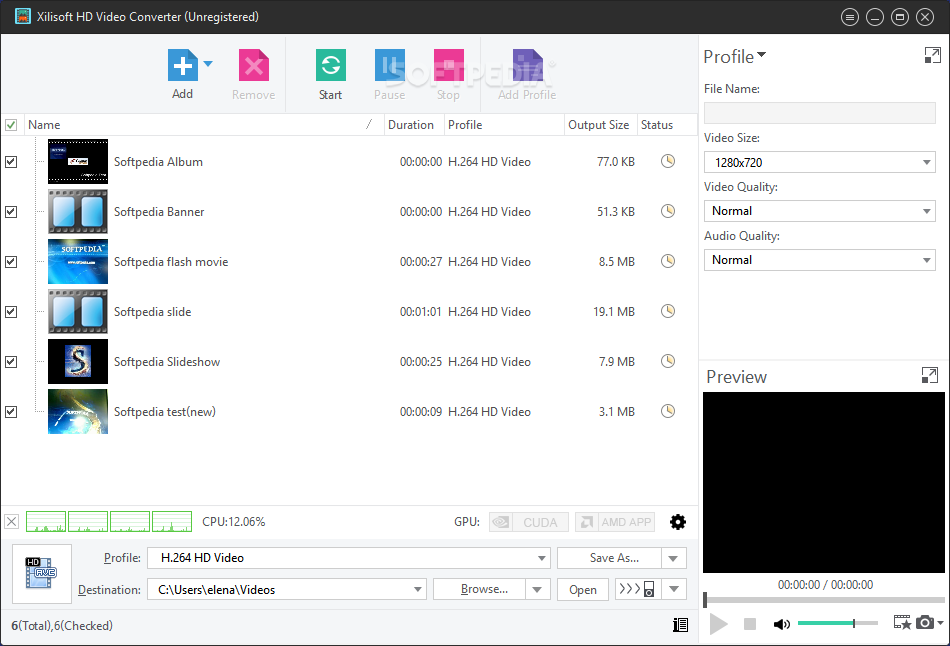
    The interface of the application is plain and very easy to navigate through. You can either use the file browser or the "drag and drop" method to import media into the list.

    In the queue you can check out the name, duration, output profile and size, as well as status of each file.

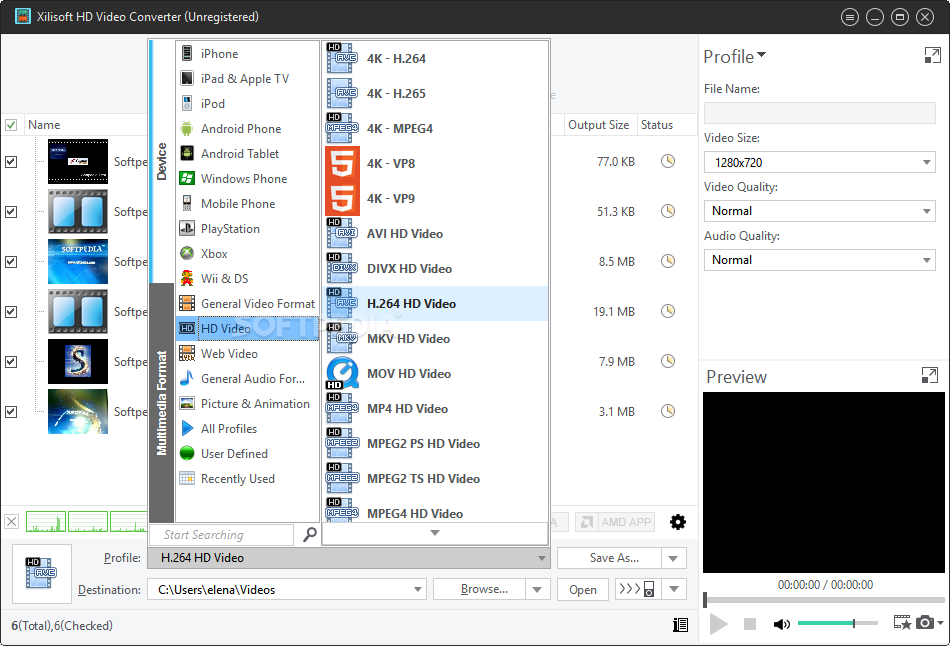
    So, you can set the output profile and directory, and initiate the conversion process.

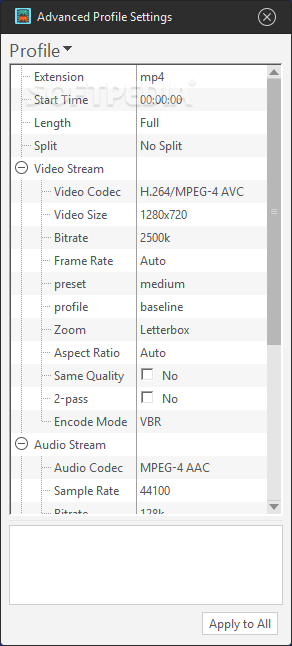
    Furthermore, you can preview the source videos in a small built-in media player, take snapshots, split clips, as well as modify audio and video options regarding quality, codec, size, bit rate, frame rate, zoom, aspect ratio, encode mode, sample frequency rate, channels, volume, and others.

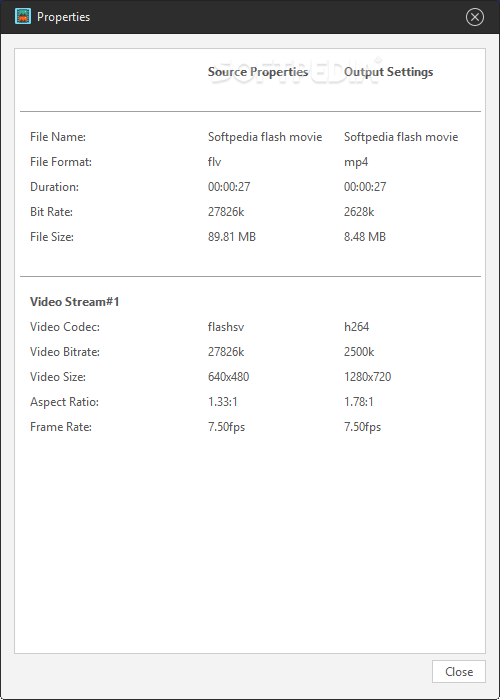
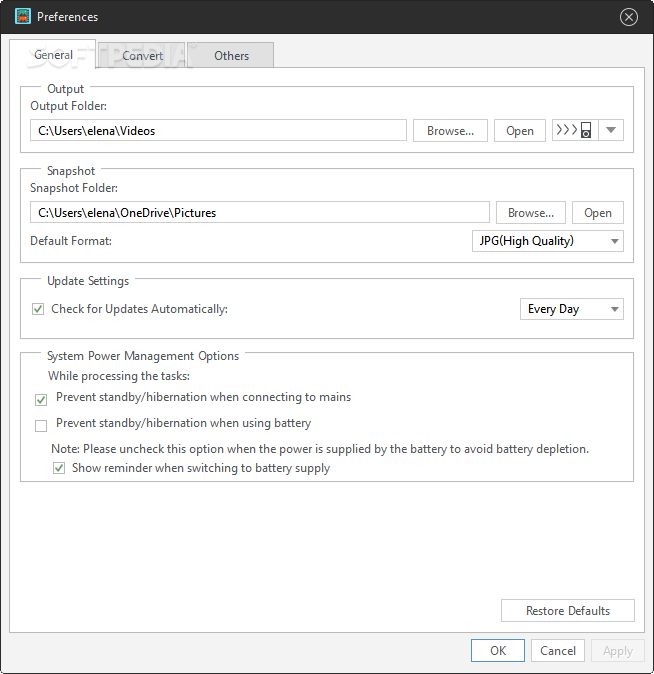
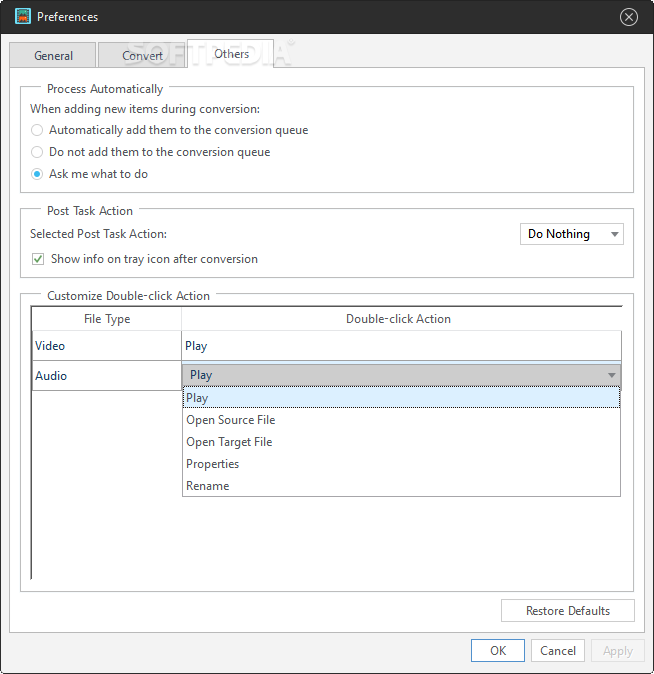
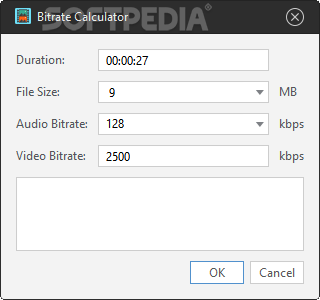
    In addition, you can load an audio CD, view file properties, create a new output profile, check out advanced profile settings, enable Xilisoft HD Video Converter to run in the background and to shut down the computer or open the output folder then all tasks are completed, use a bit rate calculator, change the interface language and appearance, and more.

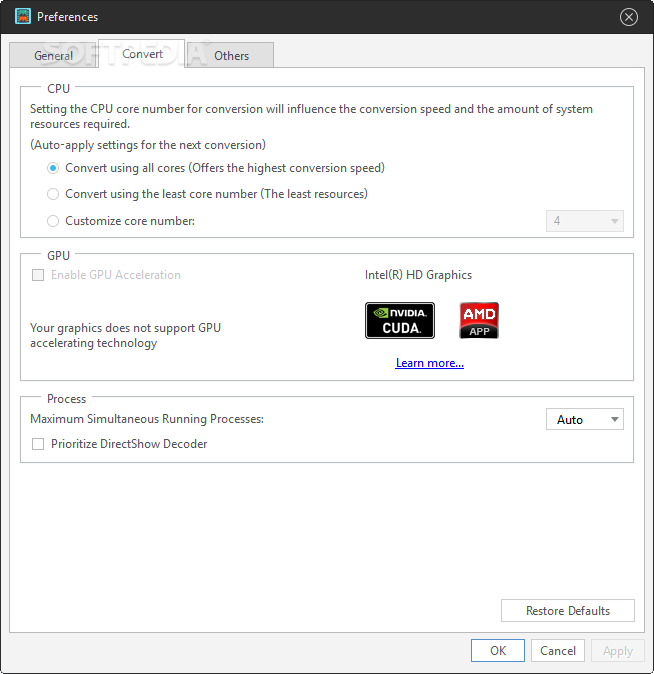
    The program uses a high amount of system resources, contains a brief help file and quickly finishes tasks without causing us any difficulties along the way. The image and sound are generally kept at a very good quality in the output files. We strongly recommend Xilisoft HD Video Converter to all users.

    Xilisoft HD Video Converter description

    Here are some key features of "Xilisoft HD Video Converter":

    · Video conversion
    · Easy conversion of video formats, especially with top support for decoding and encoding of all High-Definition video formats, including HD ASF, HD AVI, HD H.264/AVC, HD Quick Time, HD MPEG2 (MPEG, MPG), HD MPEG2 TS, HD MPEG4, HD MPEG4 TS, HD WMV, etc.;
    · Audio conversion
    · A few steps to extract audio from video and convert audio from one to another;
    · Picture conversion
    · Capture pictures from video and save as JPG, PNG, GIF, BMP and SWF, and create stylish video from your photos.
    · Split one source file to several or output certain segment by setting exact time length;
    · Customize the output file size for compatibility with different digital devices;
    · Set multiple output formats simultaneously from one for efficient output;
    · Luxuriant and optimized profiles listed to meet almost all needs for PS3, XboX, PSP, iPod, iPhone, and even to create your own profile for later use;
    · Source video, customized video and clipped video segment can be previewed, and you can also compare source video and customized video to view the effect more clearly;
    · Besides APE and CUE decoding support, converting from Audio CD to other audio formats is also available;
    · Detailed video, audio and picture output settings are adjustable to achieve better conversion effect, and you can also choose to run in background for conversion.

    Requirements:

    · 1GHz Intel/AMD processor or above
    · 256MB RAM(512MB or above recommended)
    · 100MB space for installation
    · 800x600 or higher Resolution, 16 bit or higher Graphic card

    Limitations:

    · 5 minutes conversion limit
    · If the file length is less than 5 minutes only half will be processed
    · "Duration" and "Start time" settings are unavailable
    · Picture related profiles cannot be converted
    · Cannot add picture files
    · Nag screen

    What's New in This Release: [ read full changelog ]

    · Supports ATI Stream encoding technology
    · Enables to transfer output files to iPad/iPhone 4 directly after conversion

    Users are advised to pay attention while installing this ad-supported application:

    · Offers to change the homepage for web browsers installed in the system
    · Offers to change the default search engine for web browsers installed in the system
    · Offers to download or install software or components (Bing Toolbar) that the program does not require to fully function


    TAGS:

    video converter | audio converter | picture converter | converter | conversion | convert

    Go to top

    WindowsGamesDriversMacLinuxScriptsMobileHandheldNews

    SUBMIT PROGRAM   |   ADVERTISE   |   GET HELP   |   SEND US FEEDBACK   |   RSS FEEDS   |   UPDATE YOUR SOFTWARE   |   ROMANIAN FORUM