
A software application that enables you to convert video to AVI. #MPEG to AVI #VOB to AVI #Video converter #Converter #Convert #Mpeg2avi

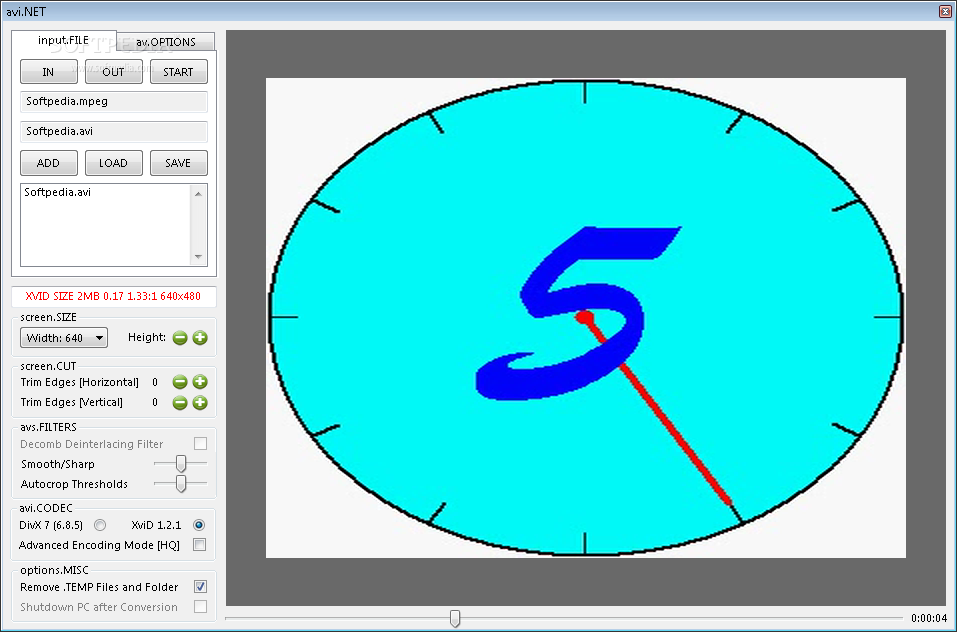
avi.NET is a software you can use to convert video files with the TS, VOB, MPG and MPEG format to the AVI extension.
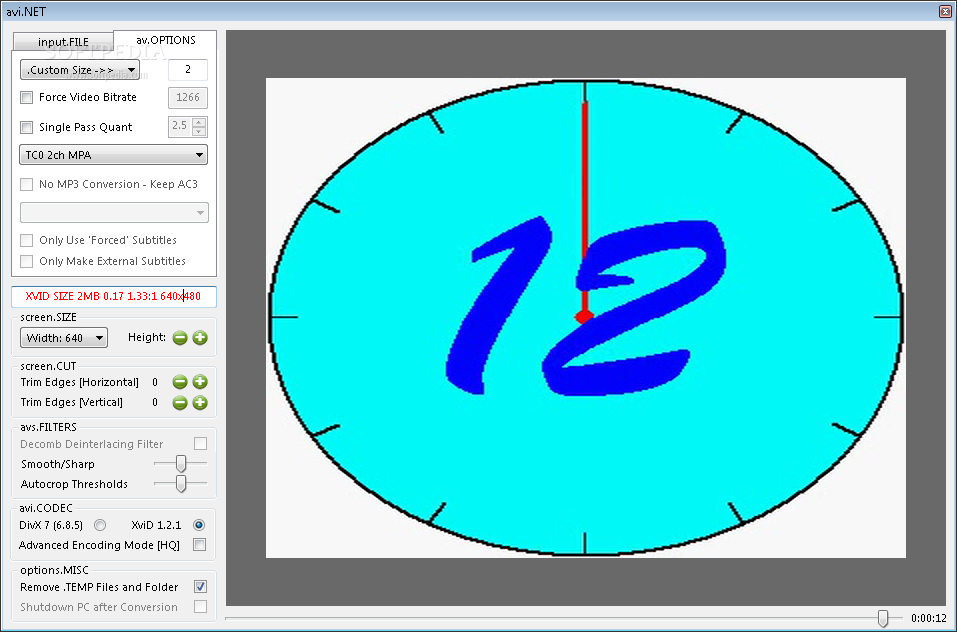
The interface is plain and simple, since it consists of a standard window in which you can easily access options on the left side.
In the "input.FILE" tab, you can select the video you want to encode, set its output destination and select encoders.
The "av.OPTIONS" area allows you to set a specific size for the converted video, select bitrate mode, constant quality, configure subtitle options, and others.
You can also configure the height and width of the video, use filters (enable avi.NET to deinterlace movie, adjust the autocrop treshold), use AVI codecs, enable "Higher Quality Slower Encode", set avi.NET to remove temporary files/folders and to shutdown the PC after conversion.
Once you select a file that will be encoded, avi.NET automatically plays it on the right part of the window. If you initiate the context menu, you can pause the video, force aspect ratio, as well as mute or lower the preview volume or set it to default system volume.
The program finishes a task in a reasonable amount of time while using a moderate amount of system resources, and manages to keep a good image and sound quality.
However, it doesn't come with any kind of user documentation, so it would be more difficult for rookies to learn avi.NET. Too bad it doesn't recognize more video formats as well. Nevertheless, we suggest you give this video converter a shot.
Download Hubs
avi.NET is part of these download collections: Convert VOB, Make AVI, Create AVI
What's new in avi.NET 3.5.1.0:
- Re-wrote codec routines.
- Support for Xvid v1.2.2.
- Prevention of MCI errors.
avi.NET 3.5.1.0
 Softpedia Editor's Pick
add to watchlist
add to download basket
send us an update
REPORT
Softpedia Editor's Pick
add to watchlist
add to download basket
send us an update
REPORT
- runs on:
-
Windows 7
Windows Vista
Windows XP - file size:
- 9.5 MB
- filename:
- avi.NET.3510.zip
- main category:
- Multimedia
- developer:
- visit homepage
Bitdefender Antivirus Free

ShareX

Zoom Client

Windows Sandbox Launcher

Microsoft Teams

Context Menu Manager

4k Video Downloader

7-Zip

IrfanView

calibre

- 7-Zip
- IrfanView
- calibre
- Bitdefender Antivirus Free
- ShareX
- Zoom Client
- Windows Sandbox Launcher
- Microsoft Teams
- Context Menu Manager
- 4k Video Downloader