
Relatively simple application designed to enable users to convert media files between a wide range of video and audio formats easily. #Convert Video #Video Converter #Video Conversion #Converter #Snapshot #Capture

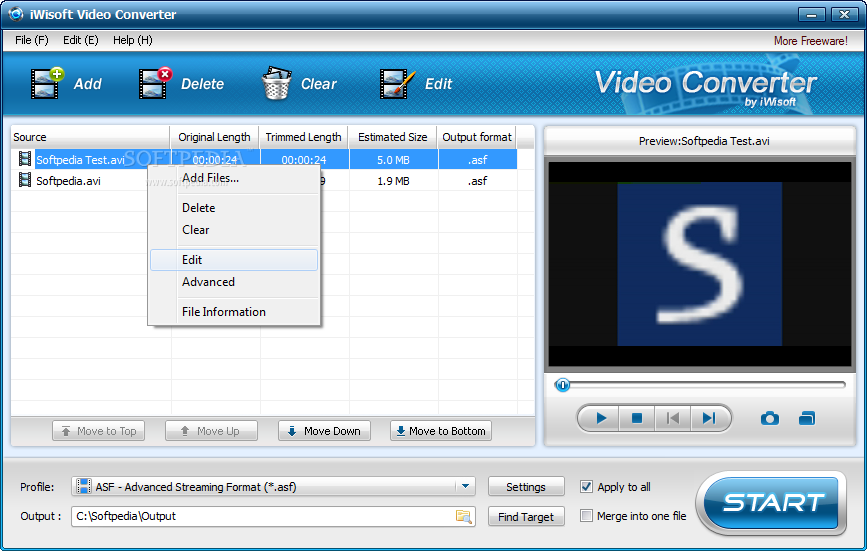
iWisoft Free Video Converter is a program that you can use to encode video files between several extensions, including AVI, ASF, MOV, MPG and WMA.
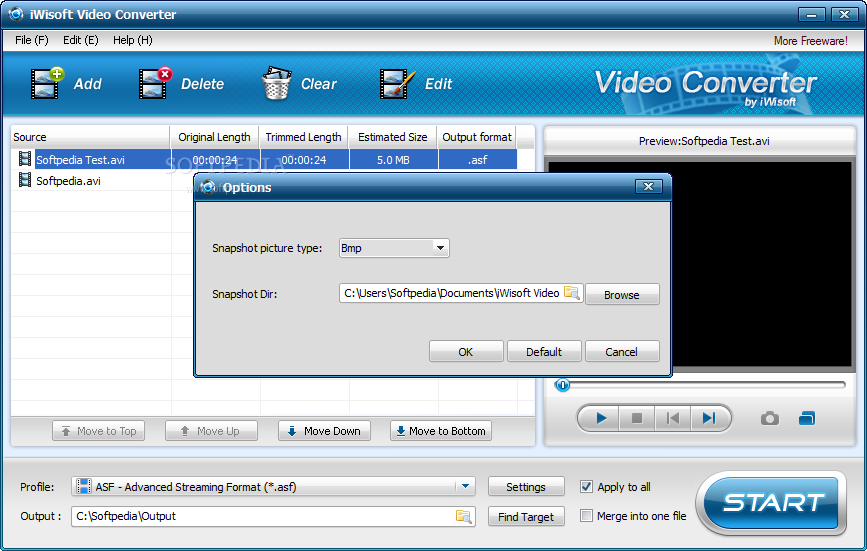
The interface of the tool is clean and intuitive. Videos can be imported into the list by using either the file browser or "drag and drop" method. Batch processing is allowed.
In the queue you can check out the name, original and trimmed length, estimated size and output format of each file.
All you have to do is specify the output profile and destination, and proceed with the conversion process.
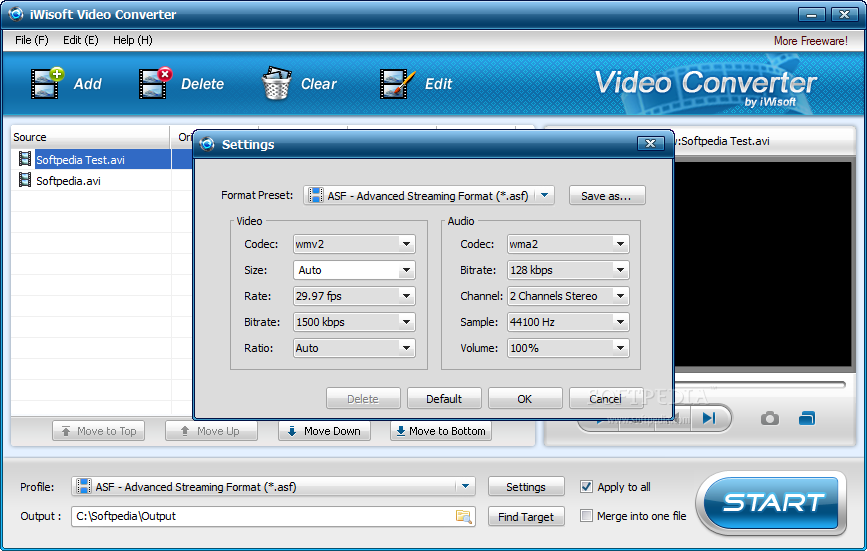
You can configure audio and video properties when it comes to codec, size, rate, bit rate, ratio, channel, sample, volume and others. Settings can be restored to their default value at any time.
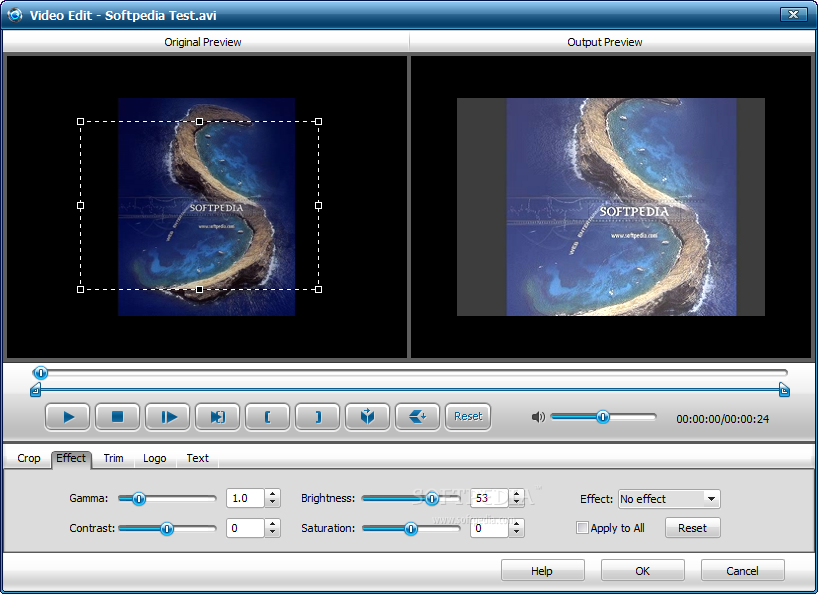
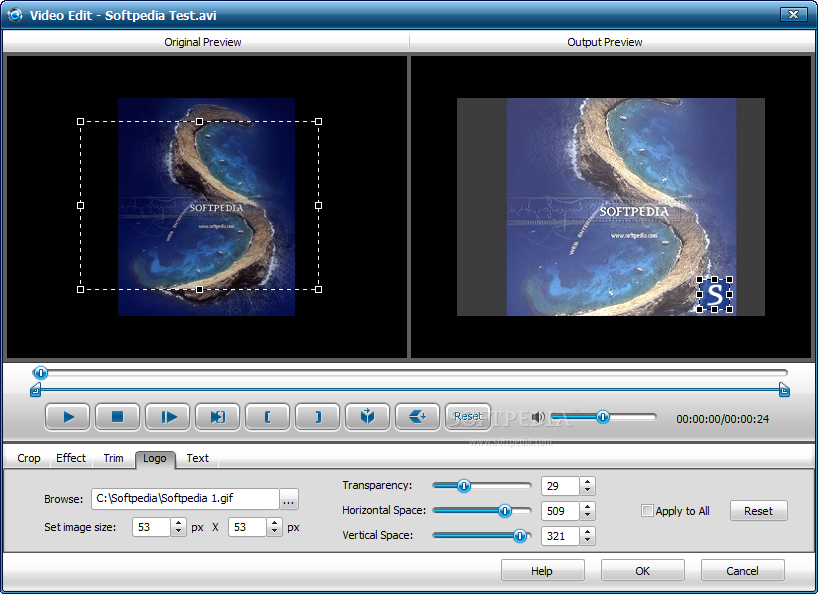
You can merge, crop or trim the video (by marking the starting and ending point), apply effects (e.g. gamma, contrast, brightness, saturation), as well as add a logo and text, view file properties, create and save output profiles.
On top of that, you can take snapshots and set their directory, enable iWisoft Free Video Converter to open the output folder or to shut down the computer when all tasks have been completed, and others.
The video converter uses a moderate-to-high amount of system resources and can take a while to complete a task. But the image and sound are kept at a pretty good quality in the output files.
No errors have popped up during our tests and iWisoft Free Video Converter did not freeze or crash. There's also a comprehensive step-by-step guide with snapshots that you can check out online. We strongly recommend iWisoft Free Video Converter to all users.
iWisoft Free Video Converter 1.2
add to watchlist add to download basket send us an update REPORT- runs on:
-
Windows 7
Windows Vista
Windows XP
Windows 2K - file size:
- 8.7 MB
- filename:
- videoconverter.exe
- main category:
- Multimedia
- developer:
- visit homepage
Context Menu Manager

ShareX

Bitdefender Antivirus Free

calibre

7-Zip

Zoom Client

Microsoft Teams

Windows Sandbox Launcher

4k Video Downloader

IrfanView

- Windows Sandbox Launcher
- 4k Video Downloader
- IrfanView
- Context Menu Manager
- ShareX
- Bitdefender Antivirus Free
- calibre
- 7-Zip
- Zoom Client
- Microsoft Teams