
Convert srt subtitles into a readable idx / sup subtitle. #Subtitle converter #Convert subtitle #SRT converter #Subtitle #Converter #Convert

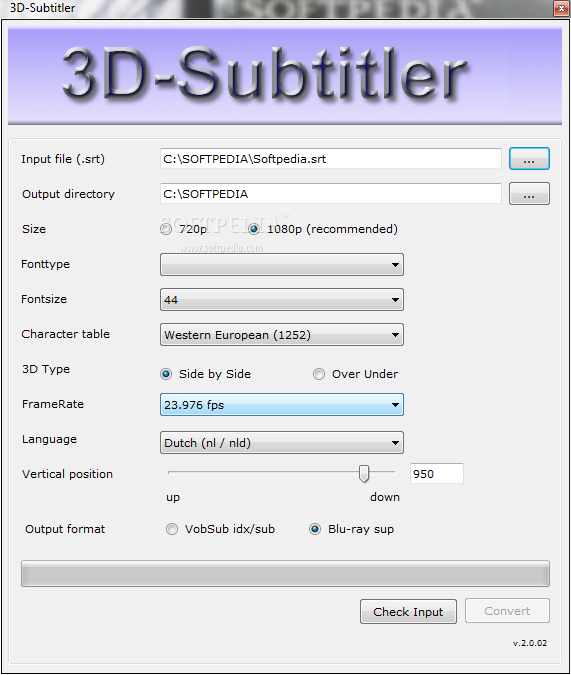
With 3D movies growing so much in popularity, it's no surprise that people are looking for powerful subtitle converters and there's no doubt 3D-Subtitler is one of the best on the market.
In essence a subtitle converter, 3D-Subtitler boasts a rather intuitive interface that is safely addressed to all types of users, be they beginners or more experienced.
In fact, the main window holds all the options you need when trying to convert a SRT subtitle to VobSub idx/sub or Blu-ray sup formats.
Of course, you need to provide the path to the SRT file you wish to convert and select the output directory, with dedicated options to choose the size, which can be either 720p or 1080p.
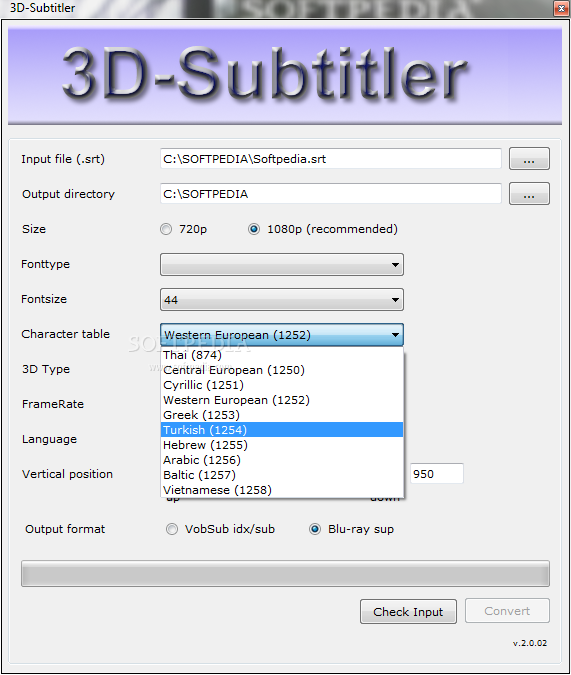
You're allowed to pick font type, font size and character table, with multiple options available, such as Thai, Central European, Cyrillic, Western European, Turkish, Hebrew, Arabic, Baltic and Vietnamese.
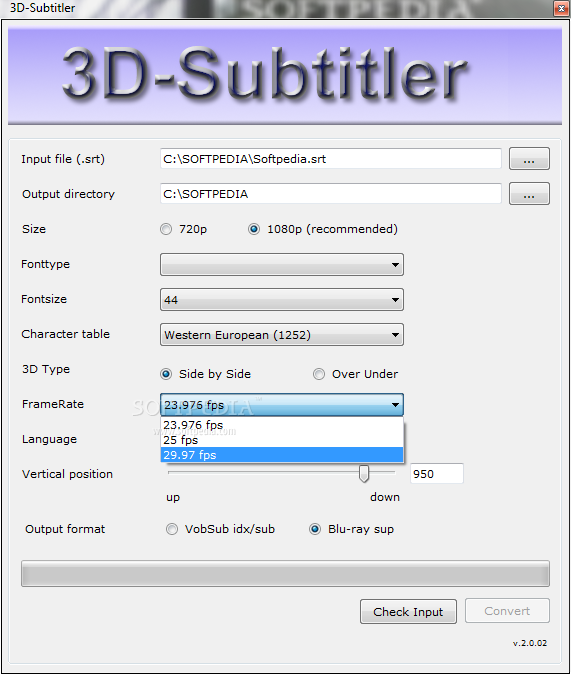
Last but not least, choose the framerate, the language, vertical position and the 3D type (Side by Side or Over Under) and the output format, VobSub idx/sub or Blu-ray sup and you're ready to go.
The conversion process takes just a few seconds and 3D-Subtitler remains very light on hardware resources, working just fine on Windows 7 as well.
Overall, 3D-Subtitler is undoubtedly a very handy software solution that provides a user friendly interface mixed with intuitive features to address all types of users. Plus, it serves its purpose very fast, without slowing down the operating system at all.
What's new in 3D-Subtitler 2.7.1.0:
- New features and changes:
- Text color can be changed now.
- Contrast of the text color can be changed (for example to prevent ghosting)
- Added Korean and traditional Chinese character sets
3D-Subtitler 2.7.1.0
add to watchlist add to download basket send us an update REPORT- runs on:
- Windows All
- file size:
- 1.1 MB
- filename:
- 3DSubtitler.zip
- main category:
- Multimedia
- developer:
- visit homepage
paint.net

calibre

Bitdefender Antivirus Free

IrfanView

ShareX

Zoom Client

4k Video Downloader

Microsoft Teams

Windows Sandbox Launcher

7-Zip

- Microsoft Teams
- Windows Sandbox Launcher
- 7-Zip
- paint.net
- calibre
- Bitdefender Antivirus Free
- IrfanView
- ShareX
- Zoom Client
- 4k Video Downloader