
Customize your karaoke songs by editing the waveform, lyrics and adding a video to easily and quickly create a single karaoke project. #Karaoke maker #Add lyrics #Karaoke video #Karaoke #Lyrics #Synchronize
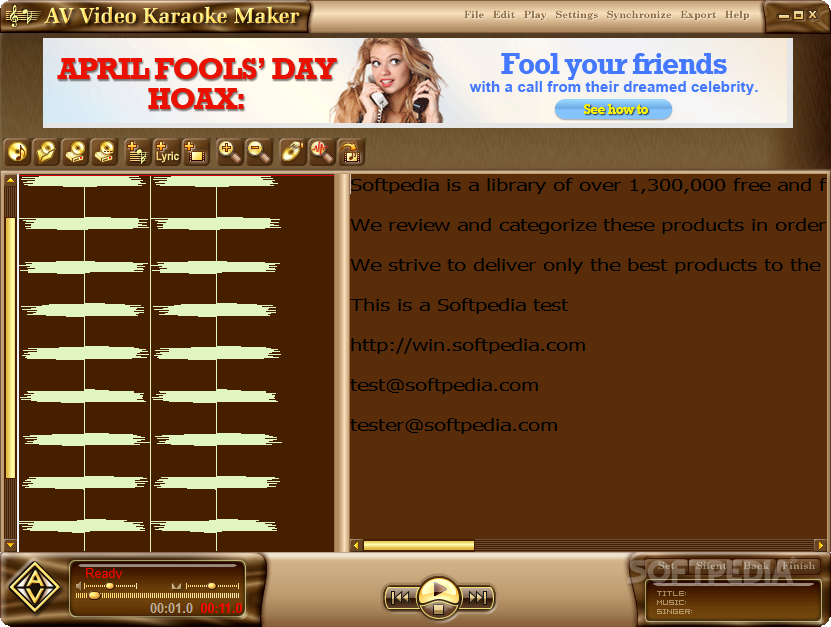
AV Video Karaoke Maker is an easy to use application that can help you create video clips for your favorite songs. As the name suggests, the videos include song details and lyrics in order to be used for karaoke events.
Karaoke is a fun activity but it requires you to know the lyrics and to synchronize your voice with the audio output in order to get a decent result. Since most karaoke participants are not professional singers, a video that displays the lyrics can have a positive impact on the party mood.
Although there are multiple karaoke players available, most of those solutions require special files that include the synchronized lyrics. If you cannot find the file for a certain song, this tool can help you create one within a few minutes.
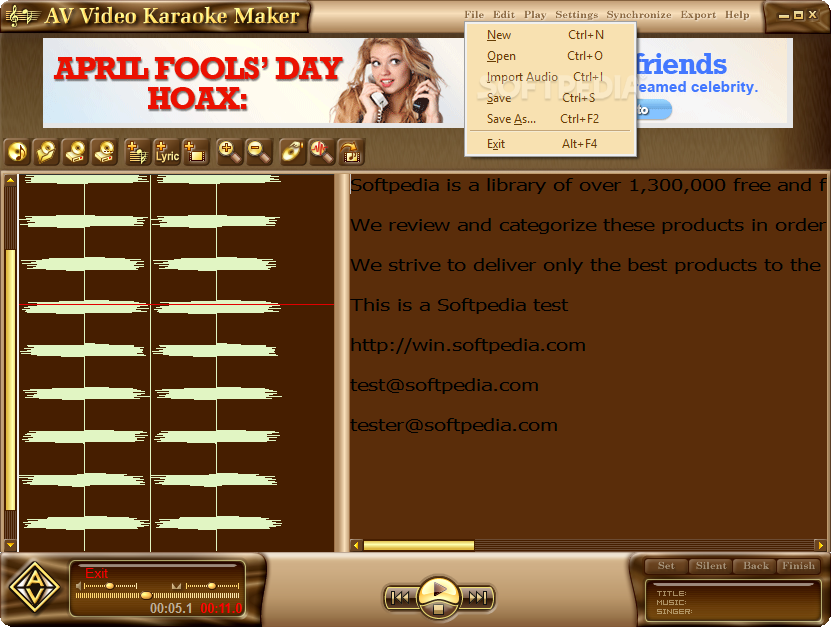
The AV Video Karaoke Maker enables you to combine an audio file with the lyrics in order to generate the video file. Unfortunately, it can only use a limited number of file types which means that you might need to convert your MP3 collection in order to generate the video clip.
You can also use MPEG or DAT video files in order to extract the soundtrack and use it when exporting the karaoke clip. The lyrics can be simply pasted in the main window which also allows you to make adjustments to the text.
The hardest part of the process is to manually synchronize the lyrics with the audio track since you need to set the timing of each word while playing the song. It requires focus and good reflexes to accurately associate each word from the first attempt.
However, you can adjust each item later and use the oscilloscope to identify the exact timing of each word. Overall, the text animation accuracy depends on the word timing so you might need to review them a few times before encoding the video.
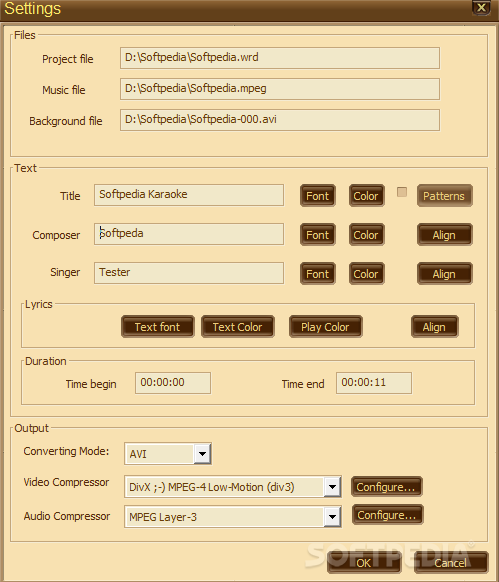
If you are just doing this for fun, you can invest more time in the lyrics synchronization than configuring the encoders. However, the program is able to encode FullHD video clips and use multiple encoders which can be configured individually.
Overall, the AV Video Karaoke Maker is a useful tool that can create accurate and high quality videos for karaoke events.
AV Video Karaoke Maker 1.0.50
add to watchlist add to download basket send us an update REPORT- runs on:
-
Windows 10 32/64 bit
Windows 8 32/64 bit
Windows 7 32/64 bit
Windows Vista 32/64 bit - file size:
- 7.7 MB
- filename:
- video-karaoke-maker.exe
- main category:
- Multimedia
- developer:
- visit homepage
Microsoft Teams

paint.net

ShareX

4k Video Downloader

calibre

IrfanView

Bitdefender Antivirus Free

7-Zip

Zoom Client

Windows Sandbox Launcher

- 7-Zip
- Zoom Client
- Windows Sandbox Launcher
- Microsoft Teams
- paint.net
- ShareX
- 4k Video Downloader
- calibre
- IrfanView
- Bitdefender Antivirus Free