
Splits video clips out from MP4, MPEG-1, MPEG-2, MPEG rapidly with a few clicks.. #Video splitter #MP4 splitter #Split video #Splitter #Split #Editor

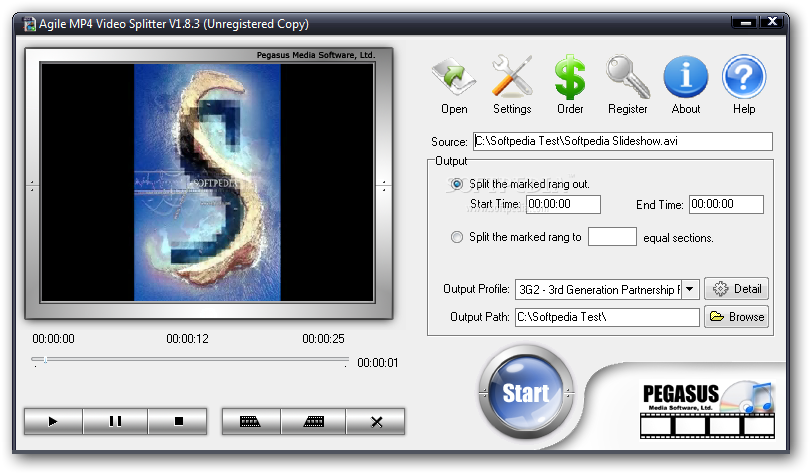
As its name implies, Agile MP4 Video Splitter allows you to cut video clips with the MP4 format. But it supports other file types as well, such as MPG, AVI, VOB, MOV and WMV.
The interface of the tool is clean and pretty intuitive. Video clips can be imported via the file browser or "drag and drop" method.
All you have to do is specify the splitting method (by marking the start and end position or time values, into equal parts) and output directory, after which you can immediately start the trimming procedure.
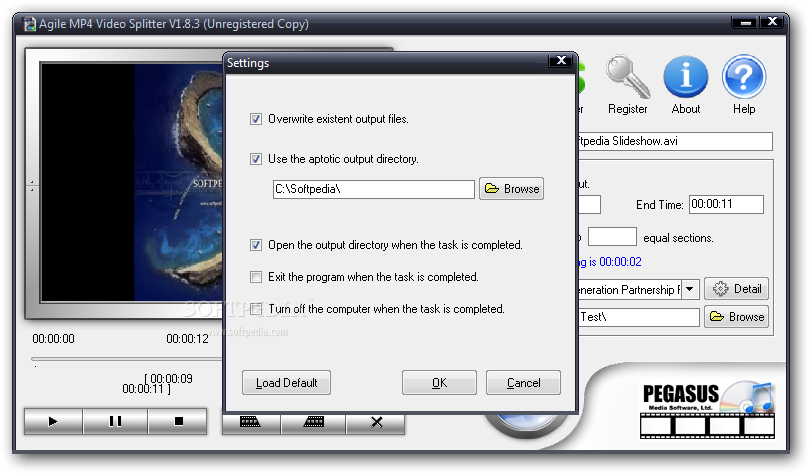
You can preview clips in a built-in media player, set Agile MP4 Video Splitter to overwrite existing files, as well as to close the application, turn off the computer or to open the output directory when the video is cut. Settings can be restored to their default values.
You can convert videos to other formats (e.g. 3GP, ASF, AAC, AVI) and configure audio and video properties in regard to the codec, size, bit rate, bit tolerance, frame rate, aspect ratio, frequency, channels, volume level, bit exact algorithms an deinterlacing. Settings can be saved to a new profile.
The video processing app quickly finishes a task while using a moderate-to-high amount of system resources. Its response time is good and the output videos have a good image and sound quality after conversion. We haven't encountered any problems throughout our testing. However, you cannot simultaneously cut multiple selections from the same clip. Plus, Agile MP4 Video Splitter cannot be minimized to the system tray.
Agile MP4 Video Splitter 1.8.3
add to watchlist add to download basket send us an update REPORT- runs on:
- Windows All
- file size:
- 8 MB
- filename:
- mp4-splitter.exe
- main category:
- Multimedia
- developer:
Windows Sandbox Launcher

7-Zip

calibre

Zoom Client

ShareX

IrfanView

Bitdefender Antivirus Free

4k Video Downloader

paint.net

Microsoft Teams

- 4k Video Downloader
- paint.net
- Microsoft Teams
- Windows Sandbox Launcher
- 7-Zip
- calibre
- Zoom Client
- ShareX
- IrfanView
- Bitdefender Antivirus Free