
This application will help you to play DVD movies. #Media player #Video playback #Audio player #Player #Playback #Subtitle

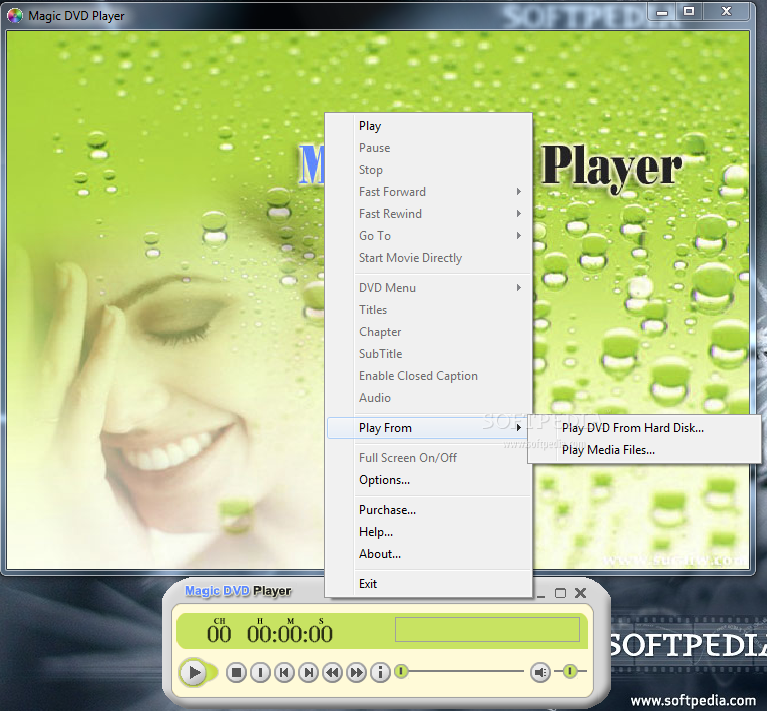
Magic DVD Player is an application developed exclusively to help you play DVDs on the fly, trying to offer users the best audio and video quality on the market.
Truth is, Magic DVD Player relies on a user-friendly interface that's mostly addressed to beginners, as it displays only a few control buttons such as play, stop, pause or fast forward.
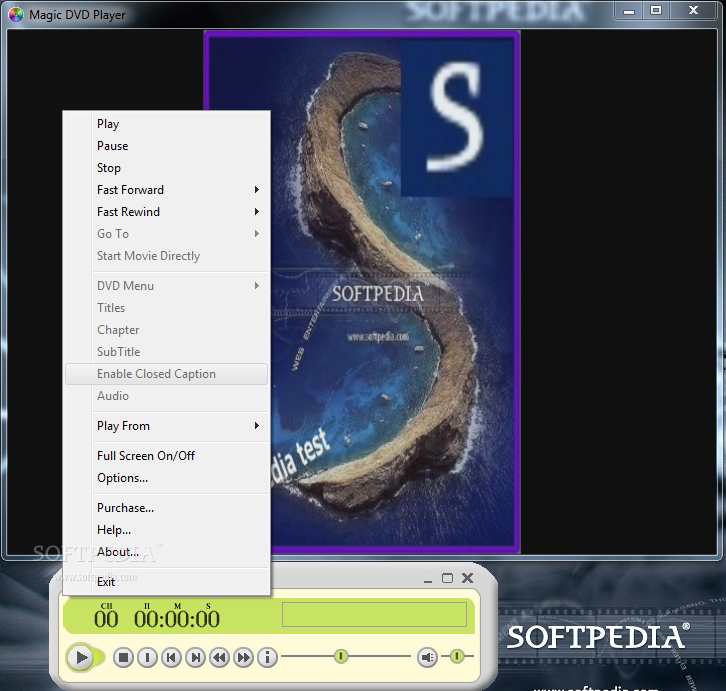
Right-clicking on a playing video does bring up a few more extra features, but nothing that could be seen as really innovative or unique.
Magic DVD Player sticks to the basics and provides tools to access DVD menus, control subtitles, go to a given chapter or turn full screen on or off.
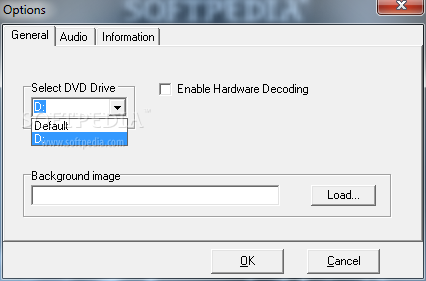
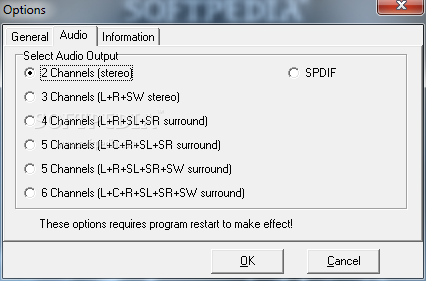
The options menu is minimal and you shouldn't spend too much time in there, so you are only prompted to select the DVD drive, enable hardware decoding and choose the audio output.
There is no theme support or other tools to enhance video quality, so Magic DVD Player remains just a basic tool supposed to open DVD movies and nothing more.
The audio configuration consists of a simple list of audio outputs the program is able to handle and, in this respect, this utility can actually offer a great experience as it supports up to 6 channels.
All things considered, given the simplicity of Magic DVD Player, it is well suited for less experienced users. Nonetheless, the lack of features which are otherwise present in similar apps could deter most people from using on a regular basis such a program.
Magic DVD Player 1.2
add to watchlist add to download basket send us an update REPORT- runs on:
- Windows All
- file size:
- 2 MB
- filename:
- magicdvd.exe
- main category:
- Multimedia
- developer:
- visit homepage
7-Zip

ShareX

4k Video Downloader

Bitdefender Antivirus Free

Zoom Client

Microsoft Teams

IrfanView

Context Menu Manager

calibre

Windows Sandbox Launcher

- Context Menu Manager
- calibre
- Windows Sandbox Launcher
- 7-Zip
- ShareX
- 4k Video Downloader
- Bitdefender Antivirus Free
- Zoom Client
- Microsoft Teams
- IrfanView
