
Take advantage of the various playback tools put at your disposal to enjoy an abundance of formats using this intuitive, yet powerful software application. #Media player #DVD player #Video player #Media #Player #Classic

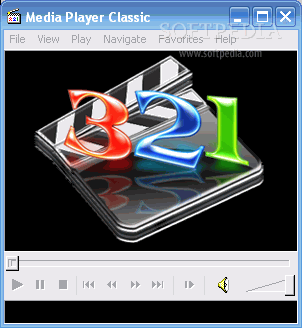
Media Player Classic is a simplified version of Windows Media Player. It comes with most of the codecs you need to play video files and an extremely simple user interface, as well as a fast response time. It combines a powerful set of tools with an old-school look to deliver an enhanced playback experience.
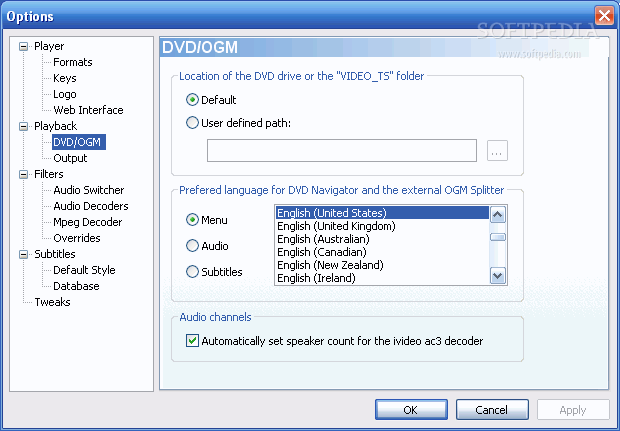
Media Player Classic supports the most commonly used audio and video formats (including FLAC and FLV), as well as QuickTime and RealVideo. It can open DVD files, and has a real-time zoom feature.
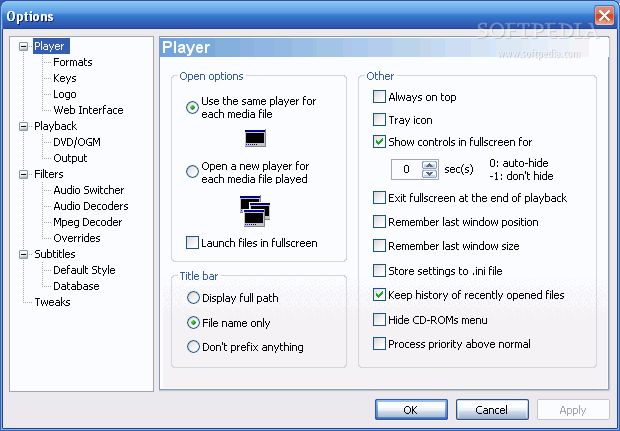
You can take a snapshot and save it as a JPG image, create a thumbnail (16 captions taken at a 2-second interval), assign hotkeys to various commands (for instance Volume Boost Max, Filters Menu), add files to Favorites and then organize them, as well as several more.
Subtitles are completely customizable, and if you are playing a movie with no subtitle, you can use Media Player's online subtitle database (clicking "Search" at "Subtitle Database" in the "File" menu will automatically send you to a page where the caption file is available).
Hitting the "Go to" button enables you to navigate directly to a certain frame on the video file, a feature that is really useful if you want to crop the respective clip. Also, another neat function allows you to simultaneously load videos without sound or an audio track.
You can set Media Player Classic to either close, hibernate, stand by, shutdown or log off the system, or do nothing, once it finishes playing the file.
In conclusion, if you want one of the best and simplest media players, a reliable choice is Media Player Classic. Don't be fooled by the simple, old-school design, because it holds a large variety of powerful tools under the hood, making it a practical application overall.
Download Hubs
Media Player Classic is part of these download collections: Play MKV, Play DVX, Play OGA, View DVD
Media Player Classic 6.4.9.1 Build 20081210
 Softpedia Editor's Pick
add to watchlist
add to download basket
send us an update
REPORT
Softpedia Editor's Pick
add to watchlist
add to download basket
send us an update
REPORT
- runs on:
-
Windows ME
Windows 9X - file size:
- 2 MB
- filename:
- mplayerc_20081210.zip
- main category:
- Multimedia
- developer:
- visit homepage
Zoom Client

Bitdefender Antivirus Free

ShareX

Windows Sandbox Launcher

paint.net

7-Zip

Microsoft Teams

4k Video Downloader

IrfanView

calibre

- 4k Video Downloader
- IrfanView
- calibre
- Zoom Client
- Bitdefender Antivirus Free
- ShareX
- Windows Sandbox Launcher
- paint.net
- 7-Zip
- Microsoft Teams