
Quickly record your screen activity, create video tutorials and conclusive presentations using this intuitive and user-friendly application. #Video capture #Create video #Screen recorder #Capture #Screen #Monitor

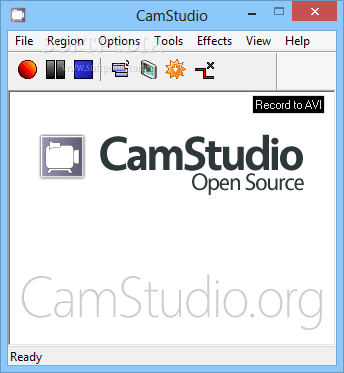
CamStudio is a tool that enables you to record a SWF or AVI video of your computer's screen.
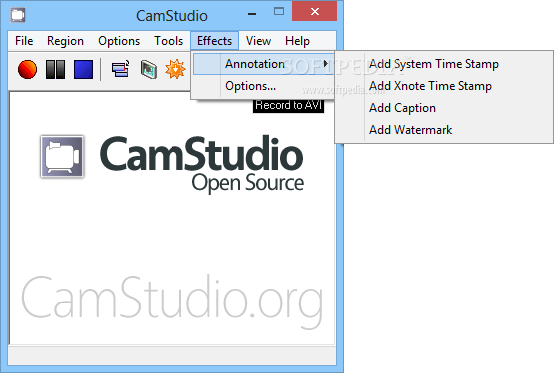
The program has a simple and easy to use interface. From the toolbar, you can start, pause or stop recording, toggle the view (normal, compact, buttons), the display of screen annotations dialogue and the recording mode (to AVI or SWF).
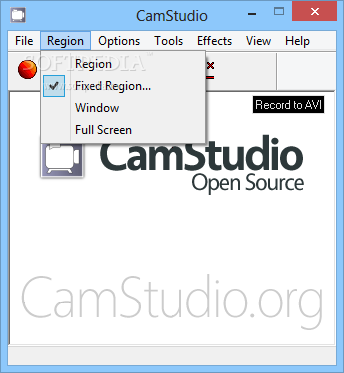
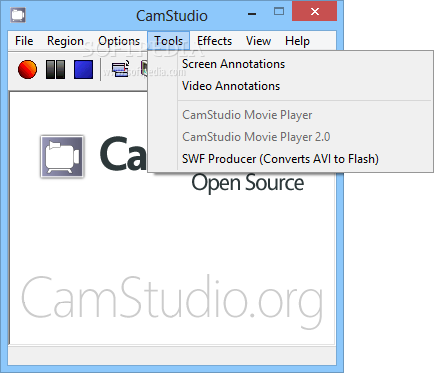
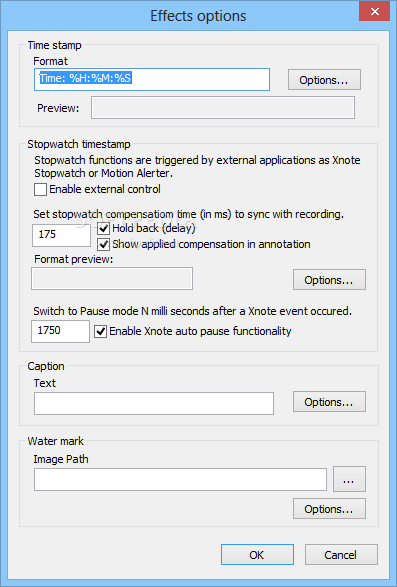
From the main menu, you can select which region you want to record (manually selected, region, window or full screen), use screen and video annotations, as well as add effects (system time stamp, Xnote time stamp, caption, watermark).
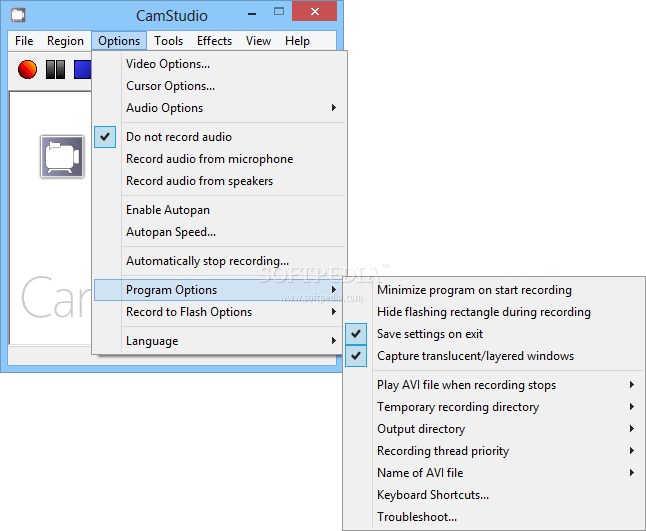
In Video Options you can select the compressor, adjust quality and time lapse. Cursor Options will allow you to hide or show the cursor, highlight it and enable visual click feedback. The audio options can be set for the microphone, speakers and also for audio and video synchronization.
You can convert AVI to SWF, disable audio recordings, set auto pan speed, assign keyboard shortcuts, as well as set CamStudio to stop recording automatically and delete the intermediate AVI file upon completion, to ask you to rename the output video file and play the AVI file once the task is completed.
The program uses a low amount of system resources, and the audio and video quality of the output files is excellent. Unfortunately, it doesn't have an available help file, so first-time users would have a hard time understanding its functions.
Download Hubs
CamStudio is part of these download collections: Create SWF, Edit SWF, Make SWF
What's new in CamStudio 2.7.4 r354:
- Assorted minor code refactoring in preperation for CS 2.8 (final version in 2.7.x branch)
CamStudio 2.7.4 r354
add to watchlist add to download basket send us an update REPORT- portable version
- CamStudio Portable
- runs on:
-
Windows 10 32/64 bit
Windows 8 32/64 bit
Windows 7 32/64 bit
Windows Vista 32/64 bit
Windows XP - file size:
- 10.9 MB
- filename:
- camstudio.exe
- main category:
- Multimedia
- developer:
- visit homepage
Zoom Client

ShareX

Bitdefender Antivirus Free

calibre

paint.net

Windows Sandbox Launcher

IrfanView

7-Zip

4k Video Downloader

Microsoft Teams

- 7-Zip
- 4k Video Downloader
- Microsoft Teams
- Zoom Client
- ShareX
- Bitdefender Antivirus Free
- calibre
- paint.net
- Windows Sandbox Launcher
- IrfanView