
Monitor your internet connection to keep track of what apps are using your data plan or communicating with servers outside your local network using this lightweight utility. #Measure bandwith #Bandwith statistic #Bandwith measurement #Measure #Bandwidth #Measurement

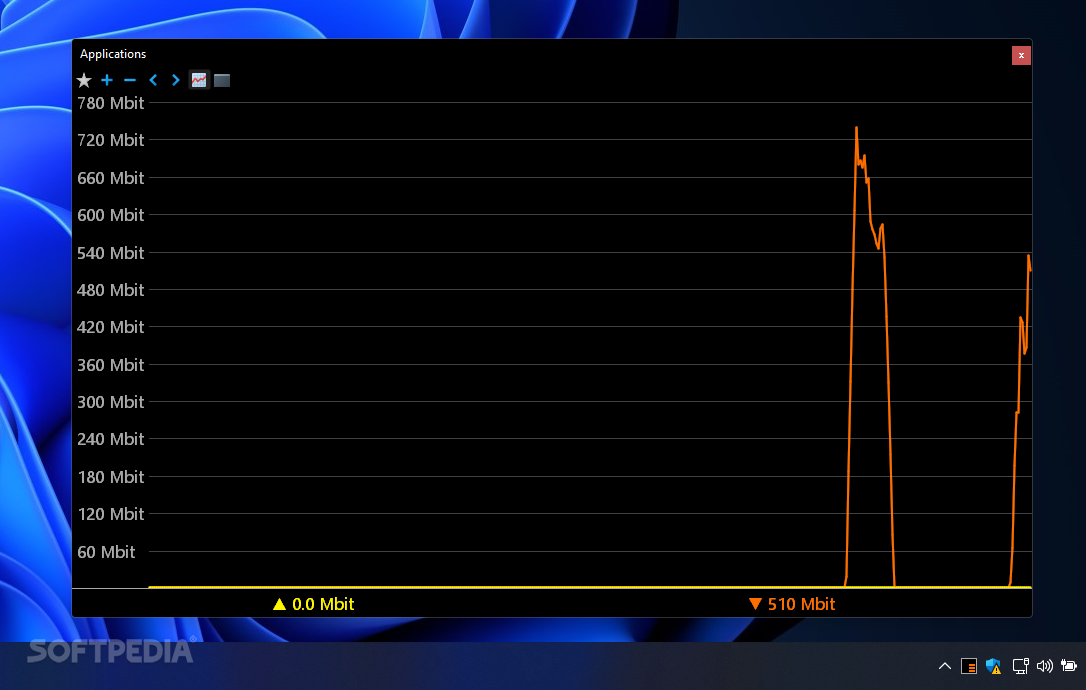
The advent of the internet made it incredibly easy not just for regular people to access more information instantly, but also for developers to provide consumers with more functions handled by powerful web servers.
However, the more advanced program features became, the more personal information they harvested and the more data they used, with some seemingly offline applications using the internet without the user’s consent or awareness. Luckily, networking monitoring tools such as NetWorx can aid you in the quest for keeping your data safe and your bandwidth clear from apps that do not need internet access in order to function properly.
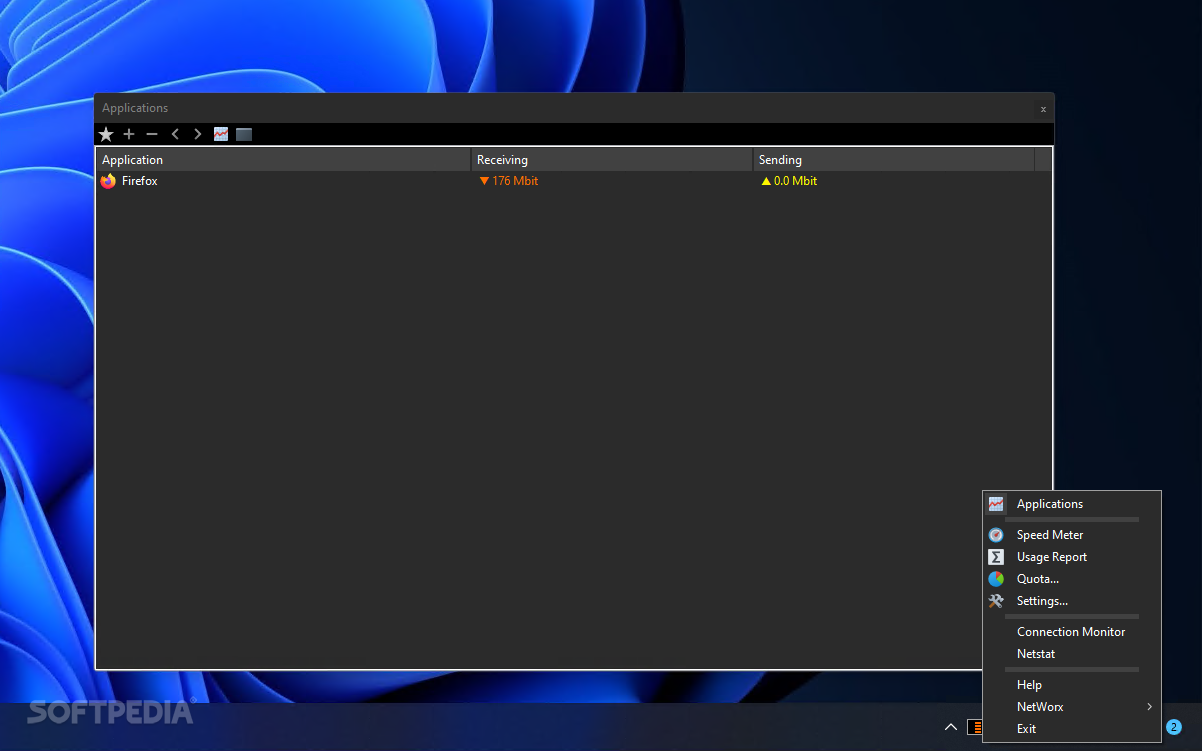
Two of the program’s greatest strengths lie in its small memory footprint and ease of use. All the menus and functions are docked inside the icon conveniently placed in the system tray. When right-clicking it, the user is presented with a variety of options pertaining to internet usage.
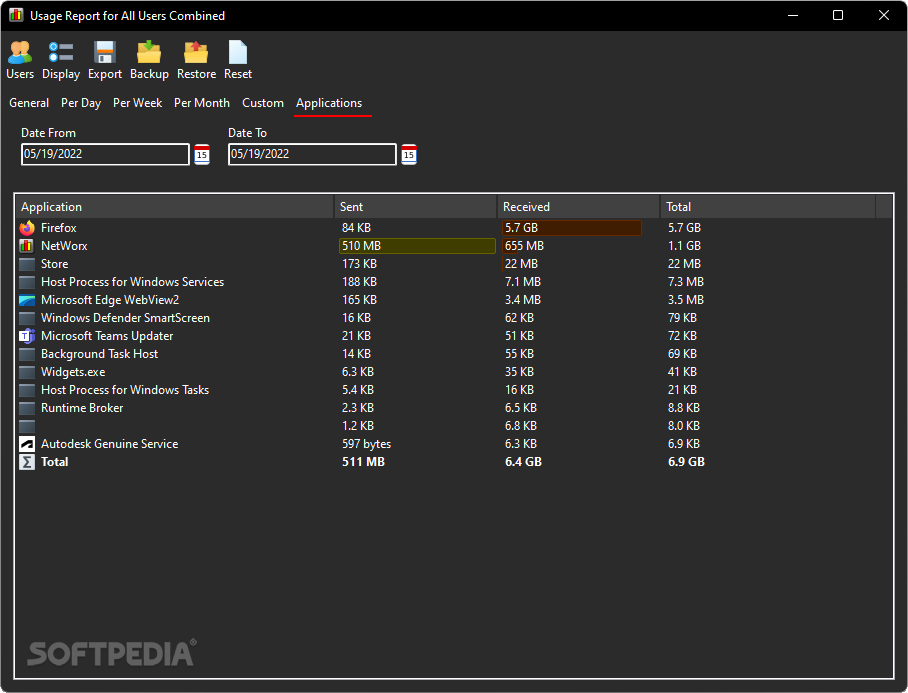
When accessing the first entry, users can toggle between a real-time graph and a table of the applications currently transmitting or downloading data. The app is also equipped with a speed testing function, measuring both the average and maximum download and upload speeds. Custom reports detailing the amount of data and when it was used by the installed programs can be generated, exported, backed up, restored and reset, according to the user’s needs.
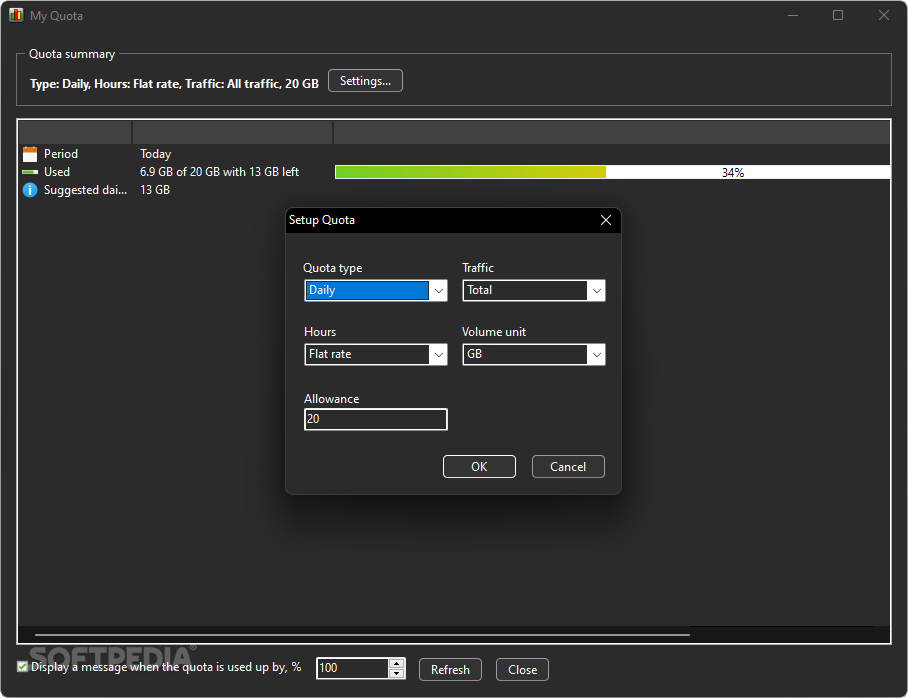
Depending on various circumstances, many users may not have access to the plans or the budget for an unlimited data plan, when staying either at home or abroad. However, thanks to this program’s quota feature, the user can set a maximum amount of data to be used until an automatic notification warns when limiting the internet access is required to avoid surcharges.
The Netstat window shows additional data such as the protocol used, the local and remote addresses of apps and whether they are listening for or have already established connections. A Connection Monitor can also be brought up for displaying the best and average ping.
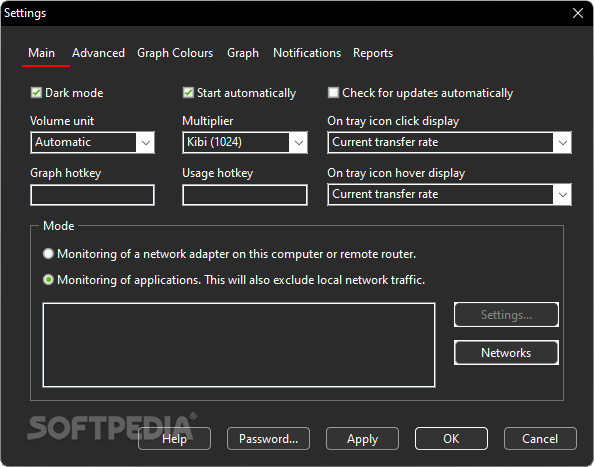
In terms of customization, the program allows the user to toggle dark mode, start up the program automatically upon booting up the system, synchronize data with other NetWorx instances on the same network and set up hotkeys for bringing up the graph and usage windows,. Graph colors and notifications can be personalized, while detailed reports can be exported to a file or sent by email.
If you want to be mindful of what connections your apps create and how much data they transmit or download, then look no further than Networx’s internet connection monitoring capabilities.
Download Hubs
NetWorx is part of these download collections: Bandwidth Managers
What's new in NetWorx 7.1.5:
- Added: Session time in the session usage popup.
- Improved: Per process data collection on macOS.
- Improved: Ability for notifications to play audio files.
- Improved: Locking the graph and dynamic tray icon on Linux.
NetWorx 7.1.5
add to watchlist add to download basket send us an update REPORT- portable version
- NetWorx Portable
- runs on:
-
Windows 11
Windows Server 2022
Windows Server 2019
Windows Server 2016
Windows 10 32/64 bit
Windows Server 2012
Windows 2008 R2
Windows 8 32/64 bit
Windows 7 32/64 bit - file size:
- 8.6 MB
- filename:
- networx_setup.exe
- main category:
- Network Tools
- developer:
- visit homepage
Context Menu Manager

IrfanView

7-Zip

4k Video Downloader

Zoom Client

Microsoft Teams

Windows Sandbox Launcher

ShareX

calibre

Bitdefender Antivirus Free

- ShareX
- calibre
- Bitdefender Antivirus Free
- Context Menu Manager
- IrfanView
- 7-Zip
- 4k Video Downloader
- Zoom Client
- Microsoft Teams
- Windows Sandbox Launcher