
Ping various IP addresses to check their availability and run traceroute on any host with the help of this intuitive application. #Ping tool #Network connection #Network checker #Ping #Tarceroute #Tester

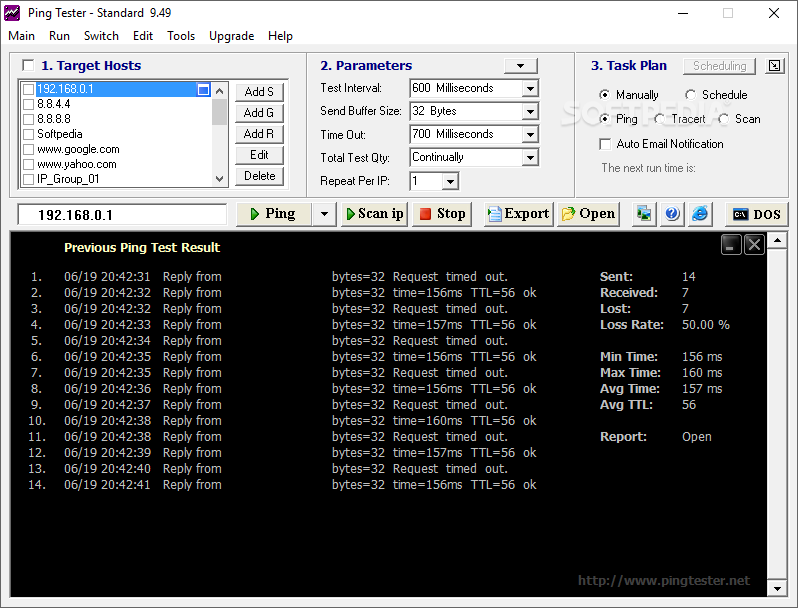
Ping Tester - Standard is a freeware ping utility that allows network administrators to check connections with the help of some other extra powerful tools.
Although it may scare away some of the users who don’t want too complicated features, Ping Tester - Standard is pretty easy to use and comes to replace the standard tool integrated into Windows.
The interface is clean and well organized, so you need just a few minutes to figure out how to use the app. Plus, it provides instant access not only to the main features, but the main window also hosts the most important parameters for a new ping session.
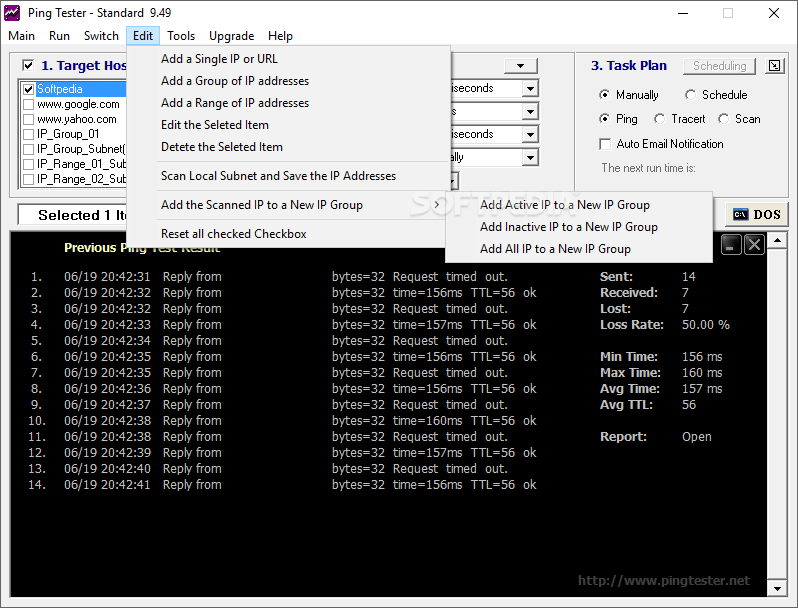
You can thus configure 1 or more IPs to test, with multiple options available including a single IP, a group of IPs or a whole range. Plus, you can configure the test interval, send buffer size, time out and number of pings.
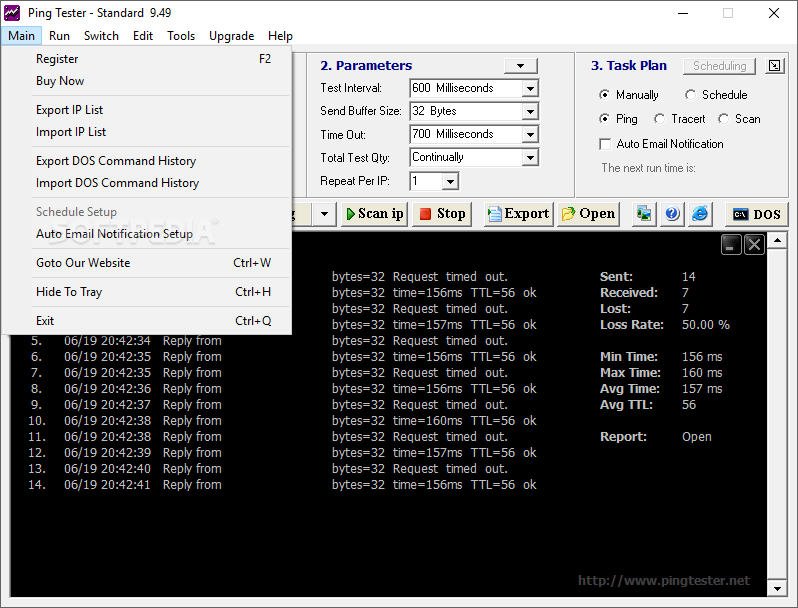
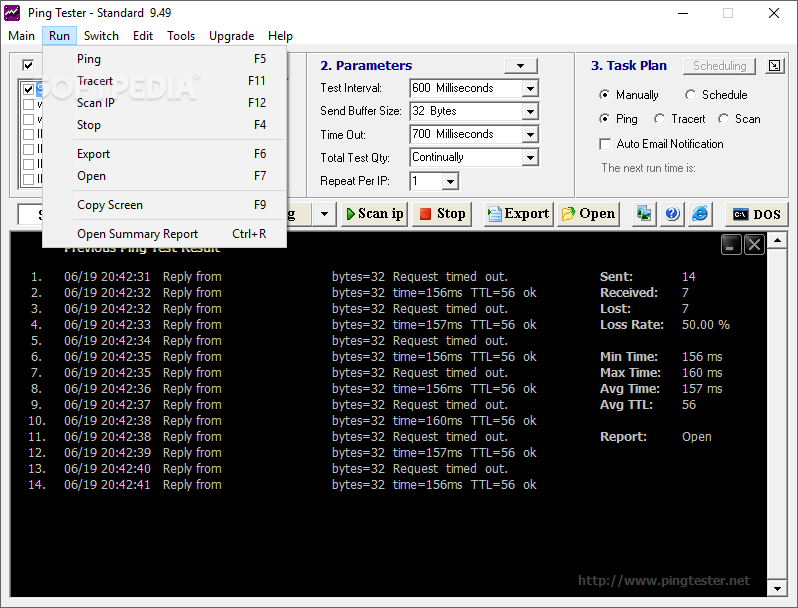
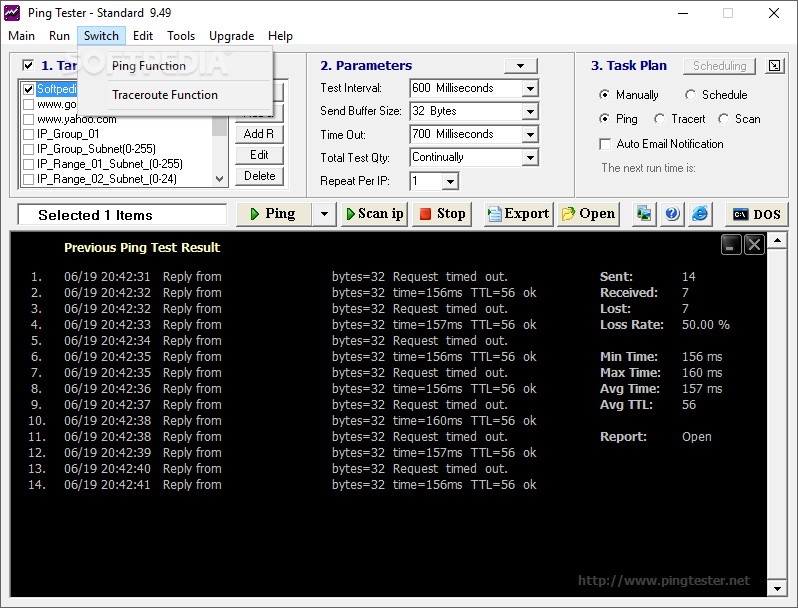
Besides the fact that it also features a traceroute utility, Ping Tester - Standard sports a powerful scheduler, which means you can even ping a user defined IP at a later time.
Last but not least, you can export the ping test results to two different formats, text and Excel, which gives you the power to analyze the data in any other external program.
Once you start a new ping, the main window shows not only the bytes sent, time and TTL, which is actually the information offered by the standard Windows tool, but also a bunch of stats, such as the total number of sent, received and lost pings, loss rate, min, max and average time and average TTL.
Obviously, Ping Tester - Standard doesn’t stress up the CPU and RAM, and work flawlessly on all Windows versions.
All things considered, Ping Tester - Standard is one of the best ping software tools on the market and in case you are looking for an app to replace the old-fashioned Windows utility, make sure to give this one a try.
Download Hubs
Ping Tester - Standard is part of these download collections: Ping Clients
Ping Tester - Standard 9.52
add to watchlist add to download basket send us an update REPORT- runs on:
-
Windows 10 32/64 bit
Windows 8 32/64 bit
Windows 7 32/64 bit - file size:
- 4 MB
- filename:
- PingTester.exe

- main category:
- Network Tools
- developer:
- visit homepage
Context Menu Manager

4k Video Downloader

Zoom Client

Bitdefender Antivirus Free

calibre

7-Zip

ShareX

IrfanView

Microsoft Teams

Windows Sandbox Launcher

- IrfanView
- Microsoft Teams
- Windows Sandbox Launcher
- Context Menu Manager
- 4k Video Downloader
- Zoom Client
- Bitdefender Antivirus Free
- calibre
- 7-Zip
- ShareX