WINDOWS CATEGORIES:


NEWS ARCHIVE >>
SOFTPEDIA REVIEWS >>

WEEKLY HIGHLIGHTS

DVD Cloner45
Spyware Doctor40
1Click DVD Copy40
Apollo DVD Copy40
ABC Amber BlackBer...45
Protected Music Co...40

7-DAY TOP DOWNLOAD

#
Program
Avira AntiVir
Personal - Free
Antivirus 9.0.0.415

153,560
Windows Live
Messenger 2009
14.0.8089.726

126,007
Nexus Radio 4.2.2
115,785
Avira Antivir Virus
Definition File
Update December 1,
2009

113,011
FreeZ Online TV 1.30
74,210
Y! Multi Messenger
8.x and 9.x

71,382
Microsoft Office
2010 14.0.4536.1000
Beta / 2007

69,425
DVD Shrink 3.2.0.15
47,312
Windows Live
Messenger
8.5.1302.1018

45,442
AVG Free Edition 9.0
Build 707a1765

43,470

WEEK'S BEST

  • Kaspersky Password...
  • Daniusoft Video to...
  • VirtualBox 3.1.0 r...
  • SiSoftware Sandra ...
  • Kaspersky Virus Re...
  • Faststone Image Vi...
  • Vuze (formerly Azu...
  • Softpedia Wallpape...
  • Softpedia Wallpape...
  • Softpedia Wallpape...
  • RSSOwl 2.0.1
  • Internet Explorer ...
  • Online Armor ++ 4....
  • cFosSpeed 5.01 Bui...
  • SONY Vegas Pro 9.0...
  • Firefox 3.6 Beta 4...
  • Nokia Photos 1.6.434
  • Windows Server 200...
  • Skype Portable 4.1...
  • Google Chrome Port...
  • PCMark Vantage Bas...
  • Kaspersky Anti-Vir...
  • Microsoft Virtual ...
  • Messenger Plus! Li...
  • WinX DVD Author [F...
  • SoftPerfect Networ...
  • System Mechanic Pr...
  • Ad Muncher 4.81 Bu...
  • Windows 7 Upgrade ...
  • Pidgin 2.6.4
  • Home > Windows > Network Tools > Misc. Networking Tools
     Report spyware

    Spiceworks Desktop 4.1.42130

    Download button

    Downloads: 2,968  Add to download basket  Tell us about an update
    User Rating:
    Rated by:
    Fair (2.9/5)
    29 user(s)
    Developer:

    License / Price:

    Size / OS:

    Last Updated:

    Category:
    Spiceworks | More programs
    Ad-supported / FREE
    18.2 MB / Windows XP / 2003 / Vista
    November 3rd, 2009, 22:12 GMT [view history]
    C: \ Network Tools \ Misc. Networking Tools

     Read user reviews (2)  Add a review  Refer to a friend  Subscribe


    Spiceworks Desktop description


    Will organize and monitor software, hardware, and patches on your network.

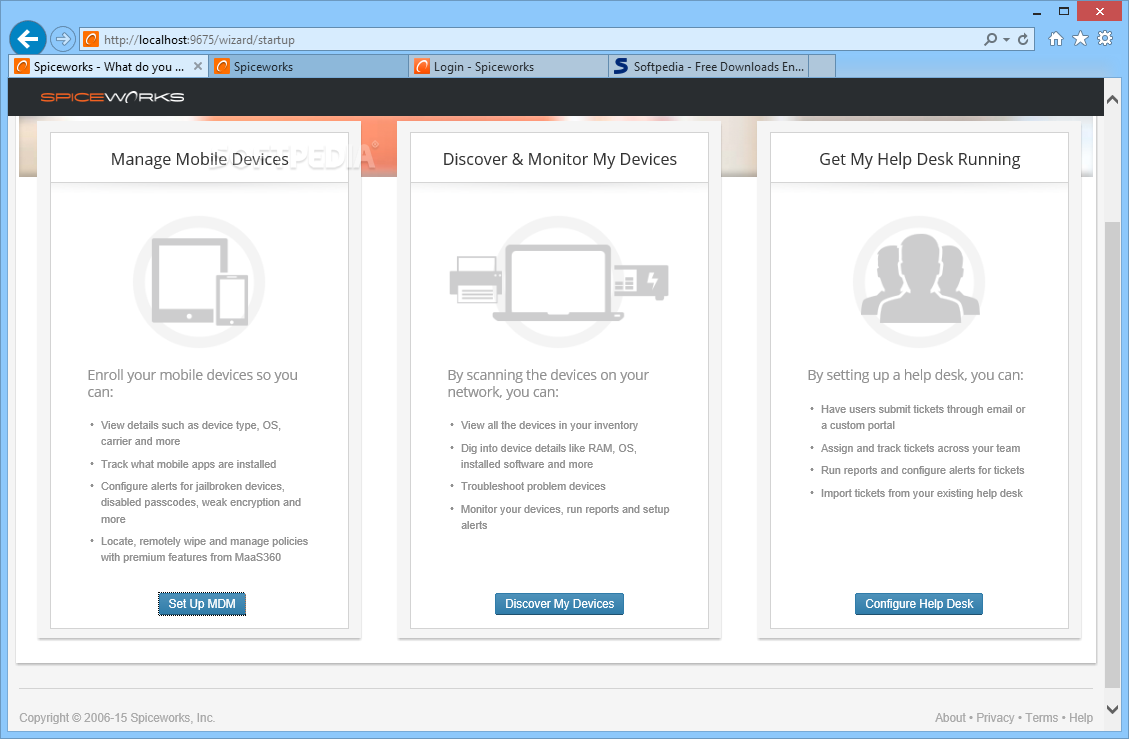
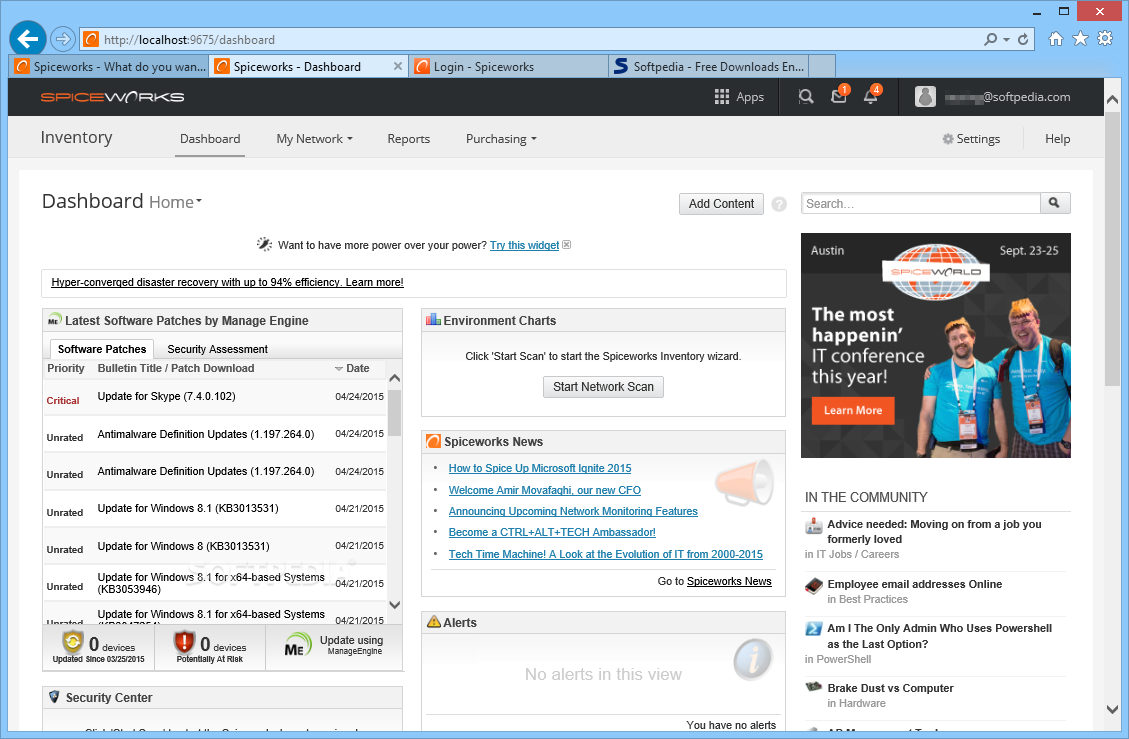
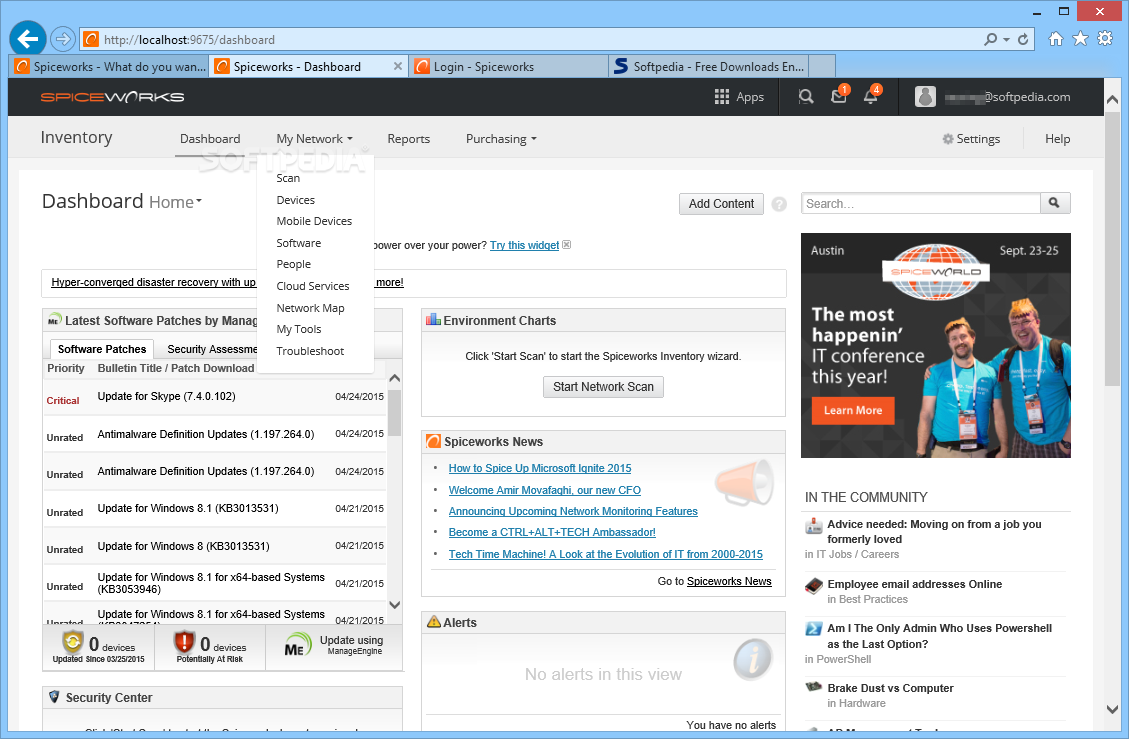
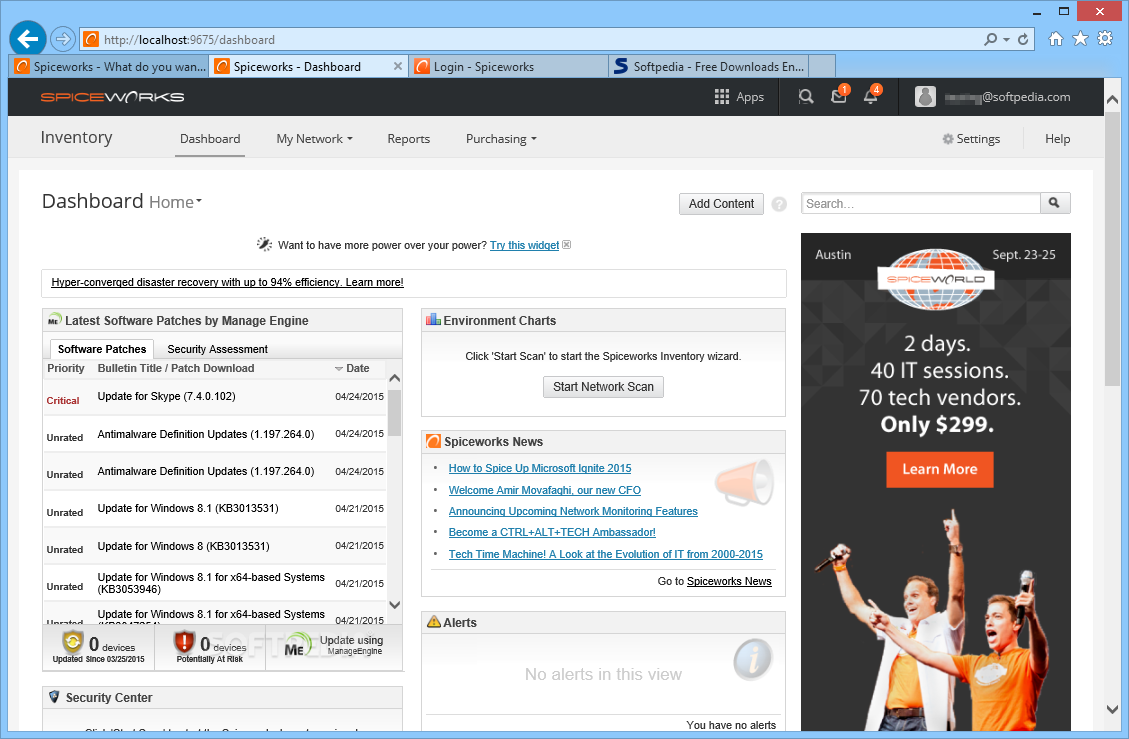
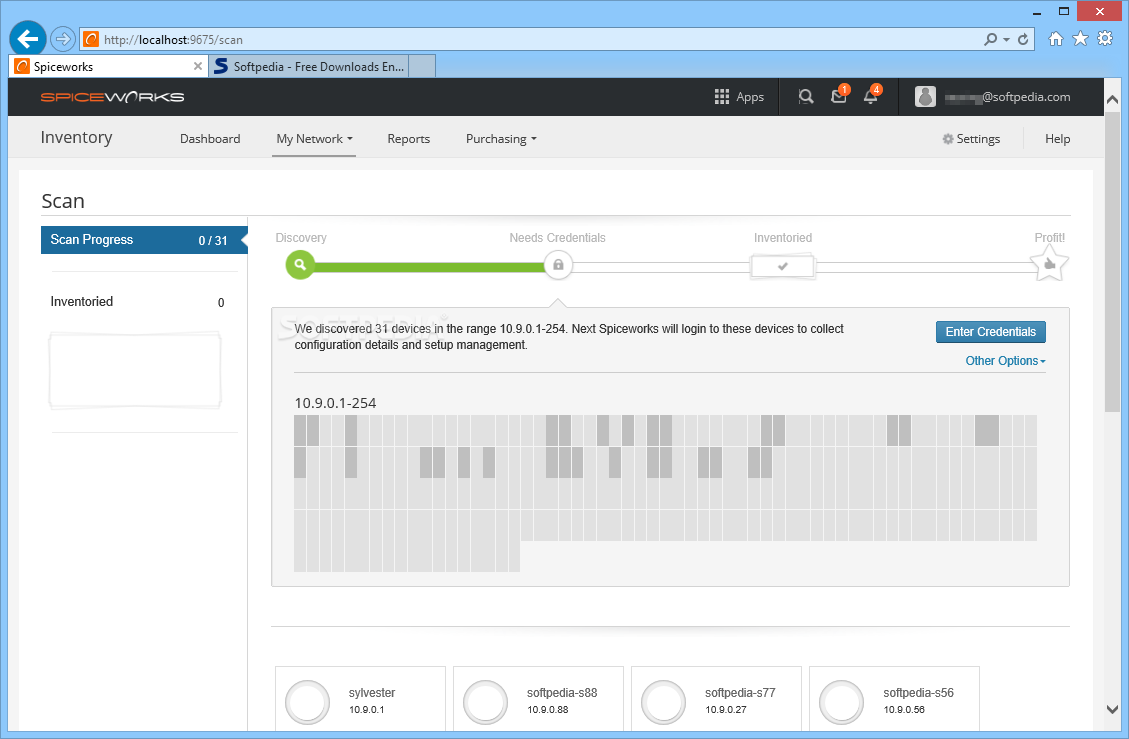
    Spiceworks Desktop delivers nearly everything you need to simplify your IT job. Designed for small- and medium-sized businesses, Spiceworks single, easy-to-use interface combines Network Inventory, Help Desk, Reporting, Monitoring and Troubleshooting. In addition, Spiceworks IT Desktop will connect you with other IT professionals to share ideas, solve issues and choose what other features you need in Spiceworks.

    Here are some key features of "Spiceworks Desktop":

    Inventory Everything on Your Network:
    · Discover the Windows, Mac, and Linux PCs and servers, routers, printers and any other IP-based devices on your network.
    · Gather all of their relevant technical data plus the software, patches and services on each machine.
    · Add important data such as the number of licenses you have, the purchase price and physical location.
    · Keep track of other assets such as mobile phones and even office furniture. All without agents.
    · Store all inventory information locally and securely on your network - so there's no concern about sensitive data flying across the Internet.

    Run an IT Helpdesk:
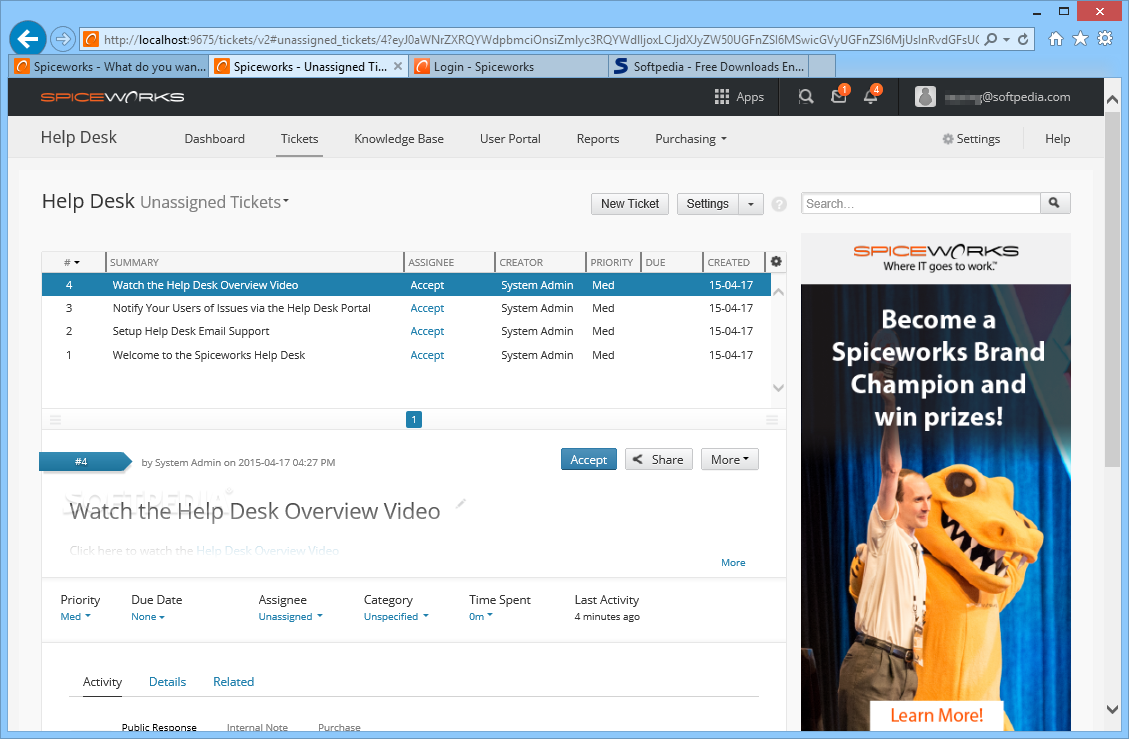
    · Create a ticket in one click if you discover an asset that requires your attention while browsing your network in Spiceworks.
    · Let your clients submit tickets with attachments to you via email or the Web and then allow them to view the status of those tickets online.
    · Assign tickets across your IT team, attach them to hardware on your network, and manage your projects.
    · Easily run reports on your tickets so you can see things like due dates and which assets (or even departments!) cause you the most issues.

    Monitor Your Network for Trouble:
    · See and set up alerts for Windows events that occur across your environment - so you can easily detect, diagnose and troubleshoot issues that disrupt your network.
    · Automatically identify PCs and servers with low disk space, the presence of unwanted software on your network, the status of your anti-virus updates, printers with low toner and ink levels, and offline servers.
    · Receive email alerts about potential issues.
    · View all the monitors you care most about in one centralized spot.

    Report on Your Network:
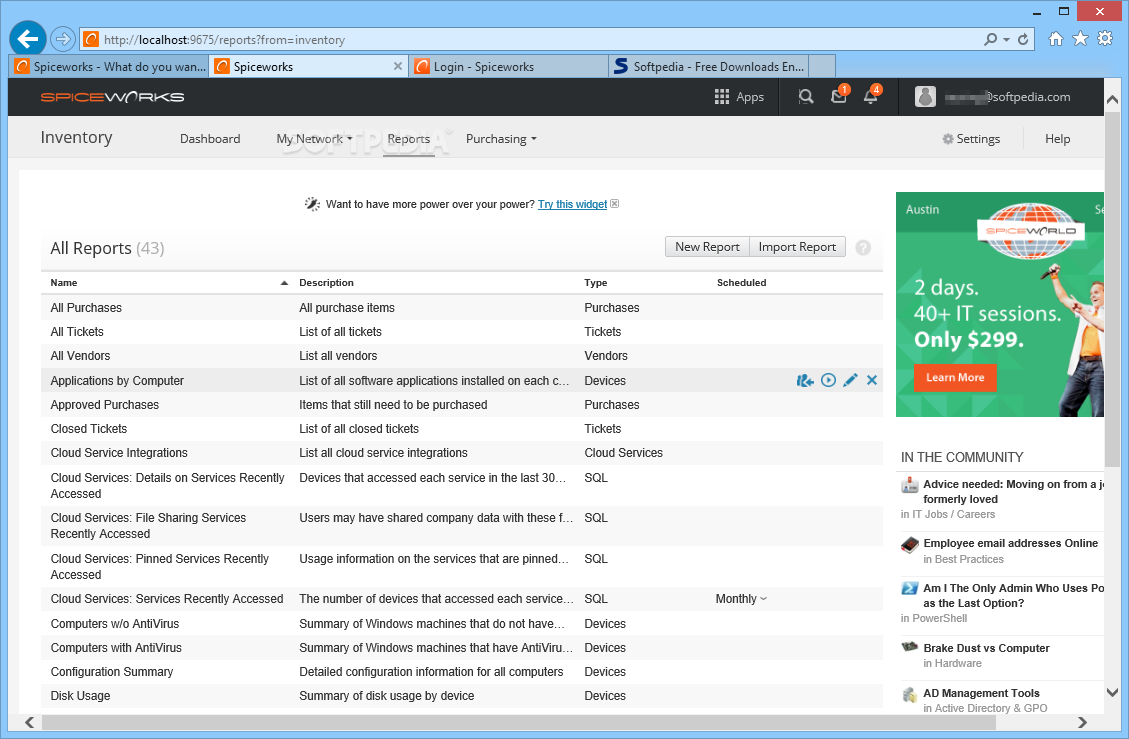
    · With one-click, see software installed on your machines, disk usage across the network, trouble tickets you've created in the past month, and much more.
    · Create the custom reports you need with a simple interface.
    · Publish reports so others in your company can stay in the loop.
    · Export any report to PDF and Excel.
    · Exchange useful report templates with other Spiceworks users.

    Troubleshoot Issues on Your Network:
    · See what software is on a machine that is causing it to run slowly.
    · Launch your remote control tool from within Spiceworks.
    · Compare two machines to see what settings are different.
    · Ping machines to see if they are online.
    · See traceroutes to identify the flow of data.
    · Identify when a server is running out of capacity.

    Requirements:

    · 700 MHz Pentium class processor
    · 512 MB RAM
    · Firefox 1.5 - 2.0
    · Internet Explorer 6.0 - 7.0

    What's New in This Release: [ read full changelog ]

    · Editing of Network Map nodes to fix links.
    · HelpDesk email templates for HTML as well as customizing the look/layout.. although there are still issues with certain Exchange 2007 configurations.
    · A few additional AV packages are now detected.
    · Help/Guides are included with videos as well as "levels" in top-level Inventory and Helpdesk. More to come on this one in future releases..
    · Remote Sites are now exposed at the device level. This is useful for folks who are using the Remote Site feature for remote offices for their inventory. See the community for more details.
    · UserPortal drag-n-drop editing works much better than before.
    · Popup or Callouts in NetworkMap don't slide far enough for user to interact with easily
    · Coming into the The NetworkMap from a Different Tab Such as Inventory Expands the Map
    · [IE] Usability issue with License Manager widget on IE7/8
    · UI problems with Editing Licenses from within the License Manager widget
    · [IE] License indicator image is not fully displayed ...

    Reasons why this program is marked as ad-supported:

    · Displays ad banners or other types of advertising material during its runtime


    TAGS:

    Network Inventory | Network Monitor | Monitor Network | Inventory | Network | Notification


    HTML code for linking to this page:


    Go to top

    Windows tabGames tabDrivers tabMac tabLinux tabScripts tabMobile tabHandheld tabGadgets tabNews tab

    SUBMIT PROGRAM   |   ADVERTISE   |   GET HELP   |   SEND US FEEDBACK   |   RSS FEEDS   |   ENTER NEWS SITE   |   ENGLISH BOARD   |   ROMANIAN FORUM