
Easily identify available wireless networks in your area to quickly gain access to the information superhighway with this practical application. #Discover APN #Network discovery #Wireless network #Discover #Discovery #Wireless

Connecting to a network via WiFi provides a lot more comfort for browsing the web. If you are looking for an easy to use wireless network discovery tool optimized for Windows Vista, chances are that you're most likely searching for VistaStumbler.
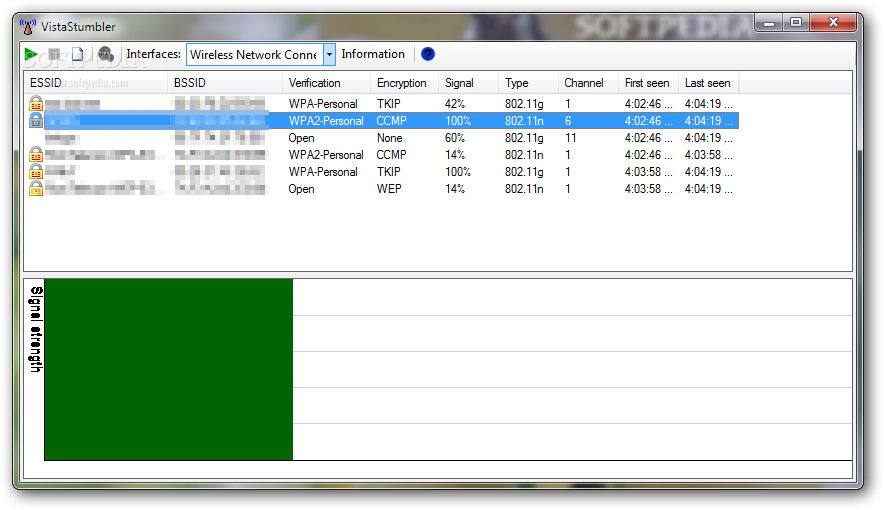
While comprising a clean and user friendly interface, VistaStumbler allows users to start a new scan with a single click, allowing them to search for new wireless networks on a regular basis.
Each new network is thus added to a list, along with multiple details, such as encryption, signal, type, channel, first and last seen, verification and BSSID.
The bottom of the main window is exclusively used by a graph showing the signal strength, which allows you to choose the best network from the ones detected by VistaStumbler.
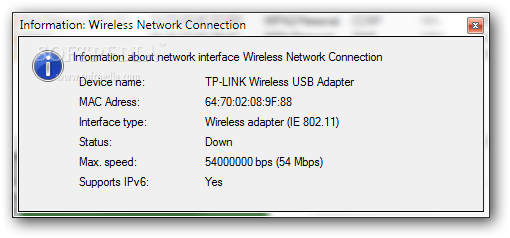
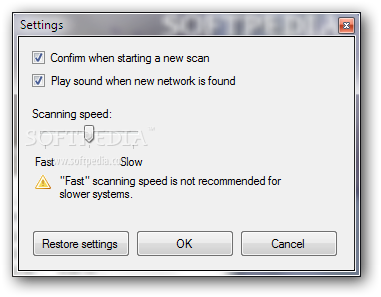
If you're using multiple wireless network adapters on the same computer, the application enables you to pick the one you wish to use for scanning via a drop-down menu. Plus, the minimal built-in “Settings” menu comes with a dedicated option to configure scanning speed.
Although the application has very low impact on computer resources, choosing a fast scanning speed may slow down an older system, especially when finding multiple networks during the same scanning process.
Other than that, even if it's optimized for Windows Vista, VistaStumbler works very smooth on other Windows iterations as well, but you need administrator privileges to use all the features of the app.
The conclusion is rather simple: VistaStumbler is a very user friendly application that makes scanning for wireless networks in your area a breeze. It's very friendly with computer resources, it needs only basic computer knowledge and provides a reasonable amount of information on the detected networks.
VistaStumbler 2.00 Build 721
add to watchlist add to download basket send us an update REPORT- runs on:
-
Windows 2003
Windows 7 32/64 bit
Windows Vista 32/64 bit
Windows XP
Windows 2K - file size:
- 323 KB
- filename:
- vistastumbler200.zip
- main category:
- Network Tools
- developer:
Microsoft Teams

IrfanView

Zoom Client

4k Video Downloader

paint.net

ShareX

Windows Sandbox Launcher

calibre

7-Zip

Bitdefender Antivirus Free

- calibre
- 7-Zip
- Bitdefender Antivirus Free
- Microsoft Teams
- IrfanView
- Zoom Client
- 4k Video Downloader
- paint.net
- ShareX
- Windows Sandbox Launcher