
Displays a complete list of ports that are currently opened, alongside detailed information regarding the applications that uses them. #View port #Opened port #TCP/IP port #Port #TCP/IP #UDP
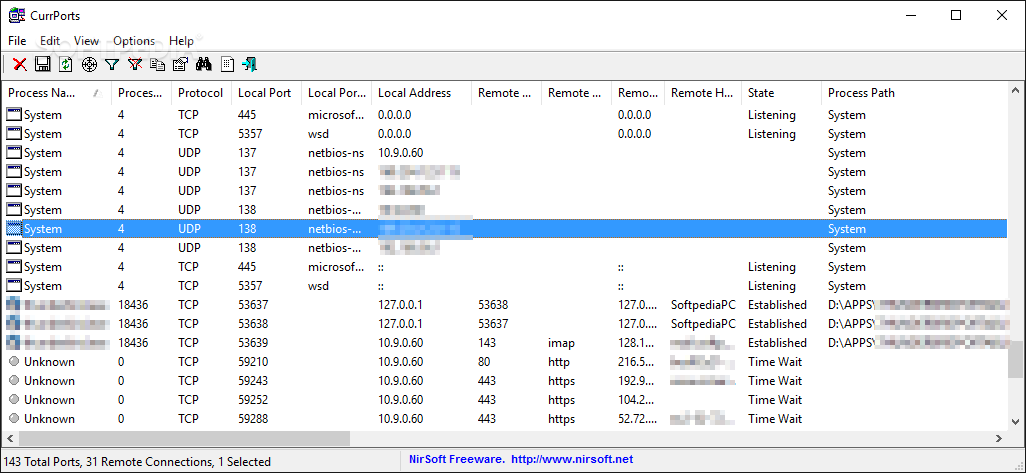
CurrPorts is a lightweight application that can provide you with the list of all opened ports on your computer. It is a useful tool if you want to know the program that is using a specific TCP or UDP port.
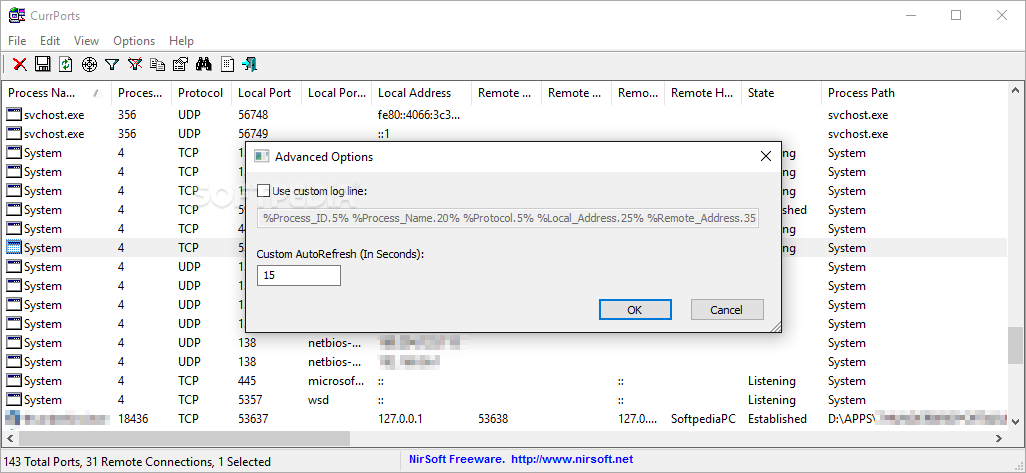
The interface of the program is simple and displays a list with all the executable files that communicate through the TCP or UDP ports. You can view various details such as the process name, the remote address and the process path.
The established connections are marked with green and the unidentified applications with red. This enables you to easily notice the active connections and the potentially dangerous ones by just looking at the list.
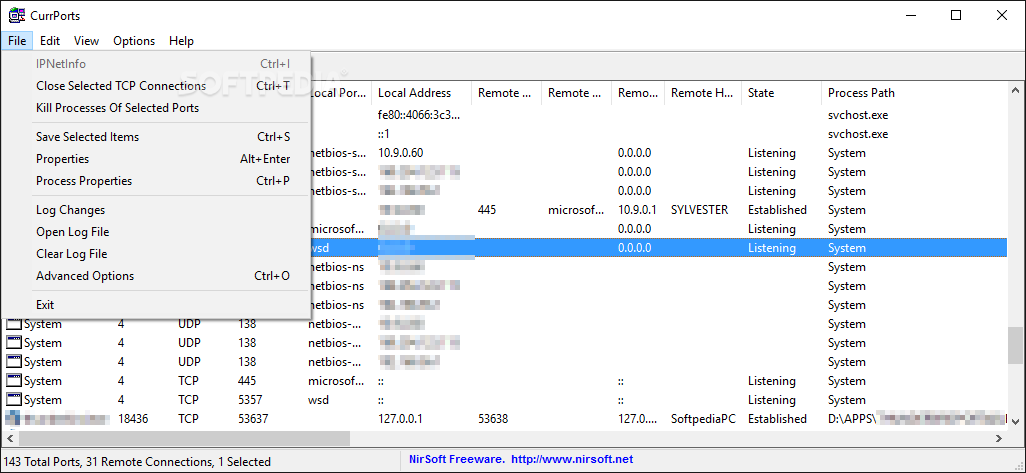
If an application from the list is not required or unidentified you can immediately close the connection or kill the process. The information about the file location enables you to locate the executable and to remove it from your computer if it proves to be dangerous.
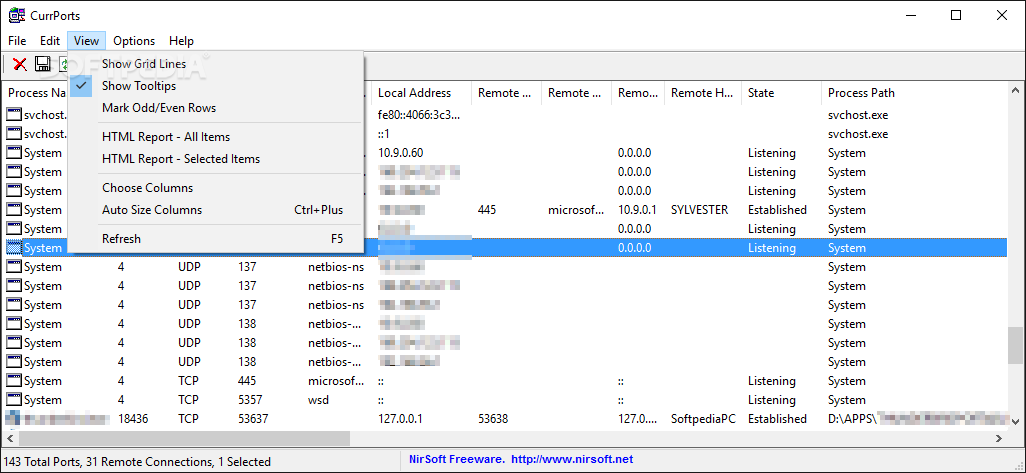
You can generate a HTML report with the collected information and save it to your hard drive for later analysis. The report can include all items or you can filter the list by using the process, port or remote address.
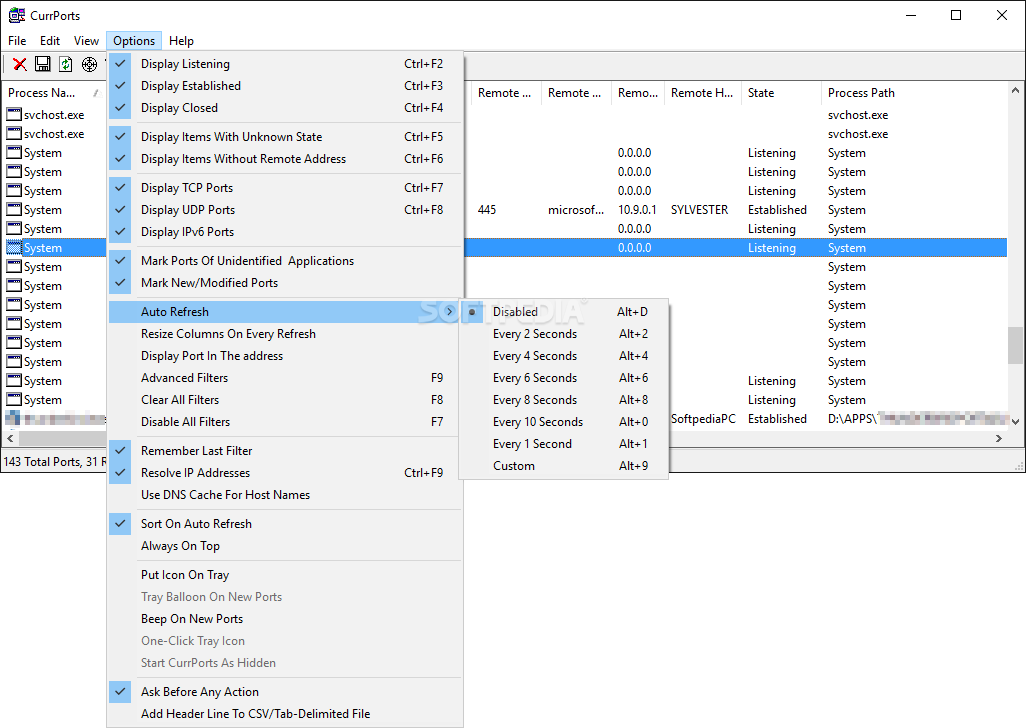
The information displayed in the main window can be customized by selecting the columns that you want to view. You can also enable the automatic refresh if you want to update the list of applications by using a preset time interval.
CurrPorts is a practical tool for viewing and managing the opened TCP or UDP ports on your computer. If you need a detailed report about the used ports, this program can help you.
What's new in CurrPorts 2.77:
- Fixed bug: CurrPorts failed to display country/city information for IPv6 addresses.
CurrPorts 2.77
add to watchlist add to download basket send us an update REPORT- runs on:
- Windows All
- file size:
- 97 KB
- filename:
- cports.zip
- main category:
- Network Tools
- developer:
- visit homepage
Windows Sandbox Launcher

Bitdefender Antivirus Free

ShareX

calibre

paint.net

4k Video Downloader

IrfanView

Microsoft Teams

7-Zip

Zoom Client

- Microsoft Teams
- 7-Zip
- Zoom Client
- Windows Sandbox Launcher
- Bitdefender Antivirus Free
- ShareX
- calibre
- paint.net
- 4k Video Downloader
- IrfanView