
Monitor the activity of wireless networks from your vicinity with the help of this straightforward and user-friendly piece of software. #Wireless monitor #Wireless detection #Network monitor #Wireless #Wi-Fi #Detect

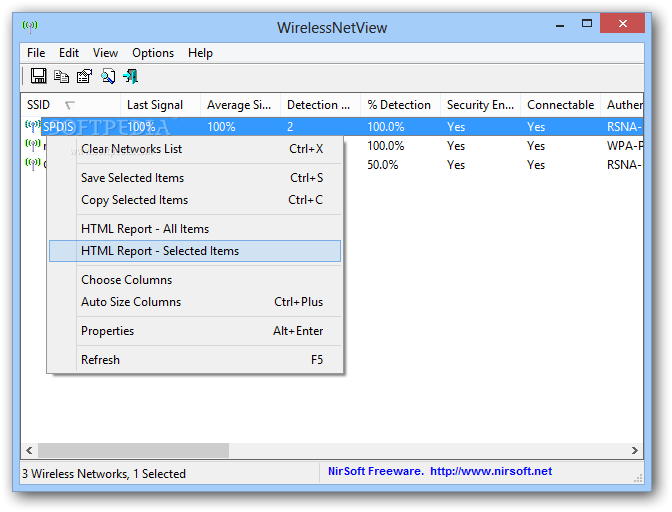
WirelessNetView is a reliable application designed to keep an eye on the surrounding wireless networks, logging important information such as signal strength.
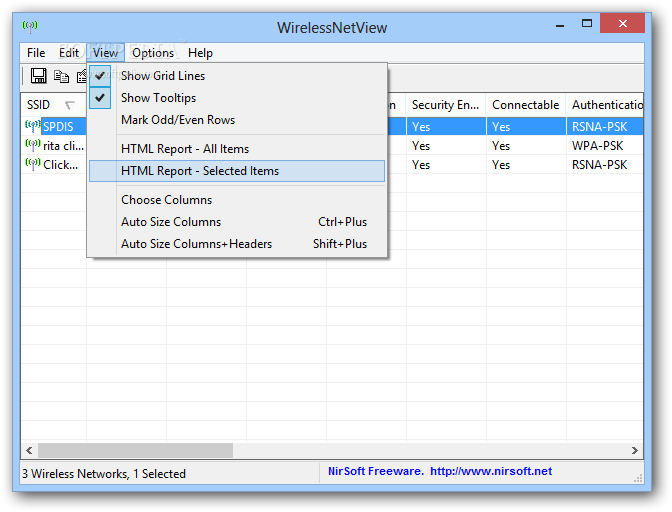
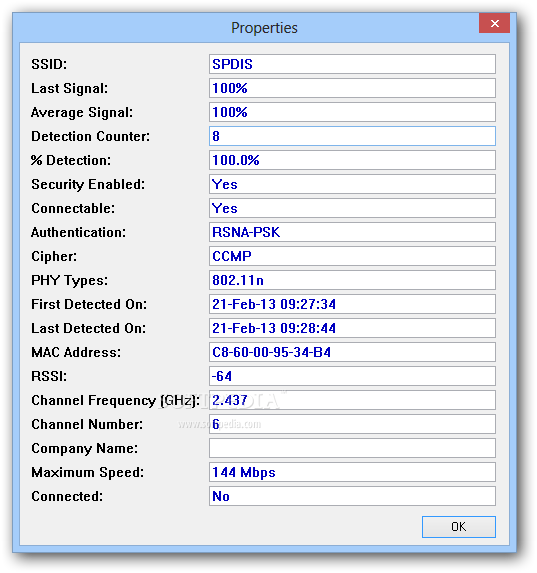
WirelessNetView features a simple and user-friendly interface that displays all the detected wireless hotpoints. For each network, WirelessNetView displays a bunch of useful details such as last signal quality, average signal quality, authentication algorithm, SSID, detection counter, cipher algorithm, MAC address, company name, RSSI, channel frequency and number.
Once you run the application, it's enough to minimize it to tray and let it do its job. WirelessNetView automatically scans the perimeter and if new networks are found, they're also added to the already created list.
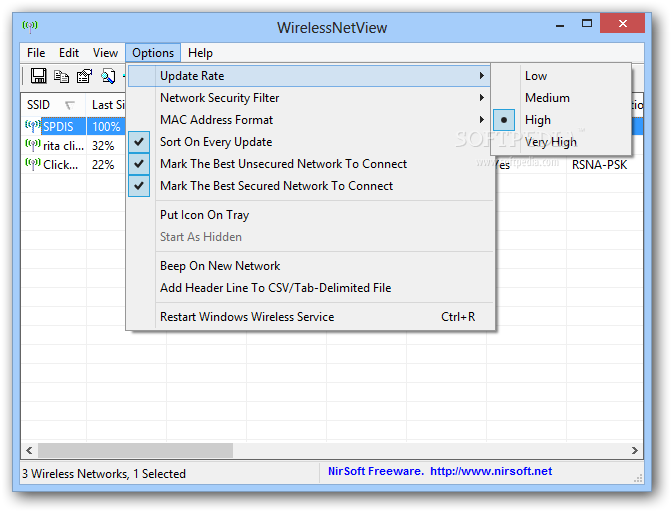
There are numerous options available, including a dedicated tool that beeps every time a new network is found, a feature to mark the best secured and unsecured network to connect to, as well as possibilities to add header line to CSV/Tab delimited file and torestart Windows wireless service.
You can decide the update rate (low, medium, high and very high), but also the network security filter, which means WirelessNetView must show only secured or unsecured networks.
There's no help file included in the package, so you may need to search the web if the aforementioned terms sound like rocket science to you.
Overall, WirelessNetView is quite a handy application and because it works so smooth on all Windows versions, it's really worth a try.
Download Hubs
WirelessNetView is part of these download collections: Wireless Detector
What's new in WirelessNetView 1.75:
- Added 'MAC Addresses List' option (Ctrl+F8), which allows you to create a list of MAC addresses and their description. The description specified in this list will be displayed under the 'Description' column. The MAC addresses list is saved in 'WirelessNetView_MAC_List.txt' located in the same folder of WirelessNetView.exe
WirelessNetView 1.75
add to watchlist add to download basket send us an update REPORT- PRICE: Free
- runs on:
-
Windows 10 32/64 bit
Windows 2008
Windows 8 32/64 bit
Windows 7 32/64 bit
Windows Vista 32/64 bit
Windows XP - file size:
- 59 KB
- filename:
- wirelessnetview.zip
- main category:
- Network Tools
- developer:
- visit homepage
ShareX

calibre

paint.net

Zoom Client

Bitdefender Antivirus Free

Windows Sandbox Launcher

IrfanView

4k Video Downloader

Microsoft Teams

7-Zip

- 4k Video Downloader
- Microsoft Teams
- 7-Zip
- ShareX
- calibre
- paint.net
- Zoom Client
- Bitdefender Antivirus Free
- Windows Sandbox Launcher
- IrfanView