Search Perform an advanced search query SOFTPEDIA
 
SOFTPEDIA
Updated one minute ago
HomeSubmit a program for being reviewedAdvertise on our websiteGet help on surfing our websitesSend us your feedbackGet information about our XML/RSS backend and how to use itBrowse the news archiveVisit our discussion forumVizitati forumul in limba romana


Program Finder NormalFreeware onlyShareware only

TracePlus Ethernet 5.51.000 Report spyware 

Click to download TracePlus Ethernet
View more TracePlus Ethernet screenshots (3)
 Downloads: 6,789
Rating: | Rated by: user(s)
Add to download basket     Send us update information
 Developer: SST Incorporated | More programs by this producer
 License: Demo , 259.95 $ to buy 
 Size / OS: 7.76 MB, Windows All
 Last Updated: August 27th, 2007, 09:00 GMT
 Category: C: \ Network Tools \ Traceroute/Whois Tools
 Read user reviews (0) Add a review Refer to friend Subscribe
    Download TracePlus Ethernet

TracePlus Ethernet description
TracePlus/Ethernet - analyze network performance and capture Ethernet packets in real-time

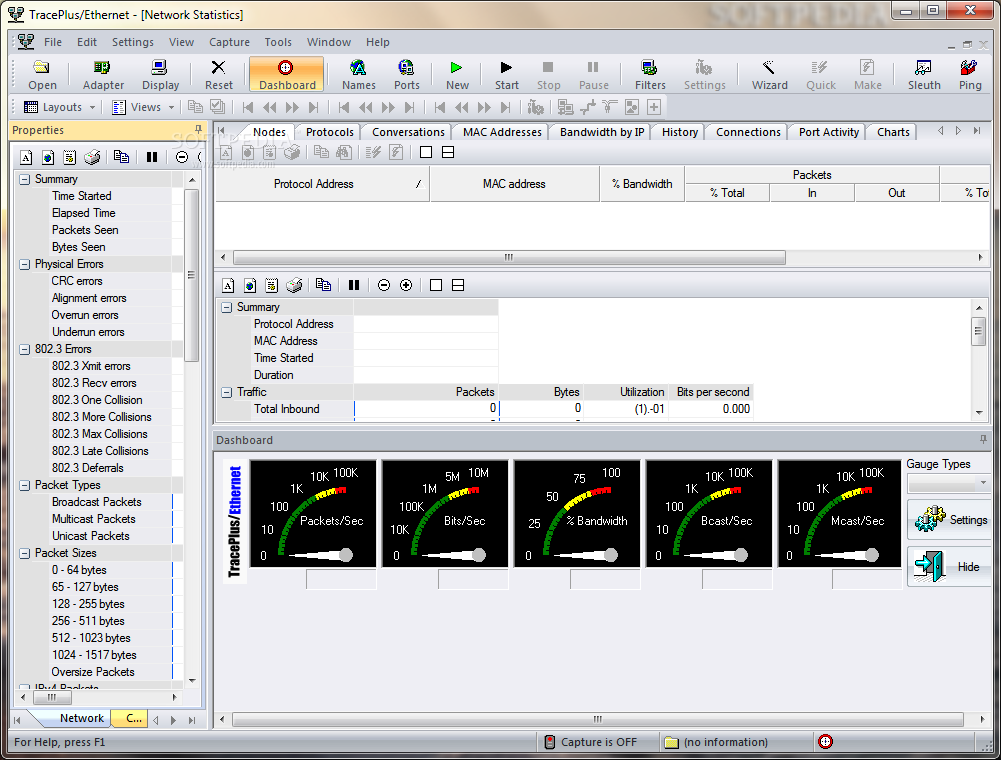
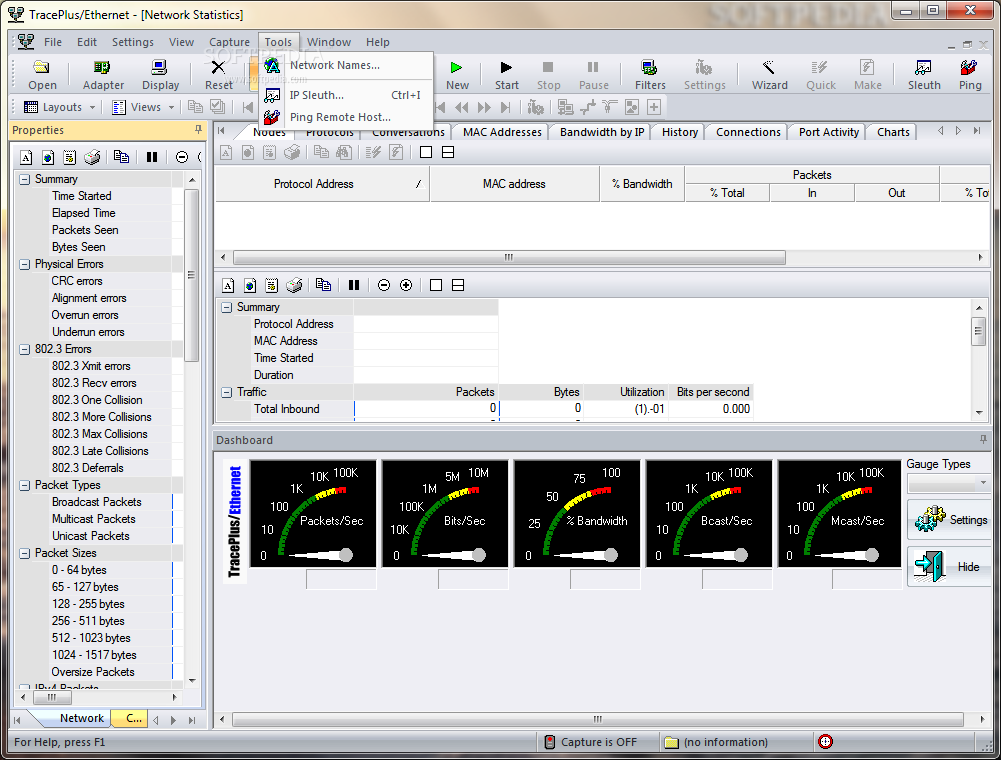
TracePlus/Ethernet is a very powerful performance and capture software. Real-time statistics include bandwidth by node, protocol, and address pair. A Network dashboard displays network performance updated each second.

A history view chronicles the occurrence of specific IP events on your network. Capture packets based on type, address, size, TCP/UDP port, or data pattern. Decodes SNMP packets (all versions).

Intelligent data view formats IP user data for easy viewing. Imports capture files from other packet analyzers including UNIX and Linux OS's. Supports VLAN features of the 802.1Q/802.1P protocols.

Here are some key features of "TracePlus Ethernet":

· The Network Dashboard offers ten automobile-style gauges (five user configurable) that monitor network performance.
· The Network Dashboard contains three preset and four user defined automobile style gauges of network performance, including Packets/Second, Bytes/Second, and Utilization.
· The Bits per Second historical graph displays average throughput in bits per second over a period of two hours.
· The Packets per Second historical graph displays average throughput in bits per second at one minute intervals over a period of two hours.
· The Utilization historical graph displays a chart of average throughput in bits per second at one minute intervals over a period of two hours.
· The Size Distribution View displays a chart of average throughput in bits per second at one minute intervals over a period of two hours.
· IP Sleuth tracks down and identifies IP addresses seen on your network via WHOIS and IP netblock information.
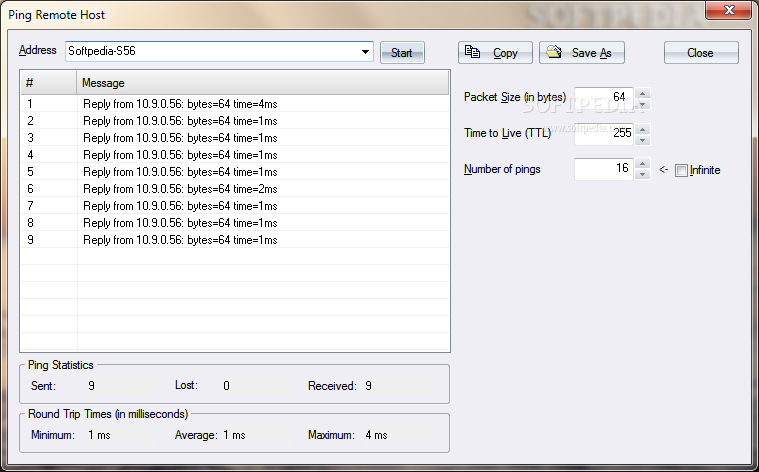
· Ping utilities provides expanded functionality from the command-line version with Quality of Service options
plus Copy and Save functionality.
· The IP Bandwidth Graph shows overall network usage by the top IP bandwidth consumers on your network.
· The IP Bandwidth View shows detailed network usage by each IP address on your network.
· The Top URLS View displays Web server performance and network load statistics for the top 200 server IP addresses seen on your network.
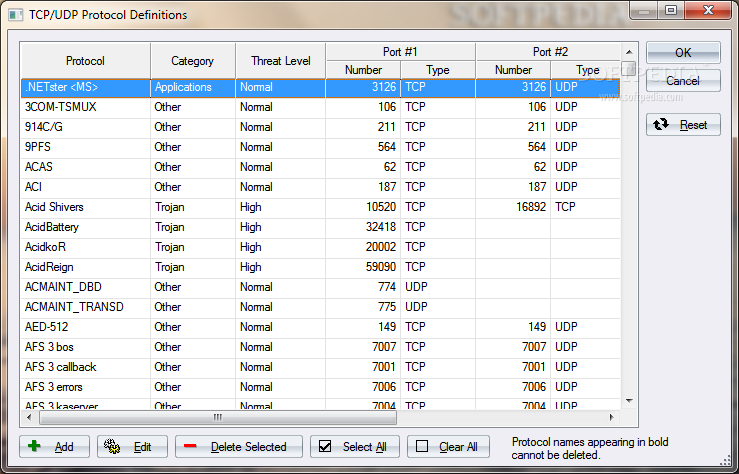
· The Port Activity View shows selected IP conversations that may threaten the security of your network including Trojan horse applications.
· Powerful IP Activity filtering narrows the statistical focus to specific IP subnets.
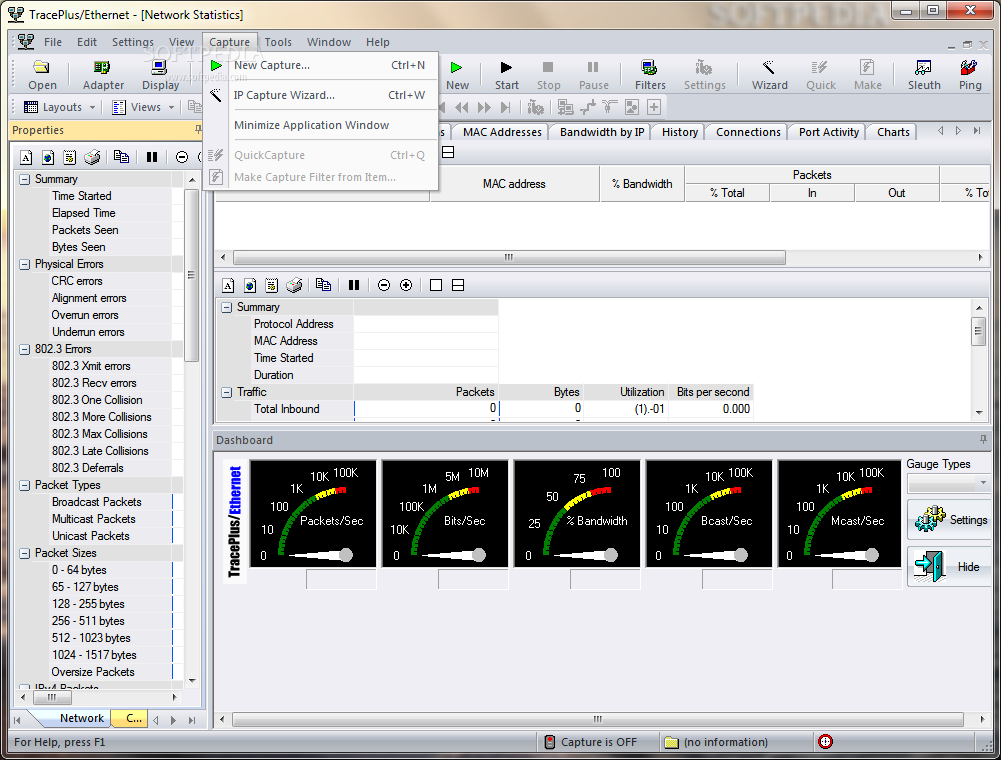
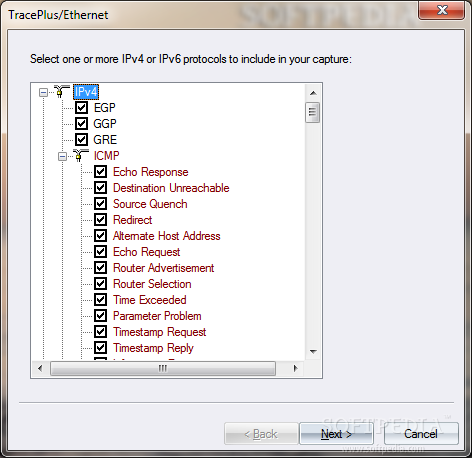
· IP Capture Wizard defines filter parameters for packet captures by answering a few questions.
· Quick Capture and Make Filter features generate filter parameters for a packet capture automatically based on an selected protocol, address, or conversation.
· Full support for networks using PPPoE for DSL connections
· Export packet captures in Libpcap, Microsoft Network Monitor, Sniffer (Network Associates), Sniffer (Network General) formats.
· IP Port definitions include over 200 known Trojan horse applications.
· MAC address/Vendor name translation supports over 7000 known Ethernet vendor codes
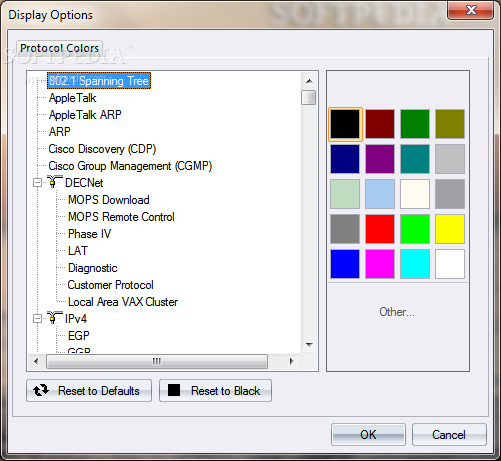
· History View supports over 30 different network protocols. The contents of the History View is automatically restored before each session, so you can have a running log of events on your network.
· The History View can be filtered by TCP or UDP protocol, and by local address or IP address (single or range)
· Graphical network usage display selectable from utilization, packets per second, and bytes per second.
· Powerful Network Statistics filtering narrows the statistical focus to specific protocol groups and IP subnets.
· Protocol View, Node View, MAC Addresses, and Conversations View can be sorted by any column
· Realtime network statistics include % of Bandwidth, Packets per second, Bytes per second, Broadcast packets per second, and Multicast packets per second.
· Powerful real-time packet sniffer means no waiting to see results!
· Full support for VLAN features of 802.1Q/802.1P protocols.
· Full decoding of TCP option fields.
· Full support (including decodes) for IPv6 and ICMPv6.
· Full support (including decodes) for SNMP and SNMP traps.
· Full support (including decodes) for BOOTP and DHCP including BOOTP Vendor Information and DHCP options
· Full support (including decodes) for ICMP messages, including all ICMP types with decoding of the included IP header in error.
· Full support (including decodes) for Cisco Discovery Protocol (CDP) and Cisco Group Management Protocol (CGMP)
· Microsecond timing accuracy on Windows NT 4.x, Windows 2000, Windows XP, and Windows 2003 Server.
· Compatible with any network speed from 1 to 1000 MB/s, including legacy 10 MB/s networks and 11 MB/s wireless networks (via an Ethernet NDIS compliant driver)
· Compatible with 802.3 Ethernet packets from 802.1b/802.1g network adapters
· Compatible with all current USB network adapters
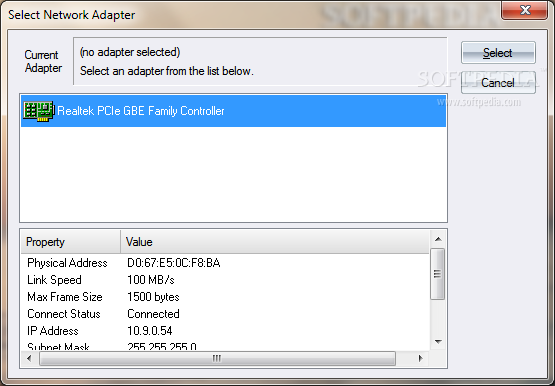
· Switch effortlessly between multiple Network Adapters (one Network Adapter at a time).
· Compatible with popular network routers, switches, hubs, and firewalls including Cisco Systems, Foundry, Extreme Networks, 3-Com, HP, Netgear, and Linksys.


Limitations:

· Starting or cleaning Captures will be disabled after 40 minutes
· Packet captures will be limited to 4 minutes
· Certain statistics in all views will be fully visible for the first 20 items


What's New in This Release:

· New charts added, activity charts expanded from two to twelve hours... [ read full changelog ]


Softpedia guarantees that TracePlus Ethernet 5.51.000 is 100% CLEAN, which means it does not contain any form of malware, including but not limited to: spyware, viruses, trojans and backdoors.

This software product was tested thoroughly and was found absolutely clean, therefore it can be installed with no concern by any computer user.

However, it should be noted that this product will be retested periodically and the award may be withdrawn, so you should check back on this page from time to time. (click here for more information)


Related downloads IT News Popular downloads New additions   Latest reviews  
Portmon 3.02
Portmon Monitor serial and parallel port activity with this advanced monitoring tool
Screen Grab Pro 1.5
Screen Grab Pro is a freeware screen capture tool
SimplyCapture 1.3
SimplyCapture is a powerful screen capture tool!
Quick Screen Capture 3.01
Quick Screen Capture is a powerful, easy to use screen capture and image editing tool
ACA Capture Pro 5.60
Screen capture/ print from desktop screen, output to popular file formats
Shanghai 1.3.1.15
Shanghai is a hotkey activated capture and watermarking tool that sits conveniently in your tray
Audio Capture ActiveX Control 2.0
Audio Capture ActiveX Control - audio capture from audio input pin
Annotation Pilot 1.48
Annotation Pilot - capture screen and label the screenshot with Annotation Pilot
Snapture 2.0.1.0
Snapture - capture information from your computer to your Pocket PC with one keystroke!
ScreenGrab 1.1
ScreenGrab is a simple, yet effective screen capture utility for Windows

go to top Use the following code to link to this page:


Welcome!
Hello, Guest

Login if you have a Softpedia.com account.

Otherwise, register for one.

Main categories:
  • Antivirus
  • Compression tools
  • CD/DVD Tools
  • Office tools
  • Programming
  • Authoring tools
  • File managers
  • Desktop Enhancements
  • Internet
  • Network Tools
  • IPOD TOOLS
  • Mobile Phone Tools
  • Multimedia
  • Tweak
  • System
  • Security
  • Others
  • Science / CAD
  • UNIX
  • Windows Widgets
  • PORTABLE SOFTWARE

  • Week's best:
  • Windows Defender Lat...
  • Firefox 3.0.1 / 2.0....
  • AutoCAD 2009
  • Norton AntiVirus 200...
  • Norton Internet Secu...
  • The Bat! Professiona...
  • WinRAR 3.80 Beta 3 /...
  • GMail Drive shell ex...
  • DAEMON Tools Lite 4....
  • UBCD4WIN 3.2.0
  • Adobe Reader 9.0.0 /...
  • Total Commander Ulti...
  • System Mechanic 8.0....
  • Adobe Acrobat Profes...
  • iPhone PC Suite 1.0....
  • Portable Firefox 3.0...
  • MPlayer for Windows ...
  • Vista Codec Package ...
  • Windows Live Messeng...
  • WinBubble 1.73
  • Kaspersky Anti-Virus...
  • Malware Removal Tool...
  • Royale Noir Theme fo...
  • IBM Lotus Symphony 1...
  • Adobe Dreamweaver 10...
  • Adobe Fireworks 10.0...
  • BitDefender Total Se...
  • McAfee Total Protect...
  • Ad-Aware 2008 7.1.0....
  • Adobe Flash Player 1...
  • Daniusoft Media Conv...
  • © 2001 - 2008 Softpedia. All rights reserved.
    Softpedia™ and Softpedia™ logo are registered trademarks of SoftNews NET SRL.
    Copyright Information | Privacy Policy | Terms of Use | Contact Softpedia | Update your software | Archive