
Trace and report hackers or investigate various websites with the help of this application that can display IP addresses on a map. #Ip trace #Visual trace #Address tracer #Tracer #Locate #Intruder

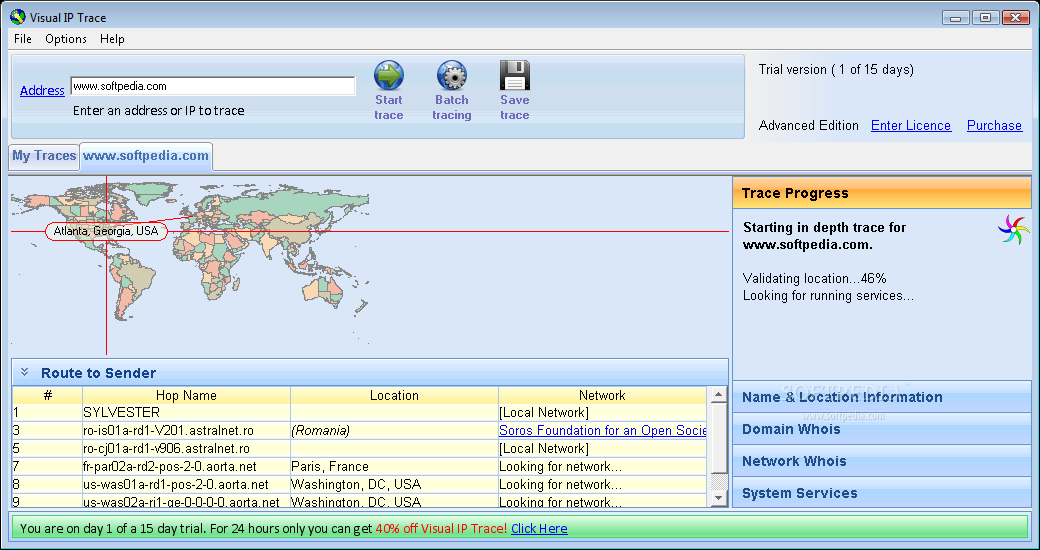
Visual IP Trace is designed to help you trace IP numbers or URLs and display the actual city and country the signal is coming from. This really comes in handy when you want to report a hack attempt, identify the origin of a malicious email or simply view a website's host location.
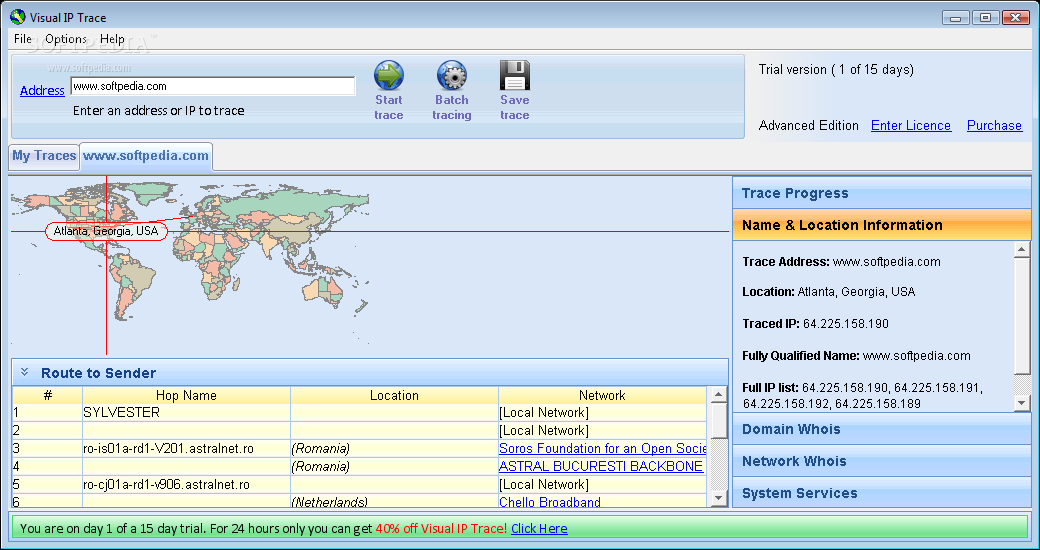
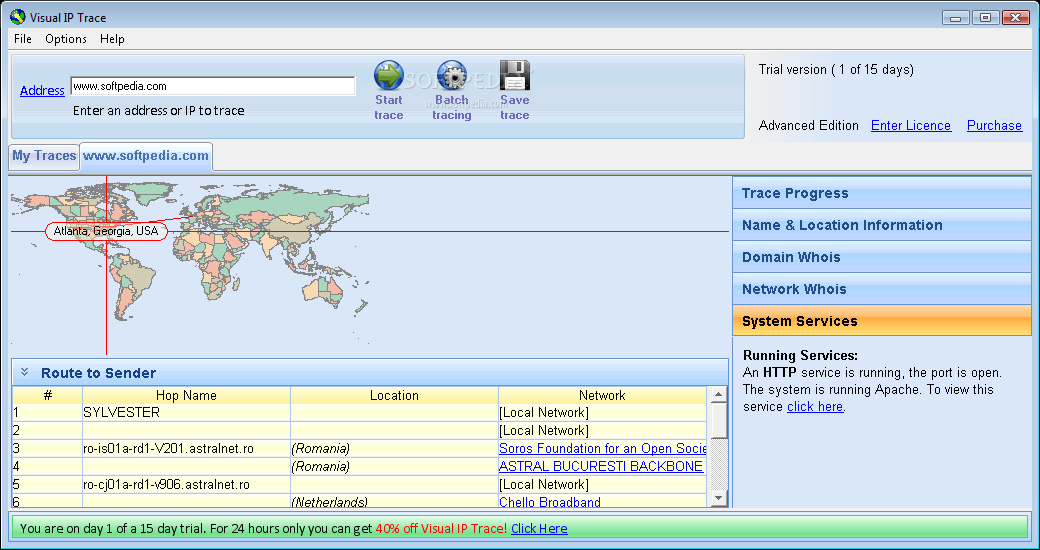
The program's interface is user-friendly, allowing you to enter multiple addresses or IPs that you want to trace and opening a new tab for each of them. After a tracing process is finished, you can view the approximate identified location on a world map, as well as information about every node of the route to sender: the hop name, location and network.
Visual IP Trace displays detailed information about the traced address: you can view its location, IP and the fully qualified name. In addition to this, the registered contact details for the selected domain are also identified, as well as the system services (HTTP) that run on the destination site.
Another advantage of the software is that it offers you the possibility to view the contact info of the network the computer IP belongs to, which can prove to be very useful if you need to report a security threat.
All traces that you enter are stored in the 'My Traces' tab, allowing you to re-open them and also save information about multiple traces to a separate HTML file that you can use later.
A certain plus is that Visual IP Trace supports batch tracing, offering the possibility to trace multiple IP addresses or domains simultaneously. During batch tracing, you can output the results either to a HTML / CSV file or open new tabs for each trace you perform.
Visual IP Trace can be used by any kind of user, as it brings together ease of use and useful features, allowing you to uncover the Whois information for any domain name or IP address, including location details.
Download Hubs
Visual IP Trace is part of these download collections: WHOIS Clients
Visual IP Trace 5.0a Build 2799
add to watchlist add to download basket send us an update REPORT- runs on:
-
Windows 10
Windows 8
Windows 7
Windows Vista
Windows XP - file size:
- 3.2 MB
- filename:
- vipt.exe
- main category:
- Network Tools
- developer:
- visit homepage
Context Menu Manager

7-Zip

Microsoft Teams

calibre

Bitdefender Antivirus Free

IrfanView

Zoom Client

4k Video Downloader

Windows Sandbox Launcher

ShareX

- 4k Video Downloader
- Windows Sandbox Launcher
- ShareX
- Context Menu Manager
- 7-Zip
- Microsoft Teams
- calibre
- Bitdefender Antivirus Free
- IrfanView
- Zoom Client