
A comprehensive application that offers you the means to manage your schedule, or store business and personal data in an organized way. #Contact Book Organizer #Desktop Clock #Schedule Task #Organizer #Reminder #Scheduler
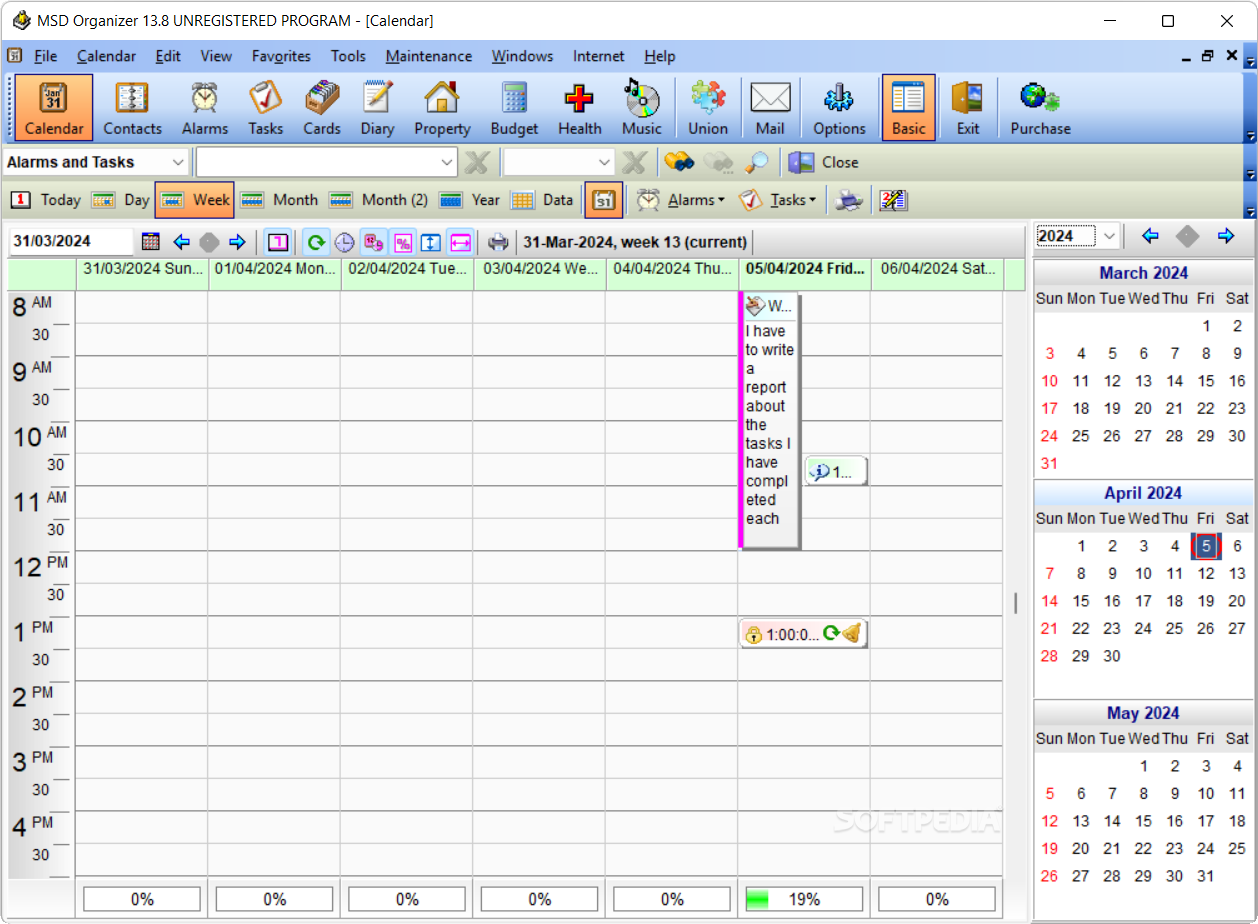
MSD Organizer Freeware is a reliable personal and professional data organizer, that enables you to easily manage your schedule. The software allows you to monitor events in both your business life and personal aspects. It offers you separate operation sheets for contact books, business cards, health, home budget, property or preferred music.
The software can display the calendar and the scheduled events, by week, month or year, as well as to display only the busy days. You may easily create or edit a scheduled task, add an alert and set it to remind you of the event at a few minutes’, hours’ or days’ notice. You may specify the type of event, its priority level, other parties involved, notes as well as recurrence.
Each alert can go off once or repeatedly, according to the pattern you set. Moreover, each alarm can trigger a program to open, a specific person to be contacted by phone or email, and alternatively, shut down the computer. When an alarm goes off, the software can play a custom sound, display a preset message or image.
When running a business, it is important to organize the people you know into groups, and if possible separate the work acquaintances from friends or family. MSD Organizer Freeware offers you the means of storing multiple contact information, then mention a particular person whenever they’re involved in a scheduled event.
Each contact sheet can contain general information, such as name, company and business phone number, as well as personal information, confidential notes, preferences and image. You may synchronize this data with your Google account books.
Aside from managing contacts, the software also offers separate tabs for arranging business cards, diary entries, property issues, home budget and health monitoring.
MSD Organizer Freeware is a suitable business assistant, since it allows you to organize all the aspects of your work activity, partners or planned events. The software is user-friendly and it can be customized in order to fit your preferences, start with Windows or run in the background. Moreover, you may arrange the management modules according to your requirements, by adding or removing tabs.
What's new in MSD Organizer Freeware 13.8:
- The maximum size of each program database is increased from 4GB to 128GB, both in the single-user and multi-user versions.
- Multiline fields now provide text search via context menu and by pressing Ctrl-F and Ctrl-R on the keyboard.
- After making a backup of the databases, the newly created file is verified, and if this check fails, the user is given the possibility to repeat the process.
- The Mail module optimizes the reading of the inbox when mails are deleted from the server using other mail software or Webmail.
MSD Organizer Freeware 13.8
add to watchlist add to download basket send us an update REPORT- runs on:
- Windows All
- file size:
- 9.8 MB
- filename:
- SetupMSDOrganizer.exe
- main category:
- Office tools
- developer:
- visit homepage
Zoom Client

calibre

Context Menu Manager

Microsoft Teams

Windows Sandbox Launcher

Bitdefender Antivirus Free

IrfanView

ShareX

7-Zip

4k Video Downloader

- ShareX
- 7-Zip
- 4k Video Downloader
- Zoom Client
- calibre
- Context Menu Manager
- Microsoft Teams
- Windows Sandbox Launcher
- Bitdefender Antivirus Free
- IrfanView