
Generate calendars by adding your own holidays (e.g. birthday, anniversaries or important dates) and print each month of the year. #Desktop calendar #Create calendar #Calendar creator #Calendar #Birthday #Anniversary


MyCalendar is a lightweight Windows application designed specifically for helping you generate personalized calendars for each month of the year.
You are welcomed by a well-organized set of features that enables you to build up a custom calendar with minimum effort.
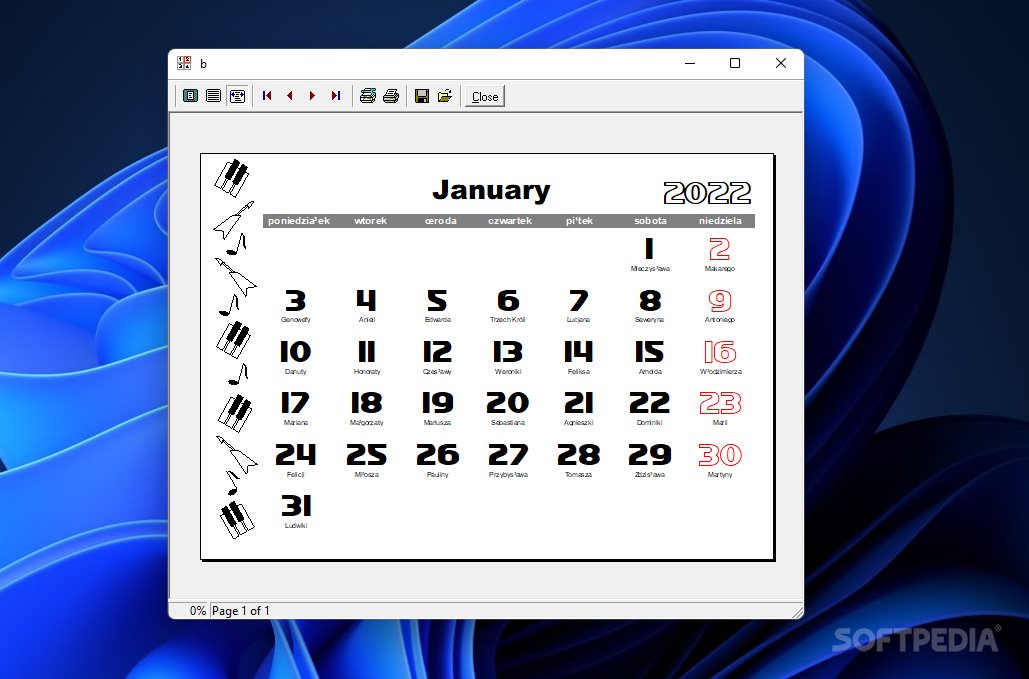
There’s also support for a preview panel, so you can easily check out the adjustments applied to the calendar. Plus, you may go to the previous or next month and print the current month.
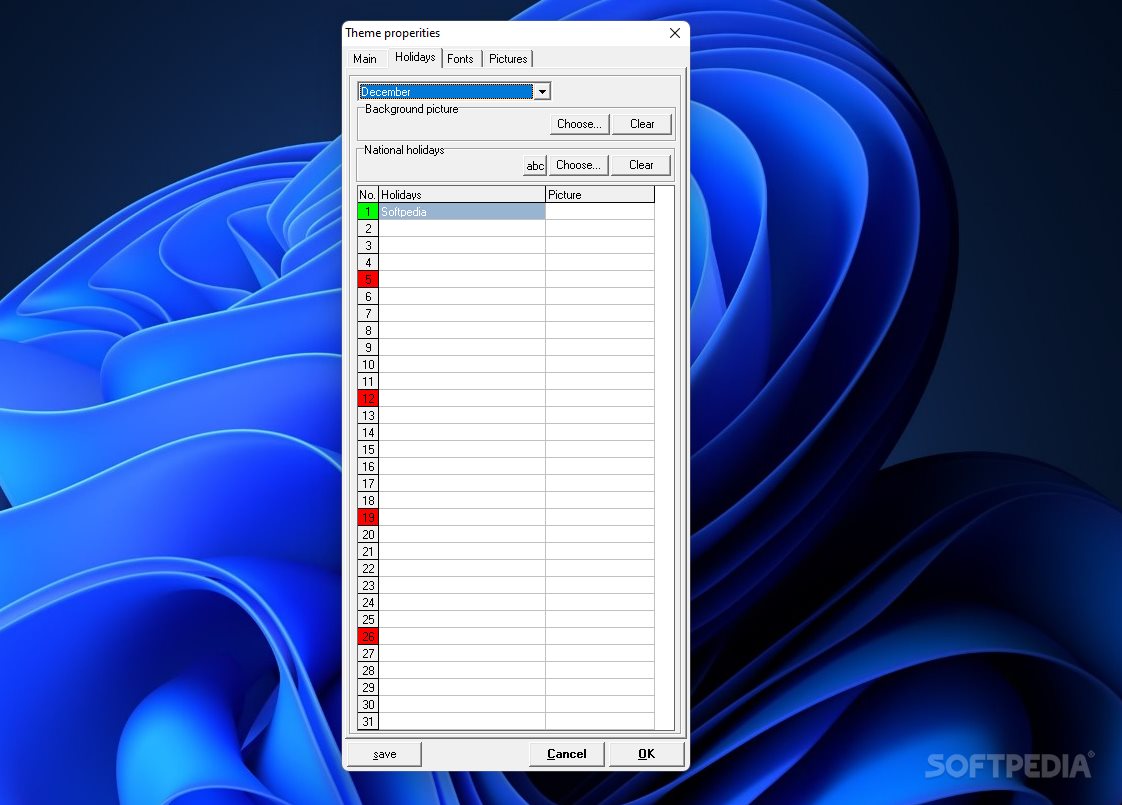
MyCalendar gives you the possibility to select the year and month, build up a list with holidays or import data from a file, as well as alter the text for the weekdays, holidays, and user holidays in terms of font, font style, size, and color.
What’s more, you can choose between several preset images that are placed on left part of each month from the calendar or upload custom photos from your computer (JPG, BMP, ICO, EMF, or WMF file format).
On the downside, you cannot export the calendar to a file and save it on your computer. Not all of the program’s features are translated properly into English.
Tests have shown that MyCalendar carries out a task quickly and without errors. It leaves a minimal footprint on system resources, so the overall performance of the computer is not affected.
MyCalendar proves to be a simplistic piece of software that comes bundled with only a few functions for helping you generate calendars by adding your own holidays (e.g. birthday, anniversaries or important dates).
MyCalendar 1.63
add to watchlist add to download basket send us an update REPORT- PRICE: Free
- runs on:
- Windows All
- file size:
- 785 KB
- filename:
- myCalendar_1_63.exe
- main category:
- Office tools
- developer:
- visit homepage
calibre

Bitdefender Antivirus Free

Microsoft Teams

Windows Sandbox Launcher

ShareX

Context Menu Manager

IrfanView

Zoom Client

7-Zip

4k Video Downloader

- Zoom Client
- 7-Zip
- 4k Video Downloader
- calibre
- Bitdefender Antivirus Free
- Microsoft Teams
- Windows Sandbox Launcher
- ShareX
- Context Menu Manager
- IrfanView