
View a handy calendar on your desktop that allows you to access useful information, copy data and calculate dates, with this simple application. #Desktop Calendar #Calculate Duration #Copy Date #Calendar #Date #Duration

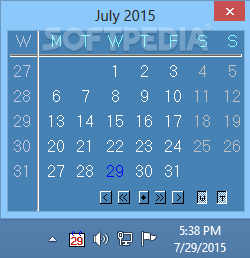
Sometimes, it can be useful to have access to simple, easy-to-understand calendar on your desktop, allowing you to view important information without having to resort to a complex scheduling tool.
TrayDay is a straightforward utility that displays a minimalistic calendar on your screen and enables you to copy date information, in various formats, then paste it in text editors or other programs. It can help you calculate the duration between specific date ranges.
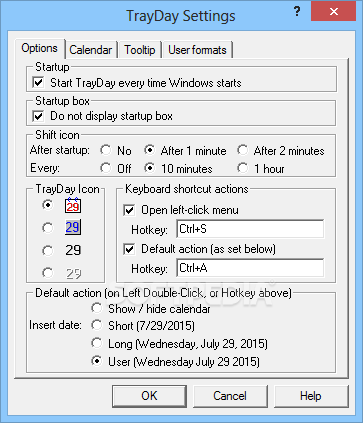
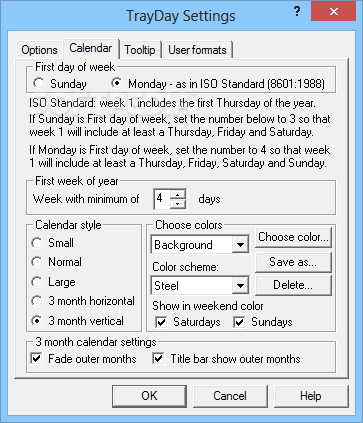
After launching the application, it displays a simple calendar on your desktop that can be moved to any position. It is possible to customize its appearance and color scheme, as well as specify whether Sunday or Monday should be considered the first day of the week.
You can choose between three size options, but you can also view a 3-month horizontal or vertical calendar.
TrayDay also displays the current date in the system tray and you can choose from several provided icons.
You can use the mouse wheel to scroll between calendar months, allowing you to easily navigate to specific dates.
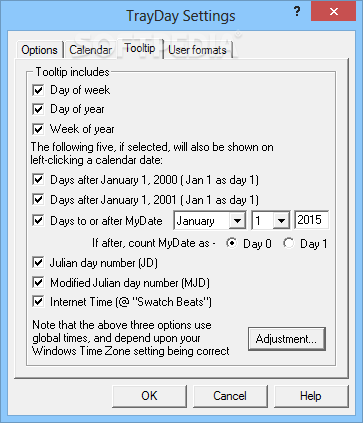
It is also possible to quickly calculate the number of days between a preset date and another you select on the calendar.
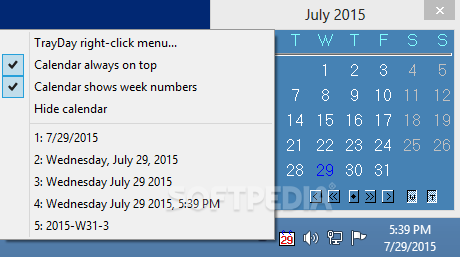
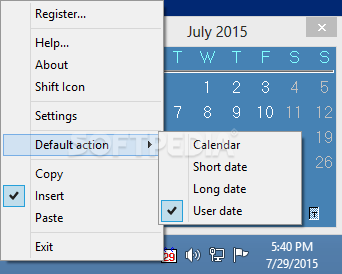
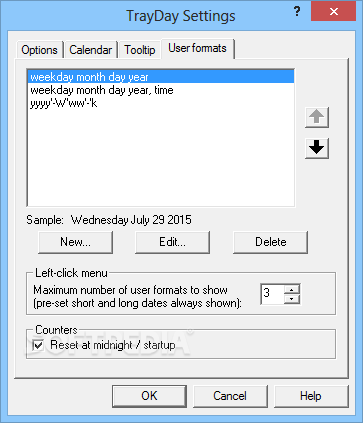
TrayDay offers an interesting function that you can use to copy certain dates to the clipboard, then paste them in other applications. You can choose between multiple date formats, suitable for various locations around the world.
While the application's calendar is fully customizable, from a visual standpoint, it looks quite dated. This is especially evident when using it on the most modern operating systems.
Also, while the application does include detailed documentation, its layout is not particularly intuitive. As a result, some users may find its functions difficult to understand.
To conclude, this is a lightweight and simple application that displays a helpful desktop calendar and enables you to extract and manage date information.
TrayDay 7.10
add to watchlist add to download basket send us an update REPORT- runs on:
- Windows All
- file size:
- 1.3 MB
- filename:
- trayd710.exe
- main category:
- Office tools
- developer:
- visit homepage
Context Menu Manager

Zoom Client

Bitdefender Antivirus Free

ShareX

IrfanView

Windows Sandbox Launcher

calibre

7-Zip

4k Video Downloader

Microsoft Teams

- 7-Zip
- 4k Video Downloader
- Microsoft Teams
- Context Menu Manager
- Zoom Client
- Bitdefender Antivirus Free
- ShareX
- IrfanView
- Windows Sandbox Launcher
- calibre