Softpedia
 

WINDOWS CATEGORIES:


GLOBAL PAGES >>
SOFTPEDIA REVIEWS >>
MEET THE EDITORS >>
WEEK'S BEST
  • Bitdefender Total ...
  • Hard Disk Sentinel...
  • FlashFXP [DISCOUNT...
  • Ocster Backup Pro ...
  • Kaspersky Internet...
  • DVDFab DVD Copy [D...
  • Avast! Internet Se...
  • Avira Internet Sec...
  • Webroot SecureAnyw...
  • McAfee Total Prote...
  • Home > Windows > Office tools > Diary/Organizers/Calendar
     Report malware

    TreePad SAFE 8.0.1

    download button buy button

    Downloads: 1,753  Tell us about an update
    User Rating:
    Rated by:
    Fair (2.6/5)
    25 user(s)
    Developer:

    License / Price:

    Size / OS:

    Last Updated:

    Category:

    Trial / $34.95 USD buy button
    2.1 MB / Windows All
    [view history]
    C: \ Office tools \ Diary/Organizers/Calendar

     Read user reviews (0)  Send to friend   Follow (0 users)

    TreePad SAFE description

    High-security encryption organizer and editor

    Personal Information Manager (PIM) and database, password protected, with high-security 256bit TwoFish encryption, Word Processor, Web site Generation on the fly, photo album, shortcuts-, notes-, hyperlinks-, addresses-, and collections-Organizer, Documentation Tool, and much more!

    TreePad SAFE is a handy and reliable application which allows you to store, encrypt and password protect your notes, emails, texts, hyperlinks into one or multiple databases.

    Widely imitated, TreePad is an Award winning, highly intuitive, powerful application, yet awesomely small: runs also from a floppy! With the look/feel of the Windows Explorer, editing, formatting, organizing, storing/searching, importing, exporting any kind of data has never been easier: use TreePad's tree to browse any previously created/imported text or document, just as you browse directories/folders in Win-Explorer. TreePad is fully customizable: work the way you feel comfortable!

    Here are some key features of "TreePad SAFE":

    Articles and nodes:
    · All data is contained in 'articles'; an article is a text shown in the right pane of the program window. Any article is contained in a 'node' which is the most basic part of the tree (left pane).

    Article editing:
    · TreePad SAFE allows full rich text editing of articles; font: bold, italic, underline, strikethrough, subscript, superscript, color, font background color, font name, font size; paragraph: left, right, center, justify, bullets (normal, numbered, alphabetic, etc.), indents, adjust left/right margins; tables: create, insert/delete rows, insert/delete columns, combine rows/columns/cells, show/hide table borders.
    · Articles without any Rich Text formatting are automatically stored as plain text, to save disk space.

    Images:
    · TreePad SAFE allows you to display, insert, export, copy/paste and store hundreds of images (tens of megabytes). Images are stored in compressed form (bitmap compression ratios of up to 90%).
    · The program currently supports .png, .jpg, .gif, .emf, .wmf, .ico and .bmp images. Images are stored in their native format, and can be exported to other image file types.

    Tree icons:
    · Each tree node can be marked with its own icon. TreePad SAFE comes with a set of 160 tree-icons by default. Additionally, you can an import and use an unlimited number of alternative icons.

    Hyperlink Manager:
    · TreePad SAFE supports active hyperlinks (blue and underlined) to internal TreePad nodes/articles, to documents, folders and programs on your hard disk, to Web pages, email addresses, FTP sites, newsgroups.
    · A real time saver is the fact that you can insert multiple hyperlinks to local documents in one go.
    · Relative and absolute hyperlinks are also supported.

    Tree editing:
    · You can create any tree structure you want! It is very easy to add nodes/articles to the tree, delete nodes/articles, move whole sub-trees around using 'drag-and-drop'. You can even copy/cut/paste complete sub trees including all contained articles.
    · Moreover, nodes can be individually marked, by setting a different icon, color, size, style, background color and font-name for the title of each node (using the formatting toolbar and formatting menu).
    · Also: copy/cut/paste of sub trees between different documents and active TreePad programs.

    Templates:
    · You can create a template as easily as you create a TreePad article. When you apply a template to a newly created article, everything contained in the template will be automatically added to the new (child) article. TreePad templates can contain texts, text-formatting and images.
    · Templates can save you a lot of time and effort! For instance, when you set up a database of friends or business relationships, you can create an address template containing the fields 'name:', 'address:', 'phone:', etc. All newly articles created using that template now contain these elements by default.
    · In short, all images, formatting and texts which are part of the template article will automatically be included into newly created sibling nodes/articles.

    View:
    · The contents article can be zoomed from 10% to 1000%. The toolbar system is fully customizable, toolbars can be hidden, shown, you can move them around and place them anywhere, even in the main area of the program so that they become little floating tool windows.

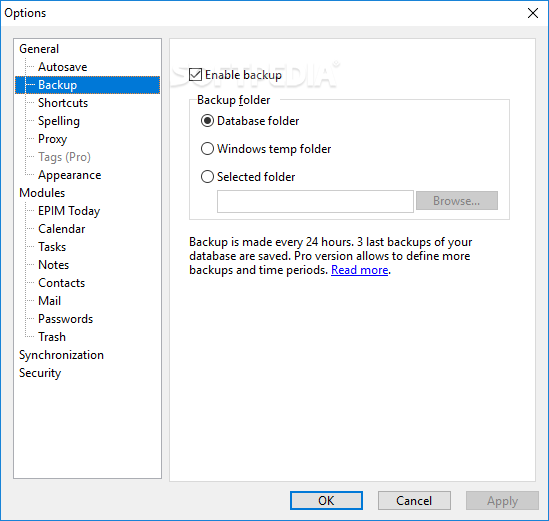
    · Built-in backup function
    · Skinning
    · System-wide activation keyboard shortcut
    · Autopaste inside the article
    · Open other files from list of recent files
    · Auto-indent (article)
    · Stay on top
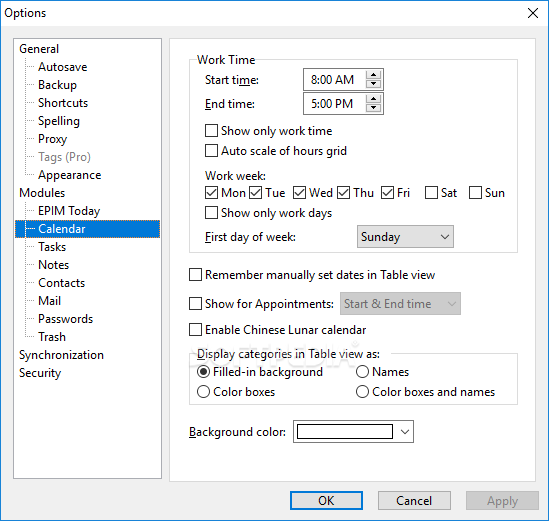
    · Customizable date-time formats
    · Customizable units: inches or centimeters
    · Article undo/redo (100 levels)
    · Autopaste as new nodes/articles
    · Scrollable history list & navigate back/forward
    · Scrollable list of bookmarks (to tree nodes)
    · Open other files from list of favorites

    Limitations:

    · 21 days trial
    · Nag screen

    What's New in This Release: [ read full changelog ]

    File:
    · Added: in case you attempt to open a non-existent file from the reopen menu, TreePad will ask whether or not to remove it from the recent files list (previously it would just have removed it).
    · Added: if you attempt to open a non-existent file from the favorites menu, TreePad now asks whether or not to remove it from the favorites list.

    Edit:
    · Improved: when you perform 'Menu: Edit/Delete' while nothing is selected (in the article) TreePad now displays the following confirmation message: 'This action cannot be undone. Delete all text?'.

    Article:
    · Improved: using 'Tab', 'ctrl Tab' or 'F12' to set focus to (a newly loaded) article would place the text cursor at the bottom. Now the text cursor will be placed at the top of the article.

    Install and uninstall:
    · Improved: the installer now contains new and state-of-the-art folder dialogs. These are useful when you want to select a non-default program-directory or start-menu folder.
    · Improved: the user-interface of the instal...

     Softpedia guarantees that TreePad SAFE 8.0.1 is 100% CLEAN, which means it does not contain any form of malware, including spyware, viruses, trojans and backdoors. [read more >]


    TAGS:

    personal manager | store note | protect document | encrypt | encryption | protect

    Go to top

    WindowsGamesDriversMacLinuxScriptsMobileHandheldNews

    SUBMIT PROGRAM   |   ADVERTISE   |   GET HELP   |   SEND US FEEDBACK   |   RSS FEEDS   |   UPDATE YOUR SOFTWARE   |   ROMANIAN FORUM