
Wizard-like application which enables you to easily recover information from corrupted text documents, be they on the hard drive, a removable device, CD or DVD. #DOCX recovery #Text recovery #Restore DOCX #Recovery #Restore #Recover

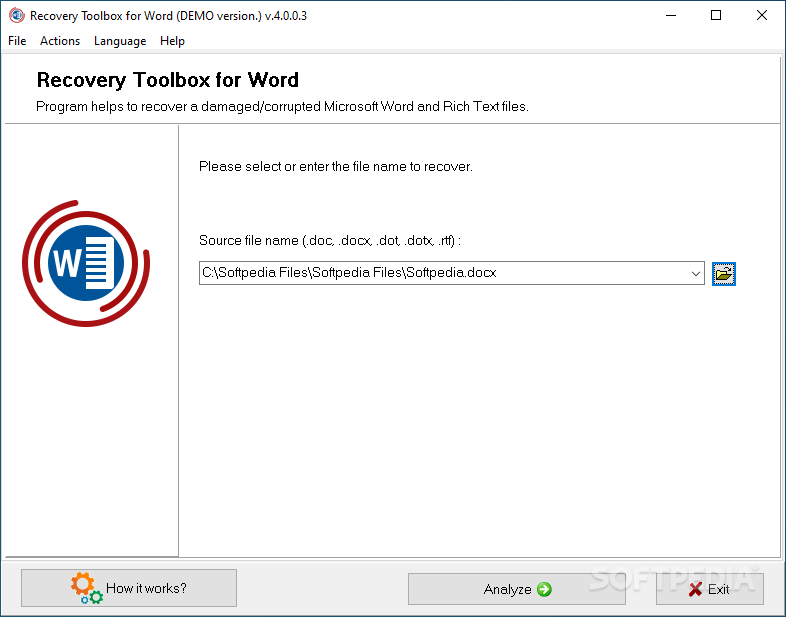
Recovery Toolbox for Word is a very easy to use Windows application designed to recover data from corrupted Microsoft Word documents.
Similar programs have been around for a while, yet Recovery Toolbox for Word tries to make a name for itself by offering users a highly user-friendly approach, with just a few options at your disposal.
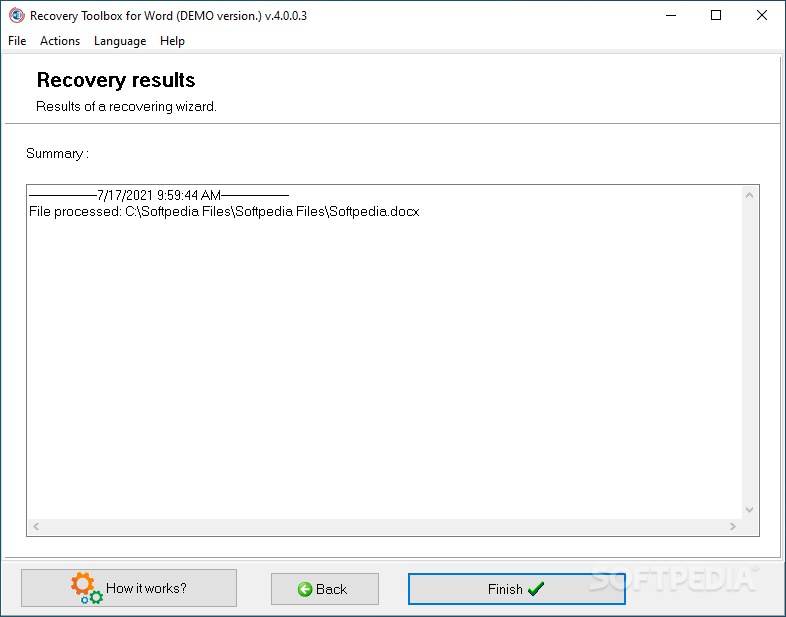
Designed to take care of the whole job automatically, Recovery Toolbox for Word only asks the user to input the path to the damaged item with the help of a file browser and presents the recovered data presented in a separate screen.
In addition to that, you should know that it is built as a wizard, which means that all types of users can find their way around it with ease, regardless of their previous experience with computers.
One of the good things is that the separate screen previously mentioned gives users the power to copy the text and paste it into another document. What's more, there are some other dedicated tools to help you in this regard.
For instance, you can export the recovered content to MS Word or, at least, to save it as plain text on the local disks.
Recovery Toolbox for Word does not work only with Microsoft Word documents, as the list of supported formats includes DOC, DOCX, DOT, DOTX and RTF extensions.
Plus, it can recover data from any type of media, so in case the damaged file is placed on a CD, a DVD or a removable drive, there's no need to copy it on the hard-disk, Recovery Toolbox for Word can process it wherever it is located.
Overall, Recovery Toolbox for Word is a handy piece of software that could help a handful of users struggling to handle damaged documents. It works fast, without affecting the system’s performance and without freezing, popping up errors or crashing.
Recovery Toolbox for Word 4.4.8.32
add to watchlist add to download basket send us an update REPORT- runs on:
- Windows All
- file size:
- 4.3 MB
- filename:
- recoverytoolboxforwordinstall.exe
- main category:
- Office tools
- developer:
- visit homepage
Zoom Client

7-Zip

ShareX

Windows Sandbox Launcher

calibre

Bitdefender Antivirus Free

Microsoft Teams

Context Menu Manager

4k Video Downloader

IrfanView

- Context Menu Manager
- 4k Video Downloader
- IrfanView
- Zoom Client
- 7-Zip
- ShareX
- Windows Sandbox Launcher
- calibre
- Bitdefender Antivirus Free
- Microsoft Teams
