
Synchronize your preferred Outlook folders on all your PCs by creating online or offline profiles using flash drives, FTP servers or networks. #Synchronize Outlook #Outlook synchronizer #Clone inbox #Synchronize #Synchronizer #Sync
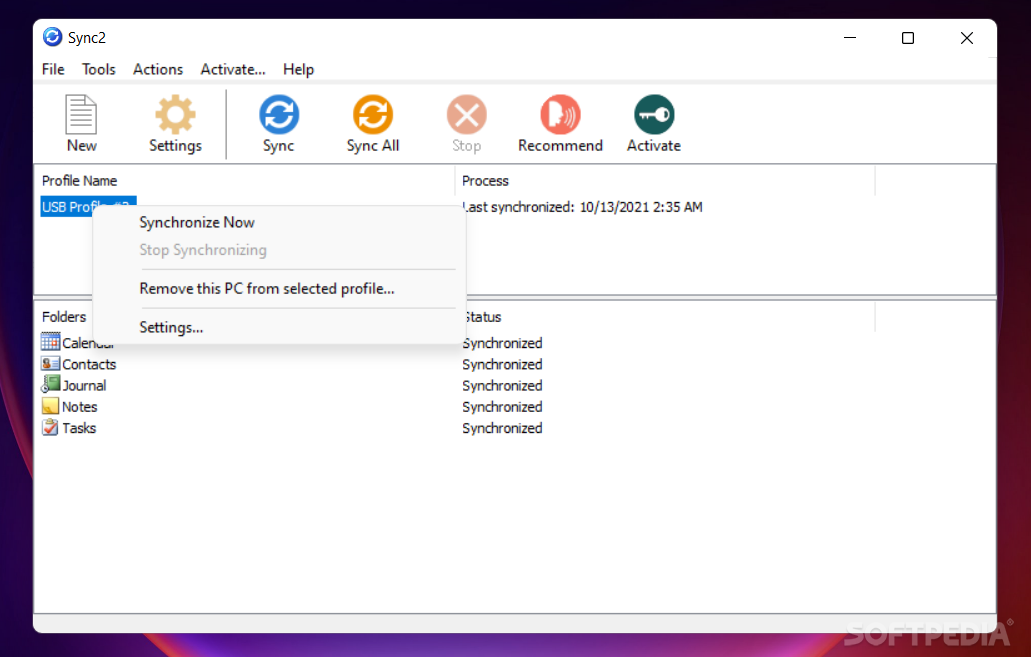
Having the same emails accessible on multiple computers may not be too difficult a feat but an email client is more than a tool to offer access to messages stored on a server. Most of them provide filtering options, organization of the messages, store contacts or include a calendar holding your weekly agenda, all of them tied to the local client.
In the case of Microsoft’s Outlook third party tools can help you have the same data across multiple computers. Sync2 for Outlook is one utility created with this purpose in mind.
In order to work, the application requires a version of Microsoft Outlook to be available on the system, otherwise the installation process does not start.
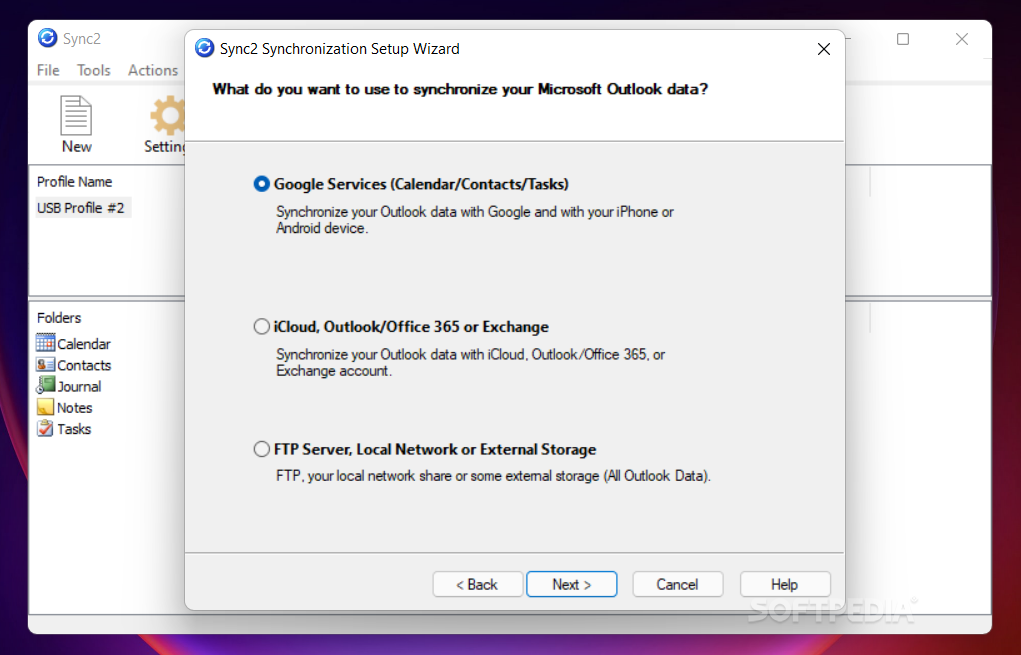
The application is designed as a complete data synchronization solution for Outlook and it includes the possibility to share the client’s information across multiple computers, both over LAN and over the Internet.
Besides syncing the read/unread details the program can also include the list of contacts as well as the data from the calendars. There is support for copying the entries from Google Tasks to Outlook’ folders, complete with the categories they’re grouped into.
Even with the synchronization service active, there is still the possibility to lose the data. To protect against such an event Sync2 sports backup functionality that allows restoring the information at a later time or migrating it to a new computer.
The synchronization process can occur automatically according to user-defined parameters or it can be initiated manually.
Sync2 for Outlook provides a flexible range of sync options for Microsoft’s email client. It can run automatically and does not require the email utility to run in order to do its job. More importantly, it achieves its purpose without the need of a Microsoft Exchange server.
What's new in Sync2 2.93.2963:
- Functional Updates:
- Improved logic to avoid synchronization of Google Contacts pictures with first letters instead of photos.
- Page with instructions how to proceed when logging in to Google account has been redesigned.
Sync2 2.93.2963
add to watchlist add to download basket send us an update REPORT- runs on:
-
Windows 11
Windows 10 32/64 bit
Windows 8 32/64 bit
Windows 7 32/64 bit
Windows Vista 32/64 bit - file size:
- 18.1 MB
- filename:
- sync2_setup.exe

- main category:
- Office tools
- developer:
- visit homepage
paint.net

Microsoft Teams

IrfanView

Windows Sandbox Launcher

ShareX

7-Zip

Zoom Client

4k Video Downloader

calibre

Bitdefender Antivirus Free

- 4k Video Downloader
- calibre
- Bitdefender Antivirus Free
- paint.net
- Microsoft Teams
- IrfanView
- Windows Sandbox Launcher
- ShareX
- 7-Zip
- Zoom Client