
Quickly and easily convert the pages of your PDF document to images of various formats, such as JPEG, PNG, BMP, GIF, TGA or TIFF. #PDF To JPG #PDF to image #PDF converter #PDF2image #Convert #Converter
There are those types of documents that you need to quickly open and edit on a regular basis, and those that need to be in a standard form, with higher security means, just like PDF. These types can hold various contents, including images, to which you can convert using specialized applications like FM PDF To JPG Converter Pro.
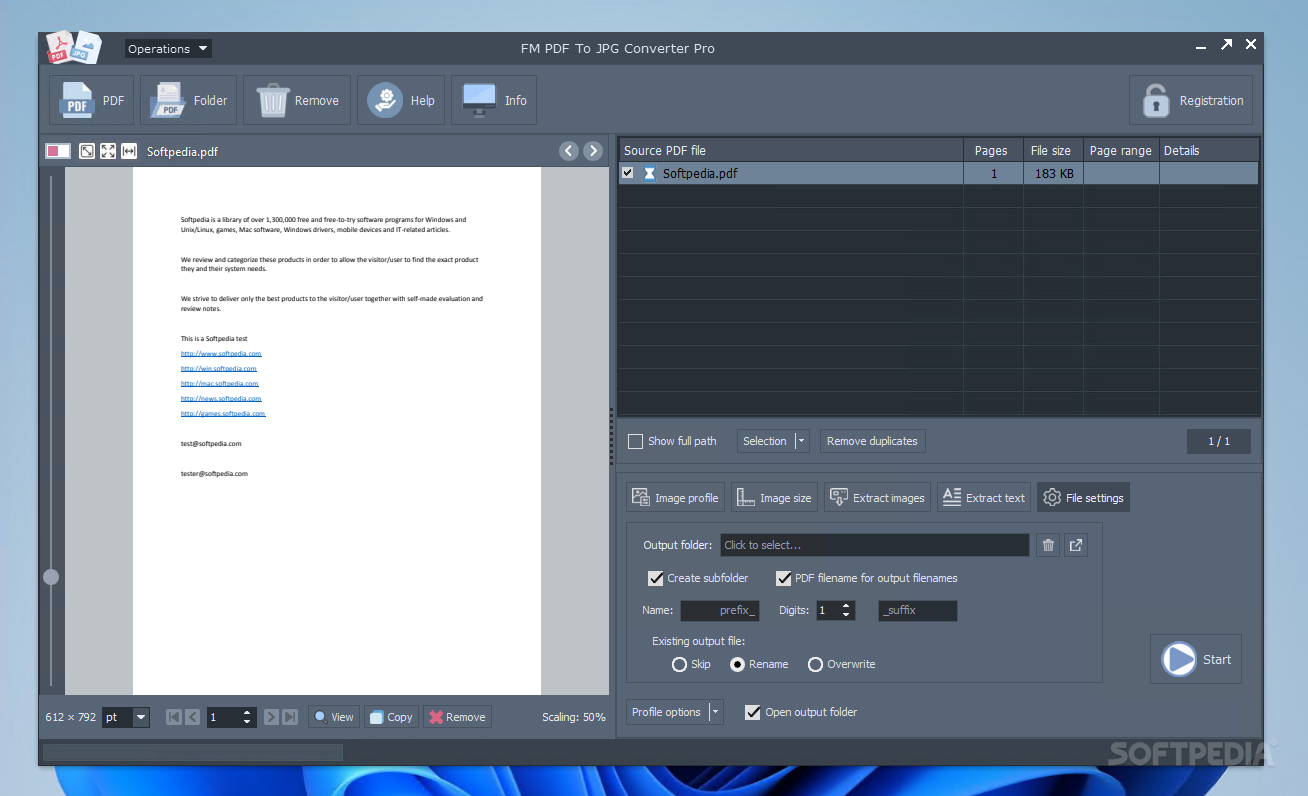
When it runs, the application brings up a custom-made interface, with high-quality textures used for buttons and other elements you get to work with, while the general structure is intuitive enough to let both beginners and experienced individuals get the hang of things in a short while.
Needless to say that the main files you get to work with are PDF, which can either be added by dragging them over the main window, or using the built-in browse dialogs for single files or entire folders. Once done, these are stored in a list along with details like name, pages, size, and page range to be extracted.
The conversion process can start right away, but there’s a rich properties panel you might want to pay a visit to. Besides the preview it puts at your disposal, you find all sorts of options related to output quality and destination.
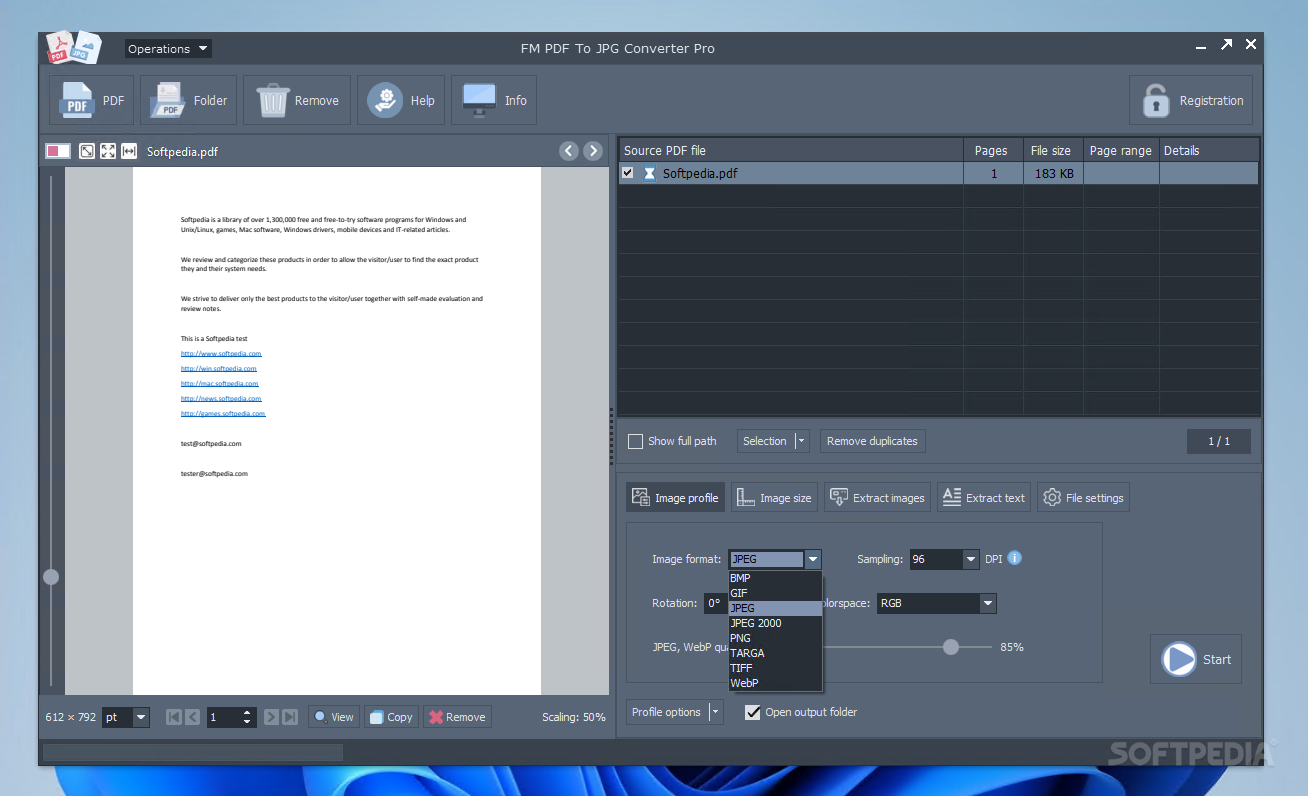
Output format is decent, with the possibility to choose JPEG, GIF, PNG, TIF, and TGA from a drop-down menu, and even set quality using a dedicated slider. There’s the possibility to specify output resolution in dpi, manage color system to use, with options for RGB, grayscale, or monochrome, or rotate to a specific angle. Manual resizing is another option, with fields to set width and height.
All things considered, we can safely state that FM PDF To JPG Converter Pro manages to live up to expectations, providing an intuitive interface in which to extract a custom number of pages from PDF documents and export them to various image file formats, with options to set quality, and resize, all in just a few seconds.
FM PDF To JPG Converter Pro 5.2
add to watchlist add to download basket send us an update REPORT- runs on:
-
Windows 11
Windows 10 32/64 bit
Windows 8 32/64 bit
Windows 7 32/64 bit - file size:
- 14.9 MB
- filename:
- FM-PDF-To-JPG-Converter-Pro-Setup.exe
- main category:
- Office tools
- developer:
- visit homepage
Bitdefender Antivirus Free

IrfanView

Windows Sandbox Launcher

4k Video Downloader

calibre

Zoom Client

ShareX

7-Zip

Microsoft Teams

Context Menu Manager

- 7-Zip
- Microsoft Teams
- Context Menu Manager
- Bitdefender Antivirus Free
- IrfanView
- Windows Sandbox Launcher
- 4k Video Downloader
- calibre
- Zoom Client
- ShareX