
Simple-to-configure program that helps you compress PDF files and reduce the actual size of the documents in order to gain some space on your hard drive. #Compress PDF #PDF size reducer #PDF shrinker #Compressor #Compress #Shrinker

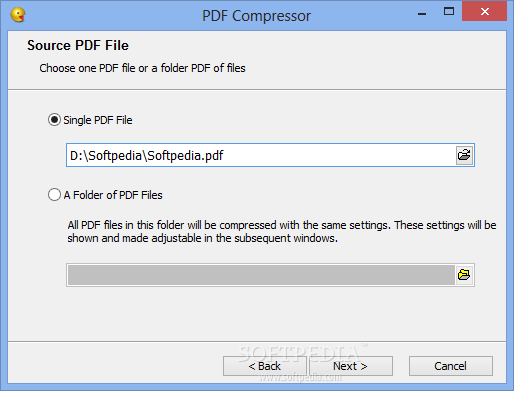
If large PDF files give you headaches because they take too much space on your hard-disk, it's probably the right time to give a specialized tool like Nice PDF Compressor a shot because this application has been especially designed to tackle this issue.
The main purpose of the app is to compress PDF files and thus help you save some space.
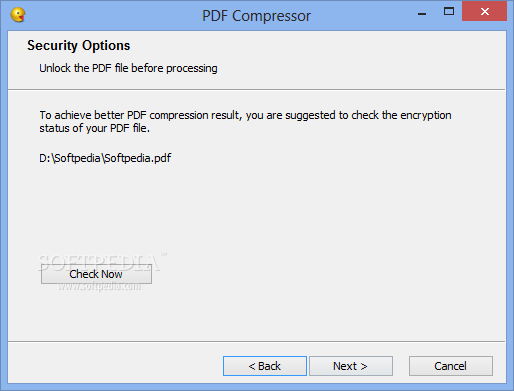
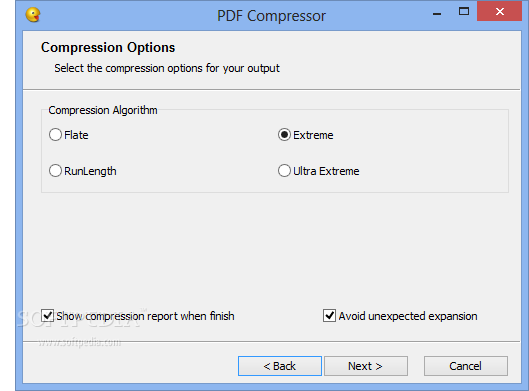
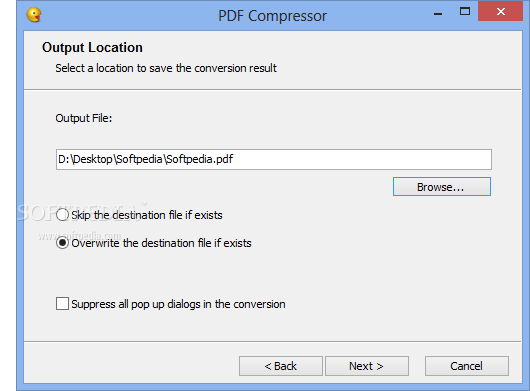
Nice PDF Compressor doesn't come with an interface like you may be used to, instead it has a wizard configuration screen that guides you through the whole compression process. Rookies may take advantage of this step-by-step approach but advanced users cannot skip this step and configure the settings on their own.
There are two different algorithms this app uses, namely Flate and RunLength, and three compression levels, default, fastest and maximum so things are not at all complicated insofar as operating the utility is concerned.
When it comes to the actual efficiency of Nice PDF Compressor, our tests revealed that it is rather reduced. The great majority of the output files had the same dimensions as the source PDFs so in terms of gaining some space on the hard drive, this tool didn't do anything noticeable.
Even if it is very easy to use, Nice PDF Compressor simply can't help the user a lot when gaining some extra megabytes is a must. With the compression level set to maximum the software has a minimal impact on the files it is supposed to shrink to a certain extent.
Overall, the Nice PDF Compressor program failed to live up to the expectation at this stage in its development and since the efficiency is close to nil, it's hard for this tool to earn a recommendation.
What's new in Nice PDF Compressor 3.0:
- Better compression ratio for large PDF files on Windows 8.1
Nice PDF Compressor 3.0
add to watchlist add to download basket send us an update REPORT- runs on:
- Windows All
- file size:
- 1.4 MB
- main category:
- Office tools
- developer:
- visit homepage
Zoom Client

ShareX

calibre

Bitdefender Antivirus Free

4k Video Downloader

Microsoft Teams

Windows Sandbox Launcher

7-Zip

paint.net

IrfanView

- 7-Zip
- paint.net
- IrfanView
- Zoom Client
- ShareX
- calibre
- Bitdefender Antivirus Free
- 4k Video Downloader
- Microsoft Teams
- Windows Sandbox Launcher