Search Perform an advanced search query SOFTPEDIA
 
SOFTPEDIA
Updated one minute ago
HomeSubmit a program for being reviewedAdvertise on our websiteGet help on surfing our websitesSend us your feedbackGet information about our XML/RSS backend and how to use itBrowse the news archiveVisit our discussion forumVizitati forumul in limba romana


Program Finder NormalFreeware onlyShareware only

PDF Creator Plus 4.0.0.14 Report spyware 

Click to download PDF Creator Plus
View more PDF Creator Plus screenshots (3)
 Downloads: 3,847
Rating: Very Good (4.0/5) | Rated by: 17 user(s)
Add to download basket     Send us update information
 Developer: PEERNET | More programs by this producer
 License: Trial , 34.95 $ to buy 
 Size / OS: 12.6 MB, Windows All
 Last Updated: September 12th, 2007, 04:31 GMT
 Category: C: \ Office tools \ PDF
 Read user reviews (0) Add a review Refer to friend Subscribe
    Download PDF Creator Plus

PDF Creator Plus description
Create PDF that is 100% Adobe Reader compatible with this PDF writer

PDF Creator Plus - create PDF that is 100% Adobe Reader compatible with this PDF writer. Use MS Word’s "Save As PDF" add-in to convert Word to PDF with all bookmarks, TOC, and hyperlinks intact. Convert any document to PDF.

Merge multiple documents. Rearrange, add, copy, or delete pages. Use the annotation tools to add hyperlinks, bookmarks, notes and graphics. Create high-quality PDF that can be e-mailed, published and viewed with any PDF reader.

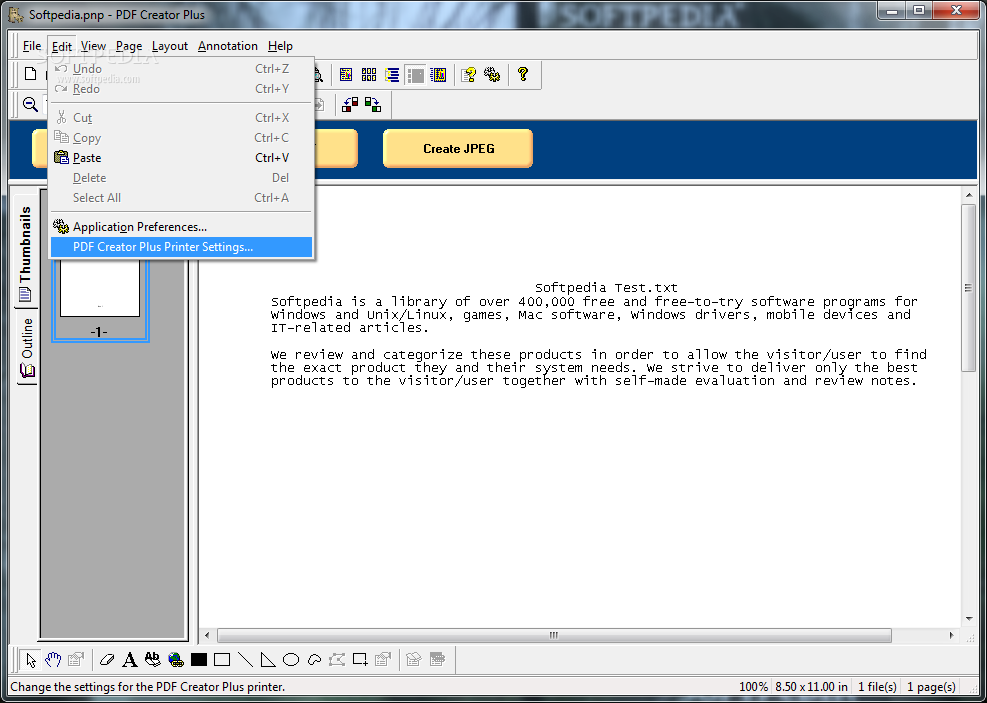
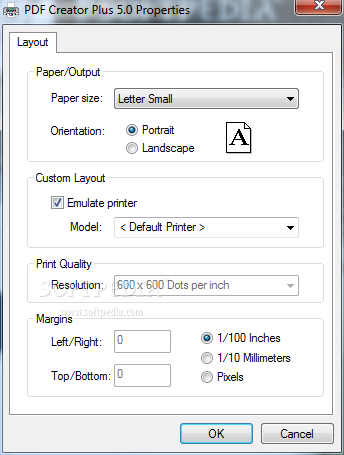
PDF Creator Plus is a flexible PDF converter that makes PDF creation as easy as printing. You can convert any document to PDF simply by printing it to the PDF Creator Plus printer (which you will find in your Printers list after you install the product).

PDF Creator Plus allows you to convert your documents into PDF files , and you can also create JPEG, TIFF , Windows BMP and placeable Enhanced Metafile (EMF) formats.

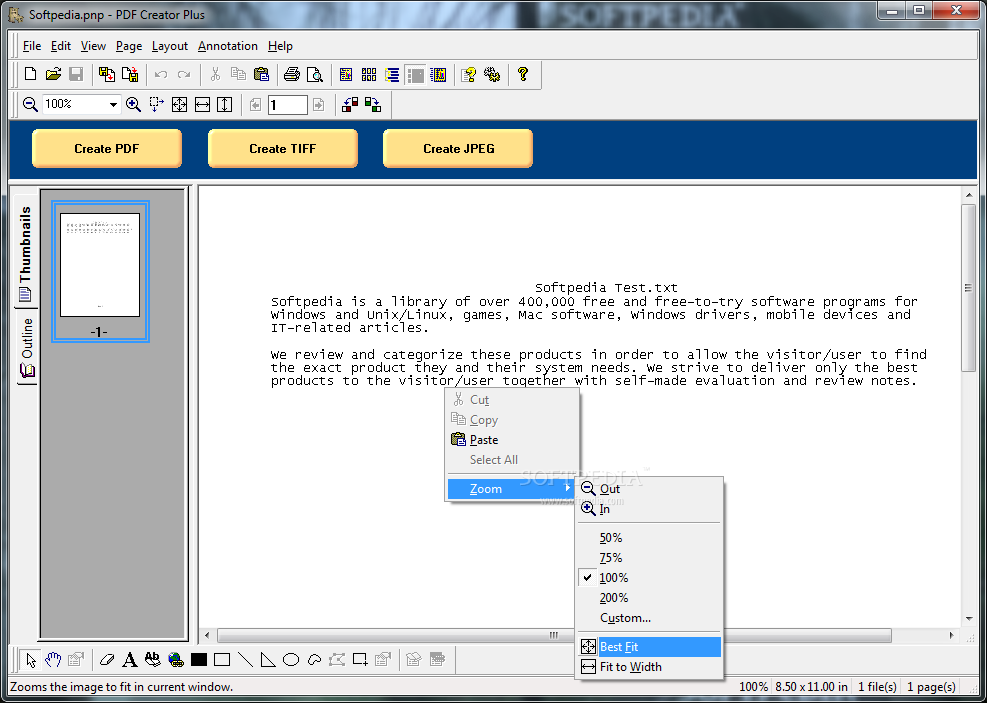
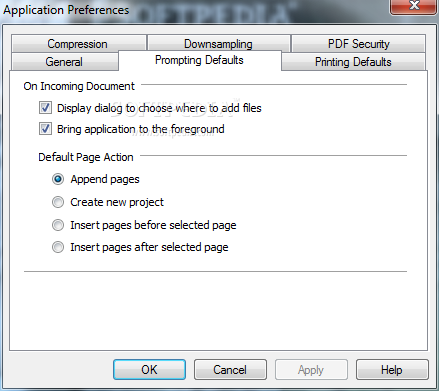
When you print to PDF Creator Plus, it opens a window to display your printed document. To build a single PDF from multiple documents, keep this window open and continue printing. When you are ready, simply click Create PDF and choose where to save the PDF file.

The end result is a high-quality professional PDF document that can be e-mailed, stored and viewed by virtually anyone.

PDF Creator Plus includes the most common features found in other convert-to-PDF programs, such as Microsoft Word hyperlinks
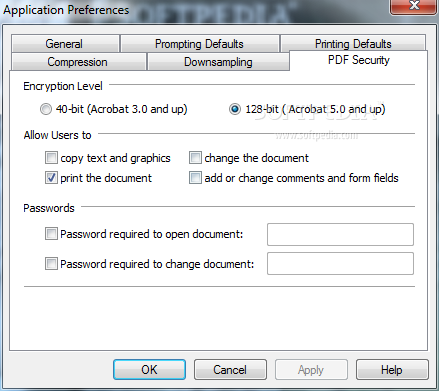
and bookmarks, Table of Contents, and powerful 128-bit encryption for document security. At no extra cost, it also includes a powerful “PDF Editor” and support for other formats (in addition to PDF), making it a multi-format “Conversion Tool”.

You can preview, add, delete or reorganize pages before creating a final PDF. Use the powerful annotation tools to add notes and graphics to highlight important areas. PDF Creator Plus even lets you save your project, so you can revise your PDF at any time.

Unlike other PDF conversion tools, PDF Creator Plus is not limited to creating only PDF documents. You can also create TIFF, JPEG, Windows BMP and placeable Enhanced Metafile (EMF) formats, in addition to PDF.

Here are some key features of "PDF Creator Plus":

Merge any documents: PDF file, Microsoft Office documents, emails, Adobe PDF documents, web pages, files from any application – PDF Creator Plus can handle them all.
Reorganize the integrated documents: Pages in the project can be reordered any way you want. You can copy pages, delete any pages, or insert new pages.
Save As PDF Add-In for MS Word: Gives you complete control over the document styles used to create the PDF bookmarks, without changing the original source document.
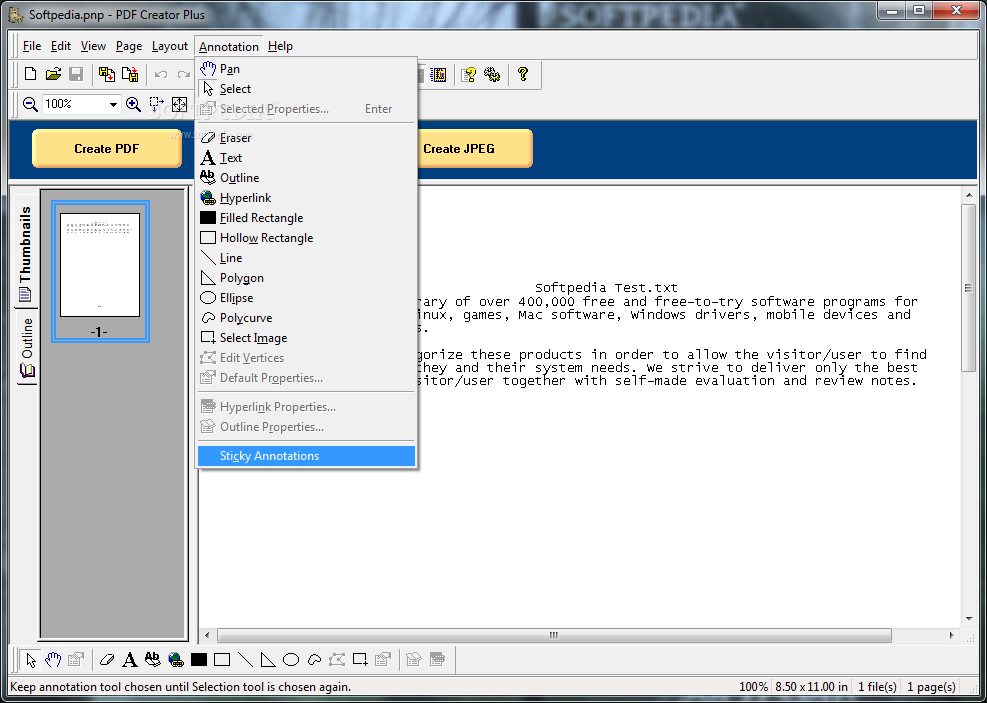
Supports bookmarks and hyperlinks: Add and edit headings, bookmarks and hyperlinks using the Outline and Hyperlink annotation tools.
Insert your annotations: Use the built-in annotation tools for adding notes, highlighting areas, masking out areas, and more.
PDF Bookmarks Preview: Full WYSIWYG preview and editing of the PDF Bookmarks information, including text, levels, and color and font styles.
PDF Bookmark Remapping: Seamlessly merge bookmarks and headings from multiple documents.
Hyperlink support: Add hyperlinks to web addresses and external files as well as internal headings and bookmarks.
Initial View: From the PDF Export dialog you can configure the way Acrobat Reader initially views your PDF document.Re-use: Save your PDF Creator Plus project for future re-use.
Flexible output formats:
Convert to searchable PDF, with or without security
Convert to TIFF raster image files
Convert to JPEG raster image files
Convert Windows BMP raster image files
Convert to EMF - placeable Enhanced Metafile format for importing pages into other applications
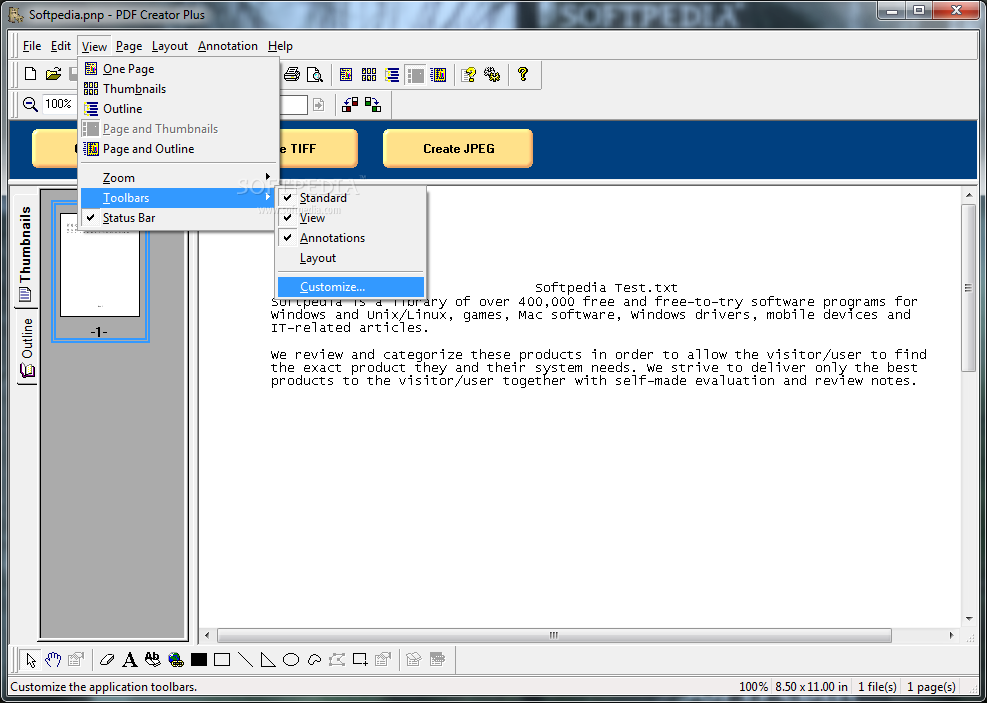
WYSIWYG: WYSIWYG style interface for easy manipulation of project, pages and annotations.
Printing: Full print and print preview capabilities.
Supports Unicode Fonts: Print using Unicode fonts such as Chinese or Japanese without loosing text.


Limitations:

30 days trial
'Evaluation Copy' watermark


What's New in This Release:

New Version includes full support for "Windows Vista", both 32-bit and 64-bit editions and support for 64-bit Windows XP. Increased support for Word 2007.... [ read full changelog ]


Softpedia guarantees that PDF Creator Plus 4.0.0.14 is 100% CLEAN, which means it does not contain any form of malware, including but not limited to: spyware, viruses, trojans and backdoors.

This software product was tested thoroughly and was found absolutely clean, therefore it can be installed with no concern by any computer user.

However, it should be noted that this product will be retested periodically and the award may be withdrawn, so you should check back on this page from time to time. (click here for more information)


Related downloads IT News Popular downloads New additions   Latest reviews  
ABC Amber Text Converter 5.06
Document converter with support for conversion between many file formats
Universal Document Converter 4.2
Converts to graphics any document you can print
Total Doc Converter 1.01
Convert Doc to PDF, HTML, XLS, Image and Text easily
WordPerfect Document Converter Enterprise Edition4.0
Converts documents from WordPerfect to Word and Word to WordPerfect
CZ Document Converter 2.0
CZ Document Converter is built as an powerful batch document converter that converts PDF, HTML, RTF, TXT and others
Neevia Document Converter Pro 5.0
Neevia Document Converter Pro - dynamically converts Microsoft Office 2000, XP, 2003, Office 97, WordPerfect, HTML
PDF2Tiff Command-line 1.0
PDF2Tiff Command-line is a useful application that converts PDF files to highly compressed Tiff files
Doc2Txt 1.0
Doc2Txt - Easy mass conversion of documents to text format
TxReader Special Edition 1.0
TxReader is a powerful application which converts documents into spoken words and MP3
ActiveConverter Component 1.2
ActiveConverter Component allows you to convert MS Office documents from your application

go to top Use the following code to link to this page:


Welcome!
Hello, Guest

Login if you have a Softpedia.com account.

Otherwise, register for one.

Main categories:
  • Antivirus
  • Compression tools
  • CD/DVD Tools
  • Office tools
  • Programming
  • Authoring tools
  • File managers
  • Desktop Enhancements
  • Internet
  • Network Tools
  • IPOD TOOLS
  • Mobile Phone Tools
  • Multimedia
  • Tweak
  • System
  • Security
  • Others
  • Science / CAD
  • UNIX
  • Windows Widgets
  • PORTABLE SOFTWARE

  • Week's best:
  • DAEMON Tools Lite 4....
  • UBCD4WIN 3.2.0
  • Adobe Reader 9.0.0 /...
  • Total Commander Ulti...
  • System Mechanic 8.0....
  • Adobe Acrobat Profes...
  • iPhone PC Suite 1.0....
  • Firefox 3.0 Final / ...
  • Portable Firefox 3.0...
  • MPlayer for Windows ...
  • Vista Codec Package ...
  • Windows Live Messeng...
  • WinBubble 1.73
  • Kaspersky Anti-Virus...
  • Malware Removal Tool...
  • WinRAR 3.80 Beta 2 /...
  • Royale Noir Theme fo...
  • IBM Lotus Symphony 1...
  • Adobe Dreamweaver 10...
  • Adobe Fireworks 10.0...
  • BitDefender Total Se...
  • McAfee Total Protect...
  • Ad-Aware 2008 7.1.0....
  • Adobe Flash Player 1...
  • Intel Chipset Softwa...
  • Uxtheme Multi-patche...
  • SRS Audio Sandbox 1....
  • SP3 UxTheme Patcher ...
  • PECompact 2.87 Beta ...
  • Sony Vegas Movie Stu...
  • Daniusoft Media Conv...
  • © 2001 - 2008 Softpedia. All rights reserved.
    Softpedia™ and Softpedia™ logo are registered trademarks of SoftNews NET SRL.
    Copyright Information | Privacy Policy | Terms of Use | Contact Softpedia | Update your software | Archive