
DjVu, TIFF and Comic Book Archive (CBR or CBZ) to PDF converter with additional options for initial view, pages list, cutting, outlines or codecs. #DjVu converter #Convert to PDF #DjVu to PDF #Convert #Converter #Conversion

STDU Converter is a small but powerful tool that can convert several file extensions into the PDF format. The program supports the DjVu, TIFF, CBR, CBZ, DCX and PCX formats.
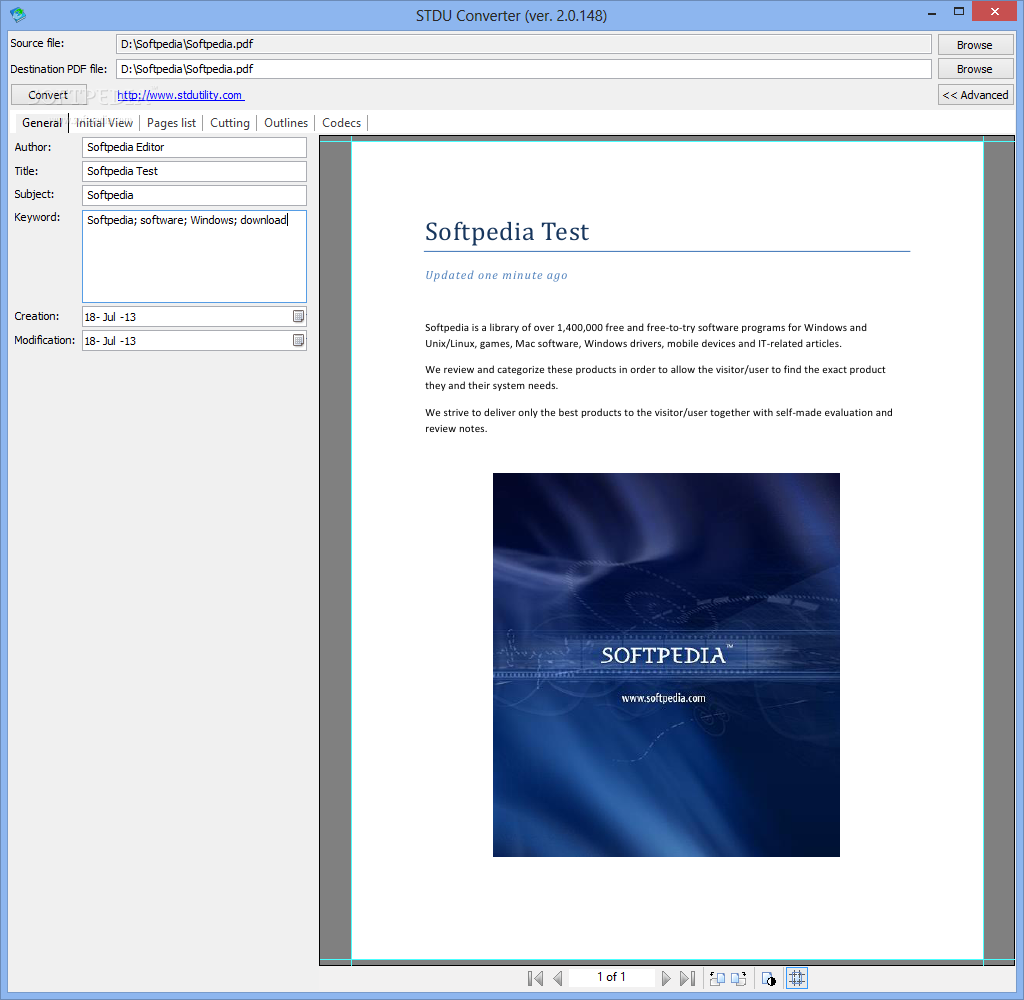
The user interface of the application is very simplistic. It consists of a small and plain window in which you can press four buttons.
Thus, you can get started by specifying the source file via the file browser (the "drag and drop" method is supported as well) and setting the output destination and name.
Before pressing the "Convert" button, you might be interested in checking out advanced options. For example, you can view the output file, edit the author, title, subject, keyword, date of creation and modification when it comes to the PDF document.
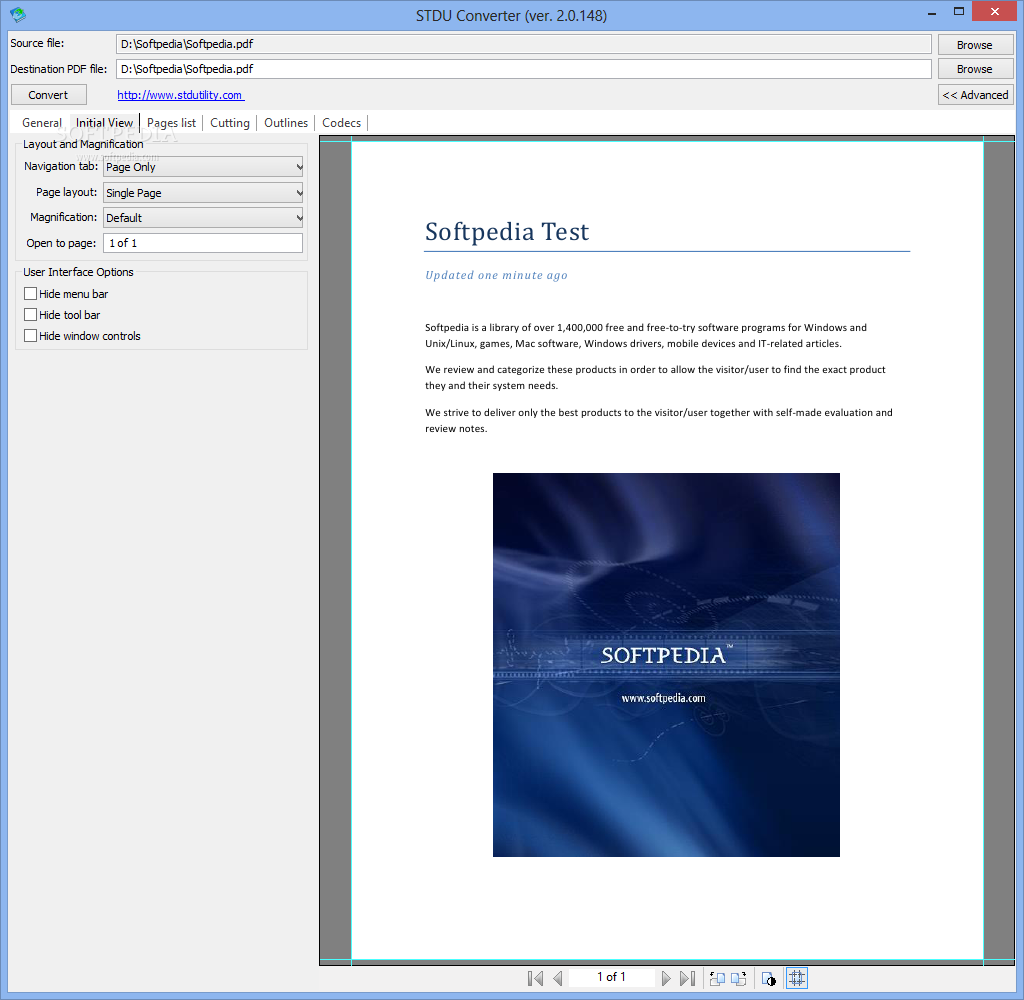
You can also select the navigation tab (e.g. page only, bookmarks panel and page), page layout (e.g. single page, single page continuous), magnification (e.g. default, actual size), open to a specific page and set user interface options (hide menu bar, toolbar and window controls).
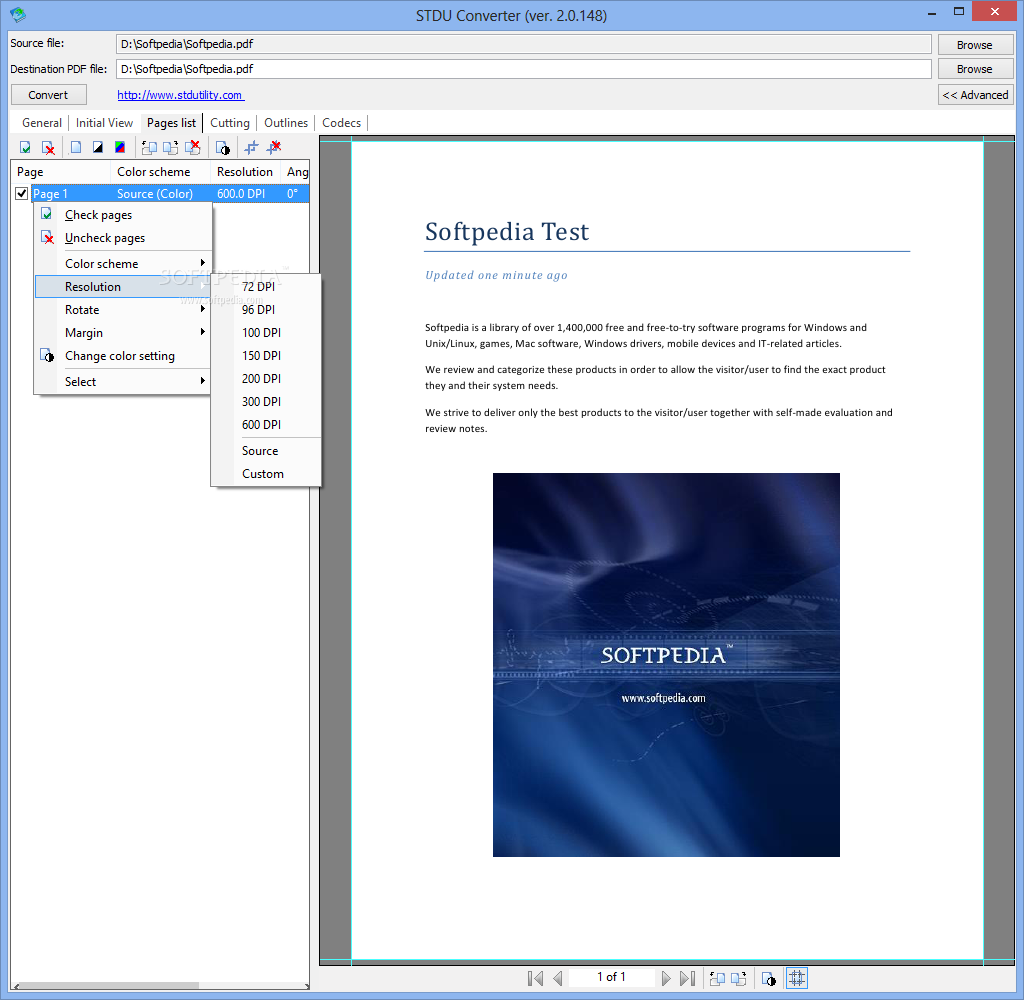
You can select which pages of the source file you want to convert, rotate them, automatically calculate their margins, as well as view and edit their color scheme, resolution, angle, brightness, contrast and gamma.
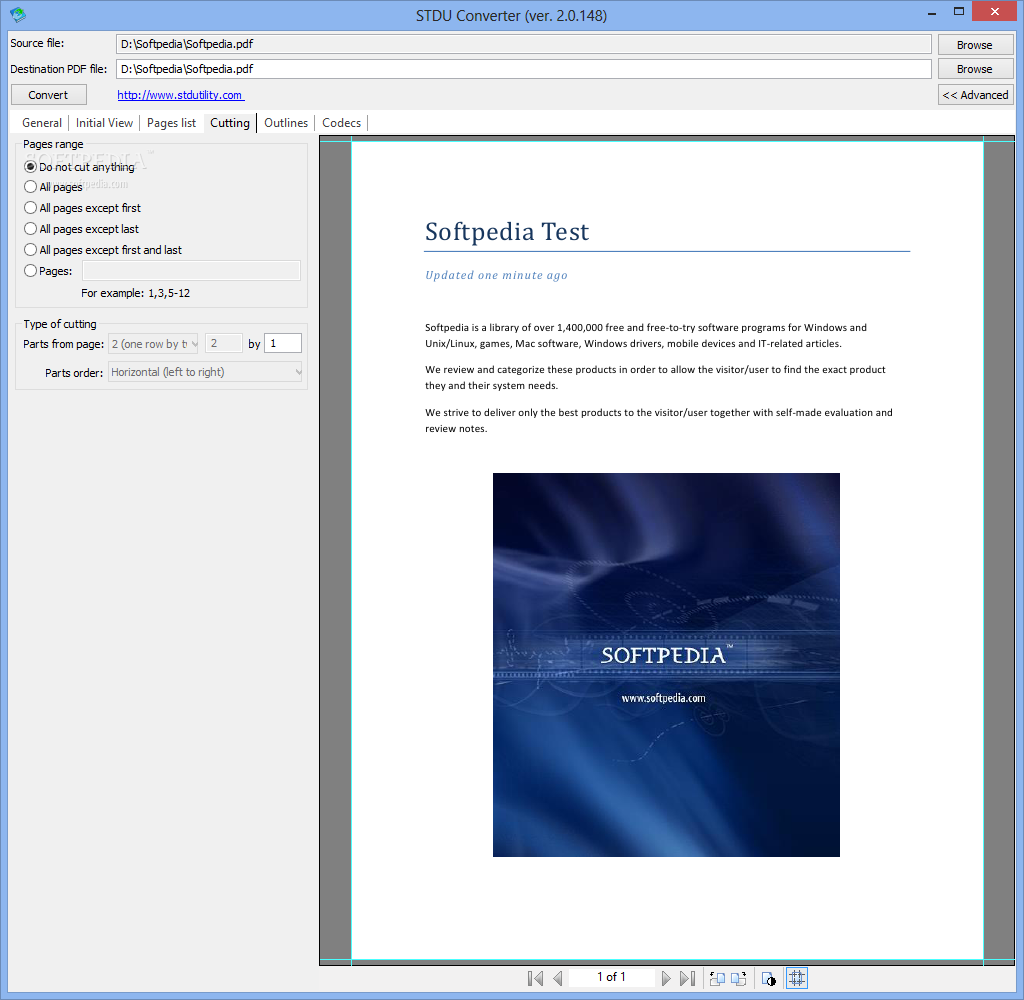
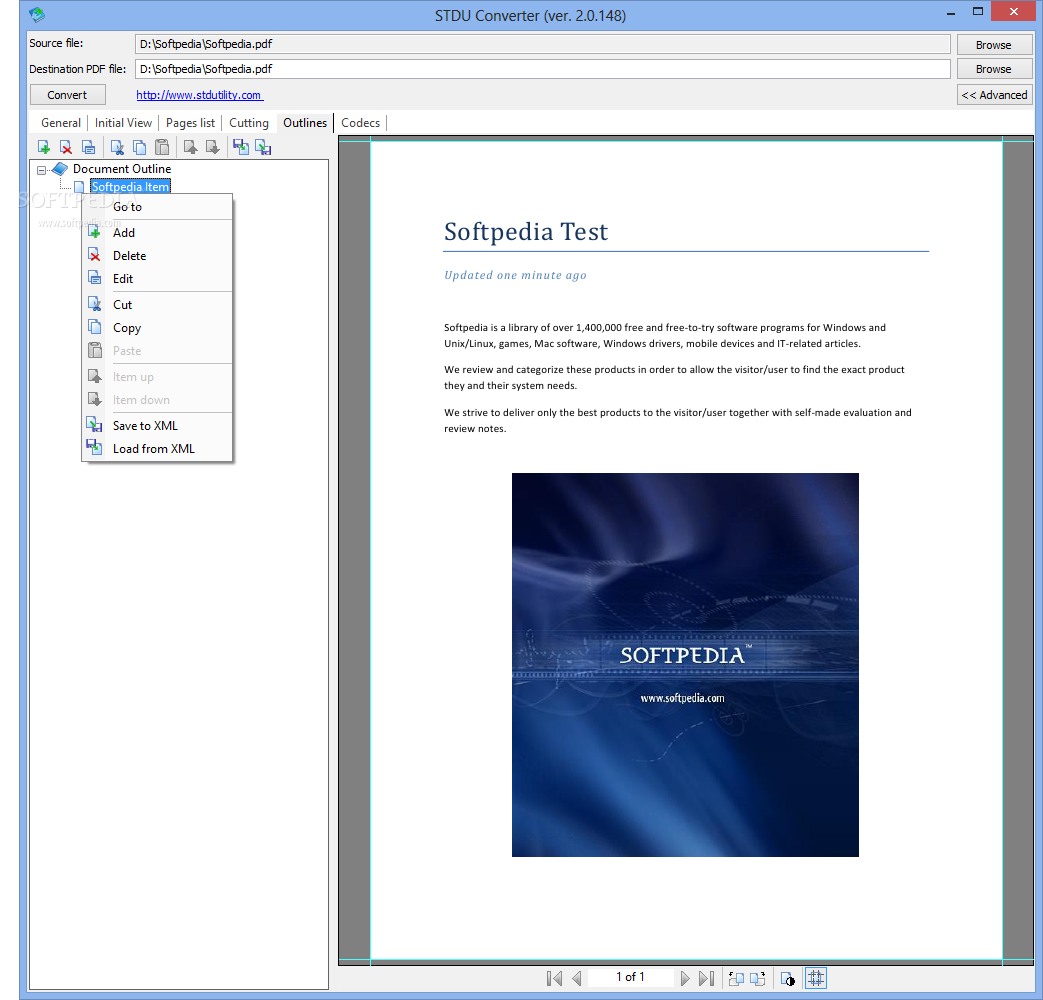
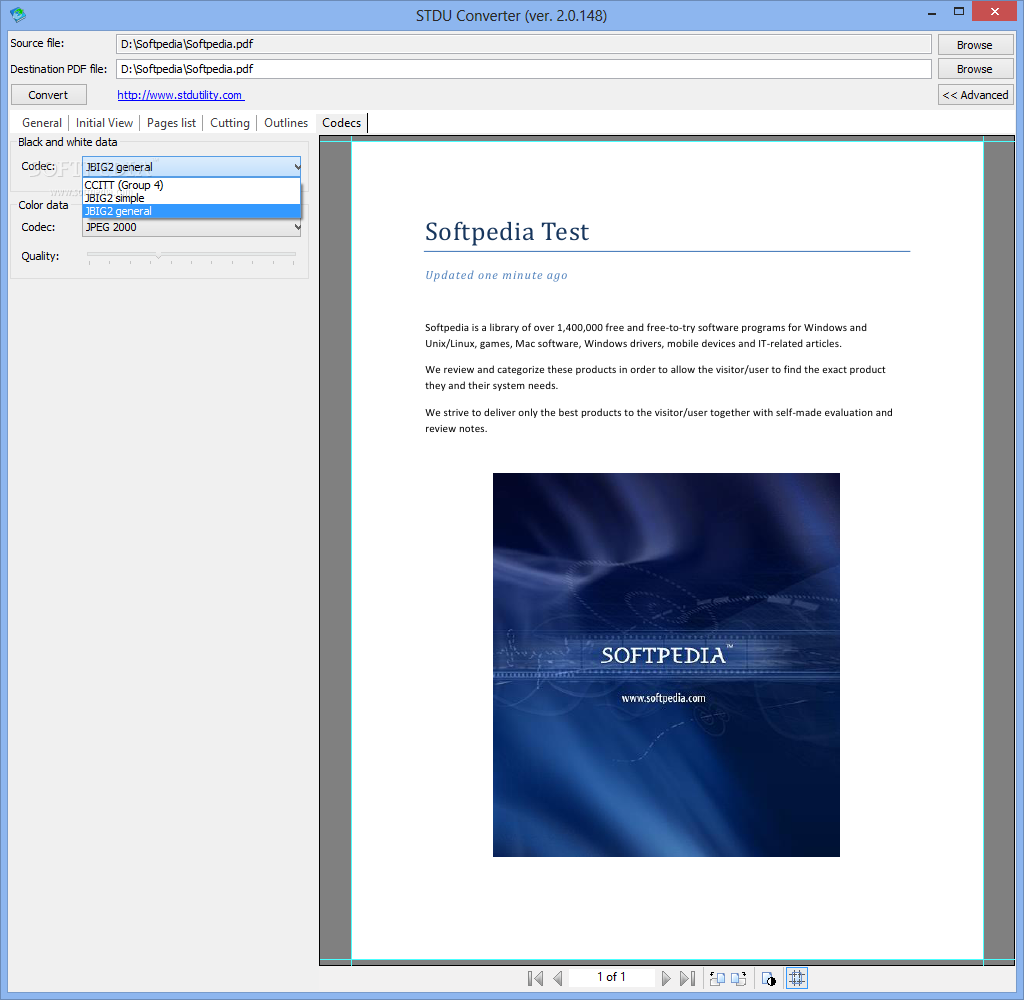
You can cut pages (e.g. all except the first or last), select the type of cutting, add document outlines, as well as set the "black and white data" and "color data" codecs, and more.
The application uses a low-to-moderate amount of system resources and didn't pop up any errors during our tests. Unfortunately, STDU Converter doesn't include a help file and batch conversion is not supported.
The bottom line is that STDU Converter is an effective and simple-to-use tool for converting files to the PDF format and we recommend it.
Download Hubs
STDU Converter is part of these download collections: Convert DjVU, Convert WMF
STDU Converter 2.0.154
add to watchlist add to download basket send us an update REPORT- runs on:
- Windows All
- file size:
- 1.8 MB
- main category:
- Office tools
- developer:
- visit homepage
Bitdefender Antivirus Free

IrfanView

7-Zip

calibre

4k Video Downloader

Microsoft Teams

Zoom Client

Windows Sandbox Launcher

paint.net

ShareX

- Windows Sandbox Launcher
- paint.net
- ShareX
- Bitdefender Antivirus Free
- IrfanView
- 7-Zip
- calibre
- 4k Video Downloader
- Microsoft Teams
- Zoom Client